
 hahwul/xspear
🔱 Powerfull XSS Scanning and Parameter analysis tool&gem

XSpear is XSS Scanner on ruby gems





[!IMPORTANT] XSpear Repository Archived
This repository has been archived and is now read-only.
XSpear is no longer actively maintained.Try Dalfox instead 🌙🦊
A faster, more powerful XSS scanner with advanced features.
alert confirm prompt event on headless browser (with Selenium)event handler HTML tag Special Char Useful codeCSP HSTS X-frame-options, XSS-protection etc.. )table base cli-report and filtered rule, testing raw query(url)cli json html
Install it yourself as:
$ gem install XSpear
Or install it yourself as (local file / download latest ):
$ gem install XSpear-{version}.gem
Add this line to your application's Gemfile:
gem 'XSpear'
And then execute:
$ bundle
colorize selenium-webdriver terminal-table progress_bar
If you configured it to install automatically in the Gem library, but it behaves abnormally, install it with the following command.
$ gem install colorize
$ gem install selenium-webdriver
$ gem install terminal-table
$ gem install progress_bar
Usage: xspear -u [target] -[options] [value]
[ e.g ]
$ xspear -u 'https://www.hahwul.com/?q=123' --cookie='role=admin' -v 1 -a
$ xspear -u 'http://testphp.vulnweb.com/listproducts.php?cat=123' -v 2
$ xspear -u 'http://testphp.vulnweb.com/listproducts.php?cat=123' -v 0 -o json

[ Options ]
    -u, --url=target_URL             [required] Target Url
    -d, --data=POST Body             [optional] POST Method Body data
    -a, --test-all-params            [optional] test to all params(include not reflected)
        --no-xss                     [optional] no testing xss, only parameters analysis
        --headers=HEADERS            [optional] Add HTTP Headers
        --cookie=COOKIE              [optional] Add Cookie
        --custom-payload=FILENAME    [optional] Load custom payload json file
        --raw=FILENAME               [optional] Load raw file(e.g raw_sample.txt)
    -p, --param=PARAM                [optional] Test paramters
    -b, --BLIND=URL                  [optional] Add vector of Blind XSS
                                      + with XSS Hunter, ezXSS, HBXSS, etc...
                                      + e.g : -b https://hahwul.xss.ht
    -t, --threads=NUMBER             [optional] thread , default: 10
    -o, --output=FORMAT              [optional] Output format (cli , json)
    -c, --config=FILENAME            [optional] Using config.json
    -v, --verbose=0~3                [optional] Show log depth
                                      + v=0 : quite mode(only result)
                                      + v=1 : show scanning status(default)
                                      + v=2 : show scanning logs
                                      + v=3 : show detail log(req/res)
    -h, --help                       Prints this help
        --version                    Show XSpear version
        --update                     Show how to update
[0] quite mode(show only result)
$ xspear -u "http://testphp.vulnweb.com/listproducts.php?cat=123" -v 0
you see report
[1] show progress bar (default)
$ xspear -u "http://testphp.vulnweb.com/listproducts.php?cat=123" -v 1
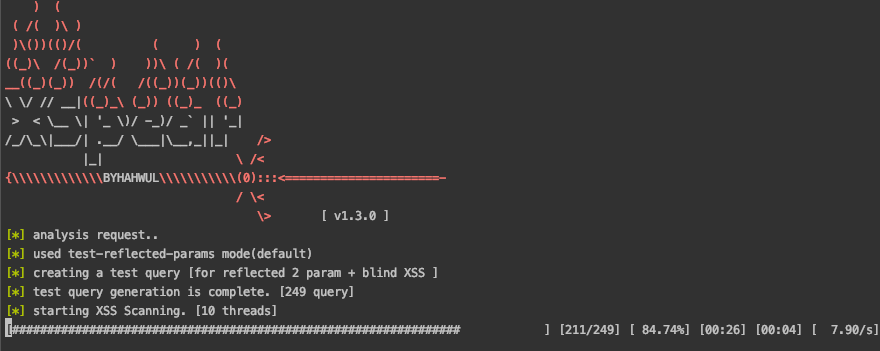
[*] analysis request..
[*] used test-reflected-params mode(default)
[*] creating a test query [for reflected 2 param + blind XSS ]
[*] test query generation is complete. [249 query]
[*] starting XSS Scanning. [10 threads]

