 hahwul/urx
Extracts URLs from OSINT Archives for Security Insights


Extracts URLs from OSINT Archives for Security Insights.




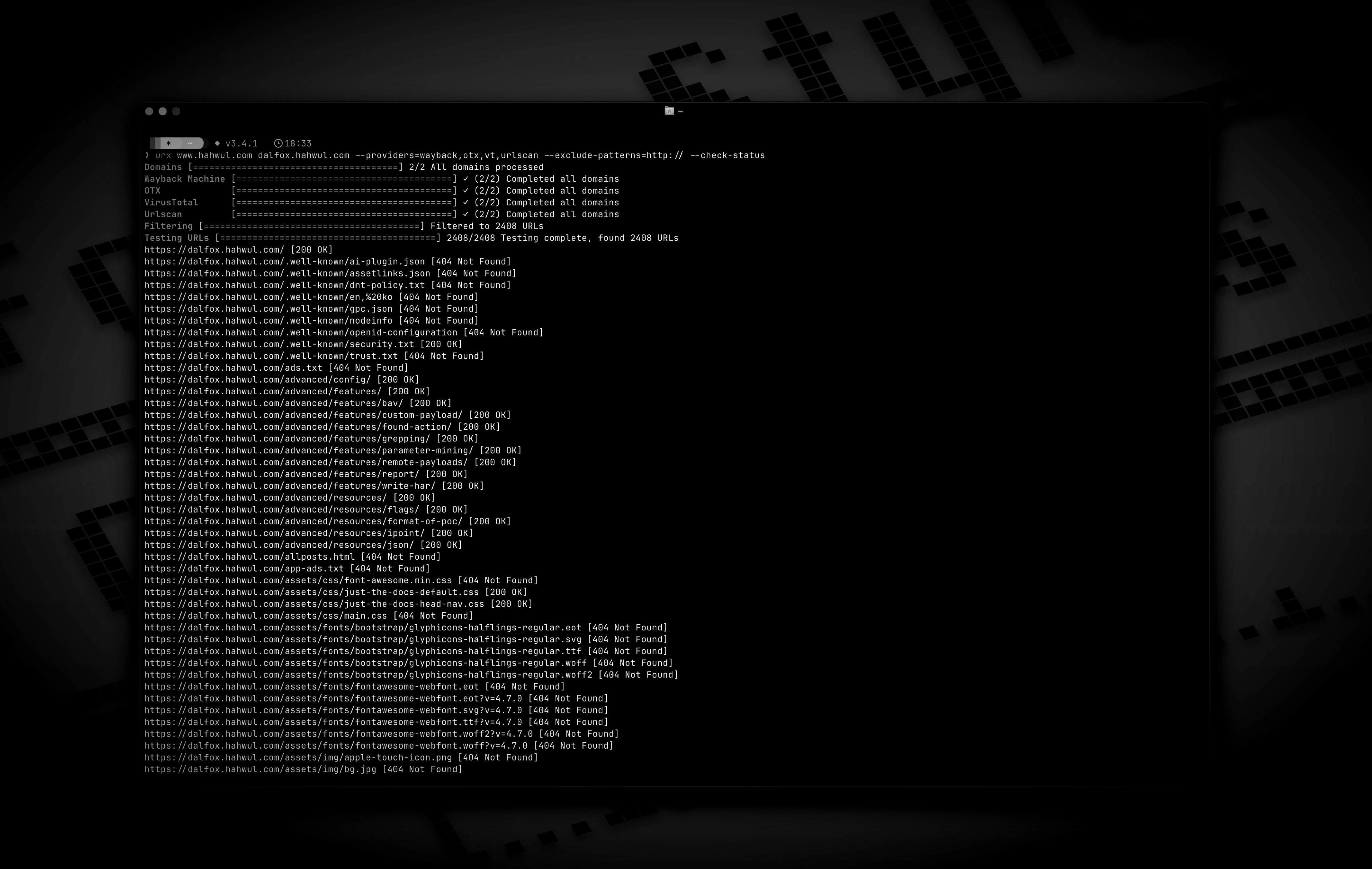
Urx is a command-line tool designed for collecting URLs from OSINT archives, such as the Wayback Machine and Common Crawl. Built with Rust for efficiency, it leverages asynchronous processing to rapidly query multiple data sources. This tool simplifies the process of gathering URL information for a specified domain, providing a comprehensive dataset that can be used for various purposes, including security testing and analysis.
--cdx-endpoint URL, no code change needed-H, --cookie and --user-agent apply to every request urx makes to the target (--check-status, --extract-links, --extract-js-endpoints, --expand-specs) and are deliberately never sent to an archive--match-regex / --filter-regex)--meta-*): filter on first/last capture date, recorded MIME type and recorded status uniformly across every provider, after collectionurx example.com/shop pushes the scope into the CDX query itself (url=example.com/shop*), so a subtree of a large site costs a fraction of the whole index instead of being filtered out client-side--scope-file): a program's own *.example.com / !admin.example.com list used verbatim, repeatable and unioned, exclusions always winning--dedup-similar)wordlist — the path segments and parameter names the target is built from, with ids, hashes and dates left out--params (the whole target's parameter inventory), --params-by-endpoint (which endpoint takes what), and --fuzz-placeholder FUZZ (one templated URL per parameter signature, ready for ffuf or dalfox)first_seen, last_seen, mime, archive_status, and digest come back with every URL a CDX archive reported, at no extra network cost--stream): URLs are written as each provider reports them, so a pipeline starts working immediately instead of waiting for the slowest archive--archive-body), so pages that no longer exist still give up the links they contained — one request per distinct body, thanks to CDX digest deduplication--extract-js-endpoints, mine the archived JavaScript too: a bundle named by build hash 404s the moment the site redeploys, and the archive is the only place its API surface still exists--archive-body-dir) as a corpus to grep for what no link extractor looks for — developer comments, inlined credentials, internal hostnames — at no extra requests--expand-specs): OpenAPI 3.x, Swagger 2.0 and GraphQL introspection documents, JSON or YAML, turned into every route they describe — one request buys the whole documented surface--check-status also records Location, Content-Length and Content-Type, and --check-title adds the HTML <title>--archived-discovery): every distinct version the Wayback Machine holds, so a Disallow: from 2015 still names the paths the site has since stopped mentioningurx cache subcommand to inspect and maintain the cache: stats, list, prune, drop <domain>, clear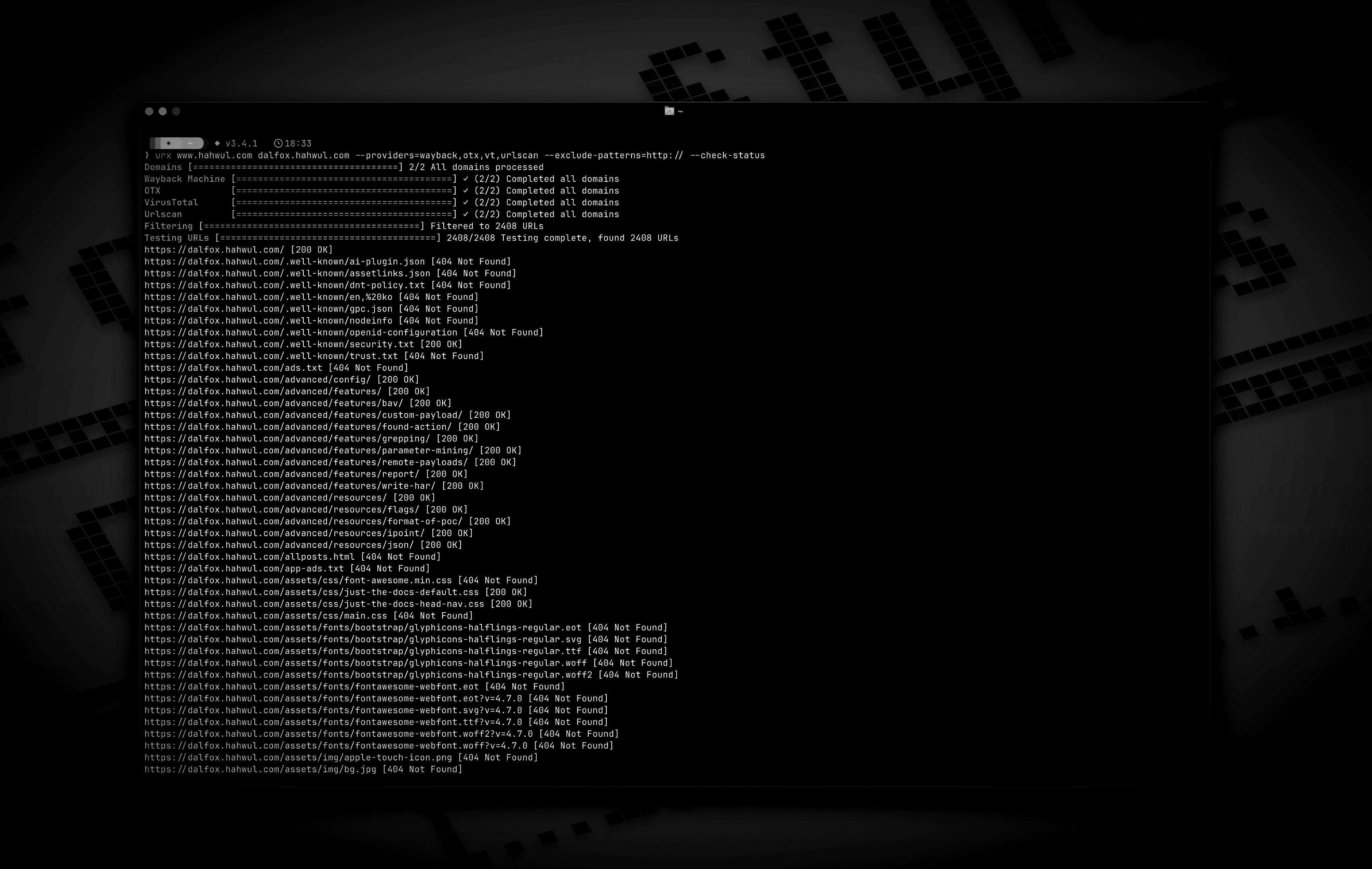
# https://crates.io/crates/urx
cargo install urx
# https://formulae.brew.sh/formula/urx
brew install urx
git clone https://github.com/hahwul/urx.git
cd urx
cargo build --release
The compiled binary will be available at target/release/urx.
urx generates its own completion script, so it always matches the flags of
the binary you actually have installed.
# zsh — any directory on your $fpath works
urx --completions zsh > ~/.zfunc/_urx
# (make sure ~/.zfunc is on the fpath, then `compinit`)

# bash
urx --completions bash > ~/.local/share/bash-completion/completions/urx

# fish
urx --completions fish > ~/.config/fish/completions/urx.fish
powershell and elvish are supported too. The flag needs no target domain.
urx --manpage > ~/.local/share/man/man1/urx.1
man urx
# Scan a single domain
urx example.com

# Scan multiple domains
urx example.com example.org

# Scan domains from a file
cat domains.txt | urx
Usage: urx [OPTIONS] [DOMAINS]... [COMMAND]

Commands:
  cache  Inspect and maintain the URL cache: stats, list, prune, drop <DOMAIN>..., clear
