
Skip to content
KitploitKITPLOIT
ToolsBlog
Submit
ToolsBlog
Submit

Hacking, PenTest, and Cybersecurity Tools for Your Security Arsenal!

Kitploit is a directory of hacking, cybersecurity, and pentesting tools. Discover the latest project updates to find vulnerabilities, analyze systems, automate testing, and strengthen your security.

··Feeds·Contact·Privacy·© 2026 Kitploit

Tool Directory

Categories

View all categories
Loading categories
Owasp-top-10-k8s-2025 — Hands-on capture-the-flag lab for the OWASP Kubernetes Top 10 (2025). Exploit 11 real-world cluster weaknesses, capture flags, then apply fixes and verify with an automated checker. Runs locally on kind. | Kitploit
Tools/GitHubGitHub/hac01/owasp-top-10-k8s-2025
Privilege EscalationContainer SecurityVulnerability AnalysisCTFPenetration TestingCloud SecuritySupply Chain SecurityMisconfigurationLearning & EducationRed TeamingLabs & Practice
4581 month agoReviewed by Kitploit

Most Popular

View all →

Discover the most used tools by our community.

Explore all tools

Browse our collection of tools

View all tools →
Share
GitHub
hac01/owasp-top-10-k8s-2025

Owasp-top-10-k8s-2025

Hands-on capture-the-flag lab for the OWASP Kubernetes Top 10 (2025). Exploit 11 real-world cluster weaknesses, capture flags, then apply fixes and verify with an automated checker. Runs locally on kind.

View Repository

OWASP Kubernetes Top 10 (2025), hands-on

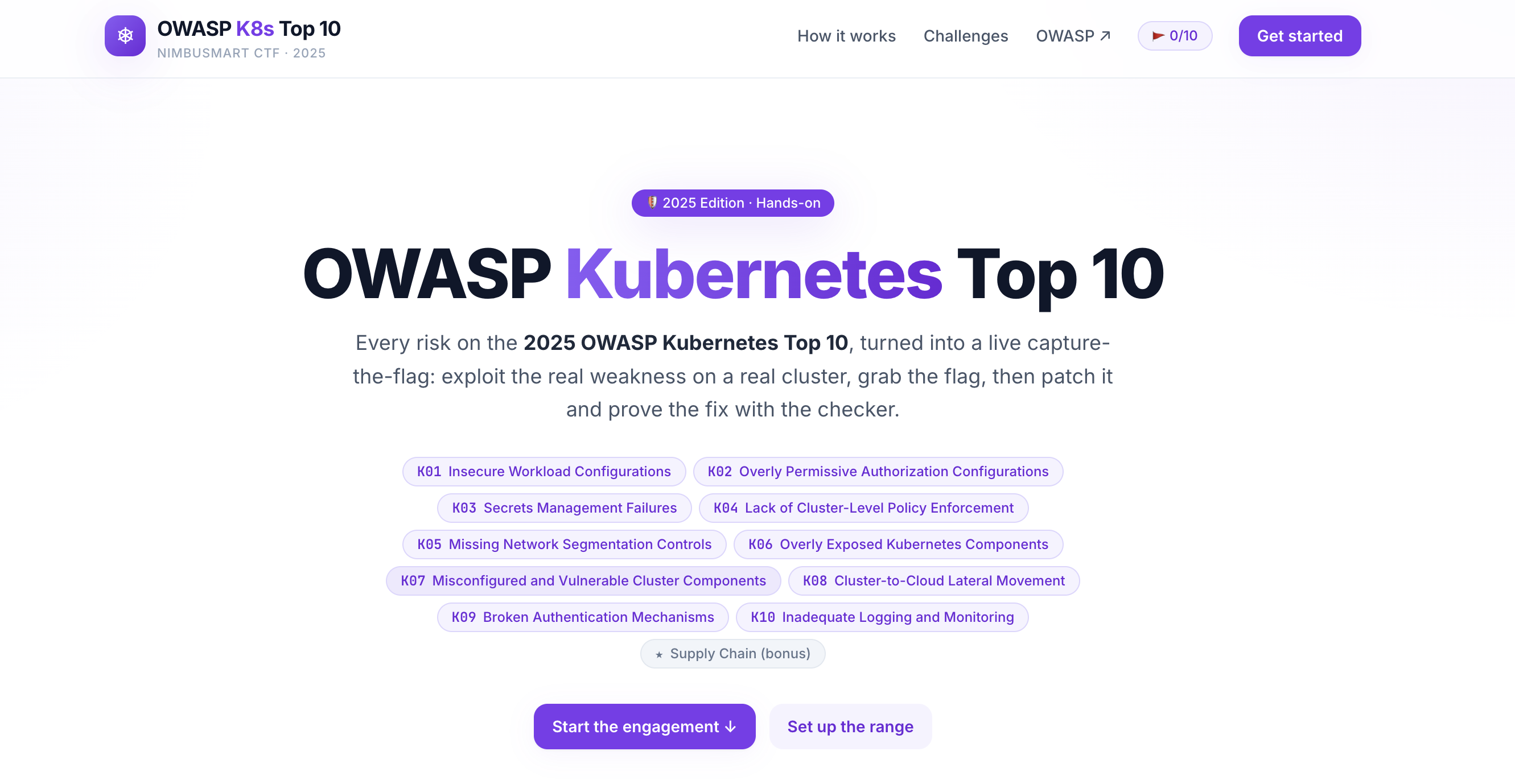
A capture-the-flag built on the OWASP Kubernetes Top 10 — 2025. You've been hired to red-team NimbusMart, a fictional e-commerce company whose cluster grew faster than its security. Ten challenges, one per OWASP risk (plus a bonus) — exploit each weakness, capture the flag, then apply the fix and prove it with the checker.
Screenshot 2026-07-03 at 3 02 12 AM

The world bible (company, services, namespaces, flag scheme) lives in labs/NIMBUSMART.md.

Everything runs locally on kind. Never run the vulnerable manifests against a real cluster.

Built by @hac01.


What this covers

This isn't a slide deck — it's a working, vulnerable-by-design Kubernetes cluster plus the tooling to attack it, fix it, and verify the fix. Across the eleven challenges you get hands-on with:

  • Container & node security — privileged pods, hostPath mounts, and node breakout (K01).
  • RBAC and authorization — wildcard ClusterRoles, over-scoped ServiceAccounts, and how one stolen token reaches every secret (K02, K09).
  • Secrets management — hardcoded API keys in env/ConfigMaps and safer alternatives (K03).
  • Admission control & policy — what slips through when nothing enforces rules cluster-wide, and how Pod Security Admission / policy engines stop it (K04).
  • Network segmentation — flat pod networks vs. NetworkPolicy lockdown (K05).
  • Exposed components — internal dashboards and APIs published via NodePort (K06).
  • Cluster component hygiene — default tokens, missing quotas, stale/vulnerable versions (K07).
  • Cluster-to-cloud lateral movement — a pod reaching the node metadata (IMDS) endpoint to steal cloud credentials (K08).
  • Authentication — anonymous API access and over-mounted default tokens (K09).
  • Logging & monitoring — detecting (or failing to detect) silent data exfil, and why an audit trail matters (K10).
  • Supply chain — untrusted, mutable :latest images shipped to prod (bonus).

For every challenge you get:

  • A mission briefing — the NimbusMart scenario, your foothold, and the objective.
  • A flag to capture — reachable only by performing the exploit (on the node, in another namespace, over the network). Submit it in the web app; the scoreboard tracks your progress and points (browser localStorage).
  • Progressive hints plus a spoiler walkthrough — nudges first, full solution when you want it.
  • A deep-dive overview — what the weakness is, how attackers abuse it, impact, root causes.
  • A defense guide — concrete patches and a best-practices checklist.
  • An automated checker — a Go binary that scans your cluster and confirms, per risk, whether the fix holds.

Prerequisites

Install these before you start. The setup script checks for the first four and fails fast with a clear message if any are missing.

brew commands are for macOS. On Linux use your package manager or the linked upstream instructions.


Quick start (recommended) — everything inside one cluster

The web app, an in-browser terminal, and the checker can all run inside the kind cluster. One command spins up everything and prints the URL:

root@kitploit:~
./setup.sh          # or: make up
#   - creates the kind cluster, builds and loads images, deploys, waits for ready
#   - Web app:  http://localhost:30090
#   - Terminal: the 'Terminal' button in the web app

./setup.sh (re)creates the cluster with the right port mappings, builds the two images (nimbusmart-ctf-web, nimbusmart-ctf-terminal), loads them into kind, and applies deploy/. First run pulls base images and takes ~1-2 minutes.

root@kitploit:~
./setup.sh            # fresh cluster + full platform (deletes any old 'owasp-labs' cluster)
./setup.sh --keep     # reuse an existing 'owasp-labs' cluster if present

Then open http://localhost:30090, pick a challenge, and use the Terminal button in the browser to drive the cluster.

The terminal pod runs as a cluster-admin ServiceAccount, so the terminal in the browser drives this very cluster — run kubectl apply -f labs/... and owasp-k8s-checker --check kNN right there.

Warning: the in-browser terminal is effectively cluster-admin over a WebSocket. It is safe only because it is bound to your local, disposable kind cluster on localhost. Never expose ports 30080/30090/30091 to an untrusted network.

Tear down

root@kitploit:~
kind delete cluster --name owasp-labs      # or: make cluster-down

Repository layout

root@kitploit:~
.
├── setup.sh         One-command bootstrap (cluster + images + deploy)
├── Makefile         Convenience targets — run `make help` to list them
├── web/             Next.js + React app (white/purple theme) — the UI
├── labs/            Real K8s manifests per risk (vulnerable.yaml + fixed.yaml + README)
│   ├── NIMBUSMART.md        World bible: company, namespaces, flag scheme
│   └── kind-cluster.yaml    Shared local cluster config (port mappings)
├── deploy/          In-cluster platform manifests (web + terminal + RBAC) + build.sh
├── terminal-server/ WebSocket backend for the in-browser terminal
└── checker/         Go binary that validates a cluster against the Top 10

Useful make targets (make help shows all):


The OWASP Kubernetes Top 10 — 2025

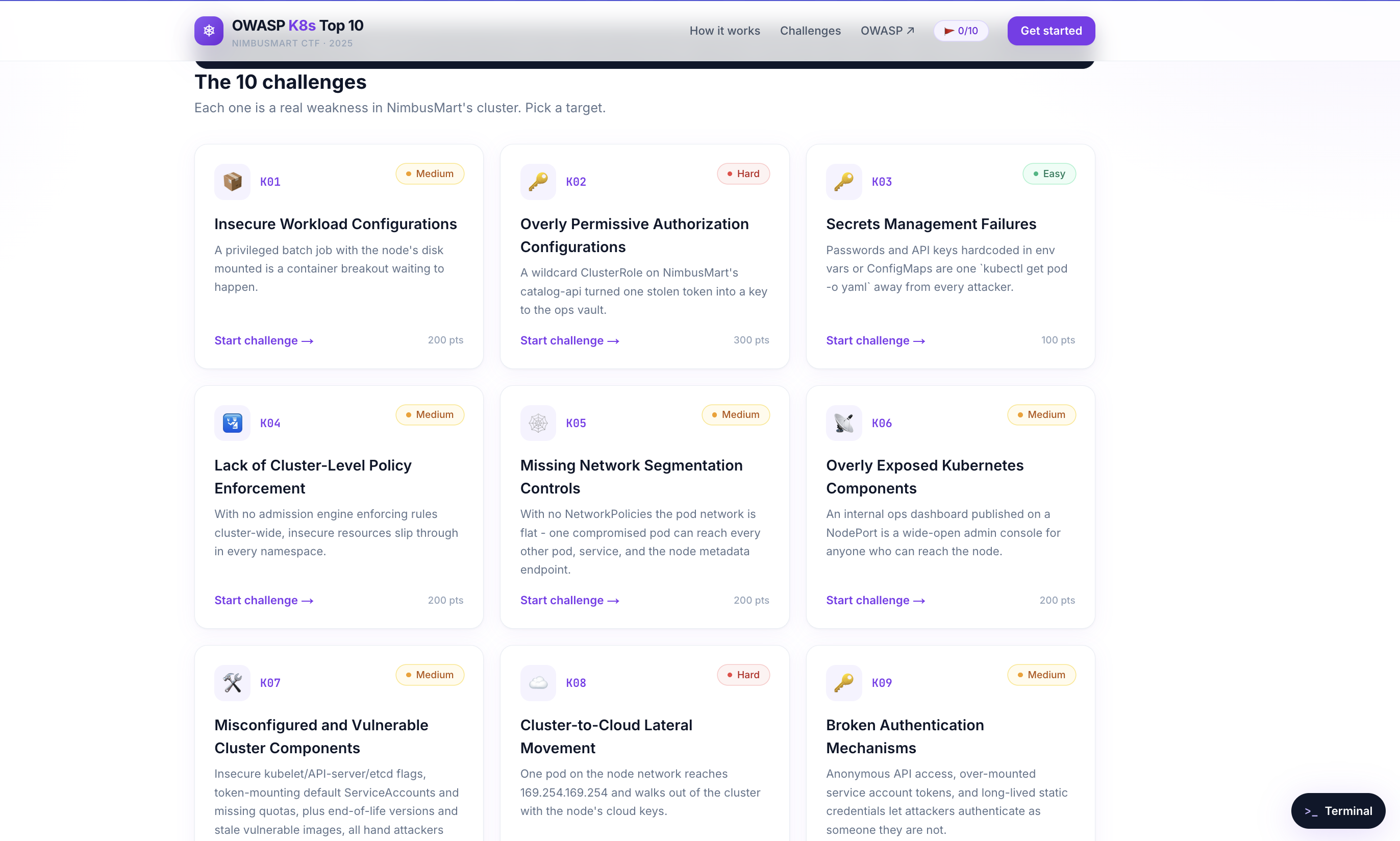
Each challenge is a real weakness in NimbusMart's cluster — pick a target, exploit it, capture the flag, then patch it and prove the fix with the checker.
Screenshot 2026-07-03 at 3 03 34 AM

What changed from 2022: authorization (was RBAC) broadened; secrets, network, authn and logging reordered; Overly Exposed Components (K06) and Cluster-to-Cloud Lateral Movement (K08) added; Misconfigured + Outdated components merged into K07; Supply Chain moved to a bonus challenge. See labs/NIMBUSMART.md for the full challenge-to-service-to- weakness map, difficulty, and points (2000 across 10 challenges, +300 bonus).


Manual / dev workflow (without the in-cluster platform)

Prefer to run the UI locally and drive labs from your own shell? You can wire the pieces up by hand.

1. Run the web app locally

root@kitploit:~
cd web
npm install
npm run dev
# open http://localhost:3000       (or: make web)

The terminal backend runs separately on :30091 using your ~/.kube/config:

root@kitploit:~
make terminal-local

2. Create a lab cluster

root@kitploit:~
kind create cluster --config labs/kind-cluster.yaml    # or: make cluster
kubectl config use-context kind-owasp-labs

3. Play a challenge

Each challenge has its own README, but the pattern is the same:

root@kitploit:~
# some challenges seed a target first (a node file, an ops secret, ...)
kubectl apply -f labs/k01-insecure-workload/setup.yaml       # only if present

# deploy the vulnerable resource and exploit it to capture the flag
kubectl apply -f labs/k01-insecure-workload/vulnerable.yaml
# ...follow the mission briefing / hints in the web app, grab FLAG{...}, submit it...

# apply the hardened version and confirm the flag path is closed
kubectl delete -f labs/k01-insecure-workload/vulnerable.yaml
kubectl apply  -f labs/k01-insecure-workload/fixed.yaml

Reset everything between challenges with make clean-labs.

4. Verify with the checker

root@kitploit:~
cd checker
go run . --list            # show all checks
go run . --check k01       # run a single check
go run . --all             # scan the whole cluster
go run . --all --json      # machine-readable (for CI)
go run . --all -n apps     # scope to a namespace

The checker exits non-zero if any check fails, so it can gate CI.

Build a standalone binary:

root@kitploit:~
cd checker
go build -o owasp-k8s-checker .    # or: make checker
./owasp-k8s-checker --all

How the checker maps to the labs

Each checker/checks/kNN.go validates the same control the matching lab teaches. Deploy the fixed.yaml, run go run . --check kNN, and you should see PASS. Deploy the vulnerable.yaml and the same check reports the specific findings.

Safety: the vulnerable manifests are deliberately exploitable. Only use a local, disposable kind/minikube cluster. Delete it when you're done: kind delete cluster --name owasp-labs.

Download Tool
ToolWhyInstall
DockerRuns the kind cluster and builds images. Must be running.Docker Desktop / Engine
kindLocal Kubernetes cluster in Docker.brew install kind
kubectlTalk to the cluster.brew install kubectl
Go 1.21+Builds and runs the checker binary.brew install go
Node.js 18+Only for running the web app locally (make web). Not needed for the one-command in-cluster setup.brew install node
TargetWhat it does
make upOne shot: cluster + images + deploy (runs setup.sh)
make webRun the web app in dev mode on :3000
make cluster / make cluster-downCreate / delete the local kind cluster
make scanRun every checker against the current cluster
make check ID=k01Run a single check
make clean-labsDelete all lab resources (reset between challenges)
IDRiskLab folder
K01Insecure Workload Configurationslabs/k01-insecure-workload
K02Overly Permissive Authorization Configurationslabs/k02-authorization
K03Secrets Management Failureslabs/k03-secrets
K04Lack of Cluster-Level Policy Enforcementlabs/k04-policy-enforcement
K05Missing Network Segmentation Controlslabs/k05-network-segmentation
K06Overly Exposed Kubernetes Componentslabs/k06-exposed-components
K07Misconfigured and Vulnerable Cluster Componentslabs/k07-cluster-components
K08Cluster-to-Cloud Lateral Movementlabs/k08-cluster-to-cloud
K09Broken Authentication Mechanismslabs/k09-authentication
K10Inadequate Logging and Monitoringlabs/k10-logging-monitoring
BonusSupply Chain Vulnerabilitieslabs/kbonus-supply-chain