EvilCrowRF_Custom_Firmware_CC1101_FlipperZero
Idea, development and implementation of this firmware: h-RAT (https://github.com/h-RAT/).
Discord: h_rat

Idea, development and implementation of the original firmware: Joel Serna (@JoelSernaMoreno - https://github.com/joelsernamoreno/).
Main collaborator: Little Satan (https://github.com/LSatan/)
PCB design: Ignacio Díaz Álvarez (@Nacon_96), Forensic Security (@ForensicSec) and April Brother (@aprbrother).
Manufacturer and distributor: April Brother (@aprbrother).
Distributor from United Kingdom: KSEC Worldwide (@KSEC_KC).
For sale with April Brother (shipping from China):
- Evil Crow RF V2 Aliexpress: https://www.aliexpress.com/item/1005004032930927.html
- Evil Crow RF V2 Alibaba: https://www.alibaba.com/product-detail/Evil-Crow-RF2-signal-receiver-with_1600467911757.html
For sale with KSEC Worldwide (shipping from United Kingdom):
- Evil Crow RF V2: https://labs.ksec.co.uk/product/evil-crow-rf-v2/
- Evil Crow RF V2 Lite: https://labs.ksec.co.uk/product/evil-crow-rf2-lite/
Discord Group: https://discord.gg/Rb2j3jA5Ym
Preview
Summary
Introduction
Installation
Features
Disclaimer
Introduction
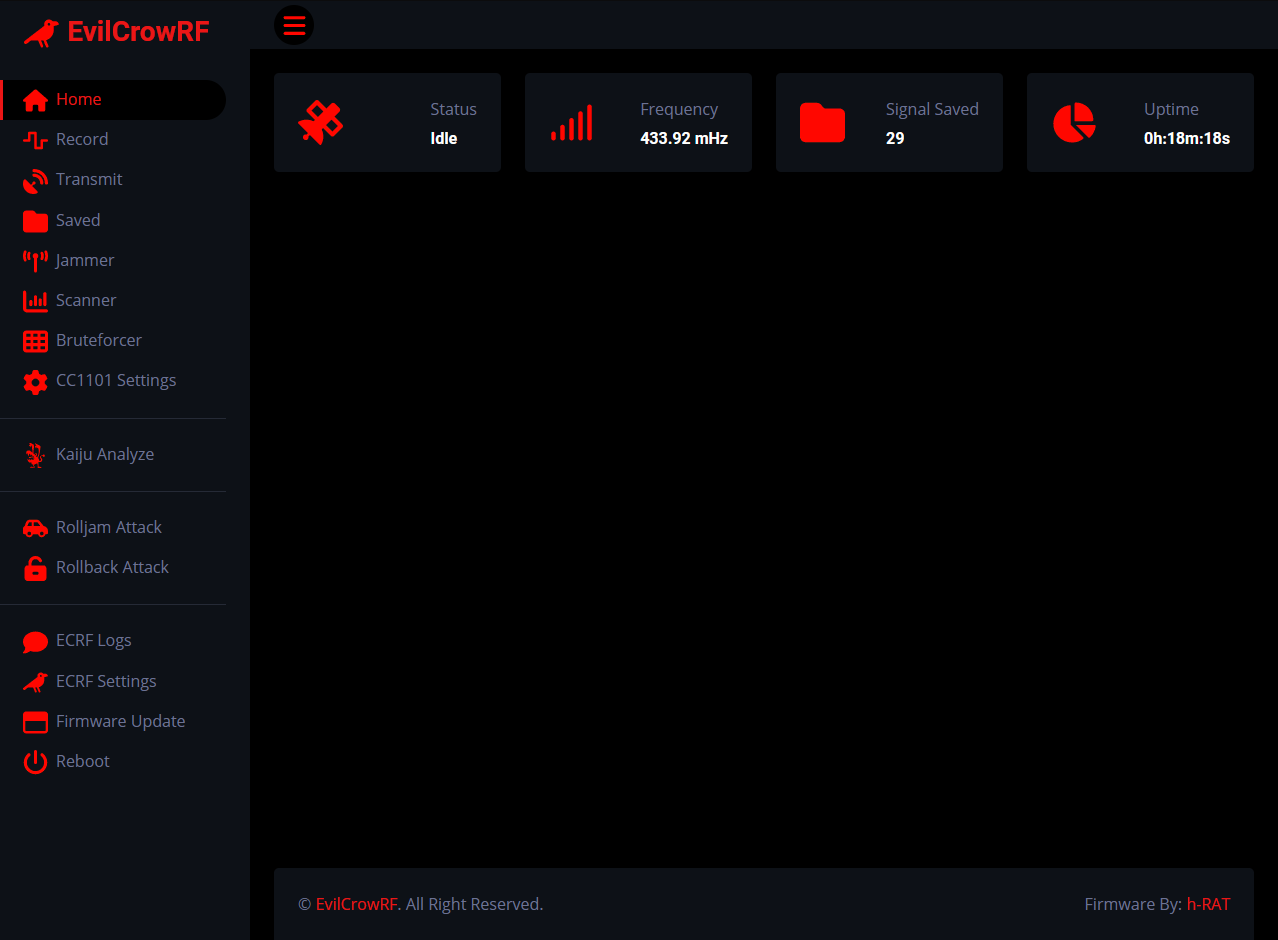
This firmware is an alternative to the EvilCrowRF default firmware.
This firmware allows the following attacks:
- Record Signal RAW Data
- Record Signal Binary
- Transmit .SUB File
- Transmit RAW
- Transmit Binary
- Transmit Decimal**
- Kaiju Analyze
- Kaiju Rolling Codes
- Signal Scanner
- Bruteforce**
- Rolljam
- Rollback
- Jammer
- ...
**Supported protocol: Princeton (24bits) , Holtek HT12X (12bits) , CAME (12bits) , CAME (18bits) , CAME (24bits) , CAME (25bits) , SMC5326 (25bits) , Nice FLO (12bits) , Nice FLO (24bits) , GateTX (24bits)
Installation
1) SD Files
- Download and place the 'CONFIG' folder on a MicroSD card.
- Download and place the 'HTML' folder on a MicroSD card.
- Download and pPlace the 'SUBGHZ' folder on a MicroSD card.
.SUB File
- Place your file** (.sub) in the 'SUBGHZ' folder.
**Supported protocol: AlutechAT, Ansonic, BETT, CAME, Clemsa, Doitrand, Dooya, FAAC, GateTX, Holtek, Holtek HT12X, Hormann, IntertechnoV3, KeeLoq, Linear, LinearDelta3, Magellan, Marantec, Nero Radio, Nero Sketch, Nice FLO, PhoenixV2, PowerSmart, Princeton, RAW, SMC5326, Security+ 1.0, Security+ 2.0, Starline, UNILARM
2) Firmware
- Install the .bin from OTA
- or -->
- Download & execute ESPHome-Flasher
- Select COM port
- Select .bin file
- Press Flash ESP (You may need to put your device in download mode)
ESPHome-Flasher
3) Webpanel
- Connect your mobile/laptop/computer to this Wi-Fi:
SSID: ECRF
Password: 123456789
4) Rolljam Firmware
Download and upload Rolljam firmware on your second device.
- Install the .bin from OTA
- or -->
- Download & execute ESPHome-Flasher
- Select COM port
- Select .bin file
- Press Flash ESP (You may need to put your device in download mode)
ESPHome-Flasher
The first device must be powered ON and connected to the default ECRF network. (SSID: ECRF | Password: 123456789)
-
Plug your second device into your computer and get the IP address from the serial monitor. (Baudrate: 38400)
-
Go to the EvilCrowRF web panel and set the IP address of the second device. (ECRF Settings -> Jammer Device -> Local IP Address)
-
Now you can start a rolljam attack.
Features
1) Record
You have the choice to use the existing presets:
- Custom ( Custom CC1101 Settings )
- AM270 ( Modulation: ASK/OOK | Bandwidth: 270.83 kHz )
- AM650 ( Modulation: ASK/OOK | Bandwidth: 650.00 kHz )
- FM238 ( Modulation: 2FSK | Bandwidth: 270.83 kHz | Deviation: 2.38 kHz)
- FM4768 ( Modulation: 2FSK | Bandwidth: 270.83 kHz | Deviation: 47.61 kHz)
You can adjust the minimum RSSI.
 Received signal format:
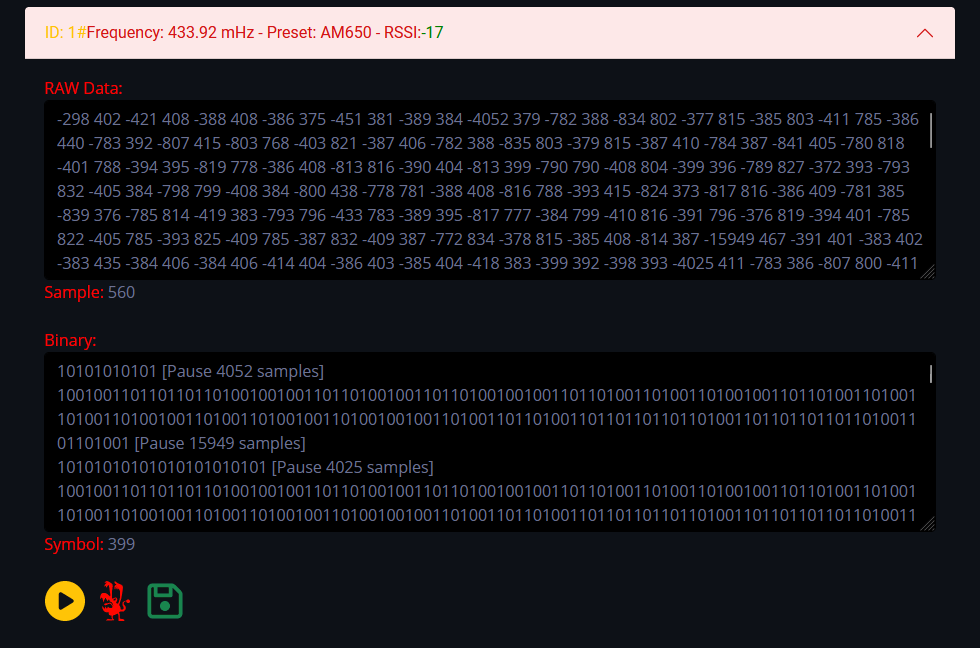
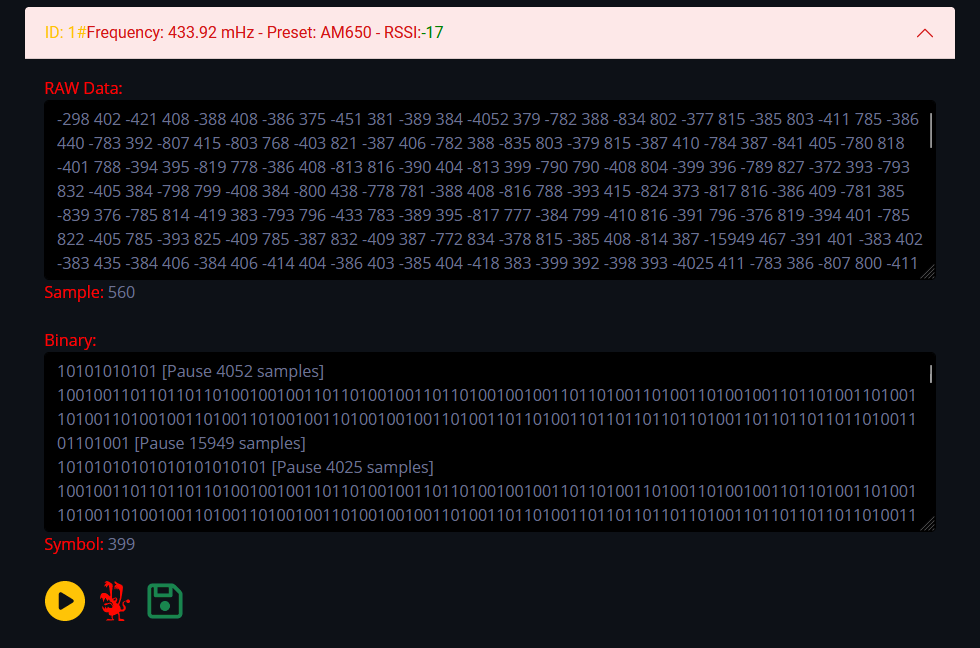
- RAW Data with sample count:
- -1004 370 -424 404 -389 405 -389 403 -421 374 -420 373 -388 406 -421 408 -389 409 -386 409 | Sample: 20
- Binary with symbol count:
- 1001001001001001001101101101101101001101101001001001001001101101001101101101101101101001101101001 | Symbol: 398
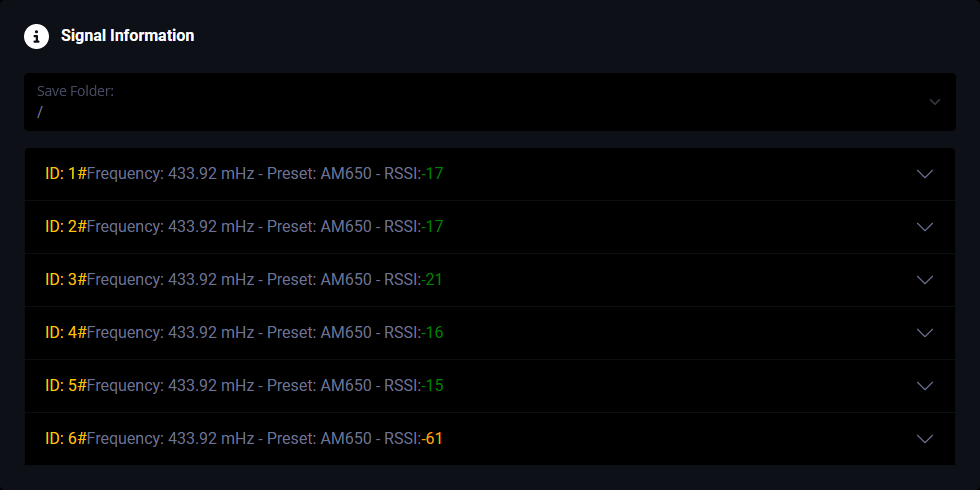 Possibility to send the signal in flipper zero .sub file format.
Possibility to analyze the signal with Kaiju.
Possibility to save the signal in flipper zero .sub file format.
Possibility to send the signal in flipper zero .sub file format.
Possibility to analyze the signal with Kaiju.
Possibility to save the signal in flipper zero .sub file format.