 guilherme-grimm/graph-go
simply nodes and graphs

See your infrastructure. Zero Config.
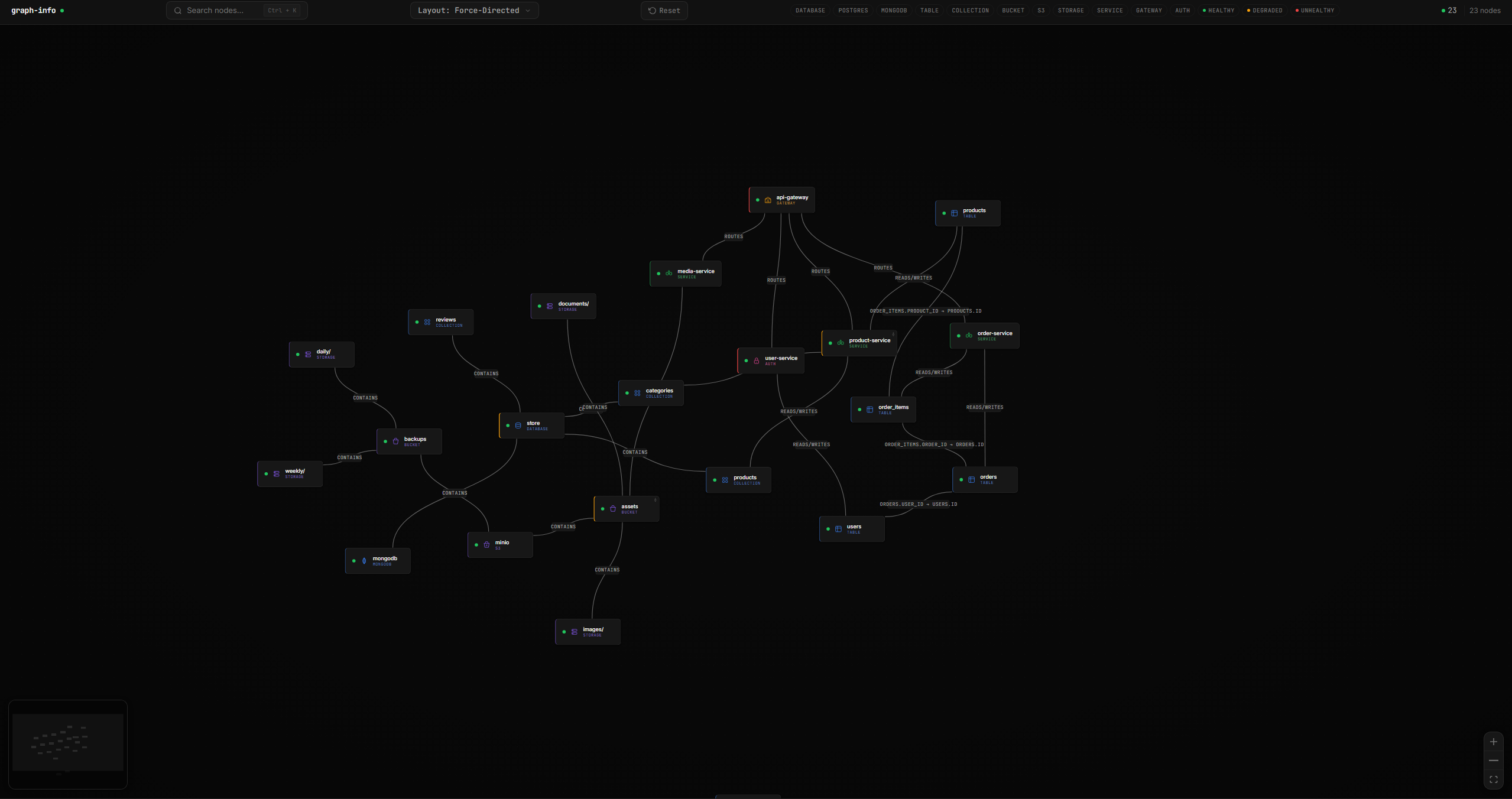
Point graph-go at your stack and get a live, interactive map of every database, table, service, and storage bucket — with real-time health monitoring.

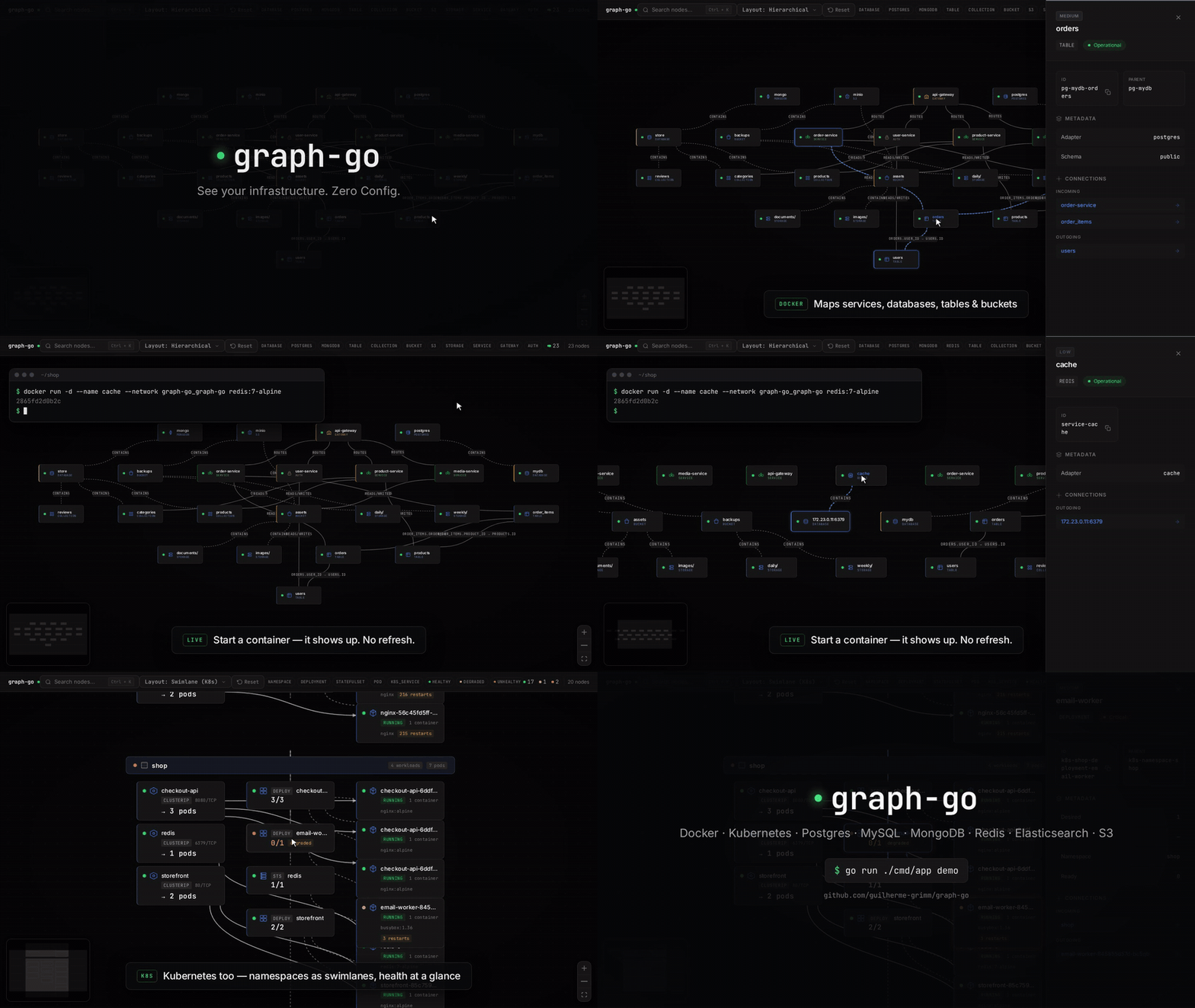
graph-go is a CLI-first infrastructure mapper. It auto-discovers your infrastructure by connecting to the Docker daemon, inspecting running containers, and probing databases and storage services. The UI is served by the backend and reflects real backend state — no manual inventory needed.
| Capability | Details |
|---|---|
| Auto-discovery | Detects infrastructure from Docker containers and Kubernetes clusters — no manual inventory needed |
| Kubernetes | Namespaces, Deployments, StatefulSets, DaemonSets, Pods, Services — with informer-based real-time watching |
| Docker | Classifies running containers, extracts credentials, watches Docker events, honors graphgo.* labels to override type/DSN/node-type/name or ignore a container |
| PostgreSQL | Tables, foreign key relationships, schema topology |
| MongoDB | Databases and collections |
| MySQL | Tables, foreign key relationships |
| Redis | Keyspaces and key distribution |
| Elasticsearch | Indices, cluster health, shard status |
| S3 / MinIO | Buckets and top-level prefixes |
| HTTP services | Health endpoints, dependency mapping between services |
| Real-time health | WebSocket-powered live status updates every 5 seconds |
| Interactive graph | Swimlane layout, namespace group containers, pan/zoom, filter by type/health, search nodes |
graph-go respects a small set of graphgo.* container labels (set them on any container you want to control):
| Label | Effect |
|---|---|
graphgo.ignore=true | Skip this container entirely |
graphgo.type=postgres | Force the adapter type (postgres, mongodb, mysql, redis, elasticsearch, s3, http) |
graphgo.dsn=... | Inject a connection string (DSN for postgres/mysql, URI for mongodb, falls back to dsn otherwise) |
graphgo.node-type=gateway | Override the visual node type (service, gateway, auth, api, queue, cache) |
graphgo.name=... | Override the node name shown in the graph and used in node IDs / logs |
Use these to rescue misclassified containers, point graph-go at a custom DSN, or hide a container from the graph without removing it.
Boot the seeded demo stack with the CLI. This is the fastest way to see graph-go against a realistic environment and the intended onboarding path for first-time users:
git clone https://github.com/guilherme-grimm/graph-go.git
cd graph-go
go run ./cmd/app demo
Open http://localhost:8080. The command runs attached via Docker Compose. Press Ctrl+C to stop the attached session.
The first run can take several minutes on a cold machine because Docker may need to pull base images and build the local demo images. Later runs are much faster.
The demo stack expects these host ports to be free: 8080, 5432, 27017, 9000, and 9001.
If you need an explicit teardown afterward:
docker compose -f docker-compose.demo.yml down
One container, one port. Mount the Docker socket read-only and graph-go auto-discovers everything running on the host:
docker run -d -p 8080:8080 \
  -v /var/run/docker.sock:/var/run/docker.sock:ro \
  ghcr.io/guilherme-grimm/graph-go:latest
graph-go only reads from the Docker socket. The
:roflag enforces this — keep it.
Open http://localhost:8080. Auto-discovery handles Docker containers and (when a kubeconfig or in-cluster service account is present) Kubernetes resources without any config file.
For services that live outside Docker/Kubernetes (remote databases, managed cloud services), mount a config file — see Configuration.
Single self-contained binary — UI is embedded, but the entrypoint is still the CLI.
# Linux amd64 (requires the GitHub CLI; browse Releases for other platforms)
gh release download --repo guilherme-grimm/graph-go --pattern 'graph-go_*_linux_amd64.tar.gz' --clobber
tar xzf graph-go_*_linux_amd64.tar.gz
./graph-go serve   # or just `./graph-go` - same thing
Open http://localhost:8080. Other platforms on the Releases page.
| Command | What it does |
|---|---|
graph-go demo | Boot the seeded Docker Compose demo stack from the repository and stream its output in the foreground. |
graph-go serve | Start the HTTP server with auto-discovery and live updates (default - same as running with no args). |
graph-go scan | Run discovery once and emit the graph as JSON to stdout. Useful for piping into jq, CI checks, or one-shot exports. |
graph-go version | Print version, commit, and build date. |
graph-go --health-check | Hit local /health and exit 0/1. Used by the container HEALTHCHECK; not for interactive use. |
Global flags (apply to every subcommand): --config, --log-level, --log-format. See graph-go <command> --help for the full per-command surface.
Typical flow:
graph-go demo for a realistic local walkthrough.graph-go serve to run against your own infrastructure.graph-go scan for one-shot automation, exports, or CI checks.| Port | Purpose |
|---|---|
8080 | graph-go (UI + API + WebSocket — production) |
5173 | Vite dev server (development only — see CONTRIBUTING.md) |
9001 | MinIO console (demo stack only) |
Auto-discovery is the path. Mount the Docker socket and/or run inside a Kubernetes cluster — graph-go discovers your infrastructure with no config file needed.
Use the YAML config (conf/config.yaml) only as an escape hatch for services that aren't reachable via discovery — remote databases, managed cloud services, external endpoints. See conf/config.sample.yaml for the full schema — examples for every adapter and every config block (server, docker, kubernetes, connections).
To use a config file with the Docker run above:
docker run -d -p 8080:8080 \
  -v /var/run/docker.sock:/var/run/docker.sock:ro \
  -v $(pwd)/conf/config.yaml:/app/conf/config.yaml:ro \
  ghcr.io/guilherme-grimm/graph-go:latest
Authorized use only: graph-go is for visualizing infrastructure you own or have permission to access. Do not point it at systems without authorization.
