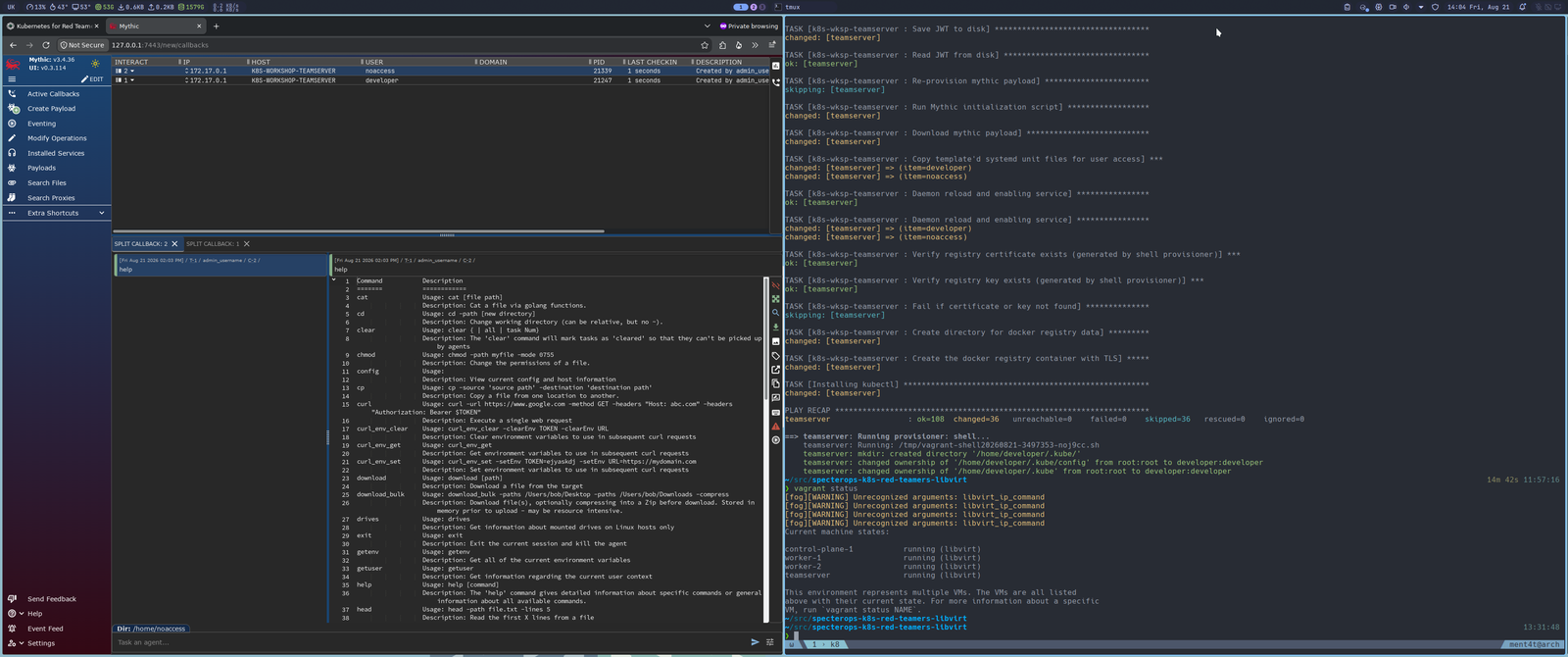
 gregdurys/specterops-k8s-red-teamers-libvirt-patch
Unofficial libvirt patch for the free SpecterOps Kubernetes for Red Teamers lab

An unofficial libvirt and QEMU/KVM patch for the free SpecterOps Kubernetes for Red Teamers course. The original network addresses, Kubernetes topology, Mythic callbacks and lab behaviour remain unchanged.
Because running VirtualBox on Linux is like bringing a portable generator to a house that is already connected to the grid; you're paying twice for something the kernel already gives you, while adding another hypervisor and kernel-module attack surface. KVM is part of Linux, while QEMU and libvirt provide the virtual-machine and management layers around it. This avoids adding a separate third-party hypervisor module stack to a Linux host.
VirtualBox solves the course's cross-platform distribution problem; libvirt solves the Linux host problem. The original VirtualBox provider remains untouched for Windows and macOS users, while this patch lets Linux users run the same lab on KVM.
This repository intentionally does not contain the SpecterOps lab archive or a copy of its source tree. Obtain the original material through the official course:
README.md
ARCHITECTURE.md
LICENSE
NOTICE.md
UPSTREAM_SHA256SUMS
docs/
  libvirt-lab-provisioned.png
patches/
  libvirt.patch
  SHA256SUMS
patches/libvirt.patch contains only the changes needed to add libvirt support.
It does not contain the original archive, internal conversion plans, review
reports, local test harness, generated credentials, or VM state.
vagrant-libvirt plugin;Download k8s-attack-path-part-1-lab-assets.tar.gz from the
Lab Infrastructure and Configuration section of the free SpecterOps course.
Extract the original lab files:
mkdir -p ~/kubernetes-for-red-teamers
cd ~/Downloads
tar xzvf k8s-attack-path-part-1-lab-assets.tar.gz -C ~/kubernetes-for-red-teamers
Clone the patch repository:
cd ~
git clone https://github.com/GregDurys/specterops-k8s-red-teamers-libvirt-patch.git
Verify the patch:
cd ~/specterops-k8s-red-teamers-libvirt-patch
sha256sum -c patches/SHA256SUMS
The result should be:
patches/libvirt.patch: OK
Optionally, verify the downloaded archive against the version used to test this patch:
cd ~/Downloads
sha256sum -c ~/specterops-k8s-red-teamers-libvirt-patch/UPSTREAM_SHA256SUMS
If the checksum differs, SpecterOps may have updated the lab files.
Apply the patch:
cd ~/kubernetes-for-red-teamers
git apply --check ~/specterops-k8s-red-teamers-libvirt-patch/patches/libvirt.patch
git apply ~/specterops-k8s-red-teamers-libvirt-patch/patches/libvirt.patch
Validate the configuration:
vagrant validate
The result should be:
Vagrantfile validated successfully.
The patch adds its own lab usage README and architecture document to the extracted directory.
Start the lab from the patched course directory:
vagrant up --provider=libvirt
The Vagrantfile automatically disables parallel startup because later machines consume files generated by the control plane.
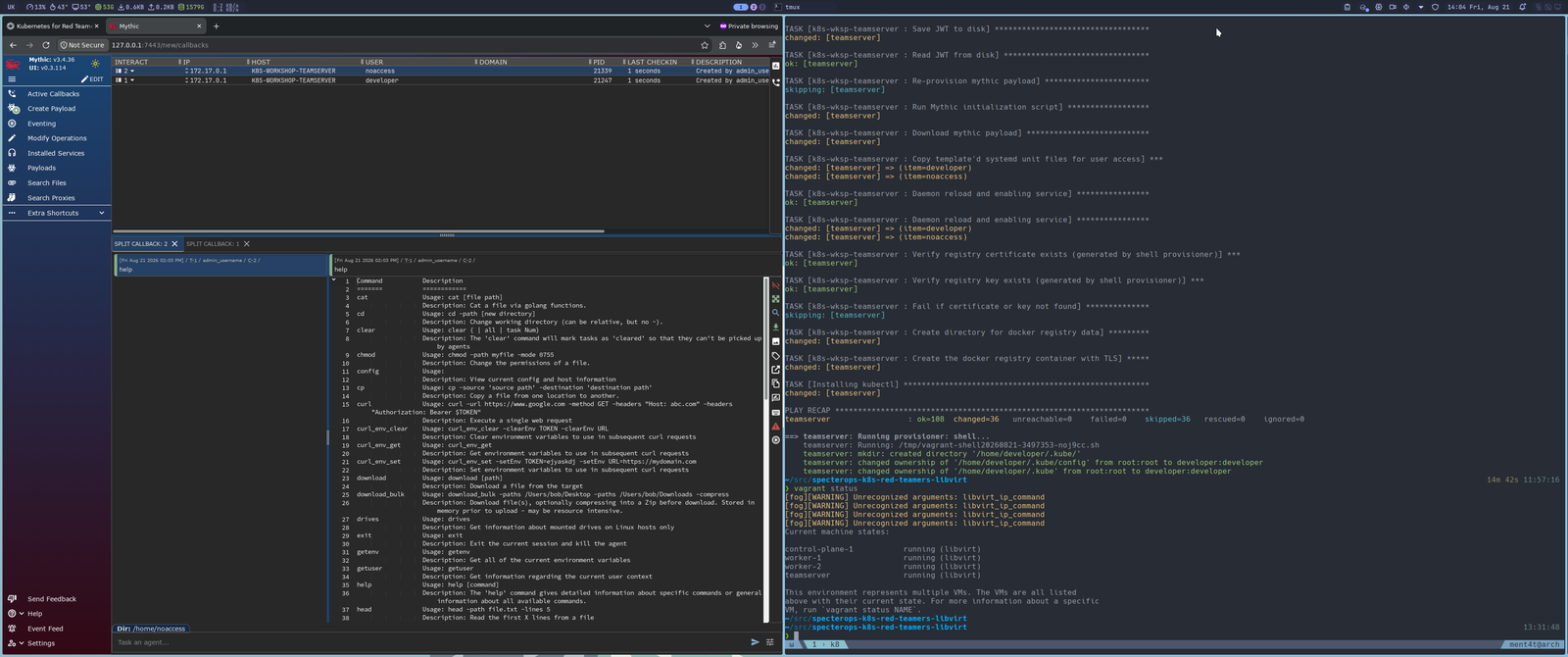
The functional topology shown in the course diagram is preserved:
| Diagram element | Libvirt conversion |
|---|---|
| Teamserver | 192.168.56.10, DNS teamserver |
| Control plane | 192.168.56.20, API server on TCP 6443 |
| Worker 1 | 192.168.56.30 |
| Worker 2 | 192.168.56.31 |
| Mythic UI | TCP 7443 |
| Callback port | TCP 8081 |
| TLS registry | TCP 5000, trusted by the cluster nodes |
| Mythic callbacks | Developer and noaccess callbacks retained |
| Host access | Vagrant forwards ports 7443 and 8081 to the teamserver |
| Private lab traffic | Remains on the isolated 192.168.56.0/24 network |
| Internet access | Retained through adapter 1 |
| Hostname resolution | Retained across all four VMs |
| Code-server and lab manifests | Unchanged from upstream |
The network implementation has one deliberate difference:
k8s-workshop-mgmt NAT
network, normally 192.168.157.0/24.The libvirt VMs can therefore communicate through adapter 1, whereas VirtualBox's separate NAT adapters do not provide that path. Kubernetes, Calico, Mythic callbacks, the registry and lab hostname resolution are explicitly pinned to adapter 2, so the lab topology remains unchanged.
Read ARCHITECTURE.md for details of the topology, collision handling and synced-folder rationale.
After provisioning completes:
vagrant status
vagrant ssh control-plane-1 -c 'kubectl get nodes -o wide'
vagrant port --guest 7443 teamserver
curl --insecure --head https://192.168.56.10:7443
All three Kubernetes nodes should be Ready with internal addresses .20,
.30, and .31. The Mythic login page should be reachable through the forwarded
host port and directly at https://192.168.56.10:7443. The two course callbacks
should appear in Mythic as described by the official course material.
To tear down the test environment:
vagrant destroy -f
Original work in this repository is licensed under the Apache License 2.0.
This licence applies only to the original code and documentation contributed by this repository. It does not grant any rights in the SpecterOps course, downloaded archive or other upstream material.
