 glitchedgitz/cook
A wordlist framework to fullfill your kinks with your wordlists. For security researchers, bug bounty and hackers.


An overpowered wordlist generator, splitter, merger, finder, saver, create words permutation and combinations, apply different encoding/decoding and everything you need.
Frustration killer! & Customizable!
* and **Use Go or download latest builds
go install -v github.com/glitchedgitz/cook/v2/cmd/cook@latest
From version v2.2 cook save cook-ingredients at $home/.config/cook/cook-ingredients
To change create a path variable name
COOK=[YOUR PATH]
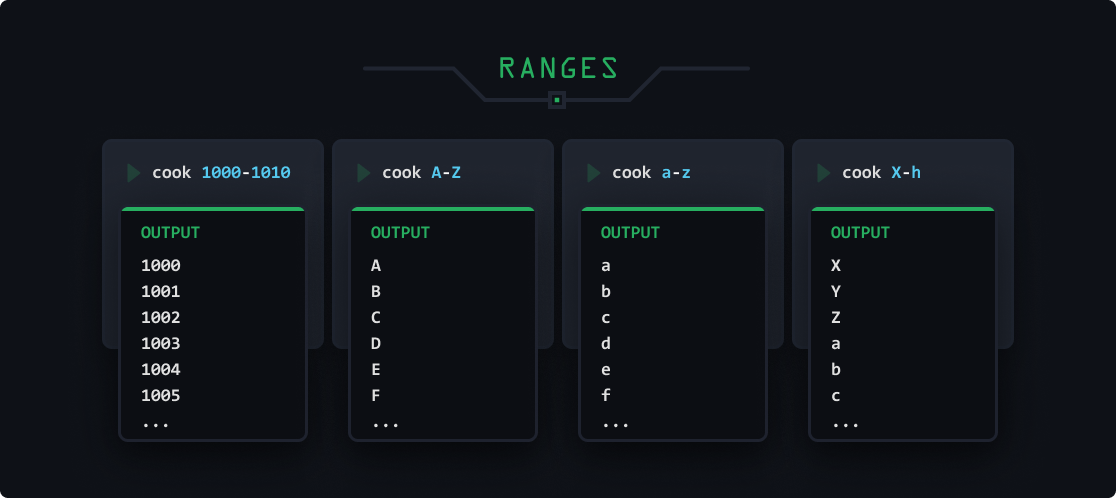
Without basics, everything is complex.
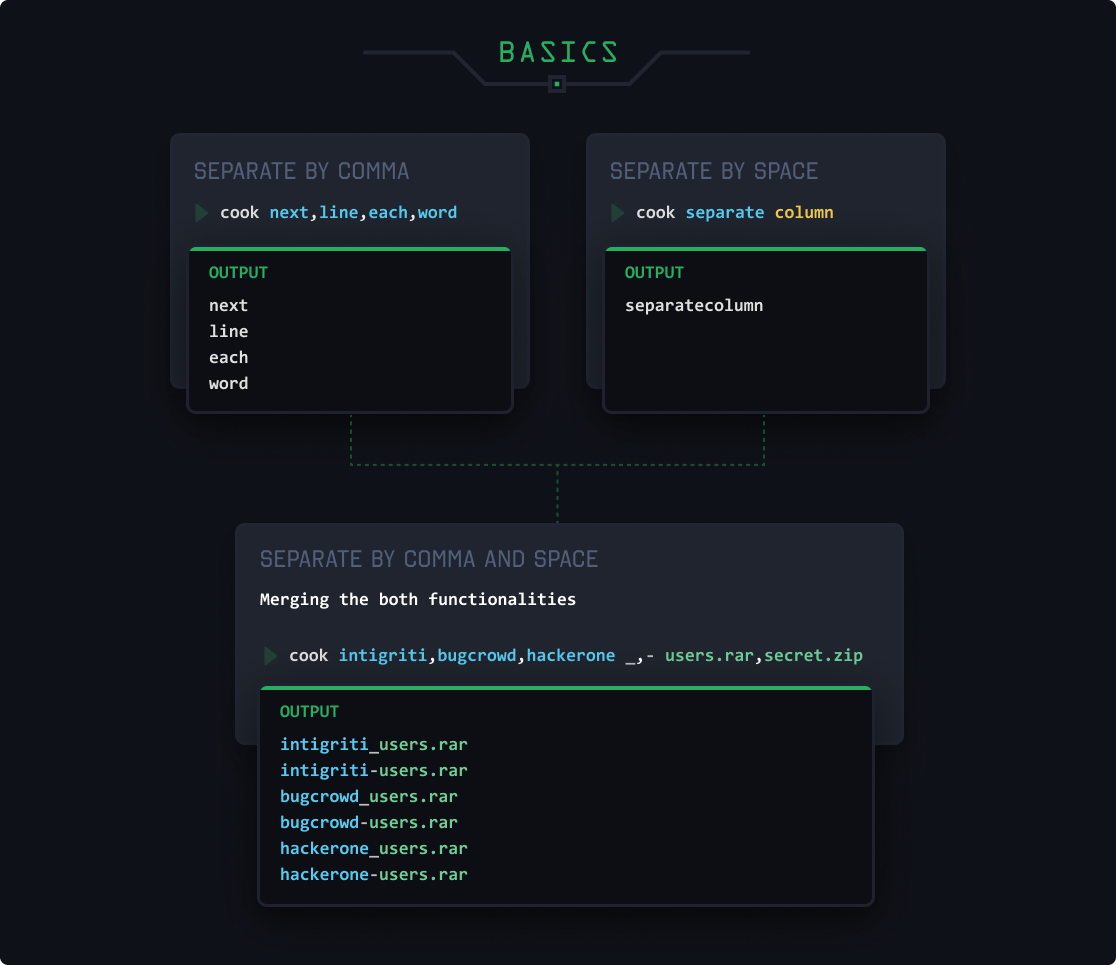
Name them anything and use them to generate the pattern. This will be more useful when you apply encoding column-wise using methods.
cook -start intigriti,bugcrowd -sep _,- -end users.rar,secret.zip / start sep end
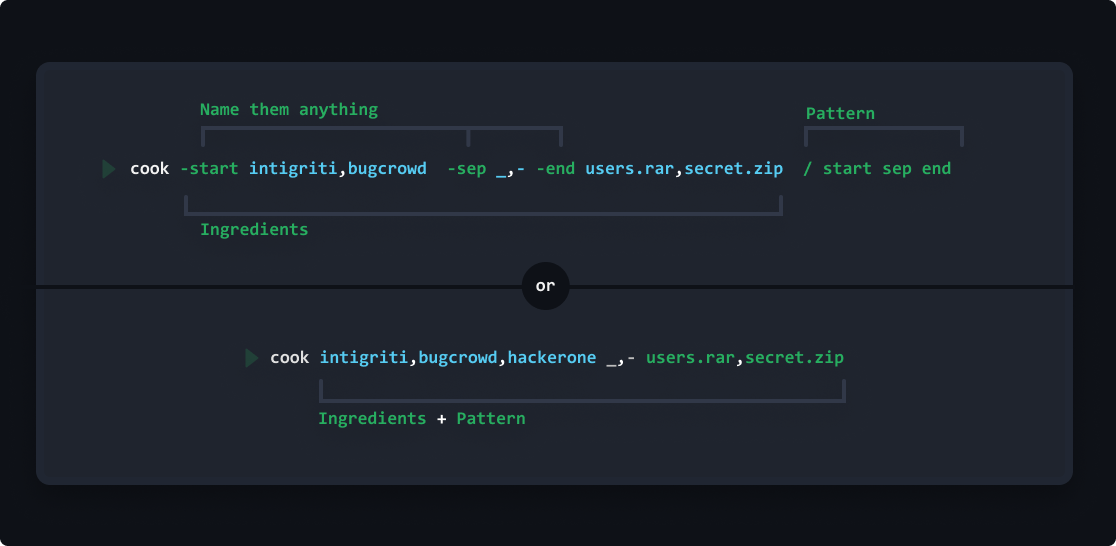
Note: you must include parameter in the pattern, otherwise it will not print anything.
Cook depends on cook-ingredients, which are .yaml files collections of wordsets, functions, ports, wordlists from assetnotes, seclist, fuzzdb, 15+ etc.
| Category | Description |
|---|---|
lists | Array of values to directly use when called out |
files | Array of urls |
ports | Ranges of numbers |
raw-files | Array of local files |
functions | Functions are used to generate patterns |
my.yaml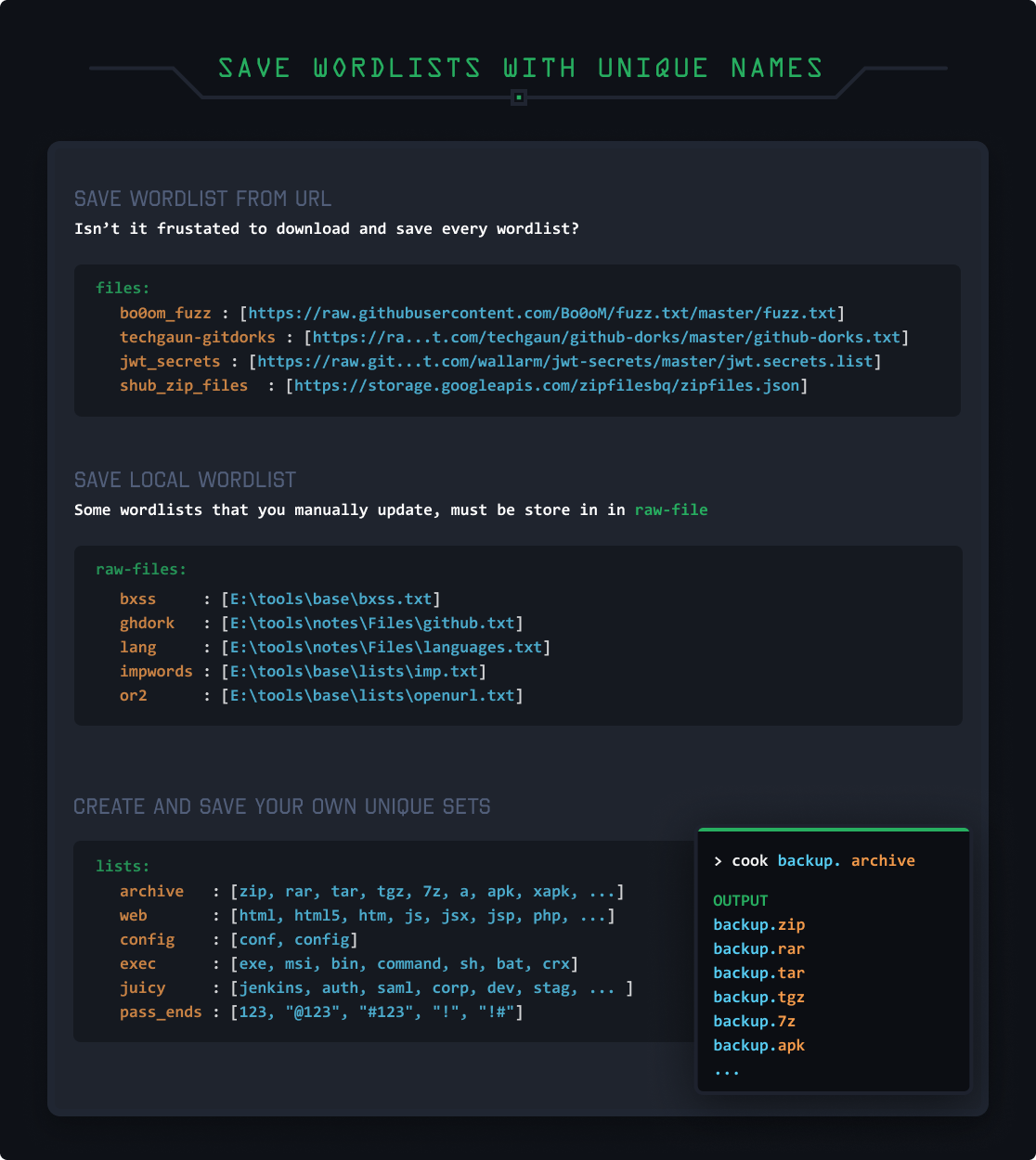
cook -dob date[17,Sep,1994] elliot _,-, dob
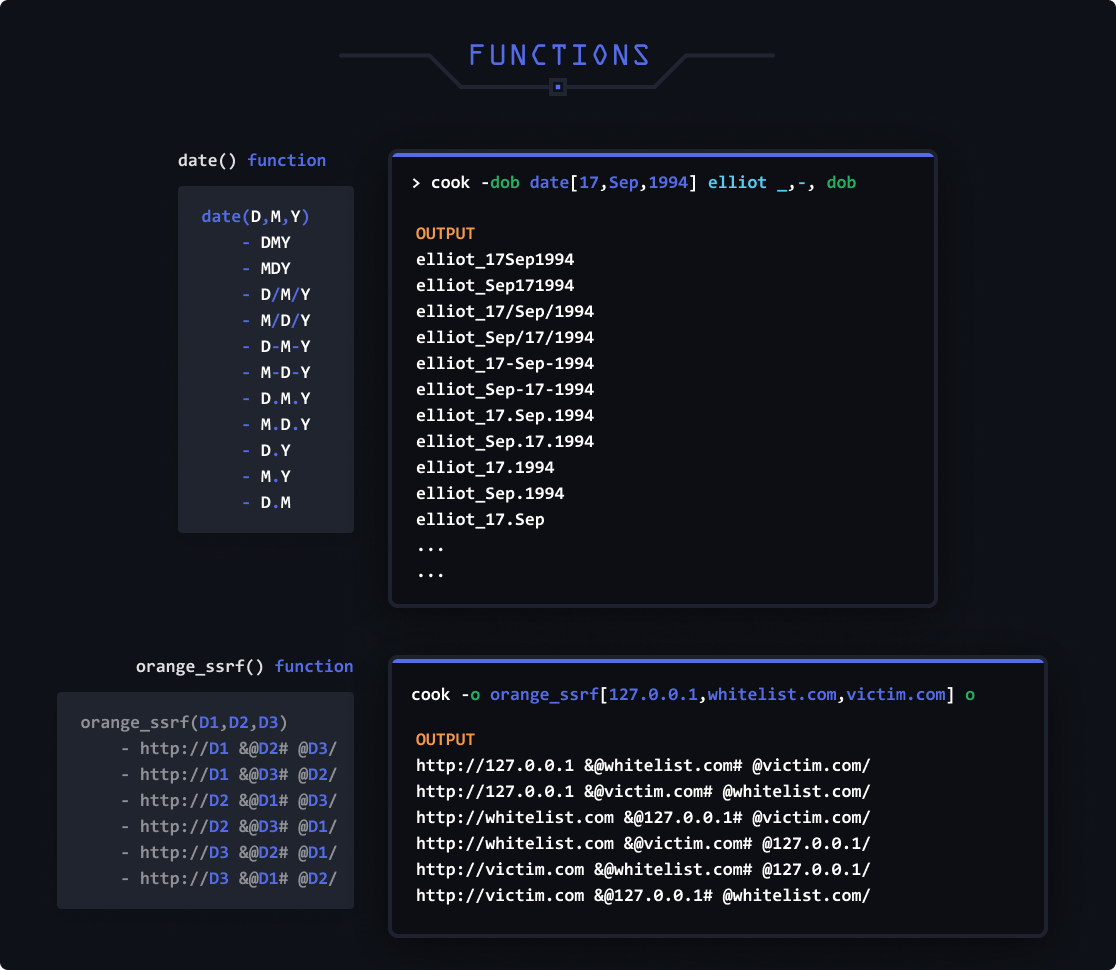
my.yamlEdit my.yaml manually or use these commands.
If keyword doesn't exist it will create it. Otherwise it will update it and add the new value in the same variable.
# Syntax
cook add [keyword]=[value1, value2, ..., valueN] in [category]

# Command
cook add unique_name=word1,word2,word3 in lists
cook delete [keyword]
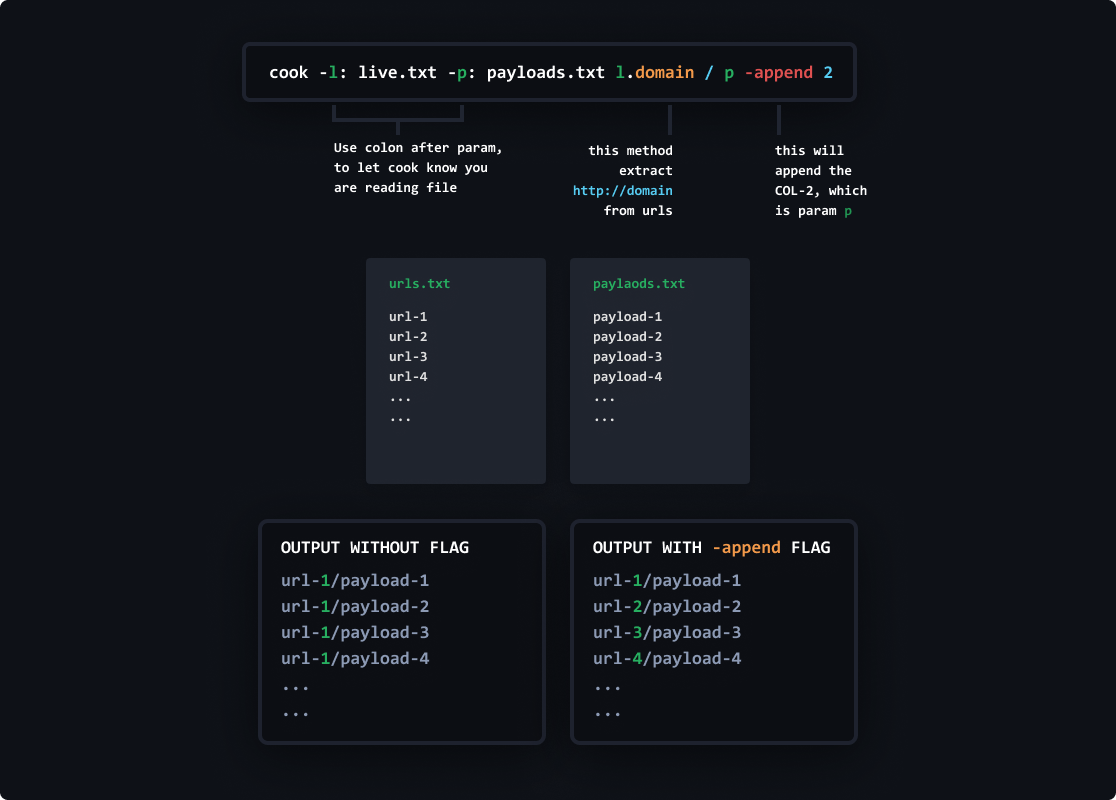
use : after param name.
cook -f: live.txt f
cook -f: https://example.com/wordlist.txt f
Cook has fetched multiple repositories and can directly use wordlist from these repos...
assetnotes, seclist, fuzzdb, etc.
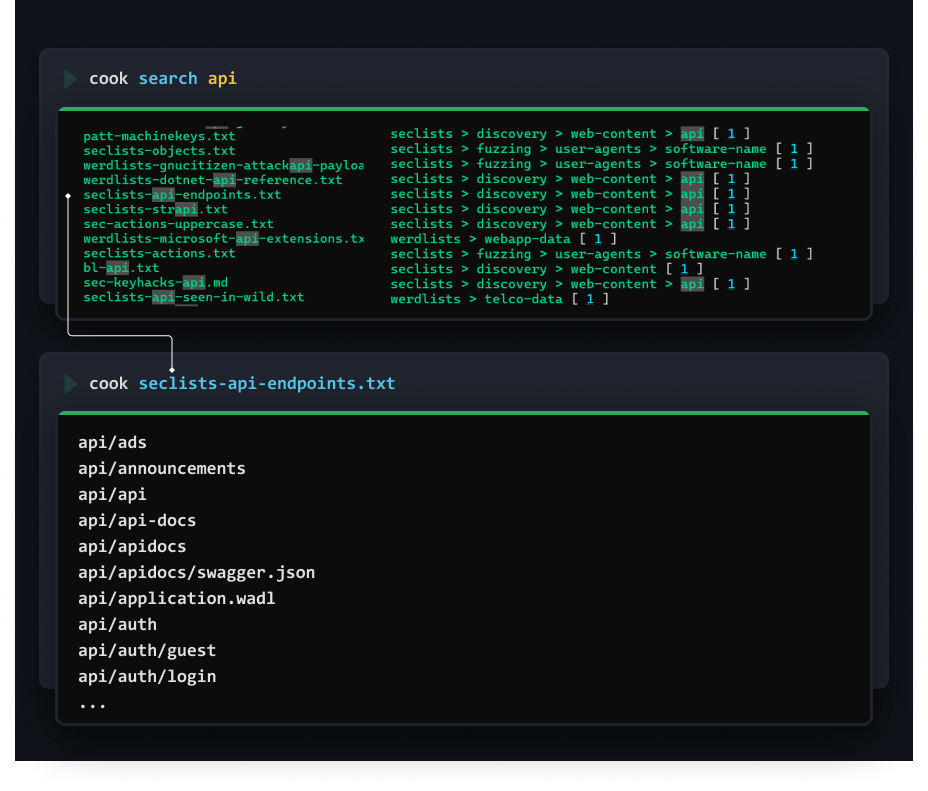
Using methods you can encode, decode, reverse, split, sort, extract and can do much more...
Methods can be applied on final output or column-wise
-m/-method to apply methods on the final output-mc/-methodcol to apply column-wise.param.methodname apply to any parameter-wise, will example this param thing later.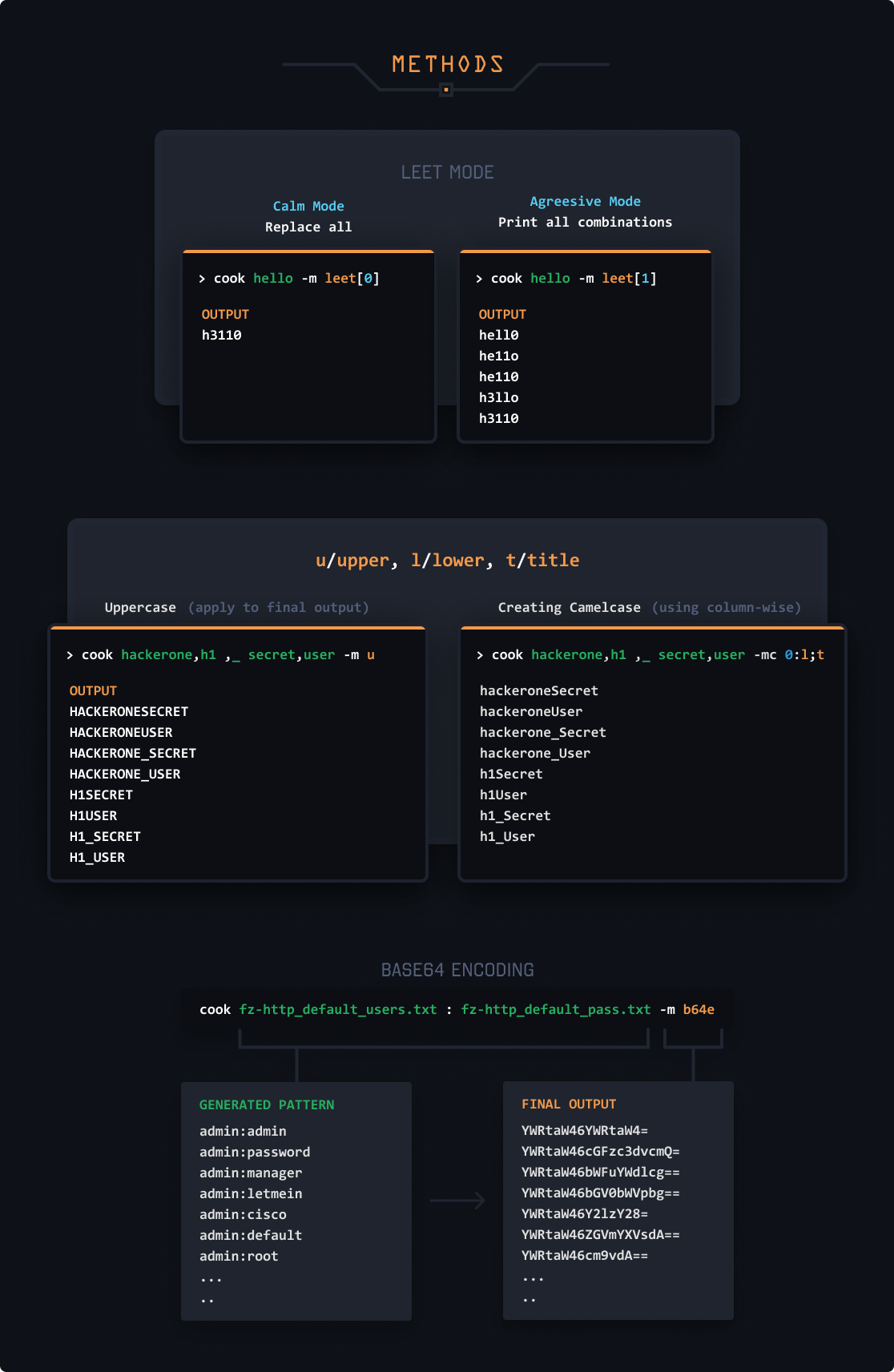
.md5.b64e.urle apply multiple methods one by one.Generated Pattern > md5 hashing > base 64 encoding > URL Encoding.,md5,sha1,sha256 apply different encoding to the same generated pattern.Generated Pattern > md5 hashingGenerated Pattern > sha1 hashingGenerated Pattern > sha256 hashing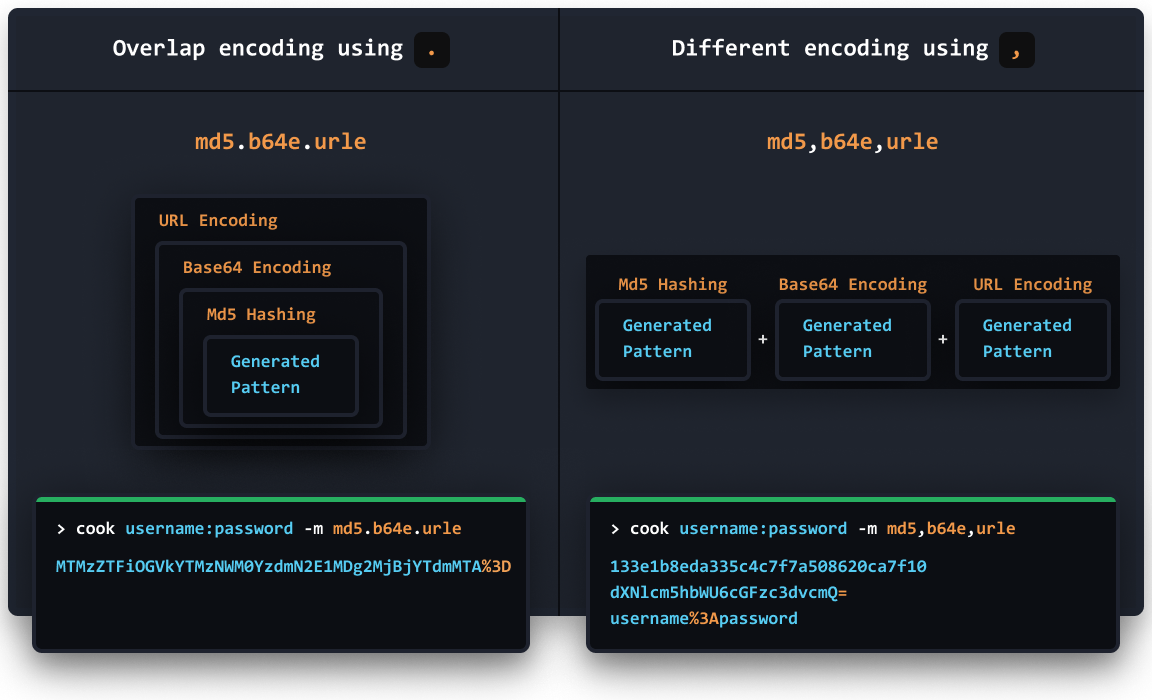
Special focus on these 2 methods, these will be great help everytime you use any wordlist.
-m smart▶ cook adminNew,admin_new -m smart
Output:

admin
New
admin
new
-m smartjoin[<case>:<char>]It breaks and join back with the supplied character.
▶ cook adminNew,admin-old -m smartjoin[:_]
Output:

admin_New
admin_old
Apply Cases over separated
Here we applied camlecase
▶ cook suppose_this_is_long_text -m smartjoin[c:_]
Output:

suppose_This_Is_Long_Text
cook help methodssort - Sort them
sortu - Sort them with unique values only
reverse - Reverse string
leet - a->4, b->8, e->3 ...
leet[0] or leet[1]
smart - Separate words with naming convensions
redirectUri, redirect_uri, redirect-uri -> [redirect, uri]
smartjoin - This will split the words from naming convensions &
param.smartjoin[c,_] (case, join)
redirect-uri, redirectUri, redirect_uri -> redirect_Uri
u upper - Uppercase
l lower - Lowercase
t title - Titlecase
split                          - split[char]
splitindex                     - splitindex[char:index]
replace                        - Replace All replace[this:tothis]
