 gaasedelen/tenet
A Trace Explorer for Reverse Engineers

Tenet is an IDA Pro plugin for exploring execution traces. The goal of this plugin is to provide more natural, human controls for navigating execution traces against a given binary. The basis of this work stems from the desire to research new or innovative methods to examine and distill complex execution patterns in software.
For more context about this project, please read the blogpost about its initial release.
Special thanks to QIRA / geohot et al. for the inspiration.
Tenet is a cross-platform (Windows, macOS, Linux) Python 3 plugin. It takes zero third party dependencies, making the code both portable and easy to install.
From your disassembler's python console, run the following command to find its plugin directory:
import idaapi, os; os.path.join(idaapi.get_user_idadir(), "plugins")Copy the contents of this repository's /plugins/ folder to the listed directory.
Restart your disassembler.
This plugin is only supported for IDA 7.5 and newer.
Once properly installed, there will be a new menu entry available in the disassembler. This can be used to load externally-collected execution traces into Tenet.
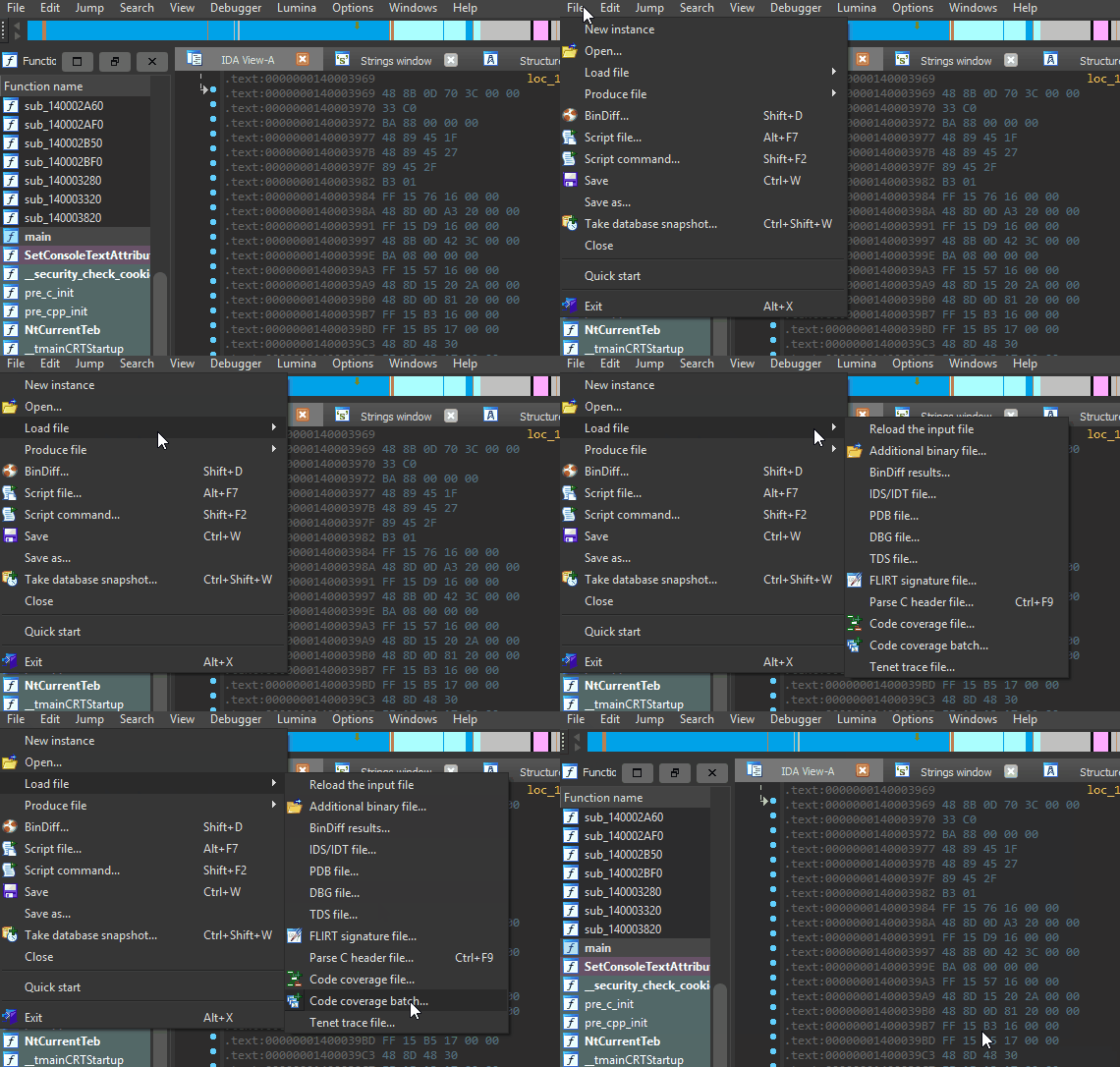
As this is the initial release, Tenet only accepts simple human-readable text traces. Please refer to the tracing readme in this repository for additional information on the trace format, limitations, and reference tracers.
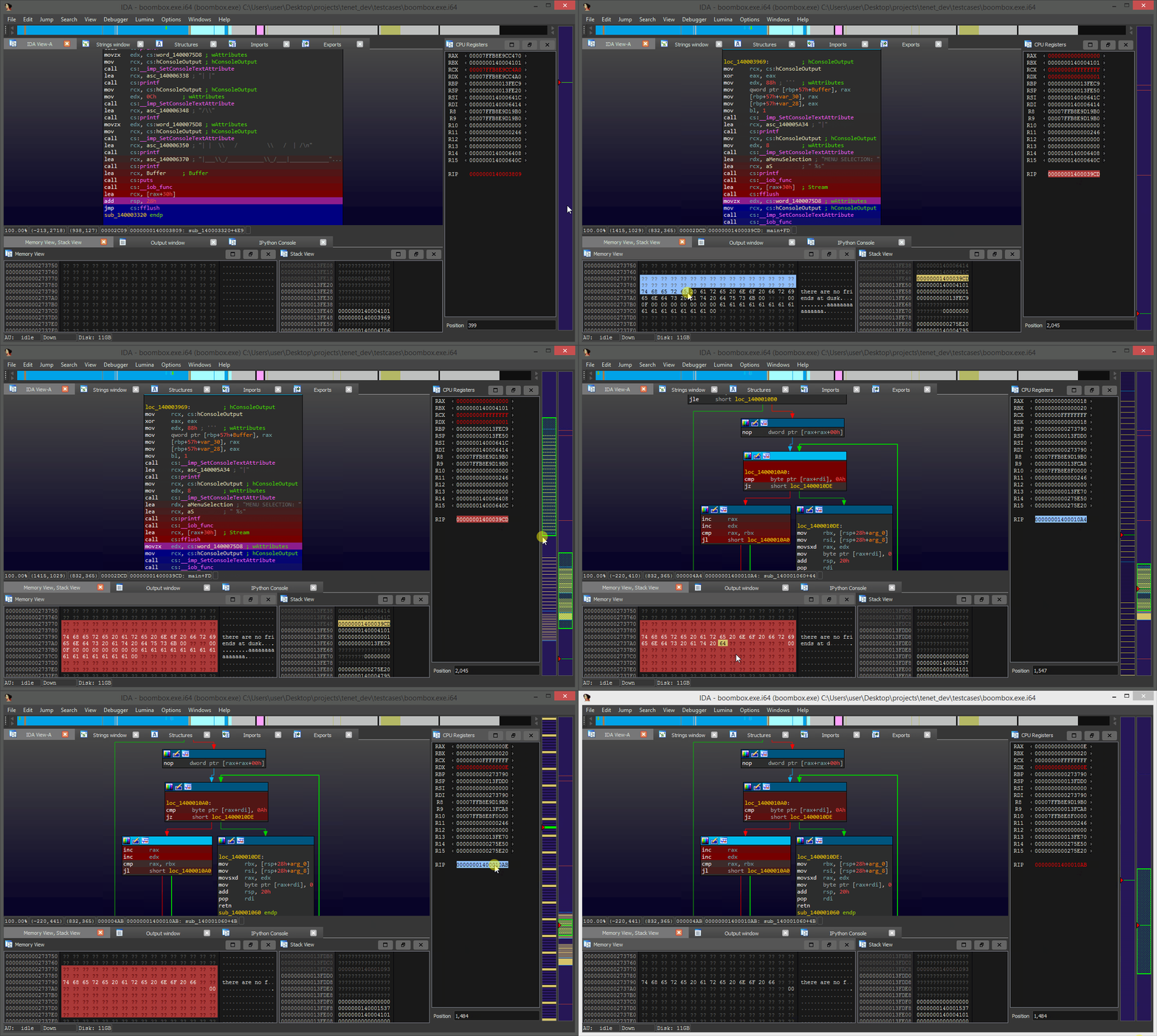
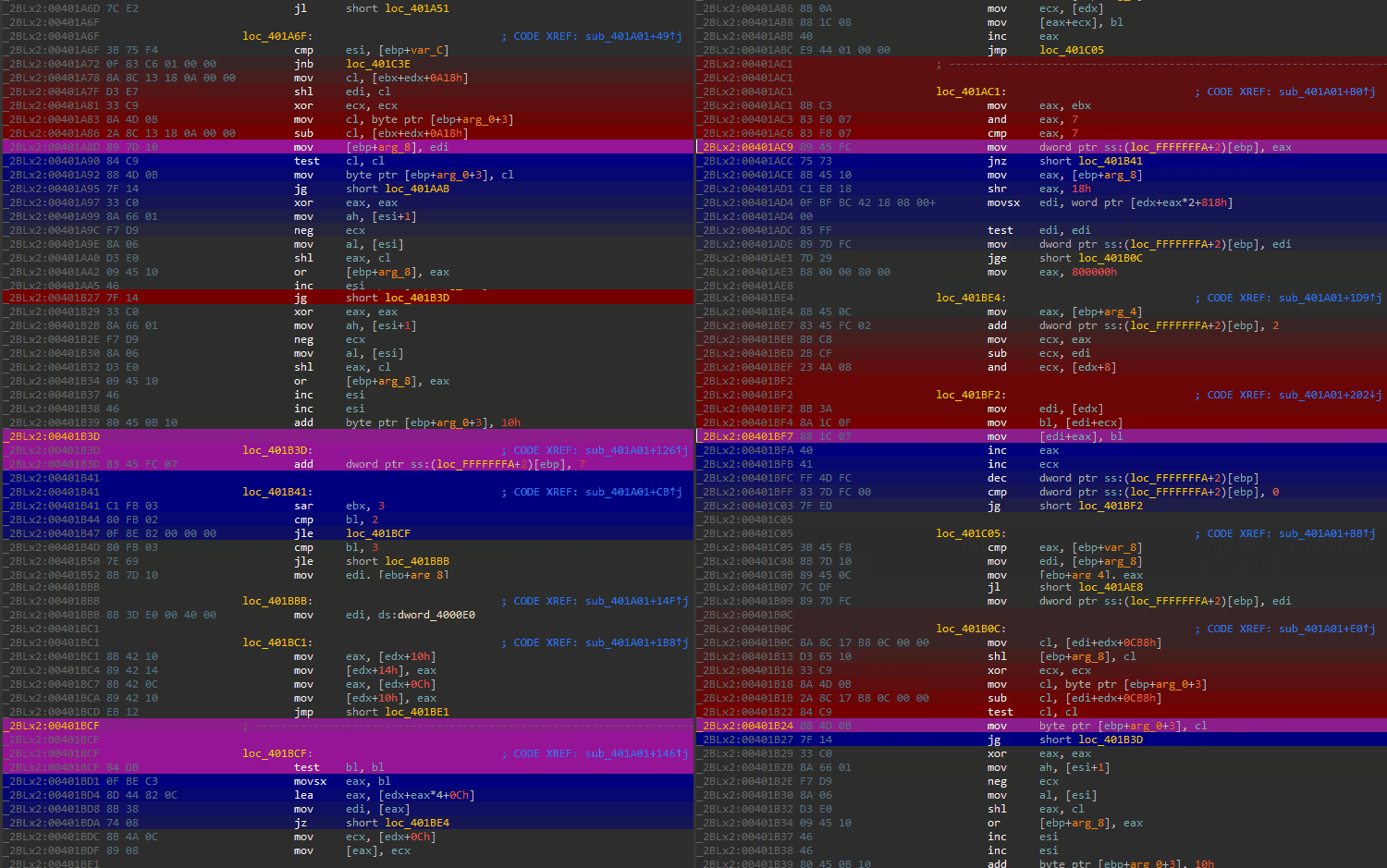
While using Tenet, the plugin will 'paint' trails to indicate the flow of execution forwards (blue) and backwards (red) from your present position in the active execution trace.
To step forwards or backwards through time, you simply scroll while hovering over the timeline on the right side of the disassembler. To step over function calls, hold SHIFT while scrolling.
The trace timeline will be docked on the right side of the disassembler. This widget is used to visualize different types of events along the trace timeline and perform basic navigation as described above.
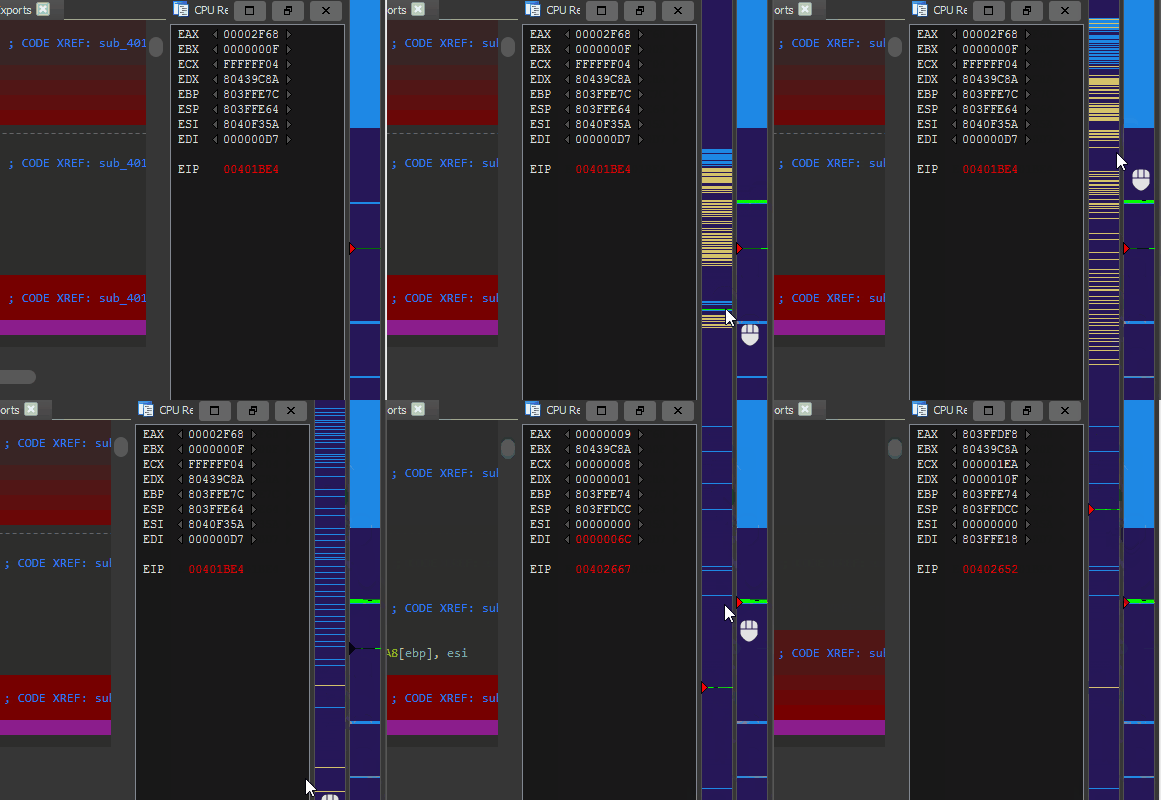
By clicking and dragging across the timeline, it is possible to zoom in on a specific section of the execution trace. This action can be repeated any number of times to reach the desired granularity.
Double clicking the instruction pointer in the registers window will highlight it in red, revealing all the locations the instruction was executed across the trace timeline.
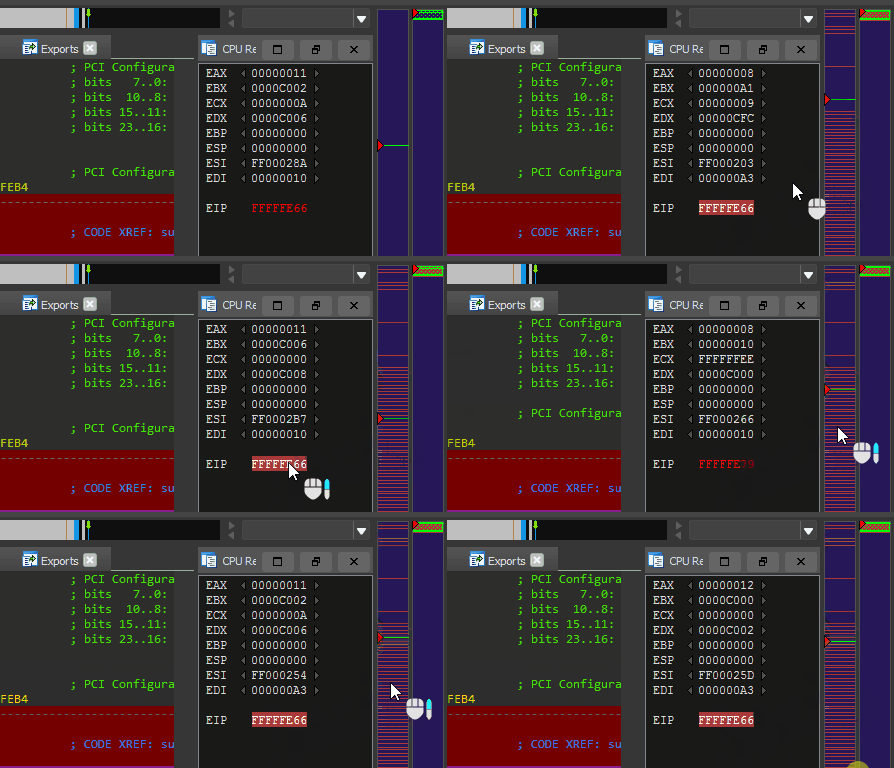
To jump between executions, scroll up or down while hovering the highlighted instruction pointer.
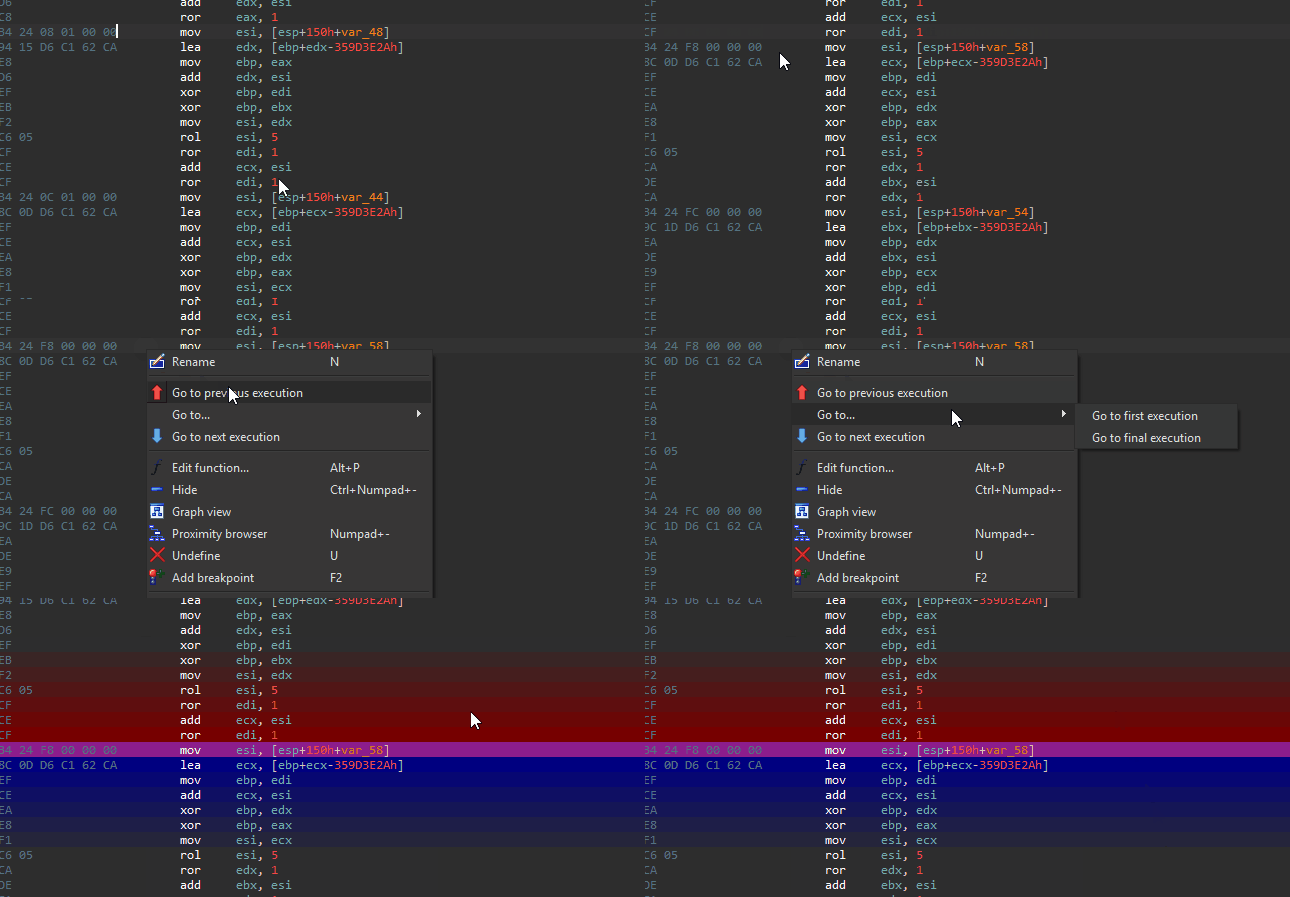
Additionally, you can right click in the disassembly listing and select one of the navigation-based menu entries to quickly seek to the execution of an instruction of interest.
IDA's native F2 hotkey can also be used to set breakpoints on arbitrary instructions.
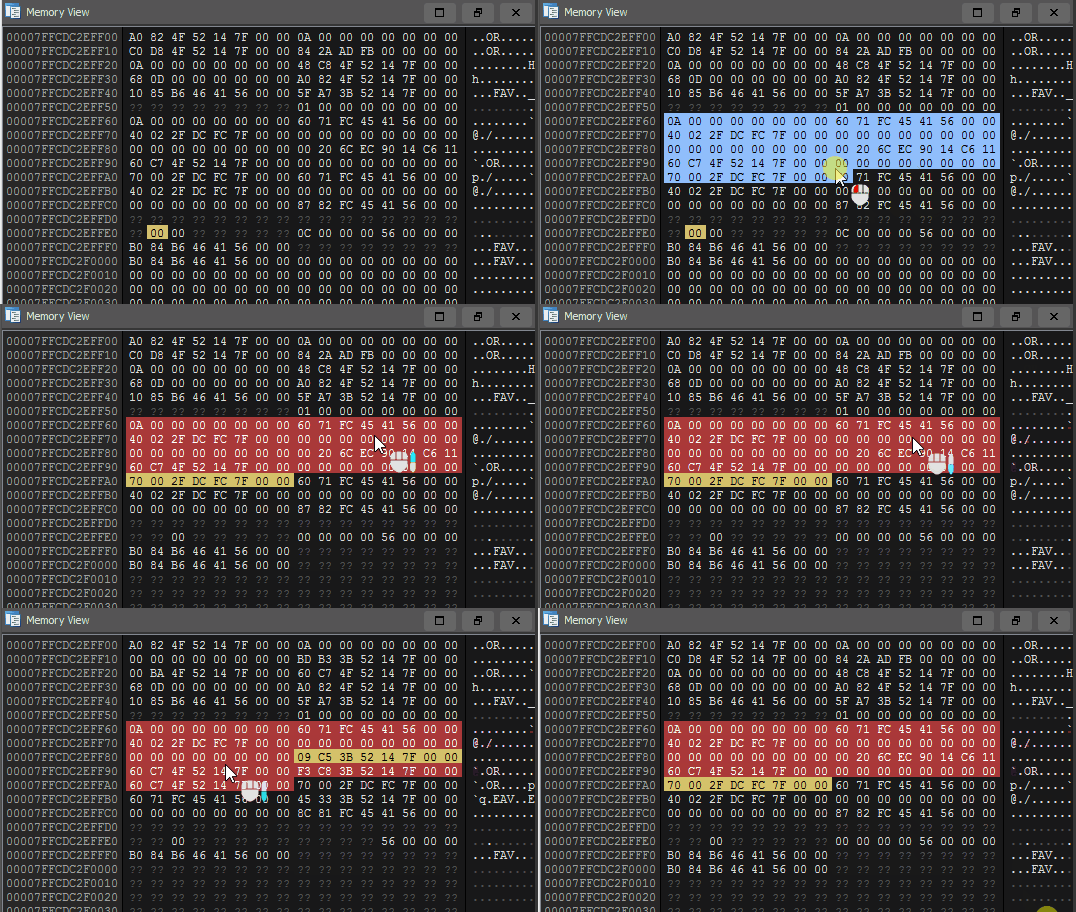
By double clicking a byte in either the stack or memory views, you will instantly see all reads/writes to that address visualized across the trace timeline. Yellow indicates a memory read, blue indicates a memory write.
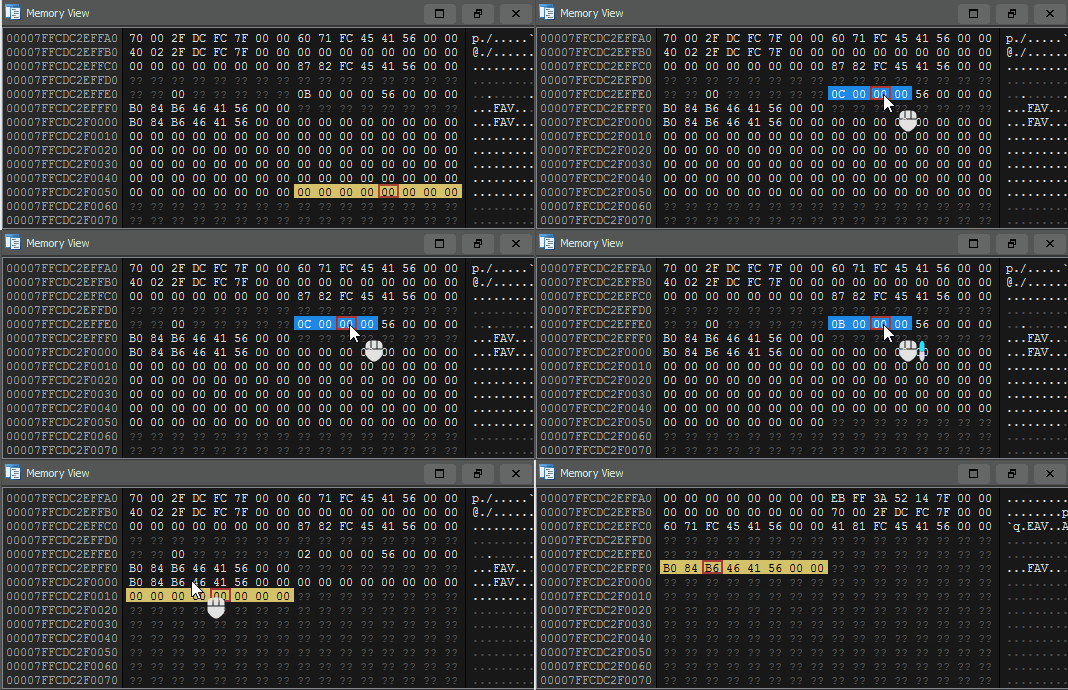
Memory breakpoints can be navigated using the same technique described for execution breakpoints. Double click a byte, and scroll while hovering the selected byte to seek the trace to each of its accesses.
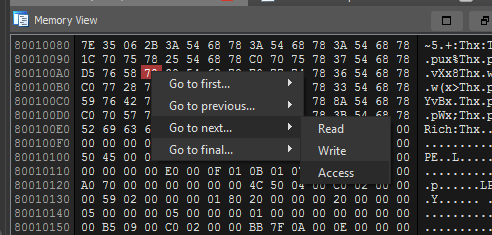
Right clicking a byte of interest will give you options to seek between memory read / write / access if there is a specific navigation action that you have in mind.
To navigate the memory view to an arbitrary address, click onto the memory view and hit G to enter either an address or database symbol to seek the view to.
It is possible to set a memory breakpoint across a region of memory by highlighting a block of memory, and double clicking it to set an access breakpoint.
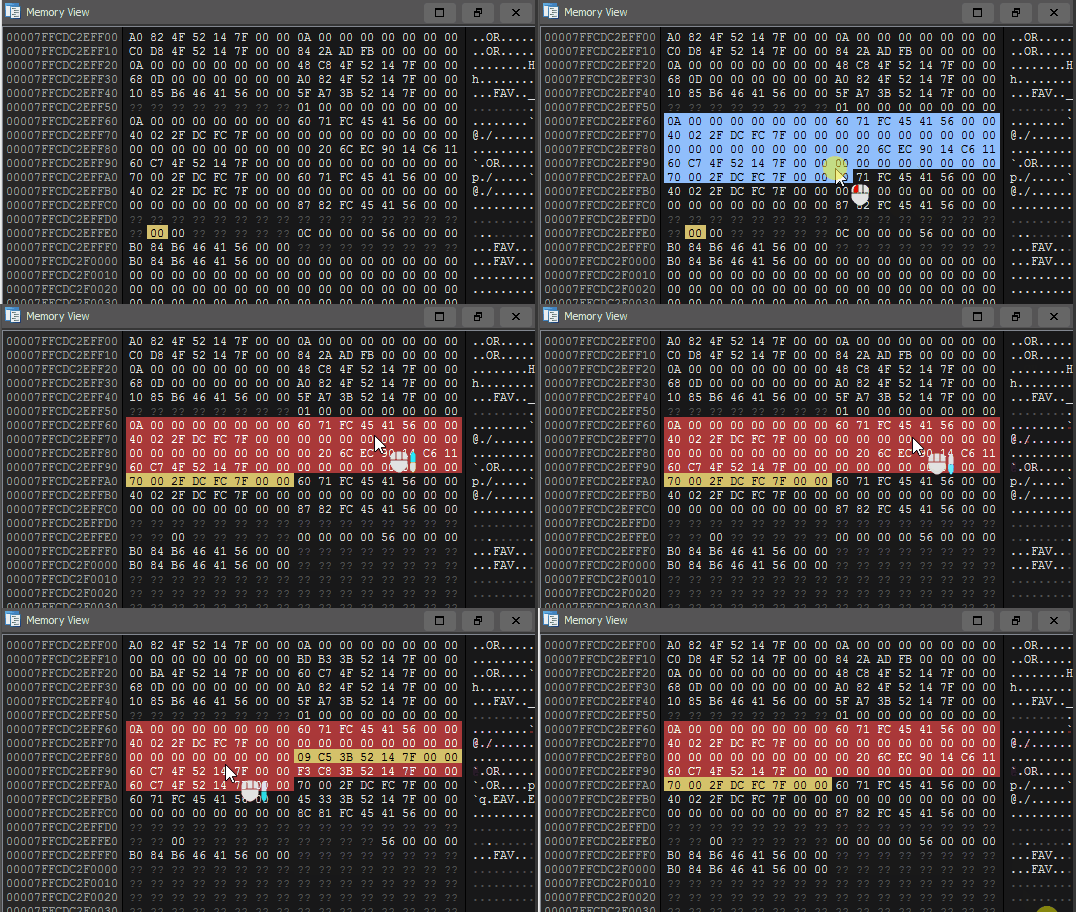
As with normal memory breakpoints, hovering the region and scrolling can used to traverse between the accesses made to the selected region of memory.
In reverse engineering, it's pretty common to encounter situations where you ask yourself "Which instruction set this register to its current value?"
Using Tenet, you can seek backwards to that instruction in a single click.
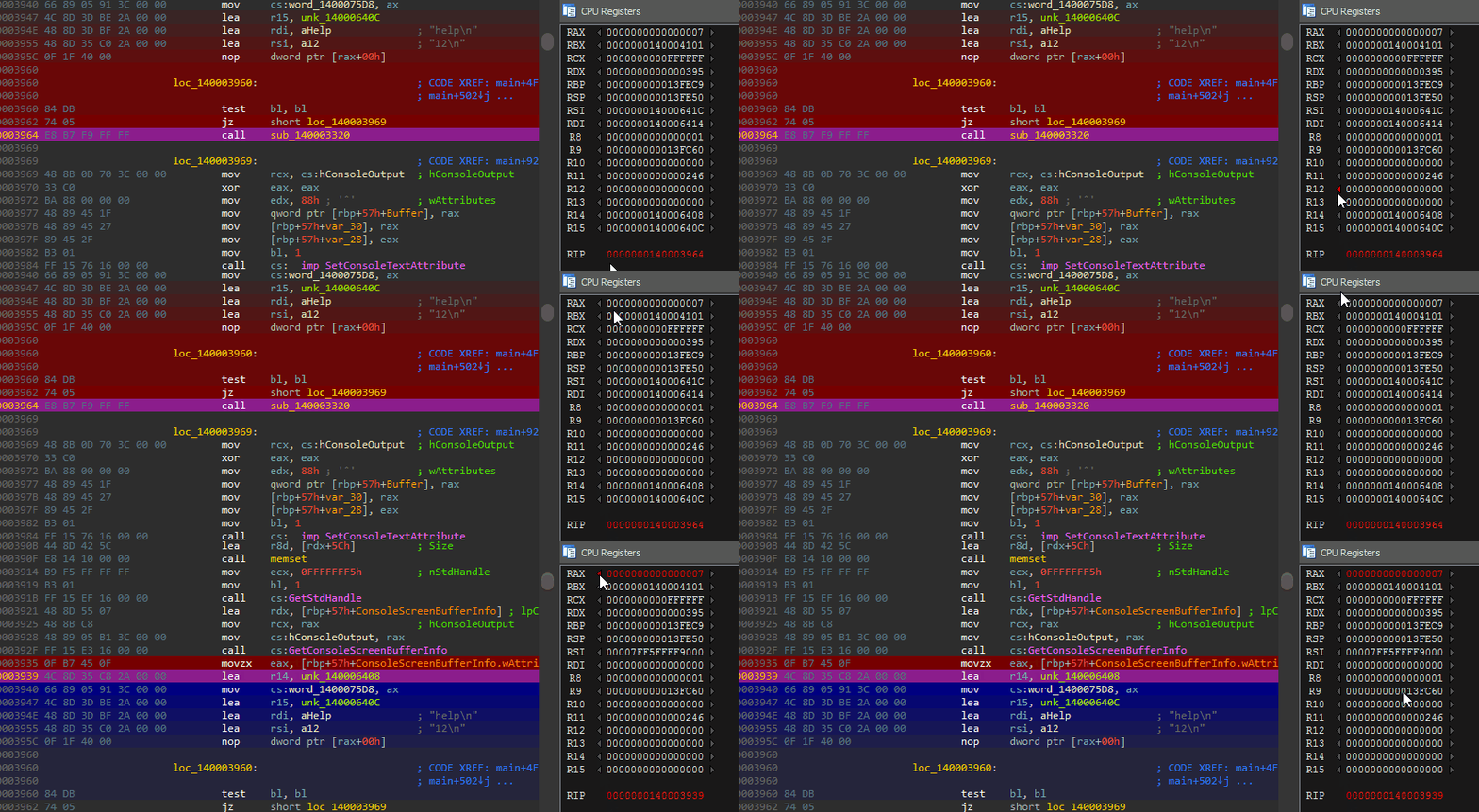
Seeking backwards is by far the most common direction to navigate across register changes... but for dexterity you can also seek forward to the next register assignment using the blue arrow on the right of the register.
A simple 'shell' is provided to navigate to specific timestamps in the trace. Pasting (or typing...) a timestamp into the shell with or without commas will suffice.
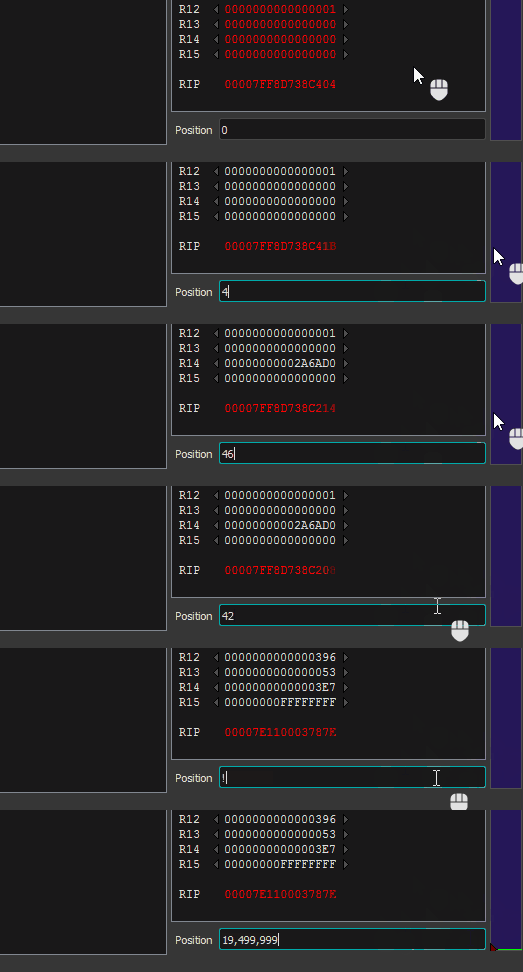
Using an exclamation point, you can also seek a specified 'percentage' into the trace. Entering !100 will seek to the final instruction in the trace, where !50 will seek approximately 50% of the way through the trace. !last will seek to the last navigable instruction that can be viewed in the disassembler.
Tenet ships with two default themes -- a 'light' theme, and a 'dark' one. Depending on the colors currently used by your disassembler, Tenet will attempt to select the theme that seems most appropriate.
