 foundryzero/binder-trace
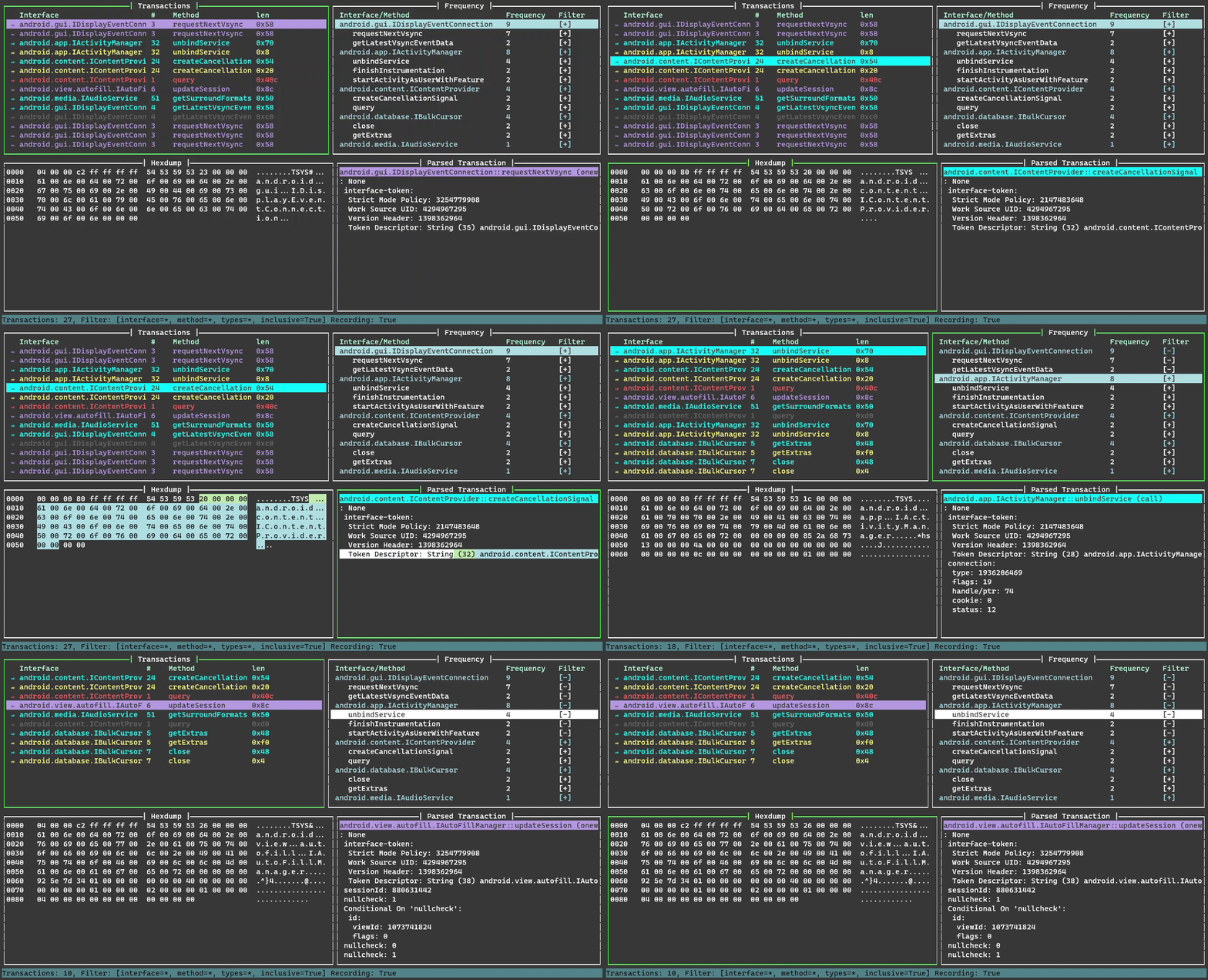
Binder Trace is a tool for intercepting and parsing Android Binder messages. Think of it as "Wireshark for Binder".


Binder Trace is a tool for intercepting and parsing Android Binder messages. Think of it as "Wireshark for Binder".
python version >= 3.9
You'll need a rooted Android device or emulator.
(Linux only) - install xclip or xsel for "copy to clipboard" functionality
sudo apt-get install xclip
sudo apt-get install xsel
Install from PyPi
pip install binder-trace
Check which version of frida is installed (make sure you've pip installed the requirements)
pip list | grep frida
Download the matching version of frida-server from the frida releases page
Make sure adb is running as root, push frida-server to your device and run it
adb root
adb push frida-server /data/local/tmp
adb shell
chmod u+x /data/local/tmp/frida-server
/data/local/tmp/frida-server
| Argument | Description |
|---|---|
| -h | Prints the argument help. |
| -d DEVICE | The device to attach to e.g. "emulator-5554". Use adb devices to list available devices. If not provided defaults to the USB device. |
| -p PID | The pid of the process on DEVICE to attach to. |
| -n NAME | The name of the process on DEVICE to attach to e.g. "Messaging". |
| -a [9, 10, 11, 12, 13, 14] | The target device android version. If no struct path is supplied, default structs are used. |
| -s STRUCTPATH | The path to the directory of structure files. |
| -c CONFIG | The path to the config file to filter. |
| --spawn | Spawn process before attaching. -n option must be present and contain a valid process identifier. |
To start binder trace we need to pick a device and process to attach to.
In the following example we use adb and frida-ps to identify a process to attach to on a local emulator. As it's an Android 11 emulator we choose the Android 11 structs directory. Pick the struct directory that most closely matches your version of Android. If you would like structures for a different version of Android, please let us know. Once it's running start using the target app to generate some binder transactions.
> adb devices
List of devices attached
emulator-5554   device

> frida-ps -Ua
 PID  Name           Identifier
----  -------------  ----------------------------
8334  Messaging      com.android.messaging
7941  Phone          com.android.dialer
9607  Settings       com.android.settings

> cd binder_trace
> binder-trace -d emulator-5554 -n Messaging -a 11
| Key | Action |
|---|---|
up | Move up |
down | Move down |
shift + up | Page up |
shift + down | Page down |
home | Go to top |
end | Go to bottom |
tab | Next pane |
shift + tab | Previous pane |
ctrl + c | Copy pane to clipboard |
space | Pause/Unpause transaction recording |
c | Clear |
h | Open help |
r | Reload config file |
q | Quit |
| Key | Action |
|---|---|
p | Toggle order asc/desc |
w | Jump to next interface |
s | Jump to previous interface |
a | Toggle all filters on |
n | Toggle all filters off |
enter | Toggle Filter |
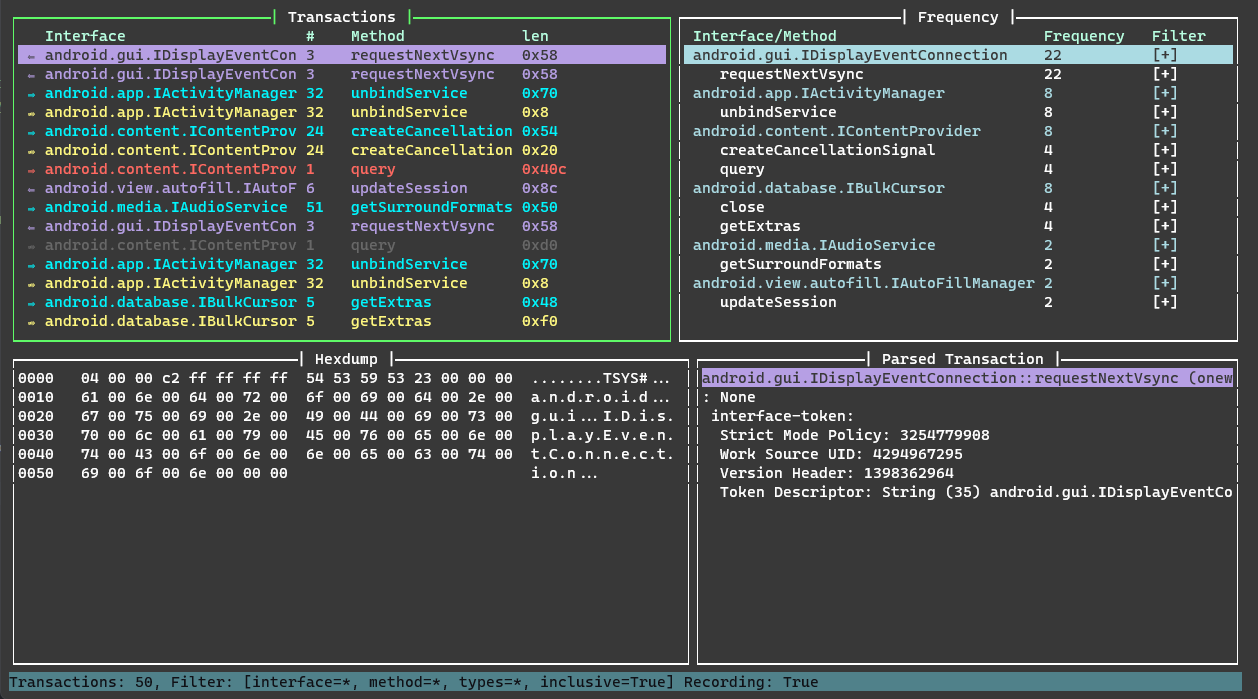
To filter define any or all of the interface, method, type and inclusive options. To not use an option leave it blank ""
> binder-trace -d emulator-5554 -n Contacts -a 13
{
    "filters": [
        {
            "interface": "android.gui.IDisplayEventConnection",
            "method": "requestNextVsync",
            "type": "",
            "inclusive": false
        },
        {
            "interface": "android.content.IContentProvider",
            "method": "",
            "type": "call",
            "inclusive": false
        }
    ]
}
> binder-trace -d emulator-5554 -n Contacts -a 13 -c .\binder_trace\binder_trace\config.json
android.gui.IDisplayEventConnection->requestNextVsync->"" and android.content.IContentProvider->"" ->call have been filtered out
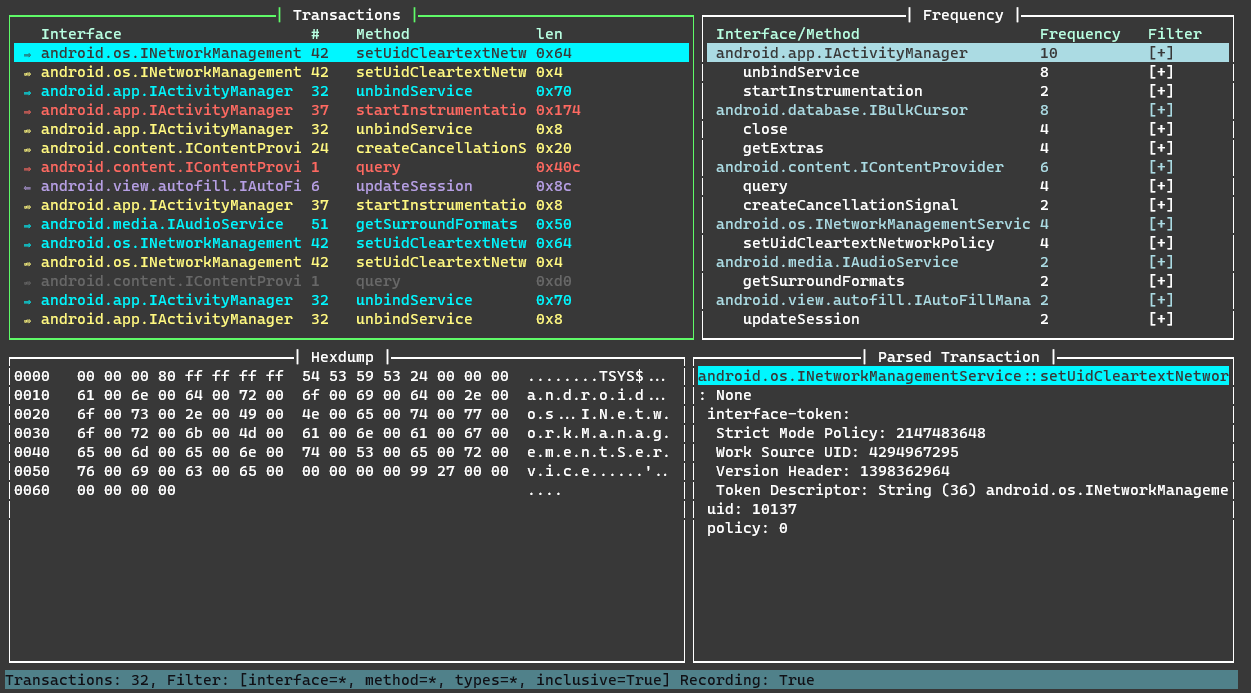
Internal binder interfaces can change around between minor versions, and since it's effectively all compiled together with no runtime version information it's hard to provide 100% accurate structure information for every release across Android's highly fragmented ecosystem.
More details on structures can be found in the structures page
