
Skip to content
KitploitKITPLOIT
ToolsBlog
Submit
ToolsBlog
Submit

Hacking, PenTest, and Cybersecurity Tools for Your Security Arsenal!

Kitploit is a directory of hacking, cybersecurity, and pentesting tools. Discover the latest project updates to find vulnerabilities, analyze systems, automate testing, and strengthen your security.

··Feeds·Contact·Privacy·© 2026 Kitploit

Tool Directory

Categories

View all categories
Loading categories
net-Shield — An Easy and Simple Anti-DDoS solution for VPS,Dedicated Servers and IoT devices - Beta | Kitploit
Tools/GitHubGitHub/fnzv/net-shield
Defensive ToolsNetwork Security
GitHubfnzv/net-shield

net-Shield

An Easy and Simple Anti-DDoS solution for VPS,Dedicated Servers and IoT devices - Beta

View Repository
250477 years agoReviewed by Kitploit

Most Popular

View all →

Discover the most used tools by our community.

Explore all tools

Browse our collection of tools

View all tools →
Share

net-Shield

Build Status
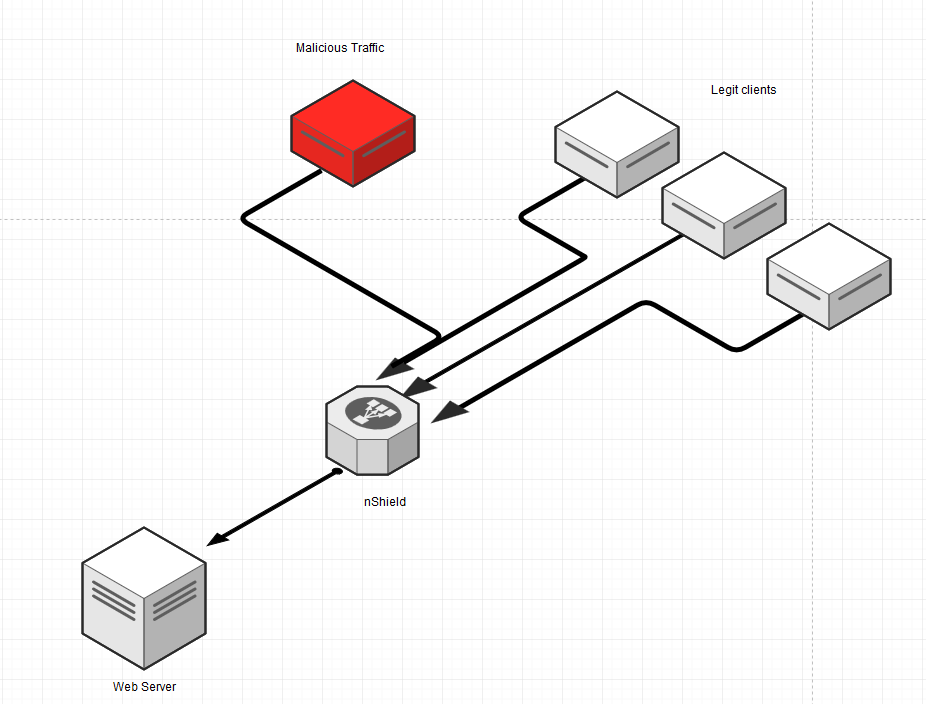
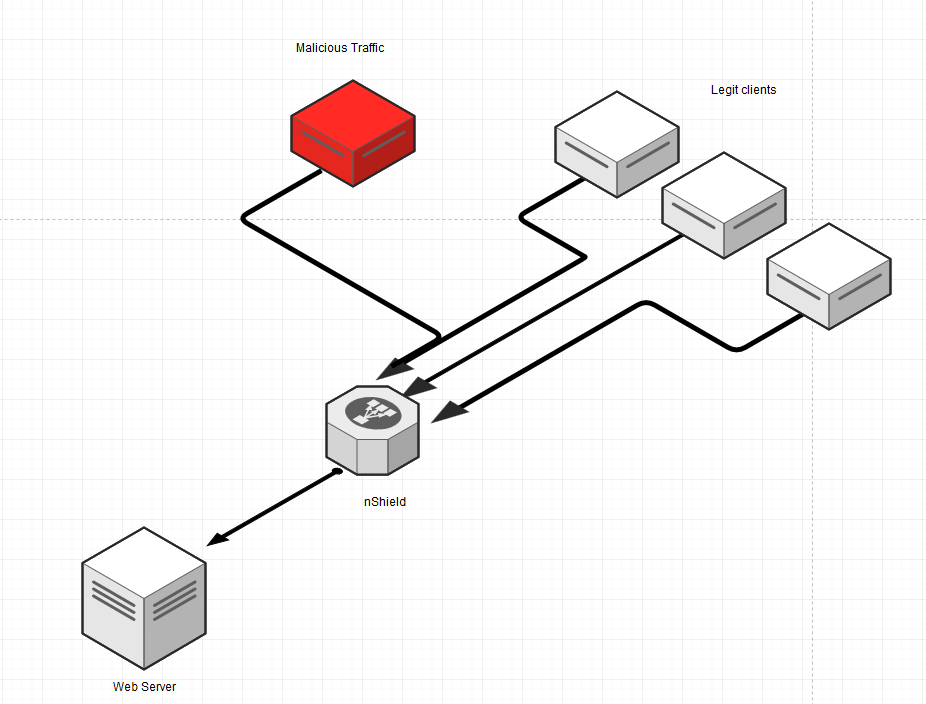
An Easy and Simple Anti-DDoS solution for VPS,Dedicated Servers and IoT devices based on iptables/ipsets

Requirements

  • Linux System with golang, iptables/ipsets
  • Nginx

Quickstart

Run the bash script (install.sh) to install all the required dependencies.

bash install.sh


You will be prompted to insert a domain and the real IP address associated to it so net-Shield will configure for you the first proxydomain (you can see the changes on /etc/nshield/nshield.conf).

Proxy Domains

To configure proxydomains you need to enable the proxy option on /etc/nshield/nshield.conf (proxy = 1) and be sure that the proxydomain list (on the same conf file) is correct:

root@kitploit:~
proxydomains = [
  "sami.pw 8.8.8.8",
  "example.org 1.2.3.4"
]

Usage

After you completed the install with the quickstart script you can call the "config-nshield" commad that will read the nshield.conf and re-configure shield rules based on the new configuration.

Example: I want to enable SSL on sami.pw that i just configured as above:

  1. Edit /etc/nshield/nshield.conf and set autossl = 1
  2. On your terminal run: # config-shield
  3. You can now see the changes on the Nginx configuration

The domain must point to the net-Shield instance otherwise will fail let's encrypt verification.

Logs are diplayed on: /var/log/nshield.log

How it works

Basically this script is set by default to run every 30 minutes and execute these operations:

  • Get latest Bot,Spammers,Bad IP/Net reputation lists and blocks if those Bad guys are attacking your server (Thank you FireHol http://iplists.firehol.org/ )
  • Enable basic Anti-DDoS methods to deny unwanted/malicious traffic
  • Rate limits when under attack
  • Allows HTTP(S) Proxying to protect your site

Demo

asciicast

Tested on Ubuntu 16.04 and 14.04 LTS

Contributors

Feel free to open issues or send me an email

Binaries

In case you cannot compile it your self and/or run the install.sh you can find the binaries on: https://github.com/fnzv/net-Shield/tree/master/binaries

License

Code distributed under MIT licence.

Download Tool