 feedbeef/dji_ble_vuln
DJI Drone DUML Command Injection over Bluetooth — Proof of Concept for CVE-2026-78306

CVE record: https://www.cve.org/CVERecord?id=CVE-2026-78306
NVD: https://nvd.nist.gov/vuln/detail/CVE-2026-78306
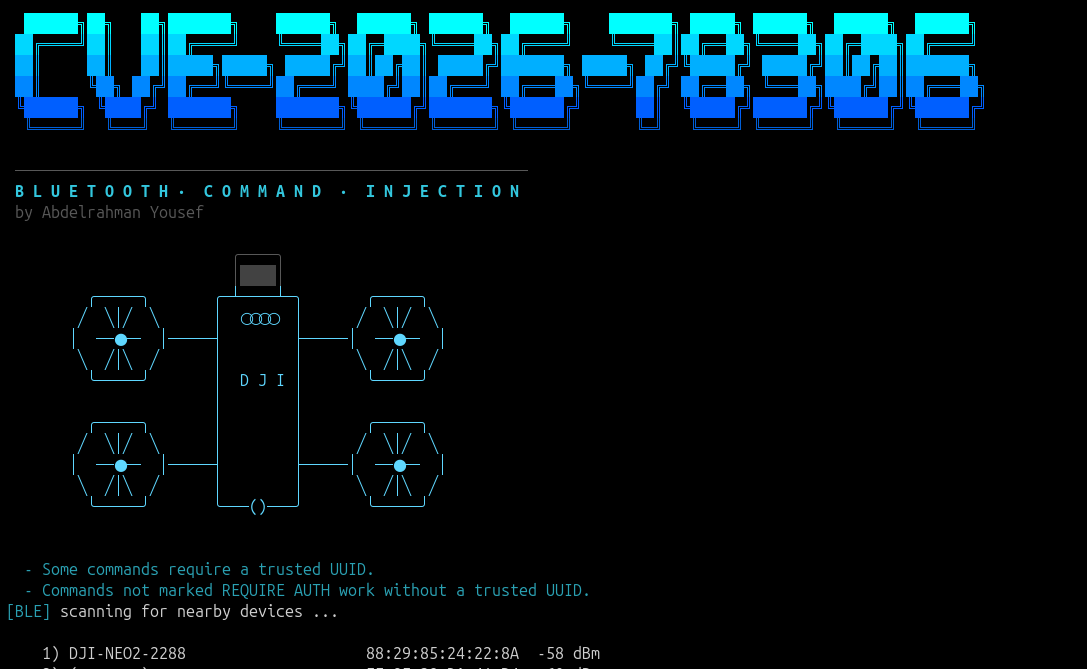
DJI drones expose a Bluetooth interface used to establish a connection to the drone's Wi-Fi interface and exchange Wi-Fi credentials.
The Bluetooth interface checks the device's trusted UUID for three commands:
The remaining commands do not require the same authentication check. As a result, a remote attacker within Bluetooth range may be able to send unauthorized DUML commands to the drone.
Depending on the command, an attacker may be able to modify the drone's configuration, including changing the Wi-Fi password and potentially gaining access to the drone's internal network; enabling or disabling radio interfaces; restarting or powering off the aircraft; resetting the configuration, which wipes all videos and pictures captured by the drone; and performing other actions.
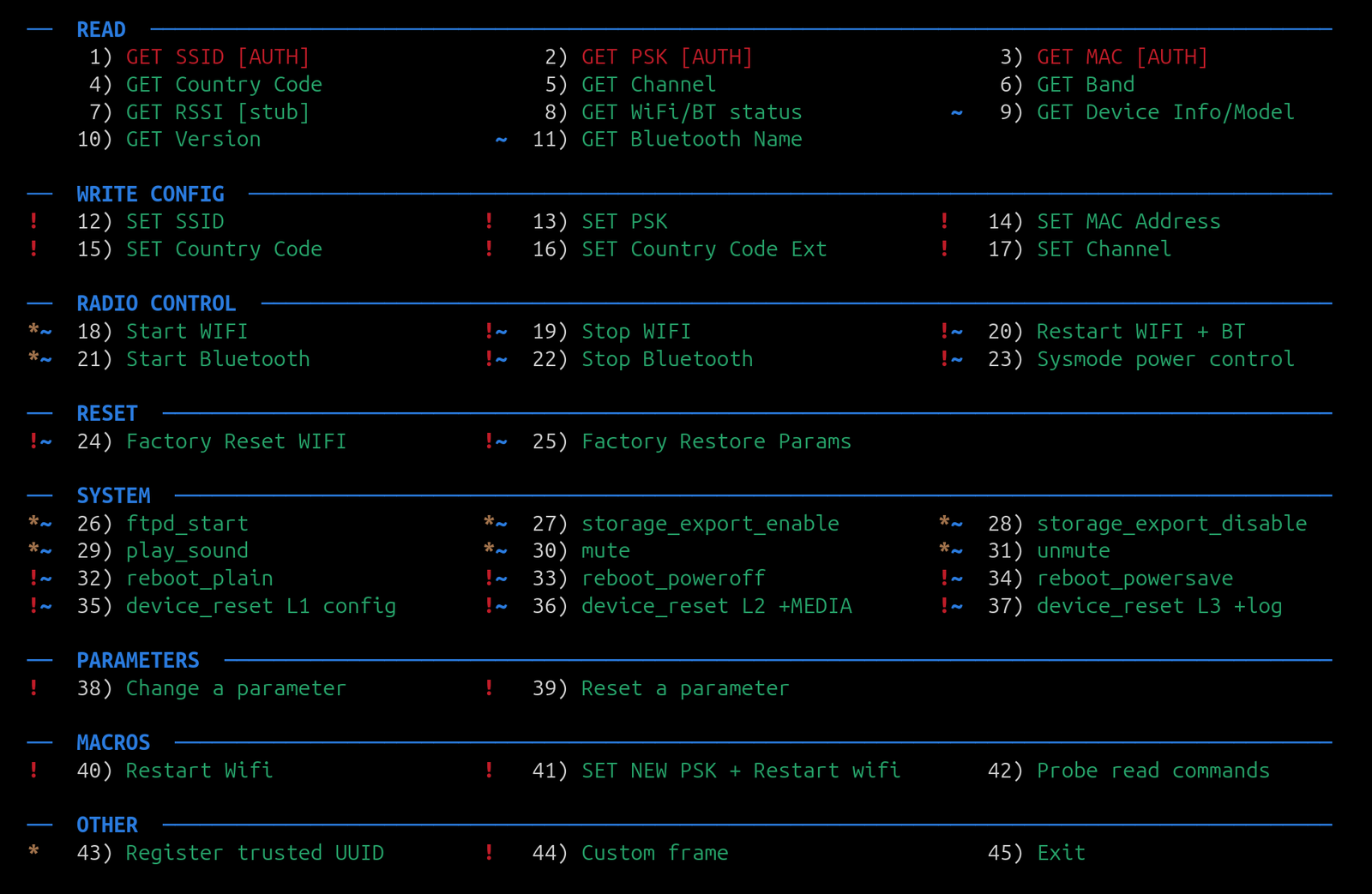
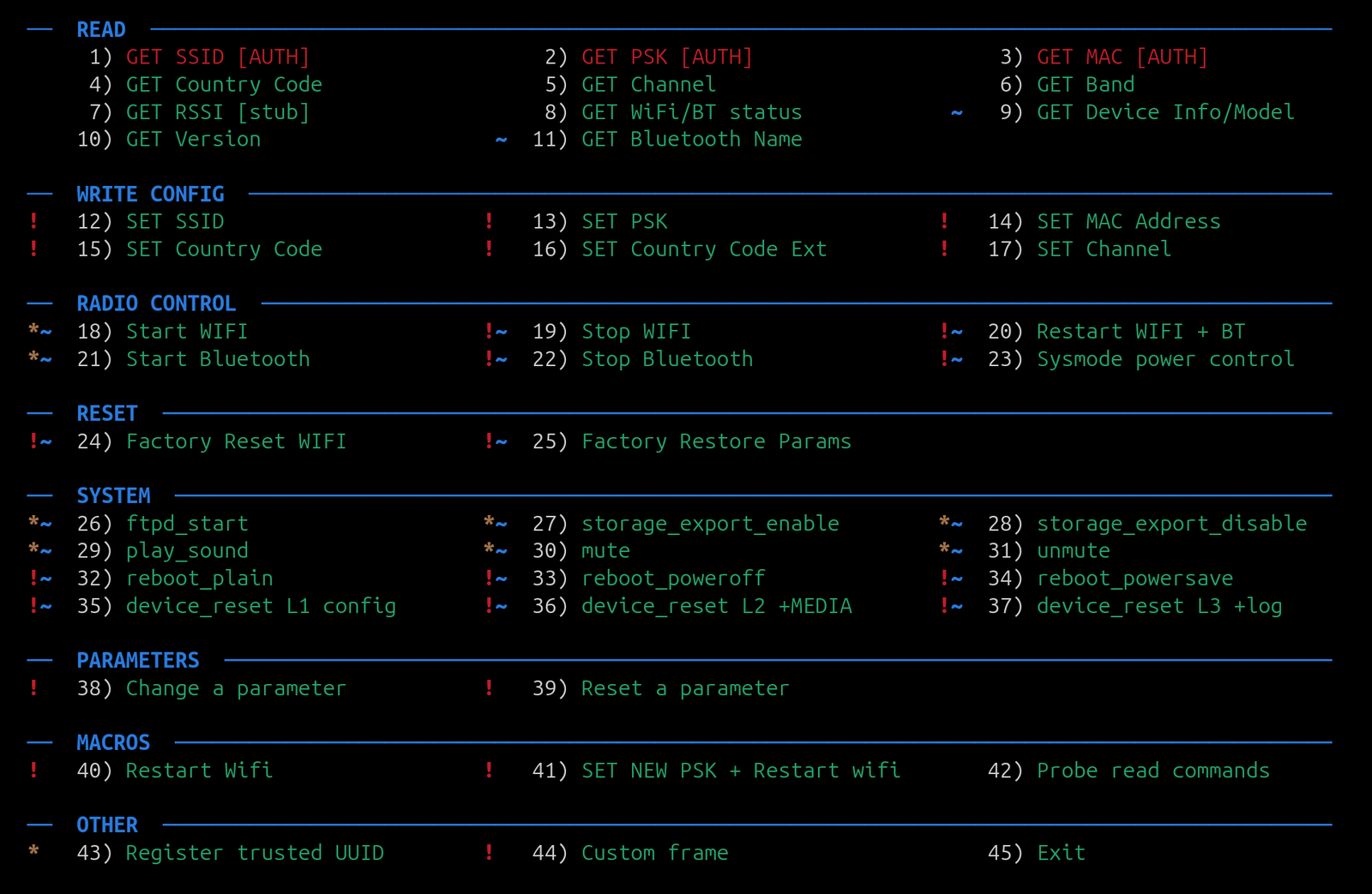
The POC provides a command registry that allows the available commands to be tested without modifying the Python source code. The command registry, including the command, receiver, authentication requirements, and description of each command, is defined in commands.json.
| Product | Affected Version |
|---|---|
| DJI Neo | 0 – 01.00.0400 |
| DJI Neo 2 | 0 – 01.00.0500 |
| DJI Flip | 0 – 01.00.1200 |
| DJI Air 3 | 0 – 01.00.1600 |
| DJI Air 3S | 0 – 01.00.1400 |
| DJI Avata 2 | 0 – 01.00.0400 |
| DJI Avata 360 | 0 – 01.00.0300 |
| DJI Mavic 3 | 0 – 01.00.1400 |
| DJI Mavic 3 Classic | 0 – 01.00.0800 |
| DJI Mavic 3 Pro | 0 – 01.01.0700 |
| DJI Mavic 4 Pro | 0 – 01.00.0500 |
| DJI Mini 2 | 0 – 01.07.0200 |
| DJI Mini 3 | 0 – 01.00.0500 |
| DJI Mini 3 Pro | 0 – 01.00.0900 |
| DJI Mini 4 Pro | 0 – 01.00.1100 |
| DJI Mini 5 Pro | 0 – 01.00.0600 |
https://github.com/user-attachments/assets/57f51df2-5160-404c-9fd3-2a3a8b700008
# Clone the repository
git clone https://github.com/Wh02m1/CVE-2026-78306.git
cd CVE-2026-78306-POC

# Create and activate a Python virtual environment
python3 -m venv venv
source venv/bin/activate

# Install dependencies
pip install -r requirements.txt
python3 ble_console.py
The following commands are registered in commands.json. The POC separates commands into read, configuration, radio-control, reset, system, and parameter operations.
| Command | What it does |
|---|---|
| GET SSID | Retrieves the configured Wi-Fi SSID. |
| GET PSK | Retrieves the Wi-Fi WPA2 pre-shared key. |
| GET MAC | Retrieves the Wi-Fi AP MAC address. |
| GET Country Code | Retrieves the two-letter regulatory country code. |
| GET Channel | Retrieves the currently active Wi-Fi channel. |
| GET Band | Retrieves the configured 2.4/5 GHz band selection. |
| GET RSSI | Queries the RSSI handler; this firmware build contains a stub implementation. |
| GET WiFi/BT status | Retrieves the Wi-Fi and Bluetooth radio state. |
| GET Device Info/Model | Retrieves device and model information. |
| GET Version | Retrieves the daemon version. |
| GET Bluetooth Name | Retrieves the Bluetooth device name. |
| Command | What it does |
|---|---|
| SET SSID | Changes the configured Wi-Fi SSID. |
| SET PSK | Changes the configured Wi-Fi password. |
| SET MAC Address | Changes the runtime Wi-Fi BSSID configuration. |
| SET Country Code | Changes the configured regulatory country code. |
| SET Country Code Ext | Handles extended country-code configuration. |
| SET Channel | Changes the Wi-Fi channel and causes the AP to restart. |
These operations are classified as danger in the POC and therefore require explicit confirmation before being sent.
| Command | What it does |
|---|---|
| Start WIFI | Starts the Wi-Fi interface and associated services. |
| Stop WIFI | Stops the Wi-Fi interface. |
| Restart WIFI + BT | Restarts the Wi-Fi and Bluetooth subsystems. |
| Start Bluetooth | Starts the Bluetooth subsystem. |
| Stop Bluetooth | Stops the Bluetooth subsystem and terminates the current session. |
| Sysmode power control | Controls the Wi-Fi/Bluetooth power state. |
| Command | What it does |
|---|---|
| Factory Reset WIFI | Restores the Wi-Fi configuration to its default state. |
| Factory Restore Params | Restores the network configuration parameter table to factory defaults. |
The POC marks both operations as dangerous because they modify persistent configuration.

