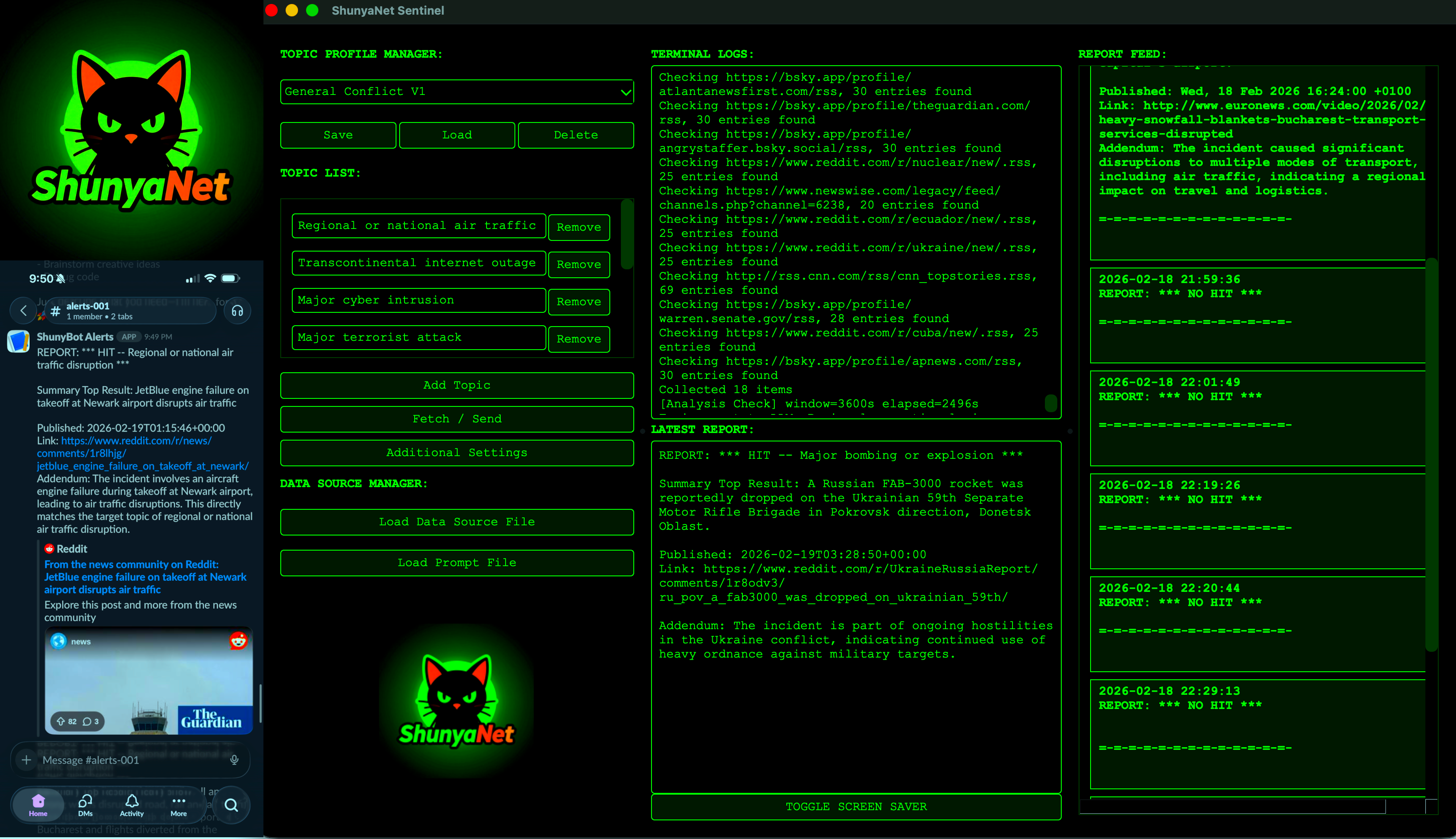
ShunyaNet Sentinel (UPDATED: 03/02/2026)
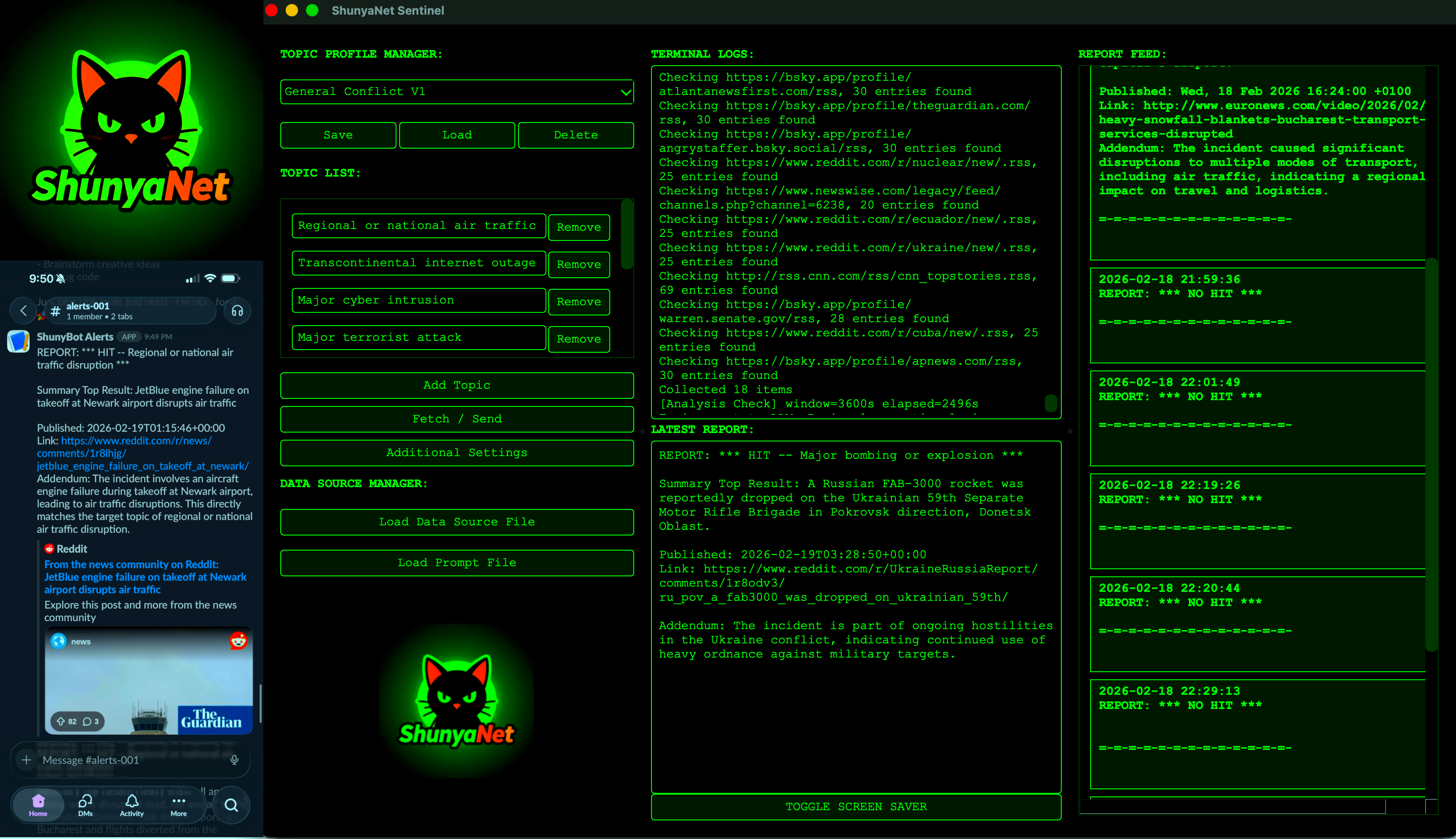
ShunyaNet Sentinel is a lightweight, cyberpunk-themed program that ingests RSS feeds (e.g., breaking news, social media), sends them to an LLM for analysis, and delivers alerts and summary reports directly to the GUI and Slack at regular intervals.
The project is built to utilize an LLM hosted locally on the same machine or network (e.g., with Tailscale) using LMStudio or Ollama (02/23 Update). It will also work with an OpenAI API key (02/23 Update).
For alerting, the program utilizes Slack Webhooks, enabling push
notifications to be sent to a mobile device.
The ShunyaNet Sentinel is compatible with the latest versions of Linux, MacOS, and Windows*
The quality of reporting and analysis is influenced by the prompt, context size, RSS feeds and LLM chosen. It's recommended you turn off thinking features. Models that seem to have performed well and generally follow instructions, include:
- GPT OSS 20b (thinking set to LOW in LMStudio)
- GPT OSS 120b (prob. overkill)
- Hermes 4 70b (my go-to)
- Gemma 3 27b it abliterated (mlabonne's version)
- Qwen3 32b and/or VL 30b (i forget which...)
*Strongly suggest macOS or Linux. See Known Issues below.
See Tips, Tricks, and Known Issues at the end for important info!
High-Level Workflow
- User enters topics of interest
- User provides a list of RSS feeds
- Sentinel pulls RSS feeds at user-configured intervals of time
- RSS content is sent to the user-provided LLM server
- The LLM reviews feeds and reports back to Sentinel on relevant topics of interest
- If Slack webhook is configured, alerts are forwarded and notifications can be accessed on ios/android (often with live links to referenced RSS content)
- Optional bulk analysis identifies trends over time
Core Capabilities
- Periodic polling of RSS feeds
- Deduplication and timestamp tracking
- Handles slow or malformed feeds (...more work to be done here)
LLM-Based Analysis (Optional)
- Sends RSS feed items to local/api LLM endpoint
- Prompt-driven classification, summarization, filtering
- Works with any OpenAI-compatible
/v1/chat/completions endpoint, designed for LMStudio
Alerting / Signal Generation
Local & Self-Hosted
- Other than polling RSS feeds, or sending replies to slack (optional), all information remains on hardware you control
Requirements
- Python 3.10+
- Dependencies listed in
requirements.txt:
- PySide6==6.10.0
- feedparser==6.0.12
- requests==2.31.0
- python-dateutil==2.9.0.post0
LLM hosted via:
- LM Studio-hosted (recommended)
- Ollama
- OpenAI api key
- (a few more to come soon)
Installation
1. Clone Repository (...Or Download the Zip) & Navigate to the Folder
git clone https://github.com/EverythingsComputer/ShunyaNet-Sentinel.git
cd ShunyaNet-Sentinel
2. (Strongly Recommended) Create Virtual Environment
macOS / Linux:
python3 -m venv venv
source venv/bin/activate
Windows (PowerShell):
python -m venv venv
venv\Scripts\Activate.ps1
3. Install Requirements
pip install -r requirements.txt
4. Run
macOS / Linux:
python3 ShunyaNet_Sentinel.py
Windows:
python ShunyaNet_Sentinel.py
Quick Start (with LMStudio) (UPDATED 02/23)
- Click "Load Prompt File" and load
default_prompt.txt
- Click "Load Data Source File" and Load
Default_test RSS list
- Open "Additional Settings" and enter:
- LM_PROVIDER = lmstudio
- LLM_BASE_URL = <YOUR LMSTUDIO SERVER IP, e.g.: http://x.x.x.x:port/v1>
- LLM_MODEL = <I recommend you leave this blank. Just follow Step 4>
- API_KEY = <leave blank, unless you set one for your server>
- Load model in LM Studio. Turn on "Serve on Local Network" in Server Settings. Tips:
- In the "Load Model"/model selection window, turn on "Manually choose model load parameters"
- In your model's load parameters window, Set Max Concurrent Predictions to 1 (for now)
- In the inference tab, turn off or minimize thinking, if that setting is available.
- A model of moderate size that works well: gpt-oss-20b. Thinking set to "low"
- Click the cat! (...or just hit Fetch / Send)
Full Instructions & Config (UPDATED 03/02/2026)
-
Enter topics of interest, or load one of the default lists provided. Up to 10 topics may be added to each list.
-
Click “Load Prompt File” to load a prompt file. A default prompt is provided (default_prompt.txt).
- You’re encouraged to tweak and revise this prompt - it may substantially improve the quality of reporting and the ability of the LLM to identify a signal amid noise. There is A LOT of room for customization here.
- There is a 'default_prompt-always-reply.txt' included in the experimental folder. It's outdated, but you can use this to debug/test the LLM's analysis and make sure it is reporting something back in the correct format.
- UPDATED 03/02/2026 There is a 'default_Summary-Report-Only_prompt.txt' prompt also provided. This version doesnt seek to pick a signal out of noise, but rather to summarize a greater volume of relevant feeds when the information space is rich with on-topic data. Thus, it is more useful after the "event" you are looking for has occured. It is also best used less frequently (e.g., every half hour for a fast-moving and widly-reported event, or every few hours for something with less reported data) and with a large token allowance for the prompt and reply.
-
Click “Load Data Source File” to load an RSS list. Two default lists are provided. A short “Default_test” list and a longer “Default_long” list, which focuses on world-wide news and breaking news.
- Tailoring your own lists to your region or topics of interest will significantly affect the output of information. An example region-focused list that I used for a recent trip is provided ('India_regional_example-v1.txt'). An example Iran-conflict one is also included.
- Reddit and blue-sky can be easily converted into RSS feeds. Programs, such as RSSBridge, can also generate RSS feeds from websites and social media (e.g., telegram) that don’t have one.
- The “Default_test” list is a short list of a variety of RSS feeds. The purpose is to keep the first RSS pull quick and short, so that you can diagnose whether all the pieces are working the way they should.
-
In "Additional Settings", set the following fields. These will save and persist if you end and restart the program. The default settings will work with most configurations - but you must still enter field #1 yourself:
 everythingscomputer/shunyanet-sentinel
