 eth0izzle/needl
Take back your privacy. Lose yourself in the haystack.

Take back your privacy. Lose yourself in the haystack.
Your ISP is most likely tracking your browsing habits and selling them to marketing agencies (albeit anonymised). Or worse, making your browsing history available to law enforcement at the hint of a Subpoena. Needl will generate random Internet traffic in an attempt to conceal your legitimate traffic, essentially making your data the Needle in the haystack and thus harder to find. The goal is to make it harder for your ISP, government, etc to track your browsing history and habits.
It's not perfect. But it's a start. Have an idea? Get involved!
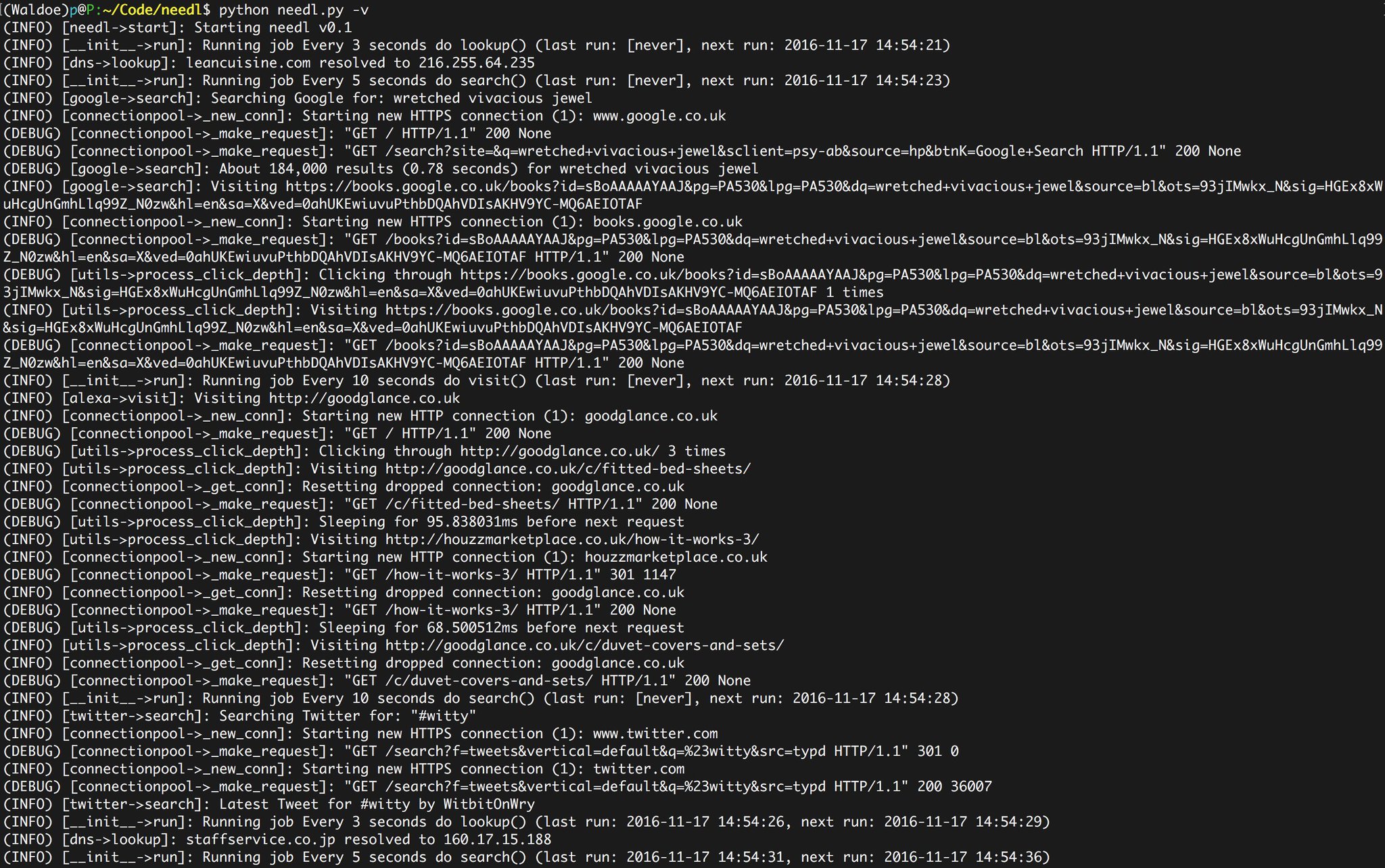
Implemented modules:
Module ideas:
Needl should work pretty much any Linux system with Python 3.0+ installed.
cd /optgit clone https://github.com/eth0izzle/needl.gitpip3 install -r requirements.txtpython3 needl.pyNeedl runs as a daemon and will happily sit in the background chomping away 24/7, 365. Each module (task) has scheduled actions, for example random DNS queries will happen every 1 to 3 minutes. You can configure the intervals within ./data/settings.yaml.
usage: needl.py [-h] [--datadir DATADIR] [-d] [-v] [--logfile LOGFILE]
                [--pidfile PIDFILE]

Take back your privacy. Lose yourself in the haystack.

optional arguments:
  -h, --help         show this help message and exit
  --datadir DATADIR  Data directory
  -d, --daemon       Run as a deamon
  -v, --verbose      Increase logging
  --logfile LOGFILE  Log to this file. Default is stdout.
  --pidfile PIDFILE  Save process PID to this file. Default is /tmp/needl.pid.
                     Only valid when running as a daemon.
Why not just use a VPN/Tor? And you should! Needl does not protect your legitimate traffic in any way. It simply generates more.
By using Needl will my legitimate traffic be hidden/protected/safe? No. This isn't the goal of Needl. It's purpose is to generate more traffic to make it harder to identify your legitimate traffic. There's no evidence to suggest this actually works - it's a proof of concept.
Can [insert service here] differentiate between Needl and my legitimate requests? In theory, yes. [insert service here] can track you with Cookies, Session data or algorithms. Needl will tackle this in the future.
Where are your tests?!? Submit a pull request. Please.
Check out the issue tracker and see what tickles your fancy.
git checkout -b my-new-featuregit commit -am 'Add some feature'git push origin my-new-featureMIT. See LICENSE
