
Skip to content
KitploitKITPLOIT
ToolsBlog
Submit
ToolsBlog
Submit

Hacking, PenTest, and Cybersecurity Tools for Your Security Arsenal!

Kitploit is a directory of hacking, cybersecurity, and pentesting tools. Discover the latest project updates to find vulnerabilities, analyze systems, automate testing, and strengthen your security.

··Feeds·Contact·Privacy·© 2026 Kitploit

Tool Directory

Categories

View all categories
Loading categories
CVE-2024-25503 — Cross-Site Scripting vulnerability in Advanced REST Client v.17.0.9 exploit | Kitploit
Tools/GitHubGitHub/eqstlab/cve-2024-25503
Vulnerability AnalysisExploitationWeb Application ExploitationInformation GatheringPhishingPenetration Testing
GitHubeqstlab/cve-2024-25503

CVE-2024-25503

Cross-Site Scripting vulnerability in Advanced REST Client v.17.0.9 exploit

View Repository
11 year agoNot yet reviewed

Most Popular

View all →

Discover the most used tools by our community.

Explore all tools

Browse our collection of tools

View all tools →
Share

CVE-2024-25503

Vulnerability type : Cross Site Scripting (XSS)
Product: Advanced REST Client desktop application
Vulnerable Version: 17.0.9
Vendor of the product(s): https://www.advancedrestclient.com/

1. Description

Cross-Site Scripting (XSS) vulnerability in Advanced REST Client v.17.0.9 allows a remote attacker to execute arbitrary code and obtain sensitive information. This can be achieved by exploiting a crafted script within the 'edit details' parameter of the New Project function.

2. Attack Vectors

This vulnerability arises when an attacker maliciously stores a 'XSS' script in the project description (Markdown format), shares the project with the victim, and then executes the shared project on the victim's PC using the ARC App.
3. Proof-of-Concept (PoC)

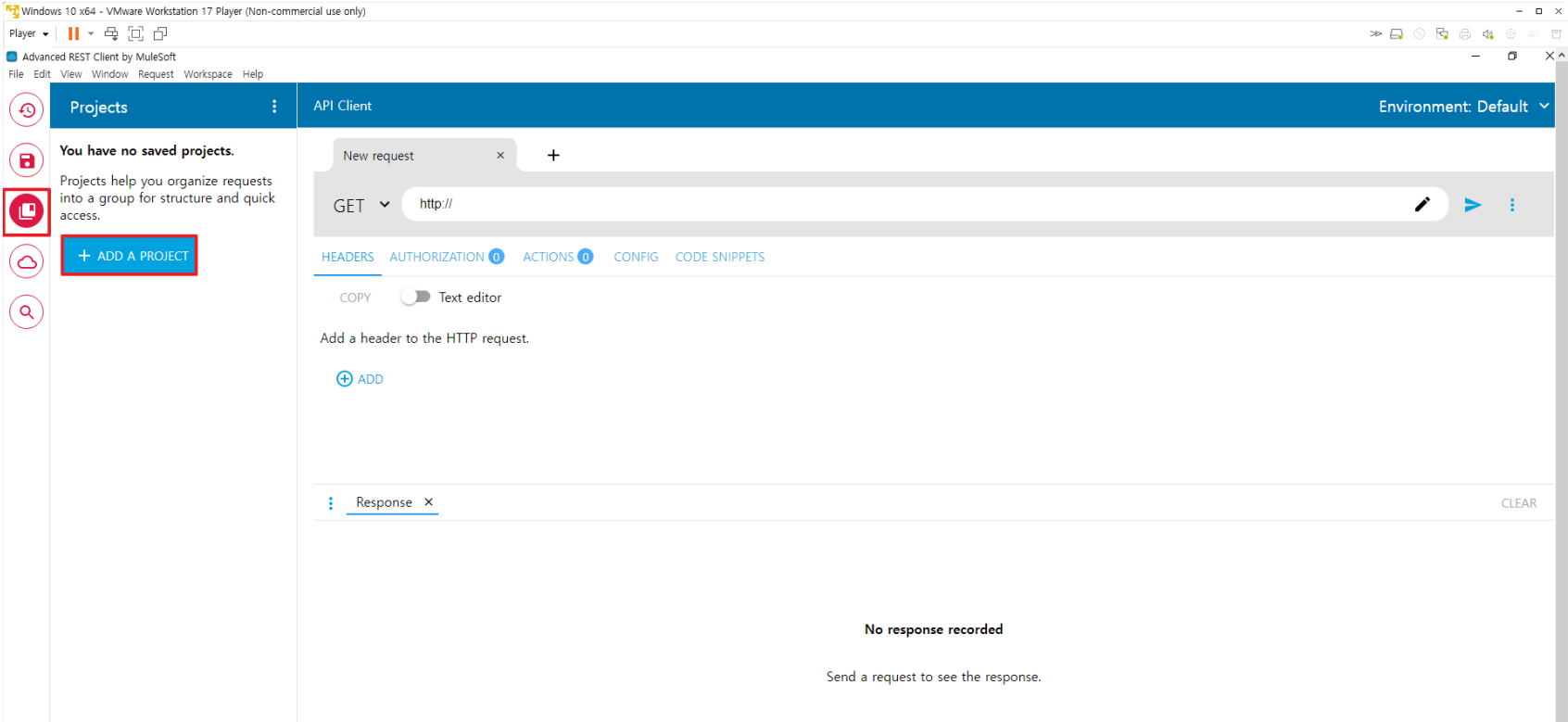
Step 1) Click on the '+ADD A PROJECT' button on the third tab after running the Advanced REST Client.

image


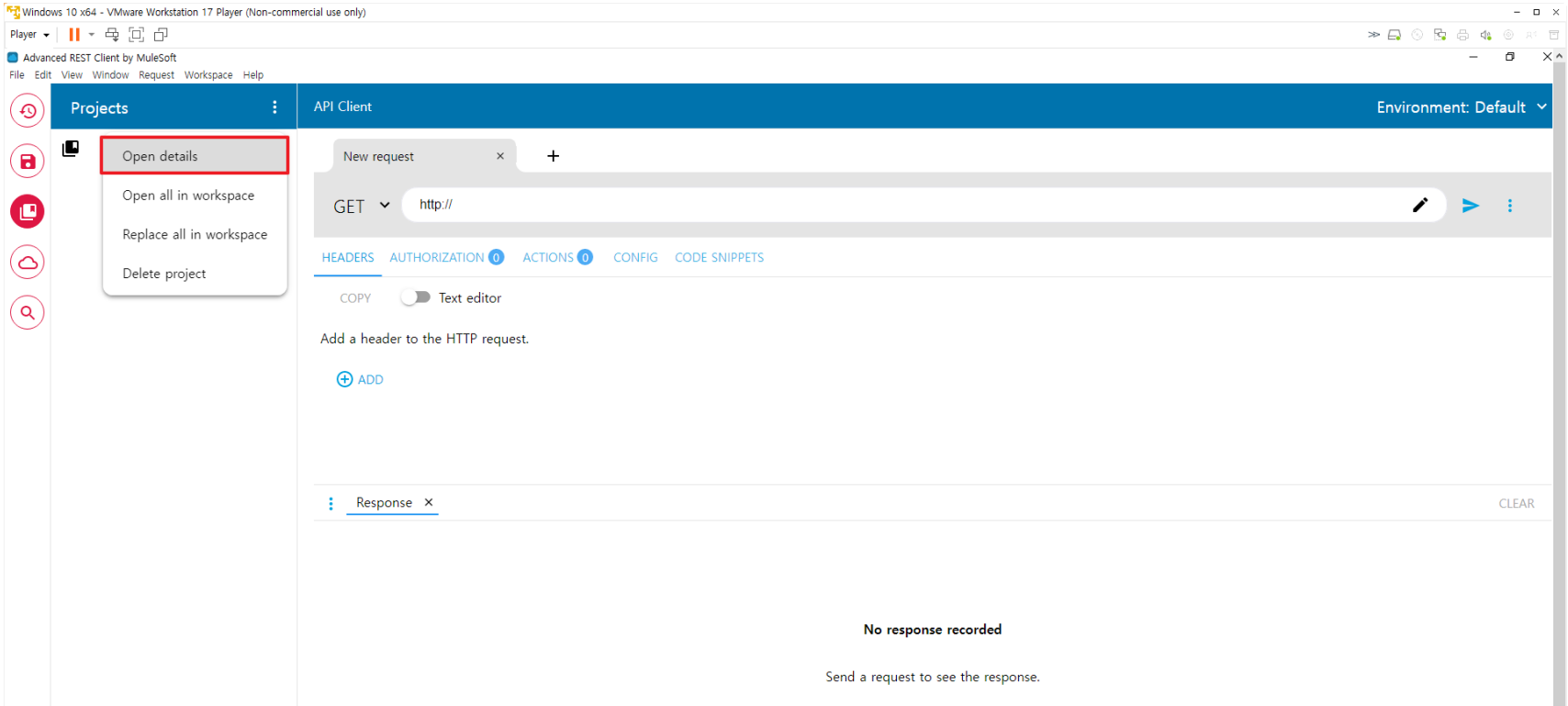
Step 2) Click the 'Open details' tab to view the created project.

image


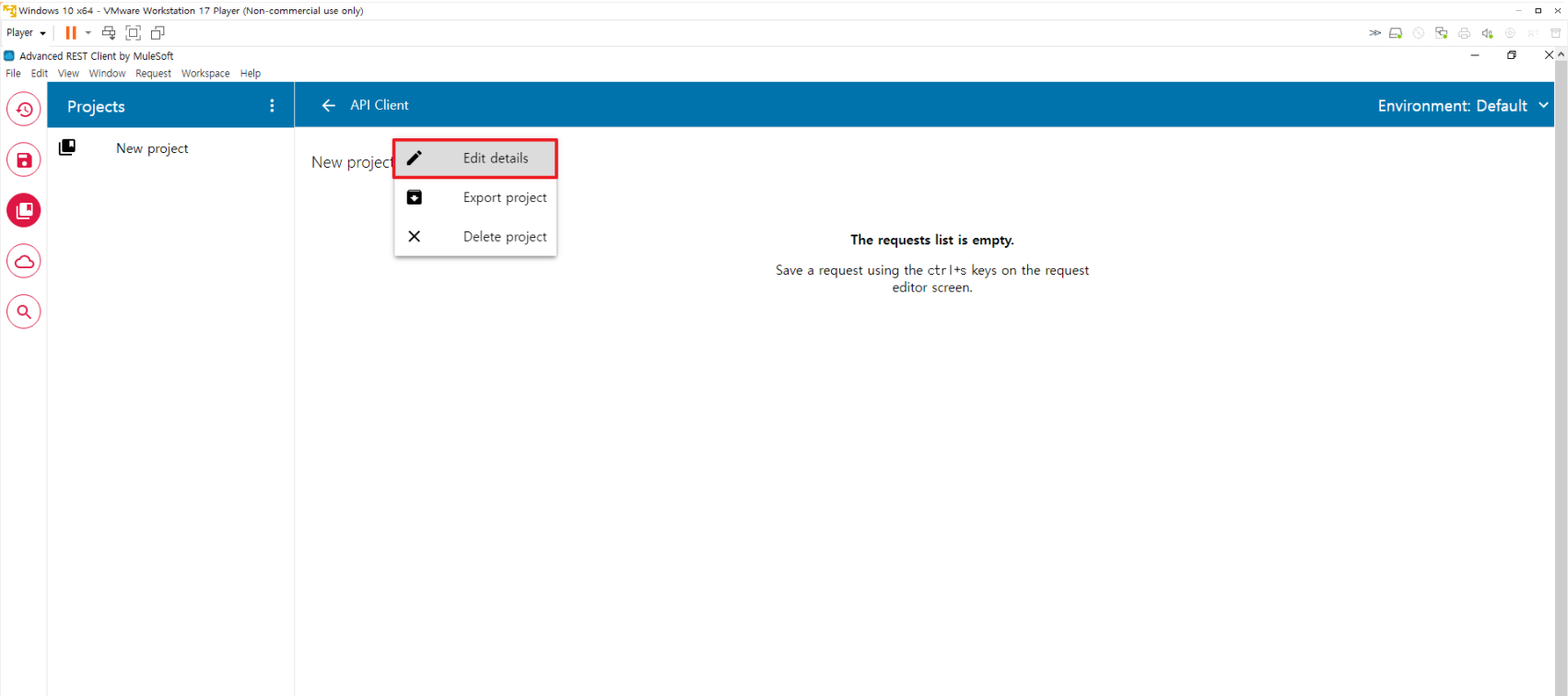
Step 3) Click on the 'Edit details' tab in the created New Project.

image


Step 4) Attacker writes 'XSS script' and clicks 'SAVE' button.

root@kitploit:~
<!--Used 'XSS script' for information leakage-->


<!--Another 'XSS script' for phishing-->
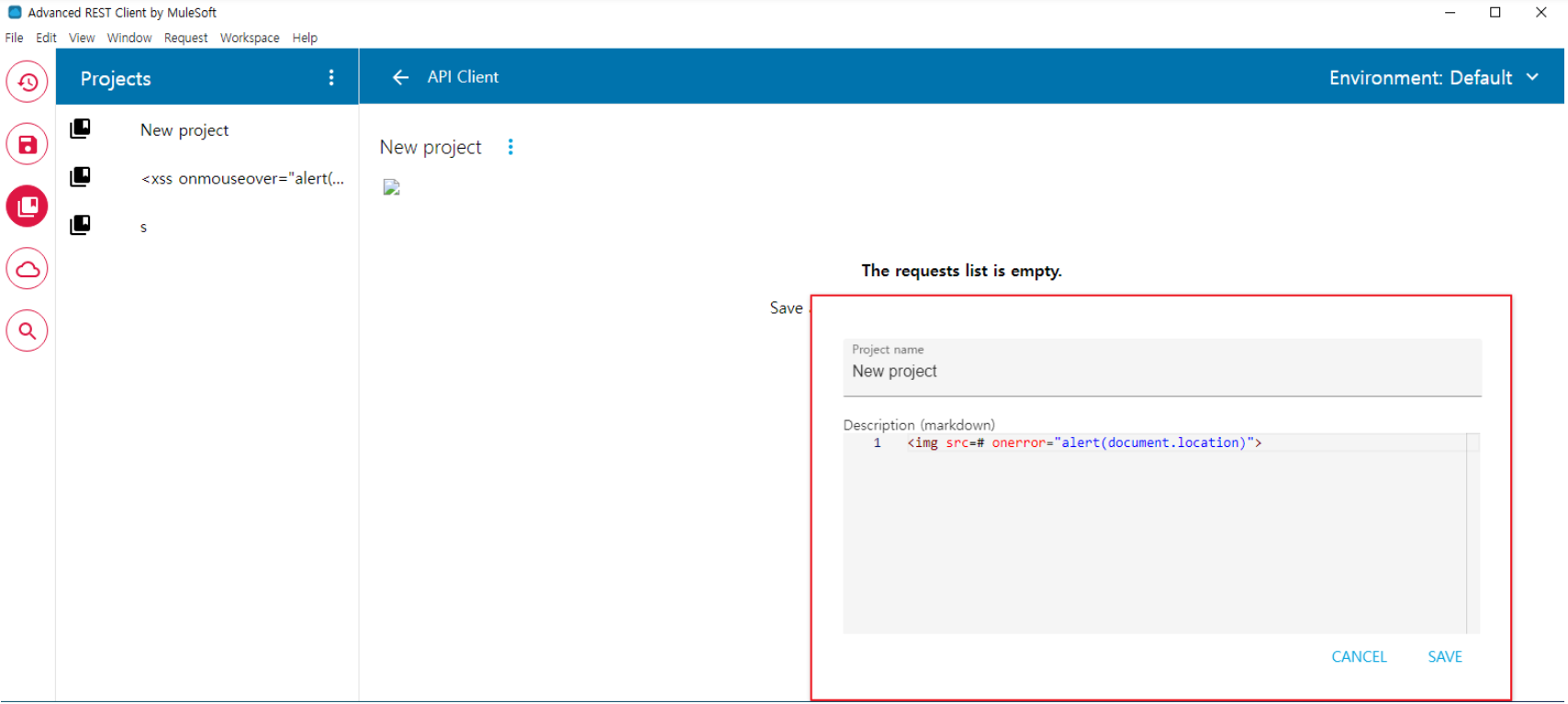
image

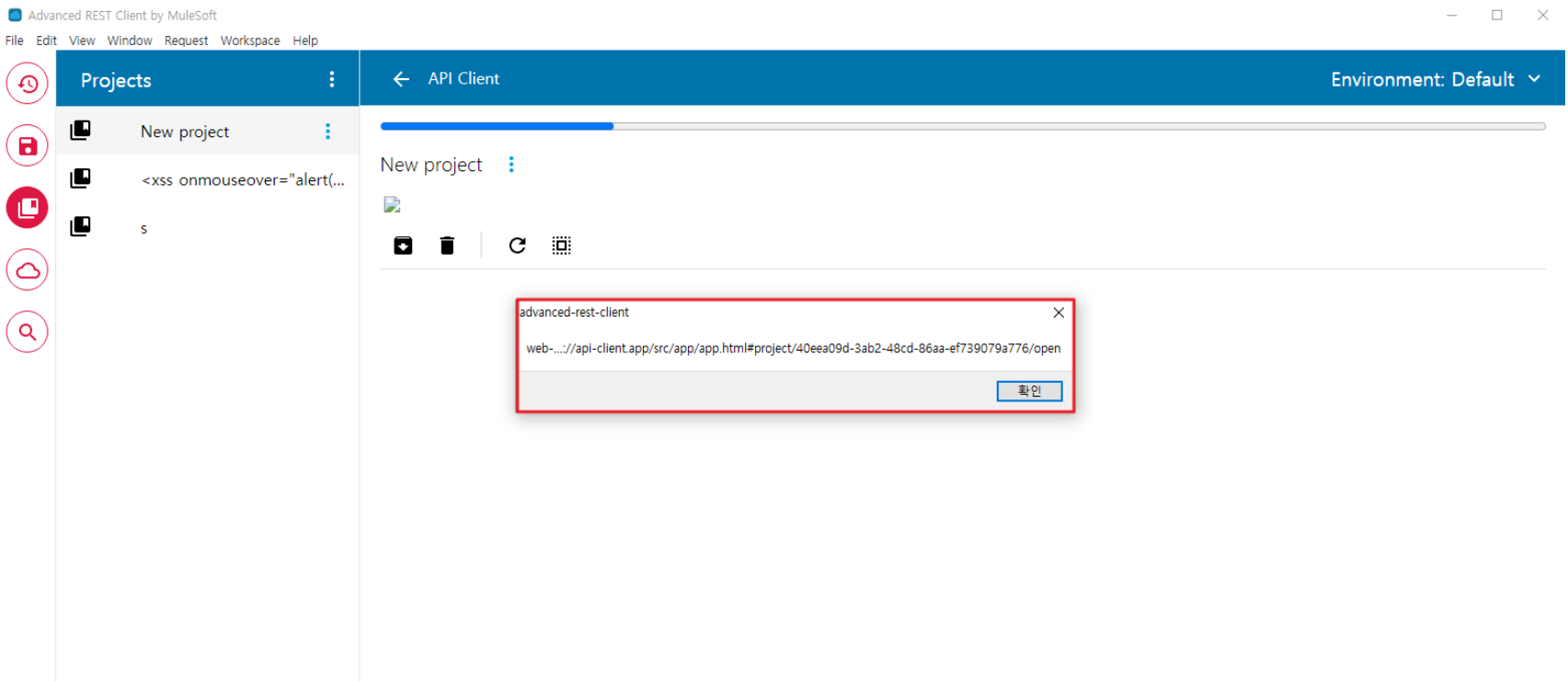
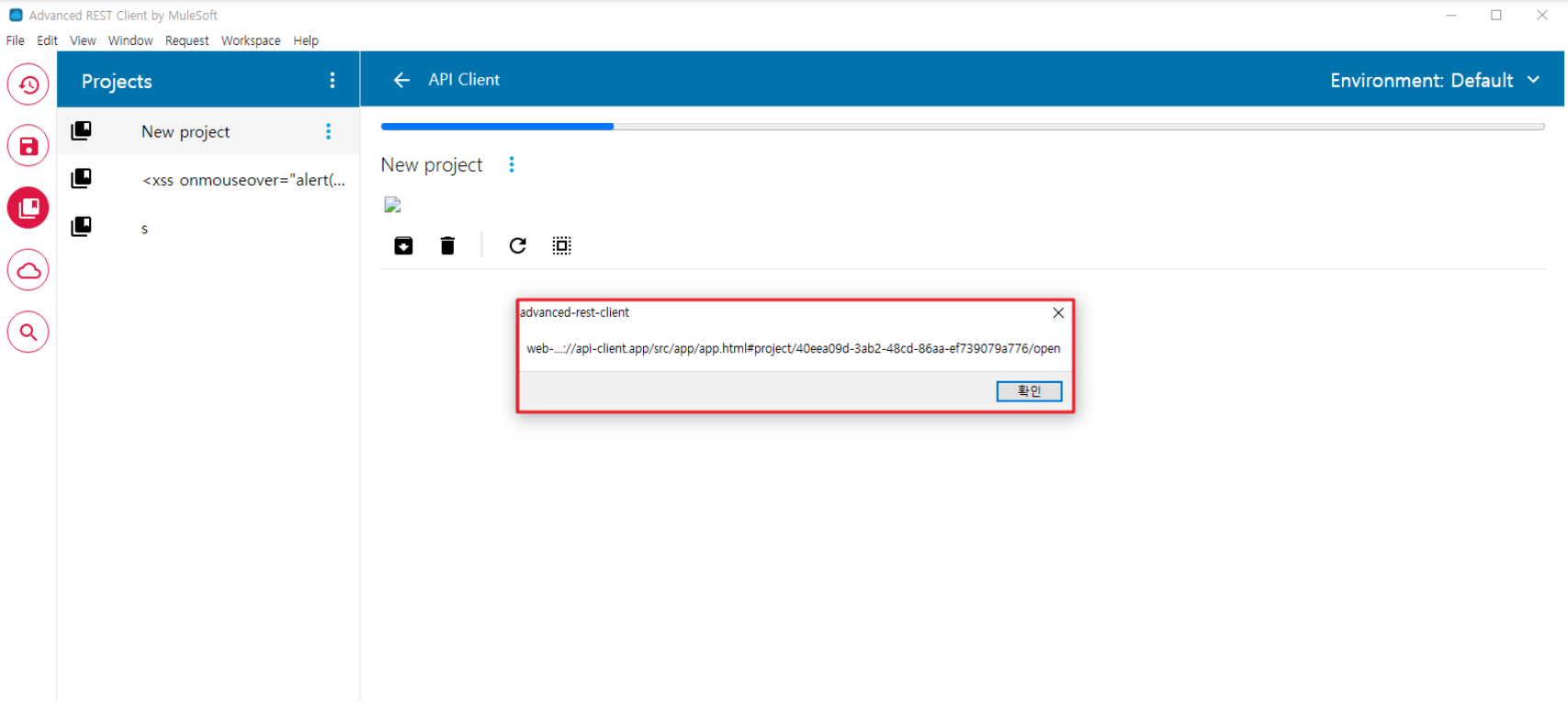
Step 5) When opening a project, a 'XSS script' may generate an alert(information leakage)

image

or load an attacker's page(phishing).

image

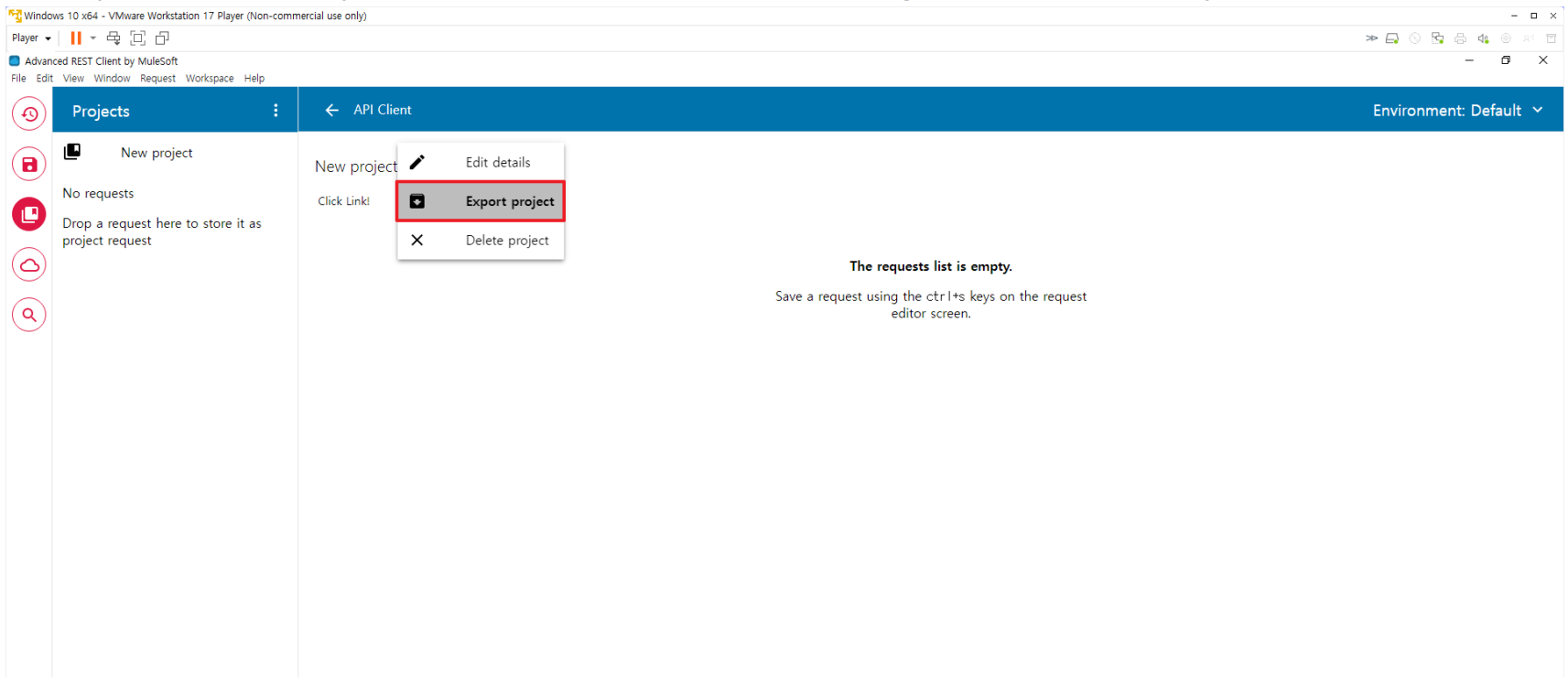
Step 6) Projects created by attackers can be exported through the 'Export project' function.

image

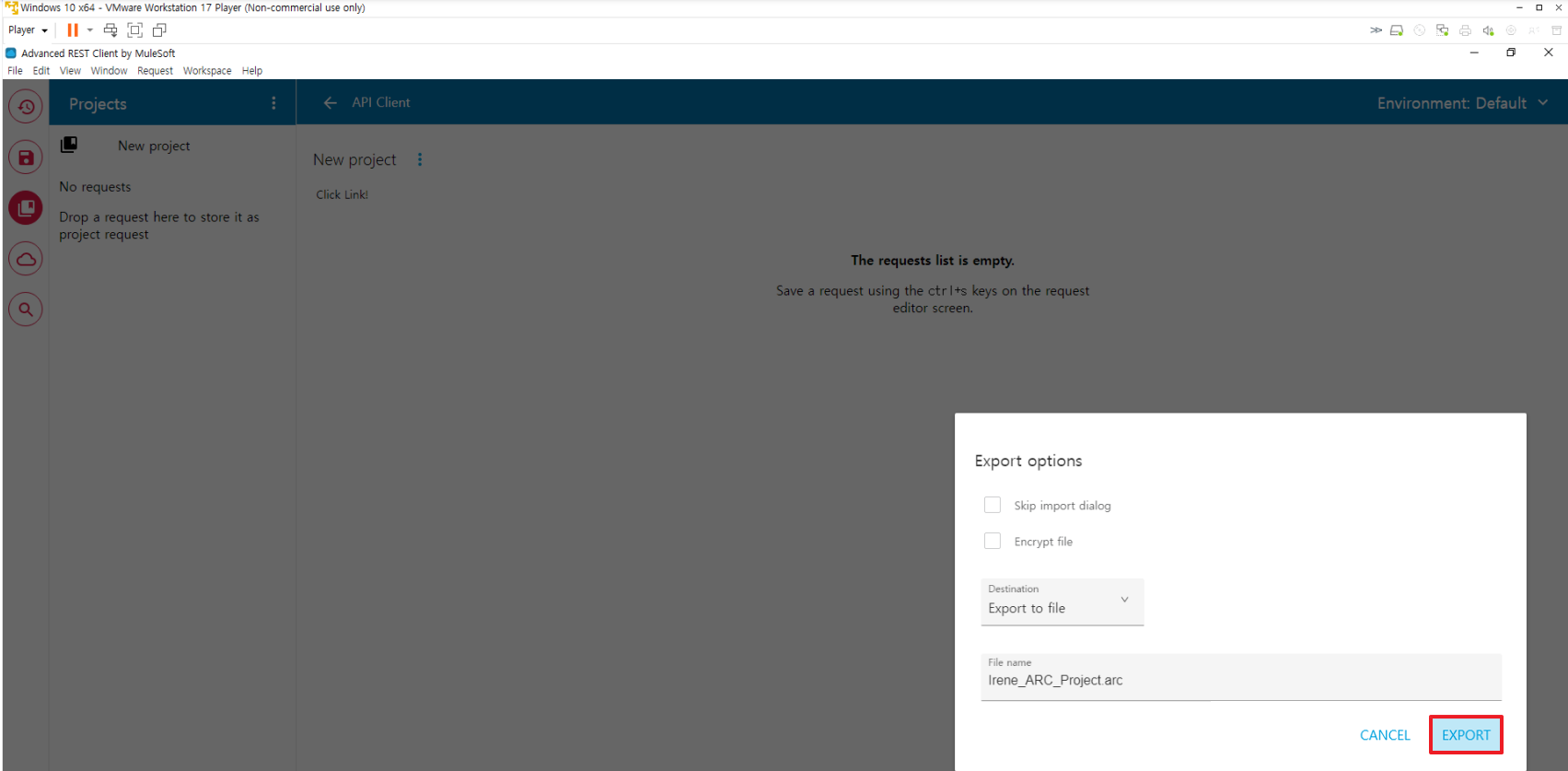
Step 7) Attacker names the project and clicks the 'EXPORT' button to export the project where the 'XSS script' is stored.

image

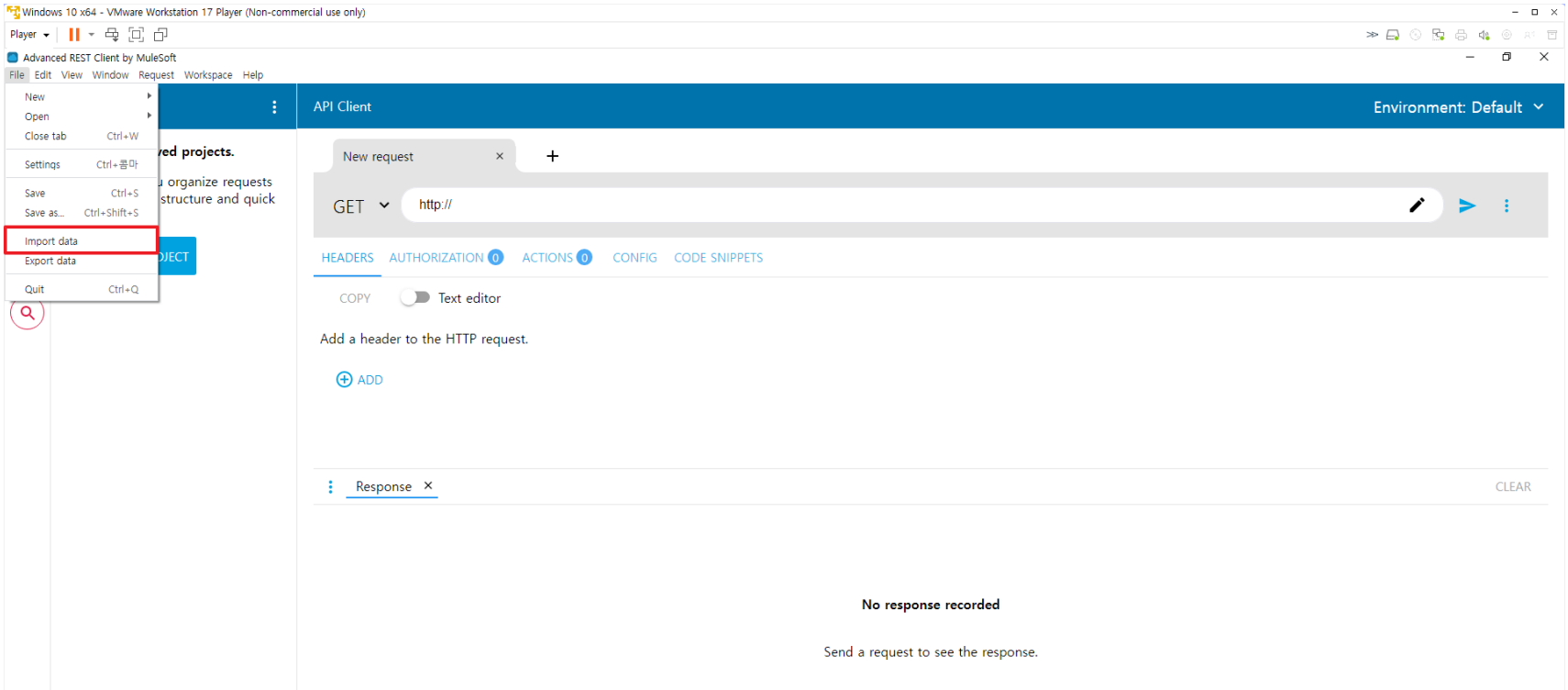
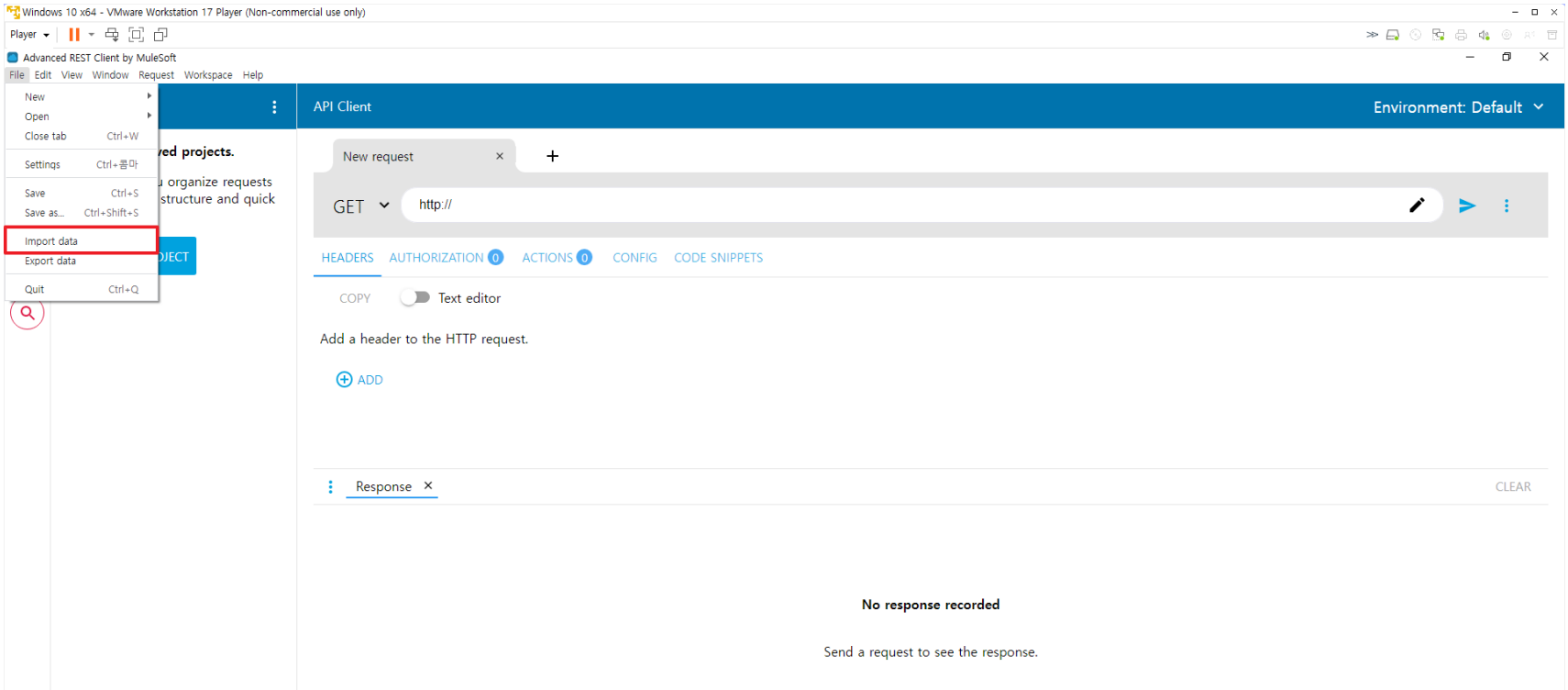
Step 8) This app also has the ability to import a project.

image

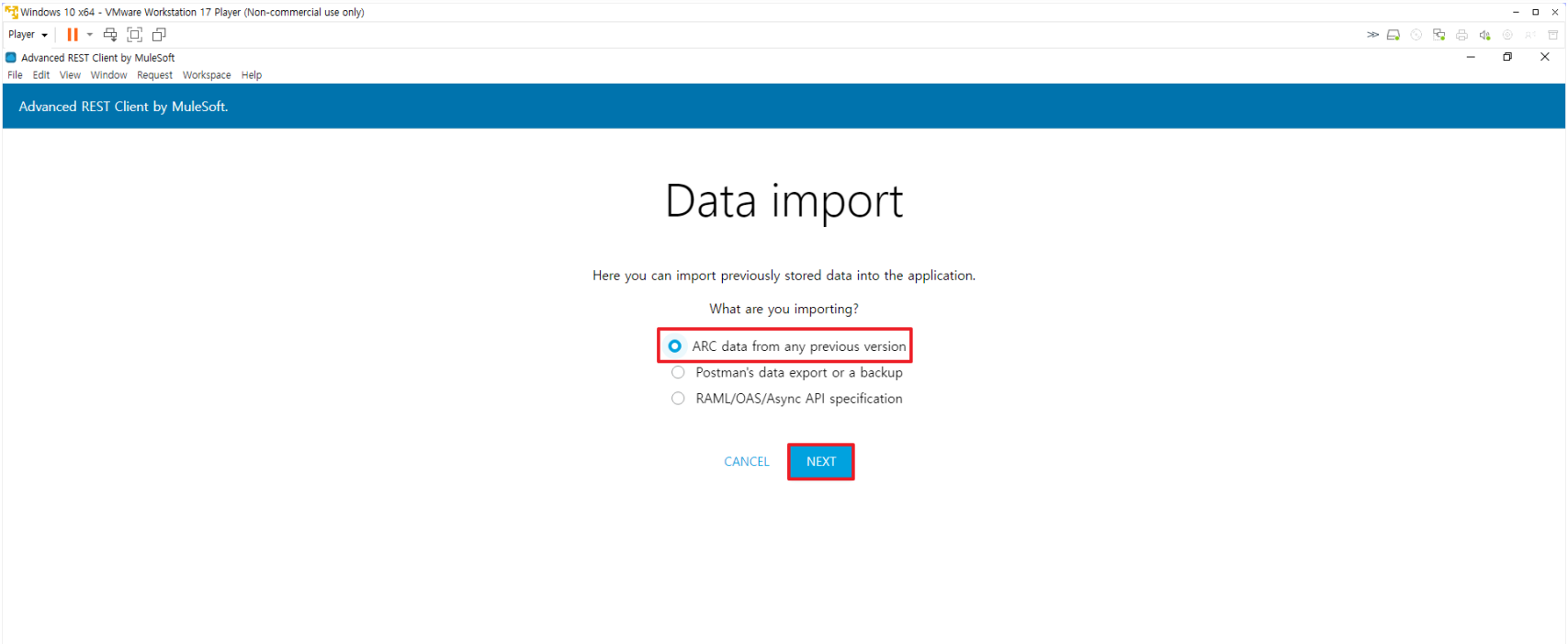
Step 9) Victim selects 'import all versions of ARC data' from the top tab to open the projectreceived from the attacker.

image

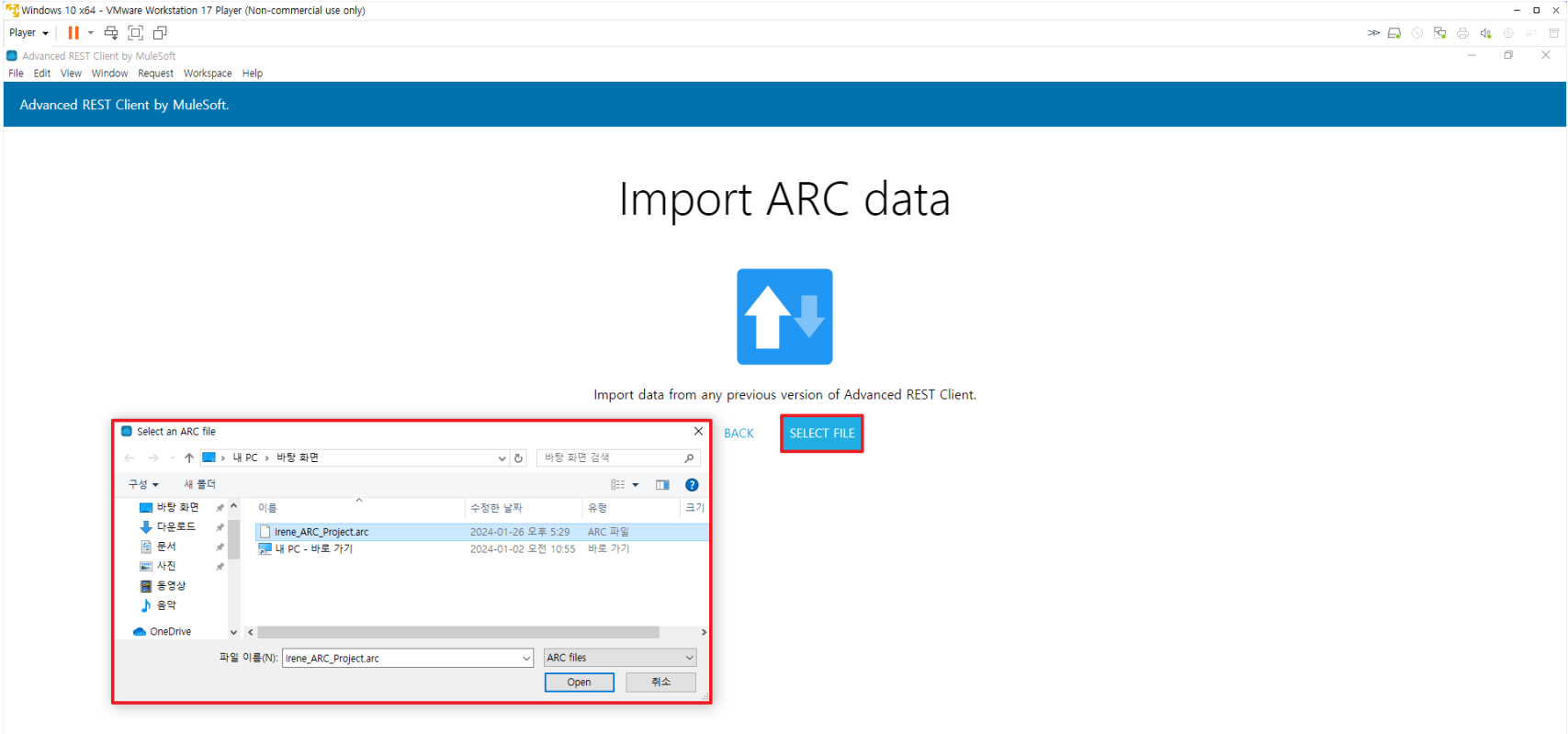
Step 10) When clicking a 'SELECT FILE' button for victim to open malicious project file containing 'XSS script'.

image

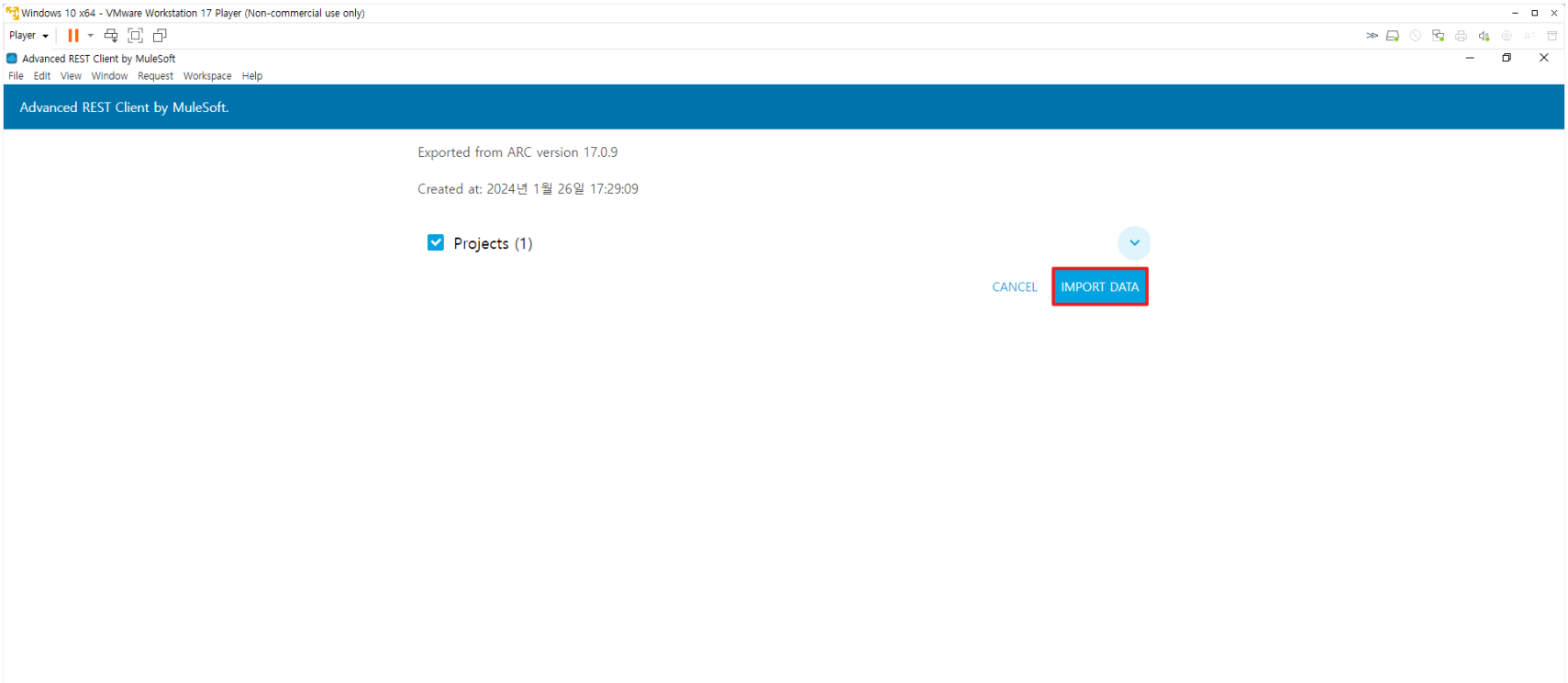
Step 11) After the file selection is completed, click the 'IMPORT DATA' button to importsuccessfully.

image

Step 12) Imported file runs and attacker's 'Stored XSS script' runs on victim's 'Advanced RESTClient (ARC) App'.

image

4. Additional Information

  • If the victim executes a project that includes malicious payloads shared by the attacker, it is dangerous because the victim cannot immediately notice the payload.

  • For example, this vulnerability can be used to steal sensitive information or perform malicious behavior by reading a user's browser URL.

  • You can also perform phishing attacks by redirecting users to other sites. Be careful if an XSS vulnerability is exploited in a phishing attack, which can lead to external exposure of sensitive information.

5. Discoverer

  • E-mail: [email protected]
  • Github: https://github.com/YOUNGSEO-PARK
Download Tool