 endgameinc/xori
Xori is an automation-ready disassembly and static analysis library for PE32, 32+ and shellcode



Xori is an automation-ready disassembly and static analysis library that consumes shellcode or PE binaries and provides triage analysis data.
Xori wouldn't exist without inspiration and ideas from the open source community. We are indebted to the work of the Capstone engine and the LLVM Project.
What it doesn't do yet:
rustc 1.27.0
curl https://sh.rustup.rs -sSf | sh
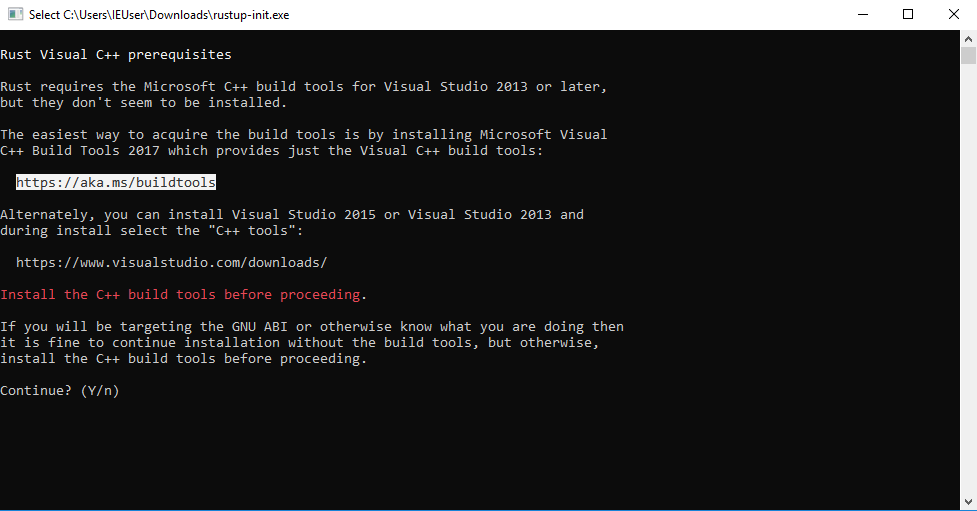
First get the rustup.exe (the rust toolchain installer) from here.
This tool will install the rust compiler rustc, the rust package manager cargo and other usefull tools for development in rust.
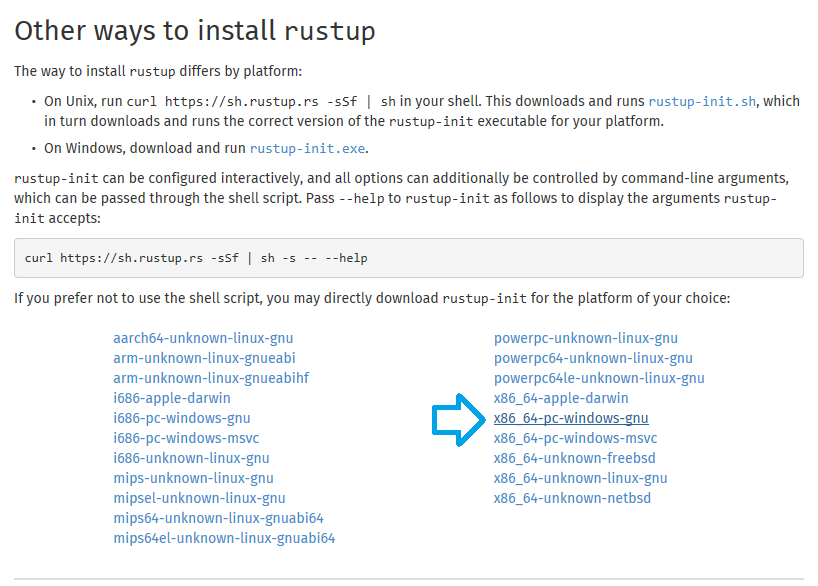
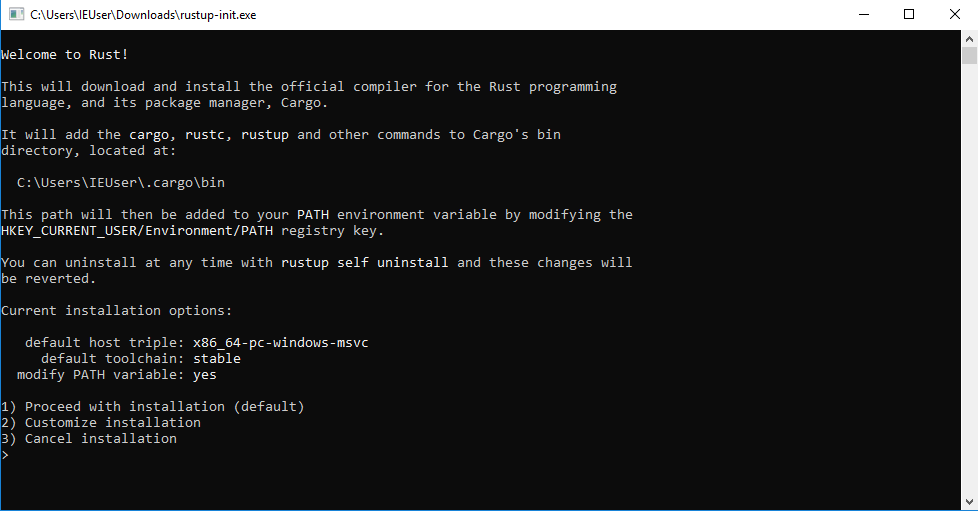
in case you see this output, your Windows environment is missing the Build Tools for Visual Studio so keep reading, otherwise go here
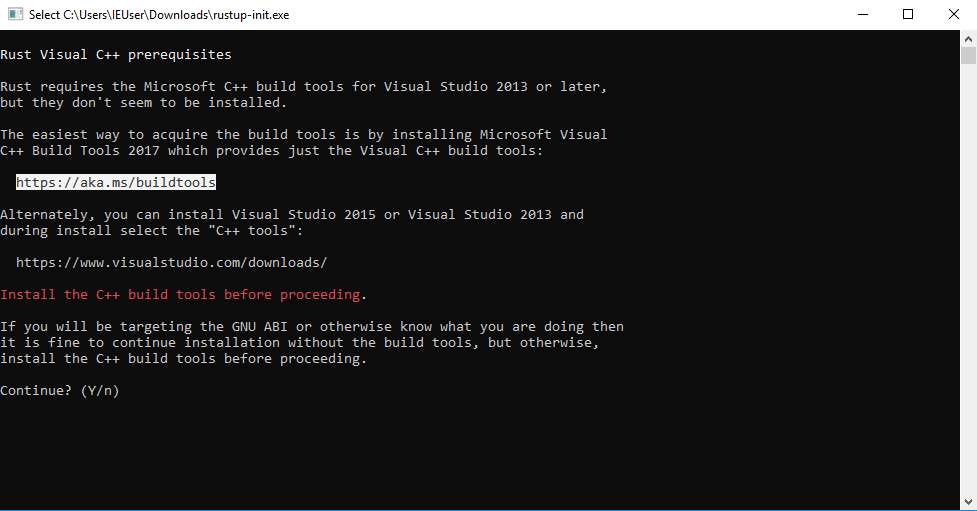
follow the link from the output, or click here
cancel the rustup-init.exe
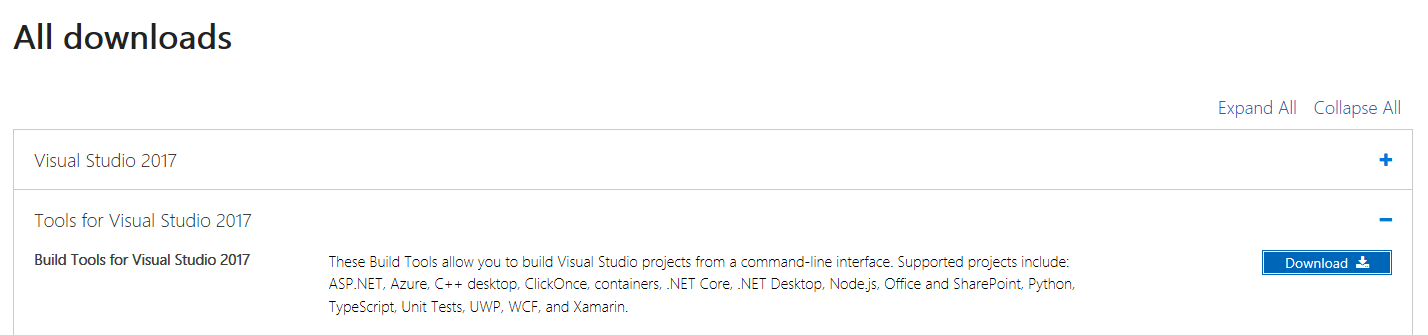
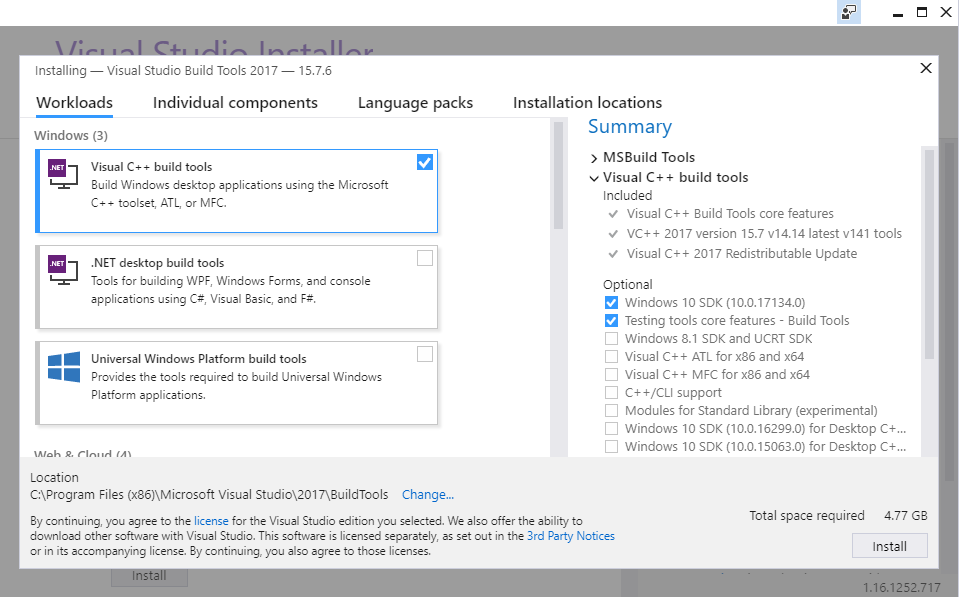
back in browser, scroll down, expand the tab Tools for Visual Studio 2017 & download the Build Tools for Visual Studio 2017
choose the Visual C++ build tools & click "install", close the "Visual Studio Installer" after the installation
run the rustup.exe & you will see the following output
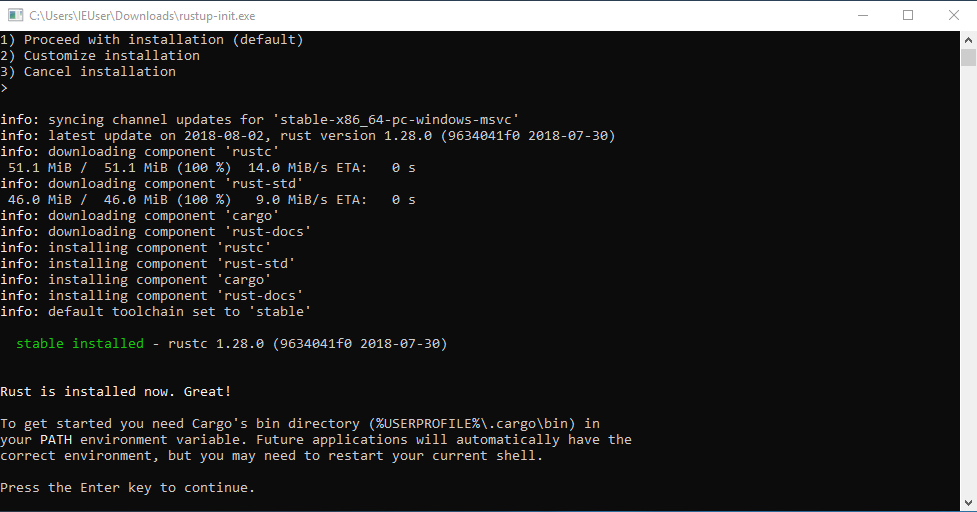
after the successful installation you can see that the rust compiler rustc, rust package manager cargo and other tools were installed (under C:\Users\%username%\.cargo & C:\Users\%username%\.rustup)
This command will also create other binaries such as pesymbols ans peinfo.
git clone https://github.com/endgameinc/xori.git
cd xori
cargo build --release
cp xori.json.example xori.json
[edit if desired]
If you want to create your own symbol files you need to set the dll folders to where you stored your windows dlls.
"function_symbol32": "./src/analysis/symbols/generated_user_syswow64.json",
"function_symbol64": "./src/analysis/symbols/generated_user_system32.json",
"symbol_server": {
	"dll_folder32": "./dlls/32bit",
	"dll_folder64": "./dlls/64bit"
Run pesymbols to overwrite the function_symbol json
./target/release/pesymbols
./target/release/xori -f test.exe
cargo test
| Chrome | Firefox | Safari | IE | Opera |
|---|---|---|---|---|
| Latest ✔ | Latest ✔ | Latest ✔ | x | Latest ✔ |
nodejs
yarn (optional for UI dev)
curl git libssl-dev pkg-config build-essential npmcd gui
npm install
In one terminal
cd gui
node src/server.js
In another terminal
cd gui
npm start
It will open your default browser to http://localhost:3000/. The backend API is listening on localhost:5000.
