
Skip to content
KitploitKITPLOIT
ToolsBlog
Submit
ToolsBlog
Submit

Hacking, PenTest, and Cybersecurity Tools for Your Security Arsenal!

Kitploit is a directory of hacking, cybersecurity, and pentesting tools. Discover the latest project updates to find vulnerabilities, analyze systems, automate testing, and strengthen your security.

··Feeds·Contact·Privacy·© 2026 Kitploit

Tool Directory

Categories

View all categories
Loading categories
Tools/GitHubGitHub/empireproject/empire-gui
Penetration Testing FrameworksPost-ExploitationCommand and ControlRed TeamingRemote Access Tool
GitHubempireproject/empire-gui

Empire-GUI

Empire client application

View Repository
50214917 years agoReviewed by Kitploit

Most Popular

View all →

Discover the most used tools by our community.

Explore all tools

Browse our collection of tools

View all tools →
Share

Empire GUI

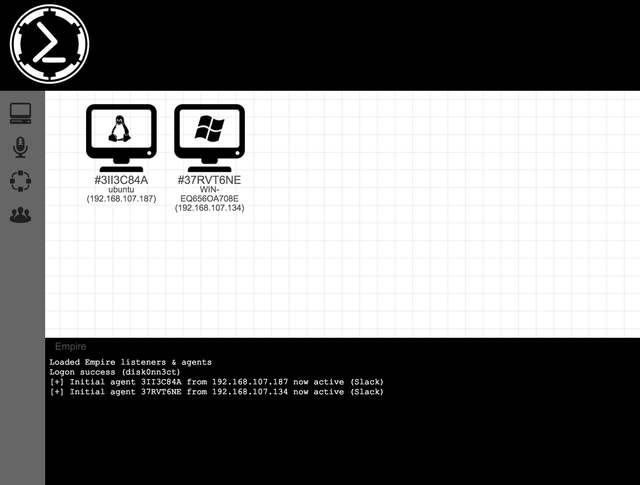
The Empire Multiuser GUI is a graphical interface to the Empire post-exploitation Framework. It was written in Electron and utilizes websockets (SocketIO) on the backend to support multiuser interaction. The main goal of this project is to enable red teams, or any other color team, to work together on engagements in a more seamless and integrated way than using Empire as a command line tool.

Read more about the Empire Framework

** BETA NOTICE **

This is a BETA release and does not have all the functionality of the full Empire Framework. The goal is to get community involvement early on to help fix bugs before adding in many of the bells and whistles. The main interaction with Agents at this point is soley through a shell prompt. The next release will have Module support, etc.

Features

  • Multiplatorm Support (OSX,Window,Linux)
  • Traffic over HTTPS
  • User Authentication
  • Multiuser Support
  • Agent Shell Interaction

Installation

  1. Checkout this repo to a folder on your system
  2. Install NodeJS (NPM) here
  3. Start your Empire Server
    1. Install the Empire Framework
    2. Switch to the 3.0-Beta branch git checkout 3.0-Beta
    3. Setup your listeners and generate stagers (as this is not yet supported in the GUI)
    4. Start the server with your password ./empire --server --shared_password ILikePasswords --port 1337
Download Tool
  • Run the following commands from your EmpireGUI directory
    1. npm install
    2. npm start
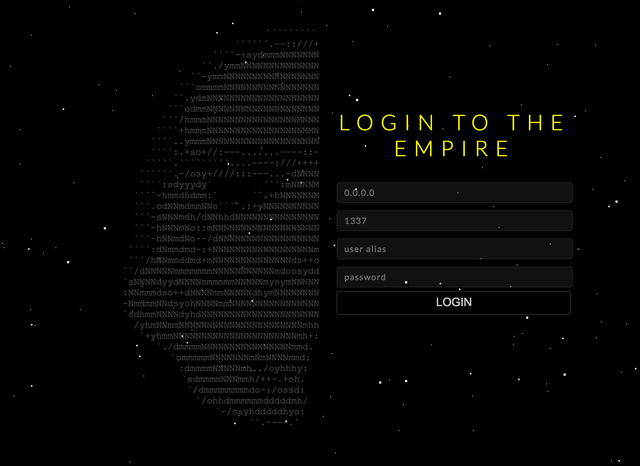
  • Login to the Empire!
  • Screenshot

    Login EmpireGUI