
Skip to content
KitploitKITPLOIT
ToolsExploitsBlog
Log in
Submit
ToolsExploitsBlog
Submit

Hacking, PenTest, and Cybersecurity Tools for Your Security Arsenal!

Kitploit is a directory of hacking, cybersecurity, and pentesting tools. Discover the latest project updates to find vulnerabilities, analyze systems, automate testing, and strengthen your security.

··Feeds·Contact·Privacy·© 2026 Kitploit

Tool Directory

Categories

View all categories
Loading categories
Seal — Peer-to-peer, end-to-end encrypted chat. No inbox. No account to recover. Nobody's listening — not even us. | Kitploit
Tools/GitHubGitHub/emn4tor/seal
Encryption/Decryption ToolsCryptographyPrivacy
GitHubemn4tor/seal

Seal

Peer-to-peer, end-to-end encrypted chat. No inbox. No account to recover. Nobody's listening — not even us.

View Repository
9311 month agoNot yet reviewed

Most Popular

View all →

Discover the most used tools by our community.

Explore all tools

Browse our collection of tools

View all tools →
Share
Seal logo

Seal

Peer-to-peer, end-to-end encrypted chat.
No inbox. No account to recover. Nobody's listening — not even us.

github.com/Emn4tor/Seal

Rust: 1.97+ Tauri: 2.11.5 React: 19.2 Platforms: macOS, Linux, Windows Encryption: Olm / Megolm Server-side message storage: none

GitHub stars GitHub forks GitHub issues GitHub last commit GitHub repo size

Contributors Total commits

Messages travel directly between peers over libp2p and are encrypted with the Signal-style Olm/Megolm protocols (via vodozemac) before they ever leave your device. The only server involved is a small directory that helps peers find each other's current address. It never sees message content, and it's purgeable in one command.

See docs/THREAT_MODEL.md and docs/SECURITY.md for what's actually protected against and how.

Contents

  • Screenshots
  • Features
  • How it works
  • Project layout
  • 1. Prerequisites
  • 2. Building
  • 3. Running it in dev mode
  • 4. Testing
  • 5. Backend (directory server) setup
  • 6. Using the app

Screenshots

First run — pick a name; nothing else to set up.
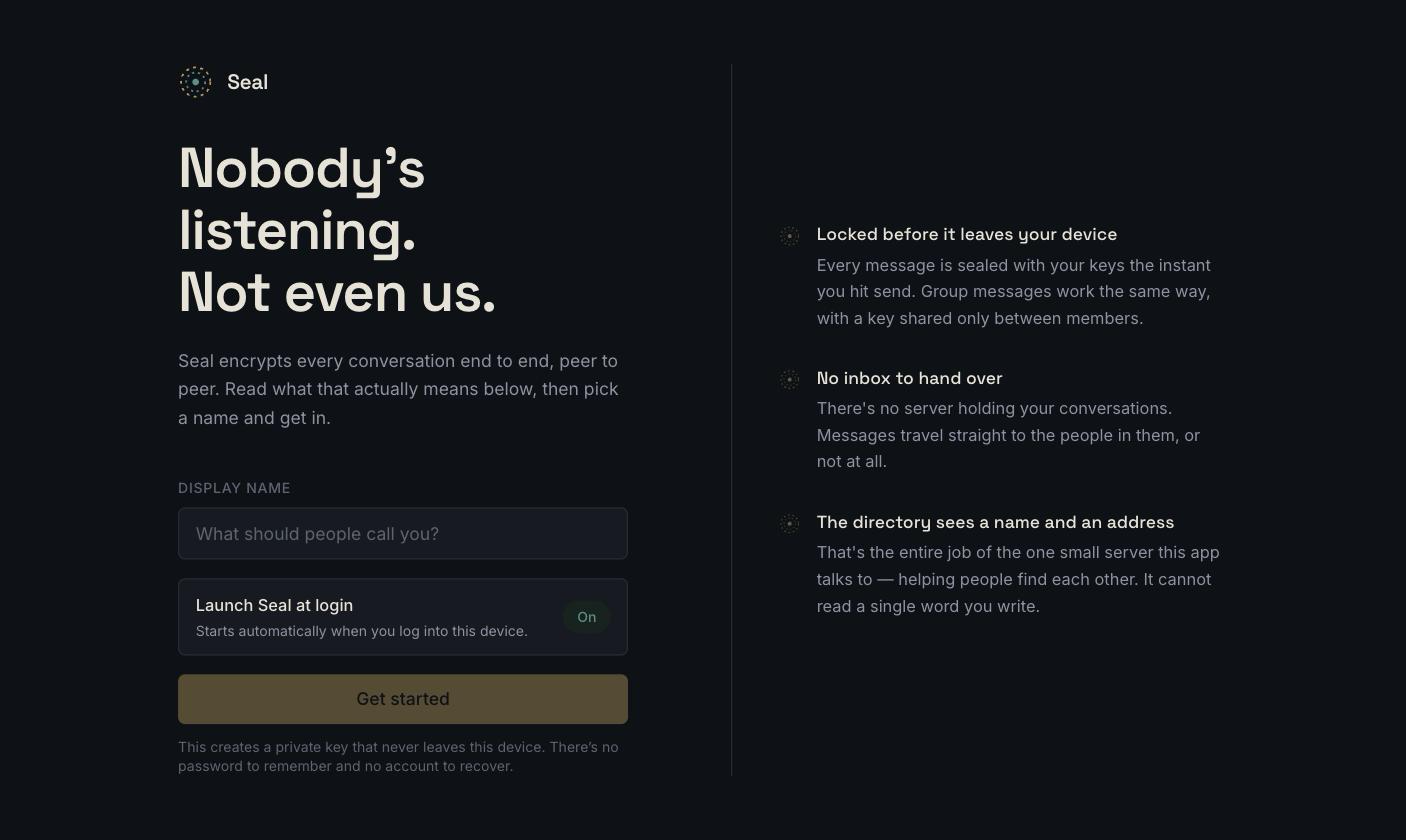
Seal's first-run screen: an explanation of the encryption model next to a display-name form, with a launch-at-login toggle


Conversations — the group rail, contact list, and an end-to-end encrypted chat pane.
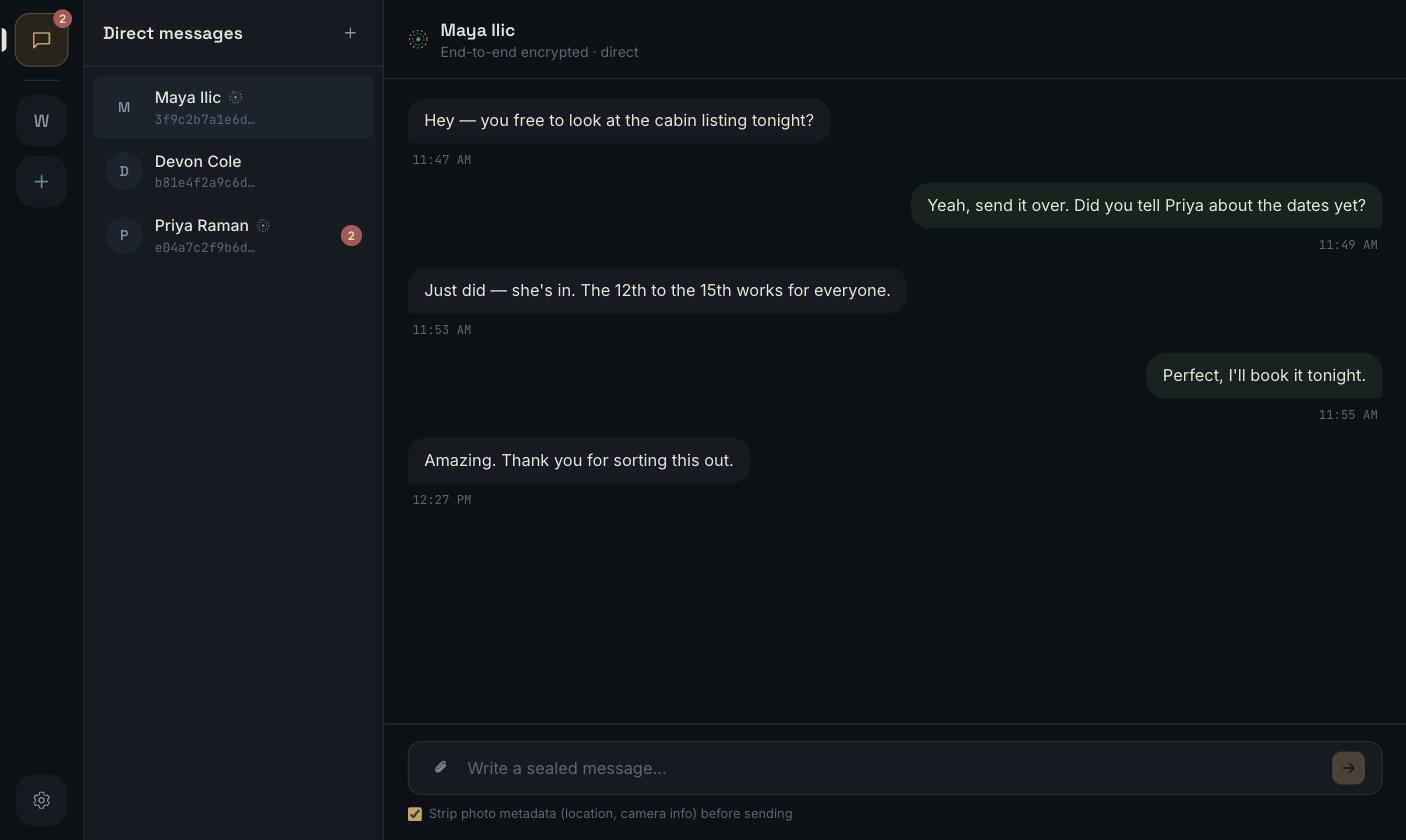
A direct-message conversation in Seal, showing the group rail, contact list, and end-to-end encrypted chat pane


Settings — mic sensitivity, push-to-talk, launch-at-login, network reachability.
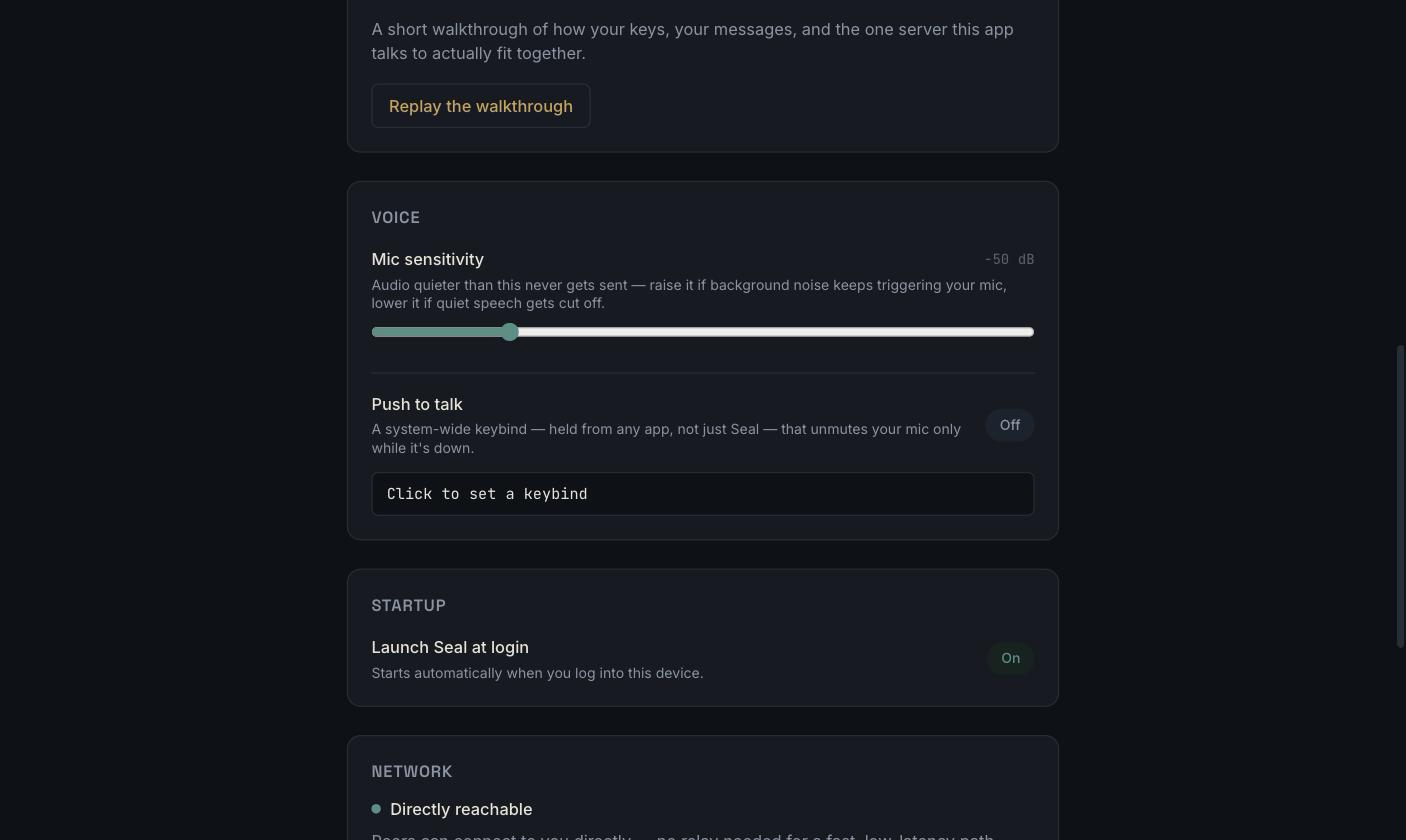
Seal's settings panel: mic sensitivity, push-to-talk, launch-at-login, and network reachability

Features

  • End-to-end encrypted, always — every message is sealed with Olm (1:1) or Megolm (groups) before it ever leaves your device, using vodozemac's Double-Ratchet-style scheme: every message gets its own key.
  • No inbox, ever — messages travel over a direct peer-to-peer connection (libp2p: QUIC/TCP + Noise, with relay and hole-punching for NATs). If the recipient is offline, the message waits locally and retries — it's never queued on anyone else's infrastructure.
  • A directory, not a database — the one server involved (crates/directory-server) maps a user ID to a current network address and nothing else. It's structurally incapable of reading message content: its Cargo.toml doesn't even depend on the crates that know how.
  • Multiple accounts, one device — fully separate identities (keys, contacts, messages) that you can switch between without restarting.
  • Groups with real membership changes — text and voice channels per group; removing someone rotates the group's key so they can't read anything sent afterward.
  • Voice, built in — push-to-talk on a system-wide shortcut (works from any app, not just Seal), adjustable mic sensitivity, and an optional voice changer.
  • Attachments without the metadata — EXIF data (GPS location, camera/device info) is stripped from images before they're sent, on by default.
  • A real panic button — Settings → Data & Privacy instantly and irreversibly deletes every key, contact, and message on this device, with zero effect on anyone you've talked to.
  • Launch at login, if you want it — on by default, a toggle away in Settings.
  • One codebase, three platforms — native windows on macOS, Windows, and Linux, via Tauri.

How it works

There are two kinds of identity in this app, and they're deliberately kept separate:

  • Your chat identity is an Ed25519/Curve25519 keypair generated locally by vodozemac the first time you open the app (identity::Identity). Your public "user ID" is just the fingerprint of that key (wire_proto::user_id_from_ed25519). It can't be issued or revoked by any server, because no server is involved in creating it.
  • Your network identity is a separate libp2p keypair (PeerId), used only for the transport layer. It can change across restarts without affecting your chat identity at all; the two are bound together only by a presence record you sign yourself.

Finding someone and actually talking to them are two different steps:

Download Tool


