
Skip to content
KitploitKITPLOIT
ToolsBlog
Submit
ToolsBlog
Submit

Hacking, PenTest, and Cybersecurity Tools for Your Security Arsenal!

Kitploit is a directory of hacking, cybersecurity, and pentesting tools. Discover the latest project updates to find vulnerabilities, analyze systems, automate testing, and strengthen your security.

··Feeds·Contact·Privacy·© 2026 Kitploit

Tool Directory

Categories

View all categories
Loading categories
elmocut — Eye candy ARP spoofer for Windows | Kitploit
Tools/GitHubGitHub/elmoiv/elmocut
Packet Sniffing & AnalysisReconnaissanceInformation GatheringNetwork SecurityPenetration TestingRed Teaming
GitHubelmoiv/elmocut

elmocut

Eye candy ARP spoofer for Windows

View Repository
348511 month agoReviewed by Kitploit

Most Popular

View all →

Discover the most used tools by our community.

Explore all tools

Browse our collection of tools

View all tools →
Share


elmoCut icon
elmoCut

Eye candy ARP spoofer for Windows

elmoCut - Eye candy ARP spoofer for Windows | SourceForge        elmoCut - Eye candy ARP spoofer for Windows | SourceForge        elmoCut - Eye candy ARP spoofer for Windows | SourceForge        elmoCut - Eye candy ARP spoofer for Windows | SourceForge


Disclaimer • Screenshots • Description • Features • Limitations • Download • Requirements • Manual • Run From Source • Build From Source • TODO • Contribution • License


Disclaimer

The use of this software is done at your own discretion and risk and with agreement that you will be solely responsible for any damage to your/others computer system or loss of data that may/will result from such activities

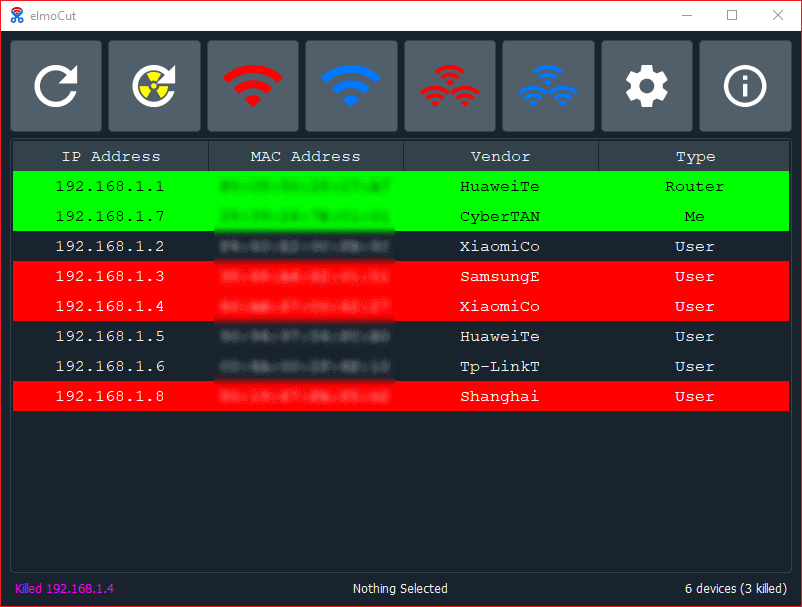
Screenshots

Description

elmoCut aims to make arp spoofing easy for all users with all the hard work done under the hood.

One of it's main features is to use as low CPU and RAM usage as possible while offering nearly the same results as other closed source spoofers.


Features

  • Clean UI.
  • Switch between available interfaces.
  • One click to block all devices.
  • Sniff the traffic of any device on the netwrok.
  • Re-kill devices that changed their ip during block.
  • Remember killed devices before exit.
  • Start with windows.
  • Run minimized in the background.

Limitations

  • Works only for Windows with English language (Temporary)
  • Can only search for 255 devices (255.255.255.0 subnet masks)
  • Both scan types are manual.

Download

  • GitHub:

download elmoCut

  • SourceForge:

Download elmocut

Requirements

  • x64 Microsoft Windows >= 7
  • .NET Framework 3+
  • Visual C++ Redistributable Runtimes: Download
  • Npcap: Download

Manual

Run From Source

  • Install requirements via pip: pip install -r requirements.txt
  • Ensure that pyuic5 is in PATH
  • Click on RUN.bat

Build From Source

  • Required:
    • PyInstaller: pip install pyinstaller
    • MinGW-w64 gcc compiler: Download
  • Optionals:
    • UPX: Download
    • Inno Setup: Download

Make sure that all of the above are in PATH in order to build elmoCut without issues

Now run: BUILD.bat

TODO

  • Work properly on any Windows language.
  • Control download and upload limit of connected devices.
  • Protect elmoCut user from other spoofers.
  • Select between available interfaces.
  • Dump traffic from any device.
  • Background live connection checker.
  • Background live devices discovery.
  • Extend scan for all subnet masks.

Donation

If you find this project helpful, you can give me a cup of coffee :)

Buy Me A Coffee  Donate via PayPal

Contribution

Please contribute! If you want to fix a bug, suggest improvements, or add new features to the project, just open an issue or send me a pull request.

Stargazers over time

Stargazers over time

License

GNU GPLv3 Image
elmoCut is Free Software: You can use, study share and improve it at your will. Specifically you can redistribute and/or modify it under the terms of the GNU General Public License as published by the Free Software Foundation, either version 3 of the License, or (at your option) any later version.

Download Tool

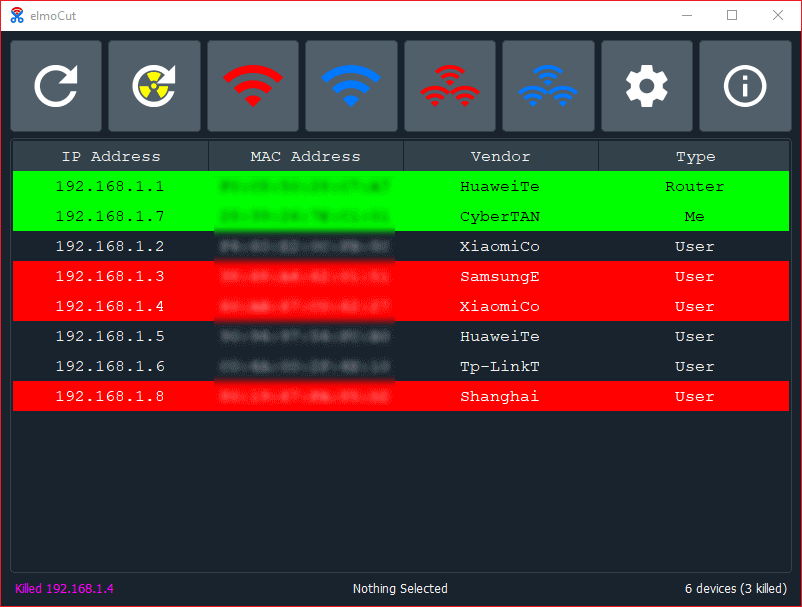
Main window

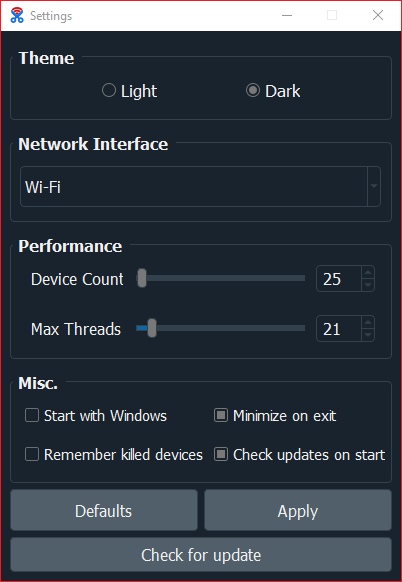
Settings window

Settings window

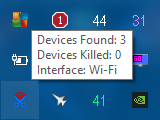
Tray Icon

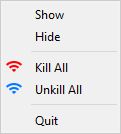
Tray menu

Settings window Tray icon Tray icon menu
ButtonDescriptionNotes
ARP ScanPerform ARP ScanFast but not all devices are detected
Ping ScanPerform Ping ScanSlower than ARP but all devices are detected (HIGH CPU USAGE)
ARP ScanBlock the selected device from accessing internet-
ARP ScanAllow the Blocked device to access internet-
ARP ScanBlock all connected devices-
ARP ScanAllow all blocked devices-
ARP ScanView elmoCut settings window-
ARP Scanview elmoCut about window-