 edoardottt/scilla
Information Gathering tool - DNS / Subdomains / Ports / Directories enumeration

<p align="center">
<img src="https://raw.githubusercontent.com/edoardottt/images/main/scilla/logo.png"><br>
<b>🏴☠️ Information Gathering tool 🏴☠️ - DNS / Subdomains / Ports / Directories enumeration</b><br>
<br>
<!-- workflows -->
<a href="https://github.com/edoardottt/scilla/actions">
<img src="https://github.com/edoardottt/scilla/actions/workflows/go.yml/badge.svg" alt="workflows" />
</a>
<br>
<sub>
Coded with 💙 by edoardottt
</sub>
<br>
<!--Tweet button-->
<a href="https://twitter.com/intent/tweet?url=https%3A%2F%2Fgithub.com%2Fedoardottt%2Fscilla%20&text=Information%20Gathering%20tool%21&hashtags=pentesting%2Clinux%2Cgolang%2Cnetwork" target="_blank">Share on Twitter!
</a>
</p>
<p align="center">
<a href="#installation-">Install</a> •
<a href="#get-started-">Get Started</a> •
<a href="#examples-">Examples</a> •
<a href="#changelog-">Changelog</a> •
<a href="#contributing-">Contributing</a> •
<a href="#license-">License</a>
</p>
<!--[](https://asciinema.org/a/406707)-->
<p align="center">
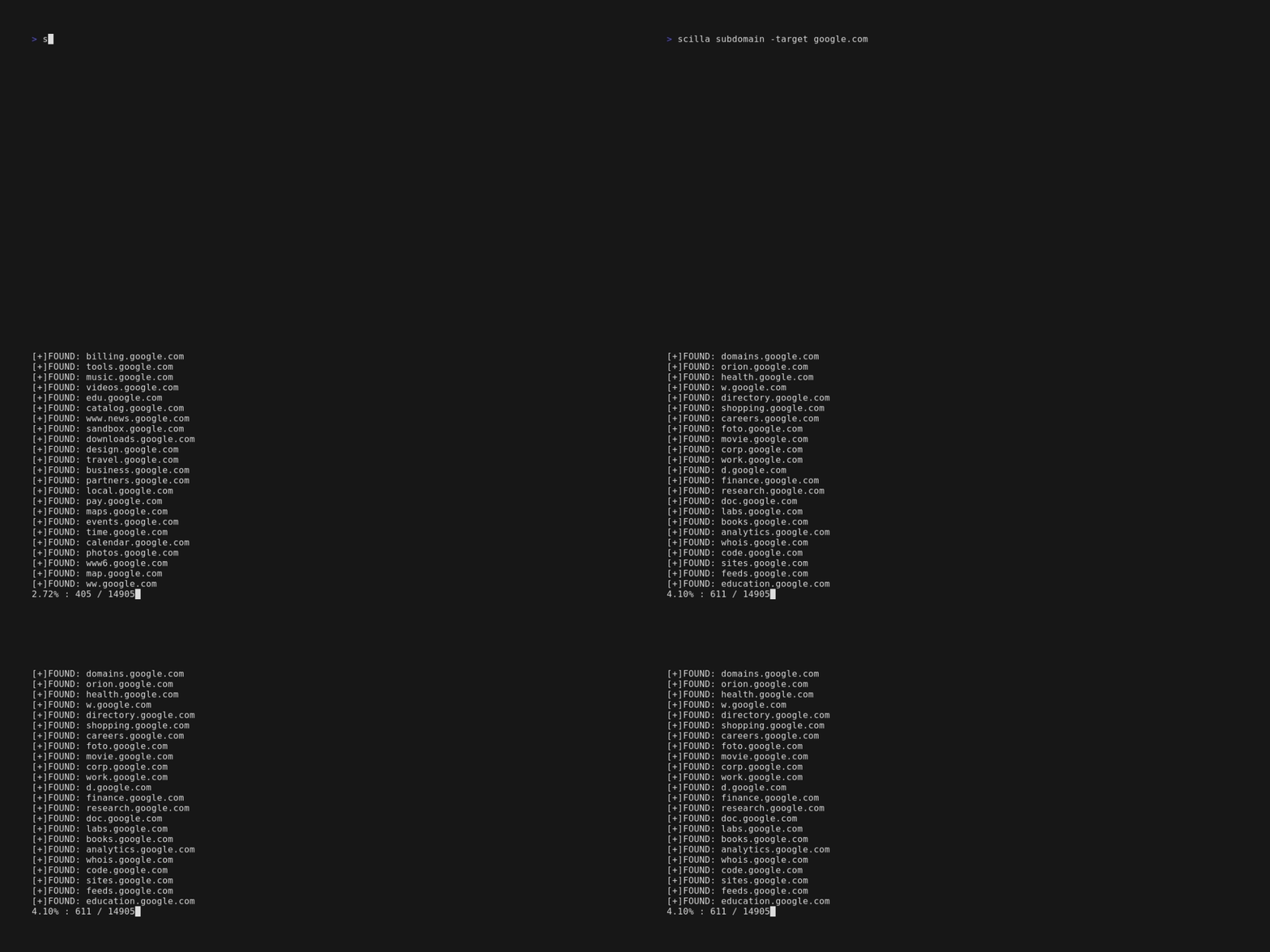
<img src="https://raw.githubusercontent.com/edoardottt/images/main/scilla/scilla.gif">
</p>
Installation 📡
----------
### Homebrew
```console
brew install scilla
```
### Snap
```console
sudo snap install scilla
```
### Golang
```console
go install -v github.com/edoardottt/scilla/cmd/scilla@latest
```
### Building from source
You need [Go](https://go.dev/) (>=1.23)
<details>
<summary>Building from source for Linux and Windows</summary>
#### Linux
```console
git clone https://github.com/edoardottt/scilla.git
cd scilla
go get ./...
make linux # (to install)
make unlinux # (to uninstall)
```
Edit the `~/.config/scilla/keys.yaml` file if you want to use API keys.
One-liner: `git clone https://github.com/edoardottt/scilla.git && cd scilla && go get ./... && make linux`
#### Windows
Note that the executable works only in cariddi folder ([Alias?](https://github.com/edoardottt/scilla/issues/10)).
```console
git clone https://github.com/edoardottt/scilla.git
cd scilla
.\make.bat windows # (to install)
.\make.bat unwindows # (to uninstall)
```
Create a `keys.yaml` file if you want to use API keys.
</details>
### Using Docker
```shell
docker build -t scilla .
docker run scilla help
```
Examples 💡
----------
- DNS enumeration:
- `scilla dns -target example.com`
- `scilla dns -oj output -target example.com`
- `scilla dns -oh output -target example.com`
- `scilla dns -ot output -target example.com`
- `scilla dns -plain -target example.com`
- Subdomains enumeration:
- `scilla subdomain -target example.com`
- `scilla subdomain -w wordlist.txt -target example.com`
- `scilla subdomain -oj output -target example.com`
- `scilla subdomain -oh output -target example.com`
- `scilla subdomain -ot output -target example.com`
- `scilla subdomain -i 400 -target example.com`
- `scilla subdomain -i 4** -target example.com`
- `scilla subdomain -c -target example.com`
- `scilla subdomain -db -target example.com`
- `scilla subdomain -plain -target example.com`
- `scilla subdomain -db -no-check -target example.com`
- `scilla subdomain -db -vt -target example.com`
- `scilla subdomain -db -bw -target example.com`
- `scilla subdomain -ua "CustomUA" -target example.com`
- `scilla subdomain -rua -target example.com`
- `scilla subdomain -dns 8.8.8.8 -target example.com`
- `scilla subdomain -alive -target example.com`
- Directories enumeration:
- `scilla dir -target example.com`
- `scilla dir -w wordlist.txt -target example.com`
- `scilla dir -oj output -target example.com`
- `scilla dir -oh output -target example.com`
- `scilla dir -ot output -target example.com`
- `scilla dir -i 500,401 -target example.com`
- `scilla dir -i 5**,401 -target example.com`
- `scilla dir -c -target example.com`
- `scilla dir -plain -target example.com`
- `scilla dir -nr -target example.com`
- `scilla dir -ua "CustomUA" -target example.com`
- `scilla dir -rua -target example.com`
- Ports enumeration:
- Default (all ports, so 1-65635) `scilla port -target example.com`
- Specifying ports range `scilla port -p 20-90 -target example.com`
- Specifying starting port (until the last one) `scilla port -p 20- -target example.com`
- Specifying ending port (from the first one) `scilla port -p -90 -target example.com`
- Specifying multiple ports `scilla port -p 21,25,80 -target example.com`
- Specifying common ports `scilla port -common -target example.com`
- Specifying single port `scilla port -p 80 -target example.com`
- Specifying output format (json)`scilla port -oj output -target example.com`
- Specifying output format (html)`scilla port -oh output -target example.com`
- Specifying output format (txt)`scilla port -ot output -target example.com`
- Print only results `scilla port -plain -target example.com`
- Full report:
- Default (all ports, so 1-65635) `scilla report -target example.com`
- Specifying ports range `scilla report -p 20-90 -target example.com`
- Specifying starting port (until the last one) `scilla report -p 20- -target example.com`
- Specifying ending port (from the first one) `scilla report -p -90 -target example.com`
- Specifying single port `scilla report -p 80 -target example.com`
- Specifying multiple ports `scilla report -p 21,25,80 -target example.com`
- Specifying output format (json)`scilla report -oj output -target example.com`
- Specifying output format (html)`scilla report -oh output -target example.com`
- Specifying output format (txt)`scilla report -ot output -target example.com`
- Specifying directories wordlist `scilla report -wd dirs.txt -target example.com`
- Specifying subdomains wordlist `scilla report -ws subdomains.txt -target example.com`
- Specifying status codes to be ignored in directories scanning `scilla report -id 500,501,502 -target example.com`
- Specifying status codes to be ignored in subdomains scanning `scilla report -is 500,501,502 -target example.com`
- Specifying status codes classes to be ignored in directories scanning `scilla report -id 5**,4** -target example.com`
- Specifying status codes classes to be ignored in subdomains scanning `scilla report -is 5**,4** -target example.com`
- Use also a web crawler for directories enumeration `scilla report -cd -target example.com`
- Use also a web crawler for subdomains enumeration `scilla report -cs -target example.com`
- Use also a public database for subdomains enumeration `scilla report -db -target example.com`
- Specifying common ports `scilla report -common -target example.com`
- No follow redirects `scilla report -nr -target example.com`
- Use VirusTotal as subdomains source `scilla report -db -vt -target example.com`
- Set the User Agent `scilla report -ua "CustomUA" -target example.com`
- Generate a random user agent for each request `scilla report -rua -target example.com`
- Set DNS IP to resolve the subdomains `scilla report -dns 8.8.8.8 -target example.com`
- Check also if the subdomains are alive `scilla report -alive -target example.com`
Get Started 🎉
----------
`scilla help` prints the help in the command line.
```
usage: scilla subcommand { options }
Available subcommands:
- dns [-oj JSON output file]
[-oh HTML output file]
[-ot TXT output file]
[-plain Print only results]
-target <target (URL/IP)> REQUIRED
- port [-p <start-end> or ports divided by comma]
[-oj JSON output file]
[-oh HTML output file]
[-ot TXT output file]
[-common scan common ports]
[-plain Print only results]
-target <target (URL/IP)> REQUIRED
- subdomain [-w wordlist]
[-oj JSON output file]
[-oh HTML output file]
[-ot TXT output file]
[-i ignore status codes]
[-c use also a web crawler]
[-db use also a public database]
[-plain Print only results]
[-db -no-check Don't check status codes for subdomains]
[-db -vt Use VirusTotal as subdomains source]
[-db -bw Use BuiltWith as subdomains source]
[-ua Set the User Agent]
[-rua Generate a random user agent for each request]
[-dns Set DNS IP to resolve the subdomains]
[-alive Check also if the subdomains are alive]
-target <target (URL)> REQUIRED
- dir [-w wordlist]
[-oj JSON output file]
[-oh HTML output file]
[-ot TXT output file]
[-i ignore status codes]
[-c use also a web crawler]
[-plain Print only results]
[-nr No follow redirects]
[-ua Set the User Agent]
[-rua Generate a random user agent for each request]
-target <target (URL/IP)> REQUIRED
- report [-p <start-end> or ports divided by comma]
[-ws subdomains wordlist]
[-wd directories wordlist]
[-oj JSON output file]
[-oh HTML output file]
[-ot TXT output file]
[-id ignore status codes in directories scanning]
[-is ignore status codes in subdomains scanning]
[-cd use also a web crawler for directories scanning]
[-cs use also a web crawler for subdomains scanning]
[-db use also a public database for subdomains scanning]
[-common scan common ports]
[-nr No follow redirects]
[-db -vt Use VirusTotal as subdomains source]
[-ua Set the User Agent]
[-rua Generate a random user agent for each request]
[-dns Set DNS IP to resolve the subdomains]
[-alive Check also if the subdomains are alive]
-target <target (URL)> REQUIRED
- help
- examples
```
Changelog 📌
-------
Detailed changes for each release are documented in the [release notes](https://github.com/edoardottt/scilla/releases).
Contributing 🛠
-------
Just open an [issue](https://github.com/edoardottt/scilla/issues) / [pull request](https://github.com/edoardottt/scilla/pulls).
Before opening a pull request, download [golangci-lint](https://golangci-lint.run/usage/install/) and run
```bash
golangci-lint run
```
If there aren't errors, go ahead :)
In the news 📰
-------
- [Kali Linux Tutorials](https://kalilinuxtutorials.com/scilla/)
- [GeeksForGeeks.org](https://www.geeksforgeeks.org/scilla-information-gathering-dns-subdomain-port-enumeration/)
- [Brisk Infosec](https://www.briskinfosec.com/tooloftheday/toolofthedaydetail/Scilla)
- [Kalitut](https://kalitut.com/scilla-nformation-gathering-tool/)
License 📝
-------
This repository is under [GNU General Public License v3.0](https://github.com/edoardottt/scilla/blob/main/LICENSE).
[edoardottt.com](https://edoardottt.com/) to contact me.