
 duo-labs/cloudmapper
CloudMapper helps you analyze your Amazon Web Services (AWS) environments.
Note the Network Visualization functionality (command prepare) is no longer maintained.
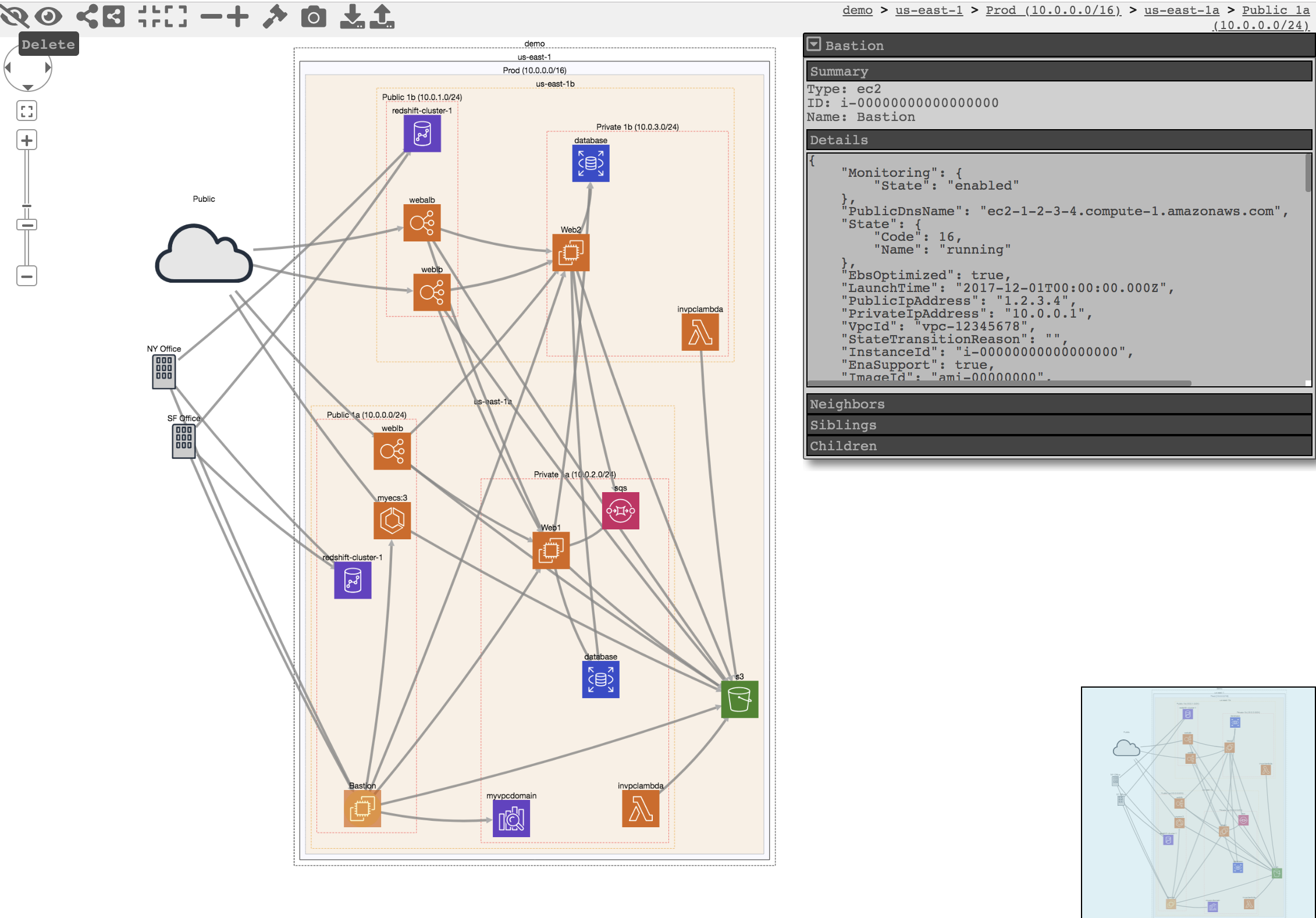
CloudMapper helps you analyze your Amazon Web Services (AWS) environments. The original purpose was to generate network diagrams and display them in your browser (functionality no longer maintained). It now contains much more functionality, including auditing for security issues.
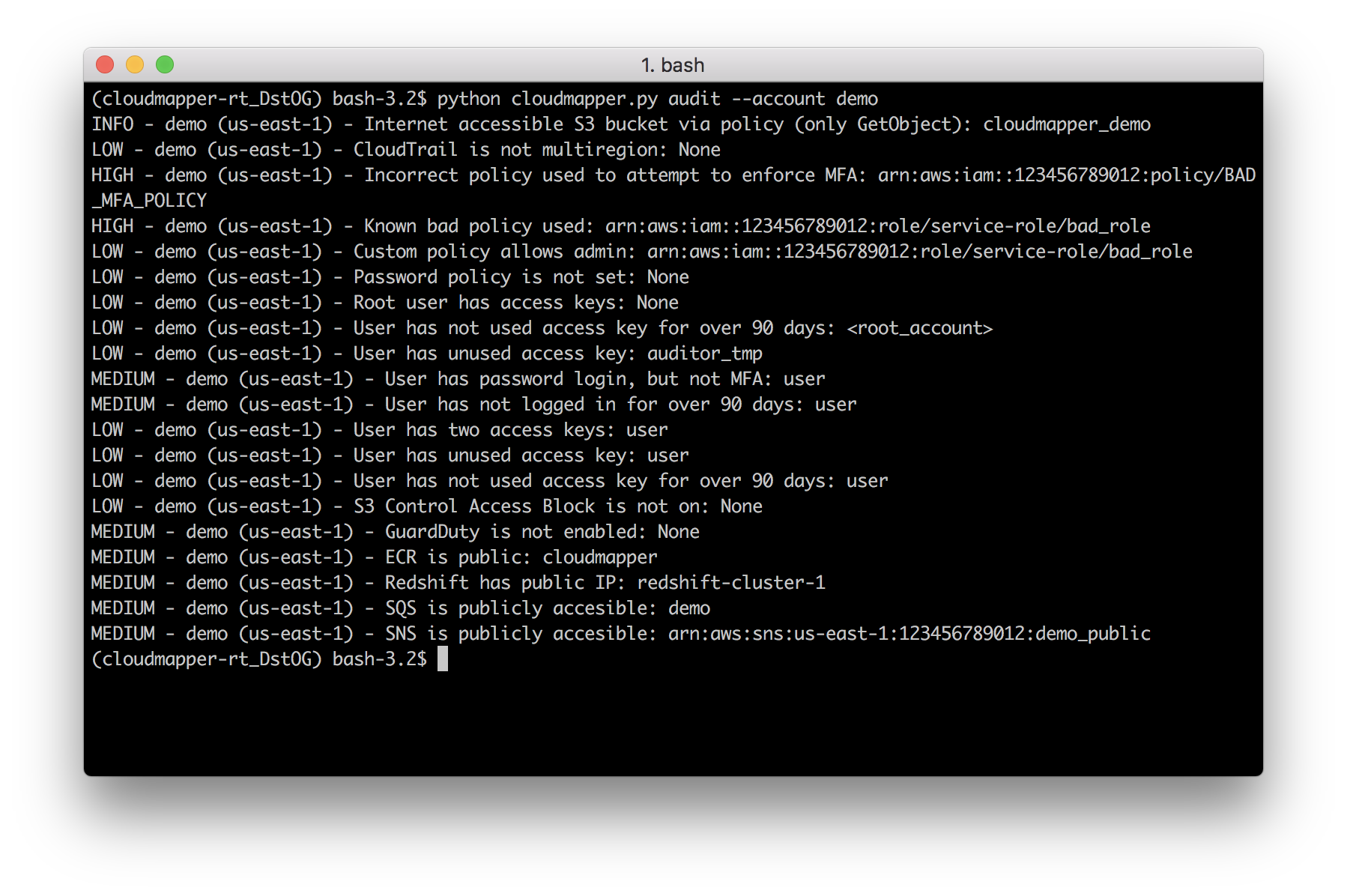
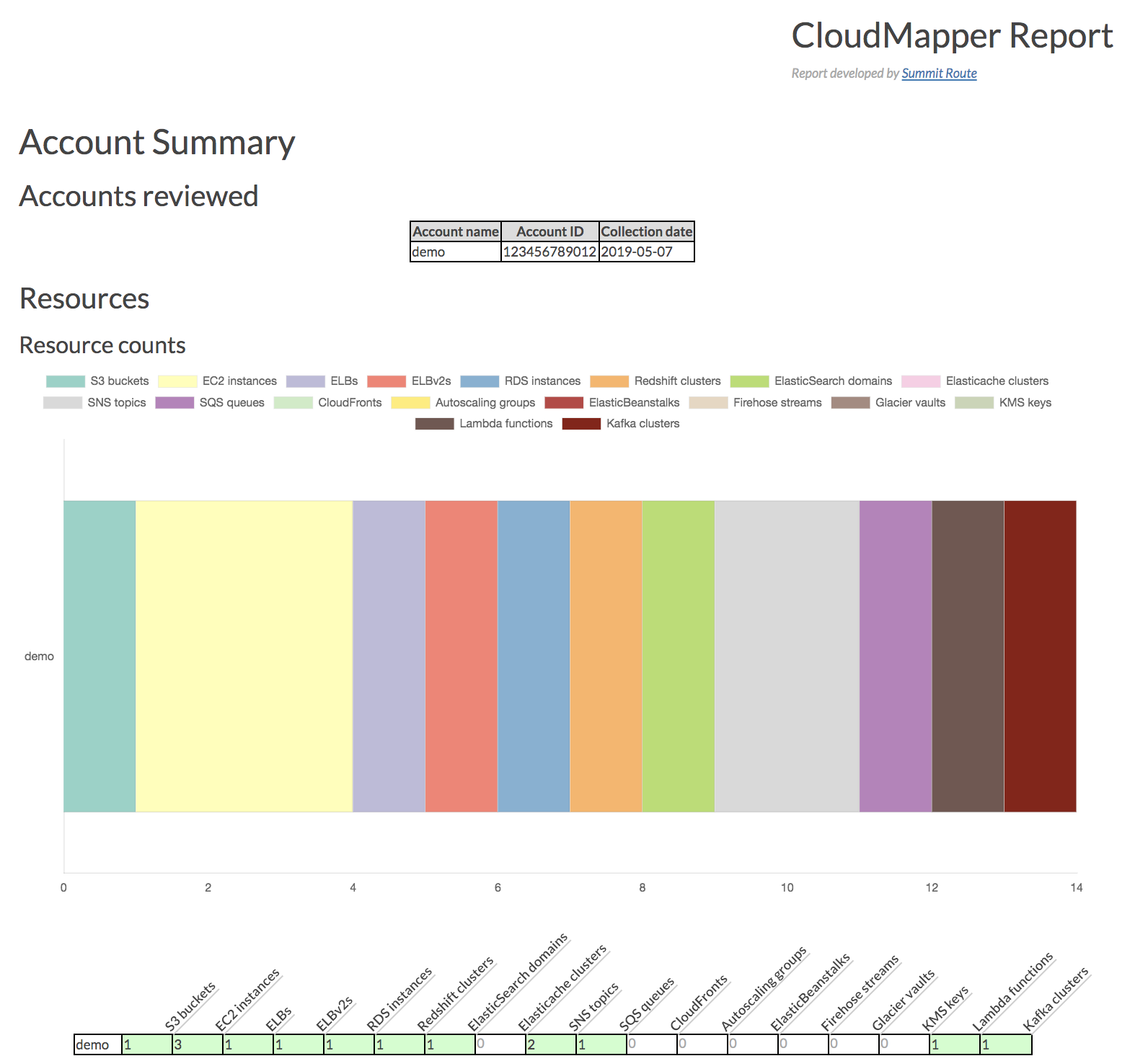
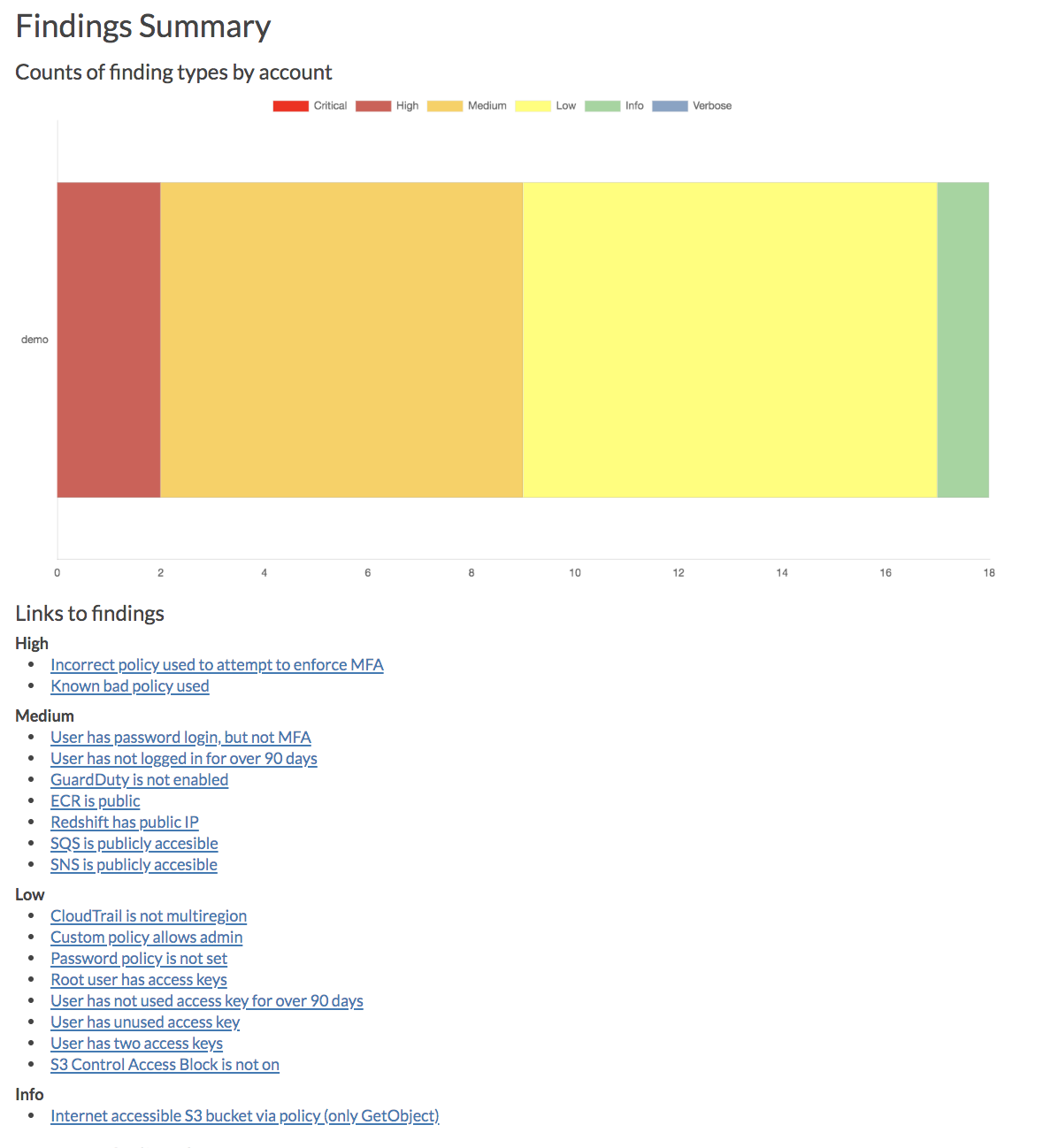
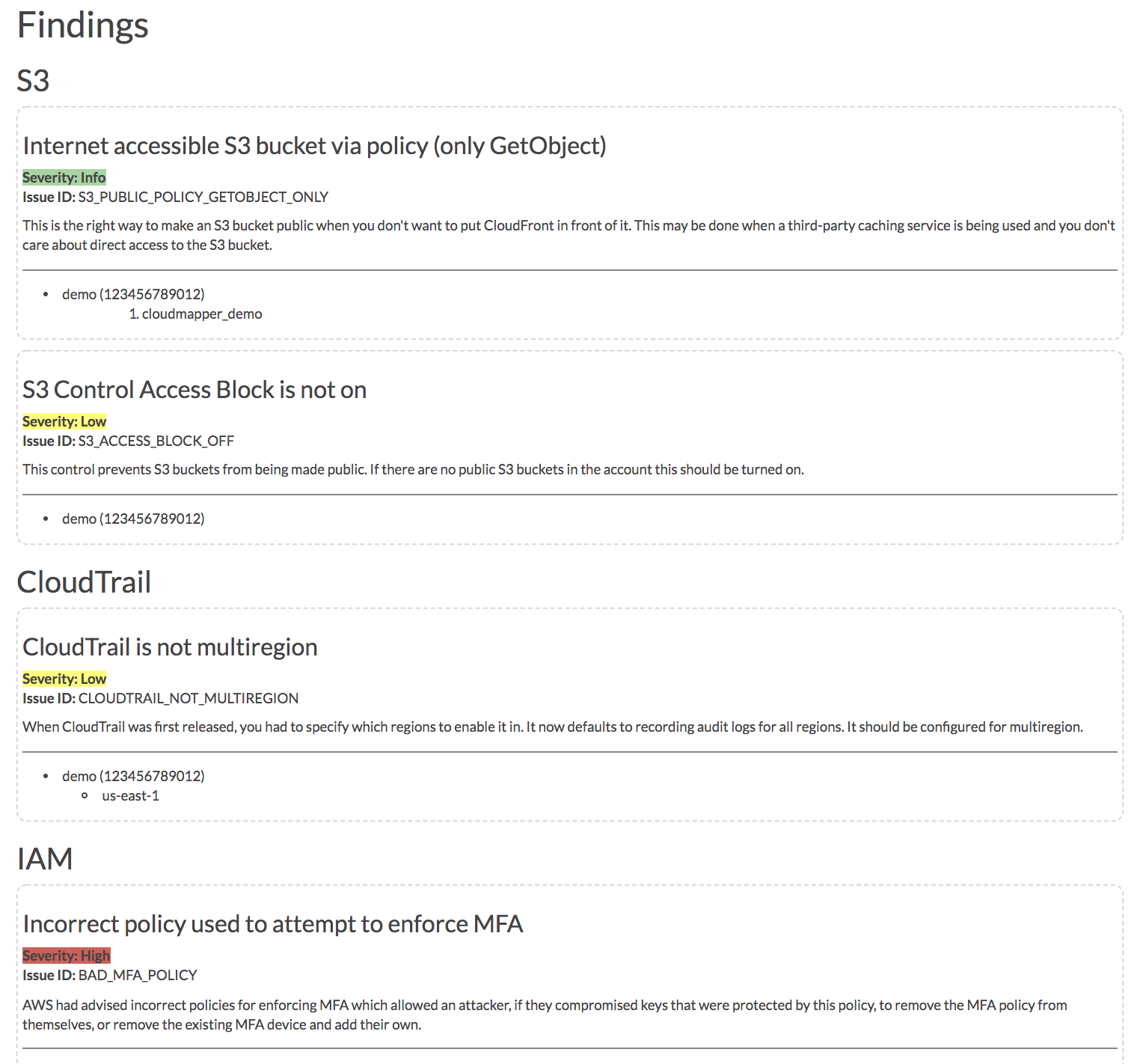
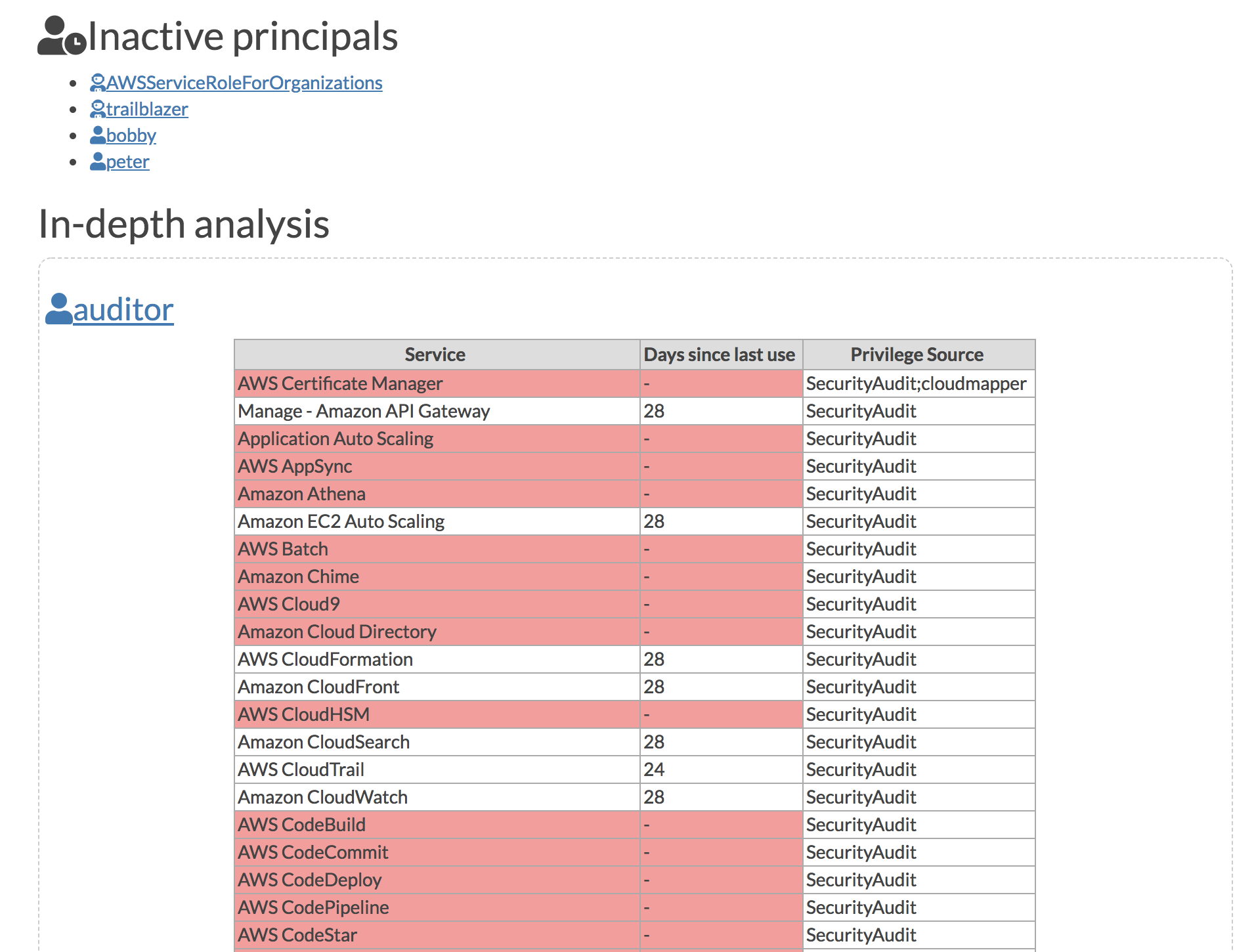
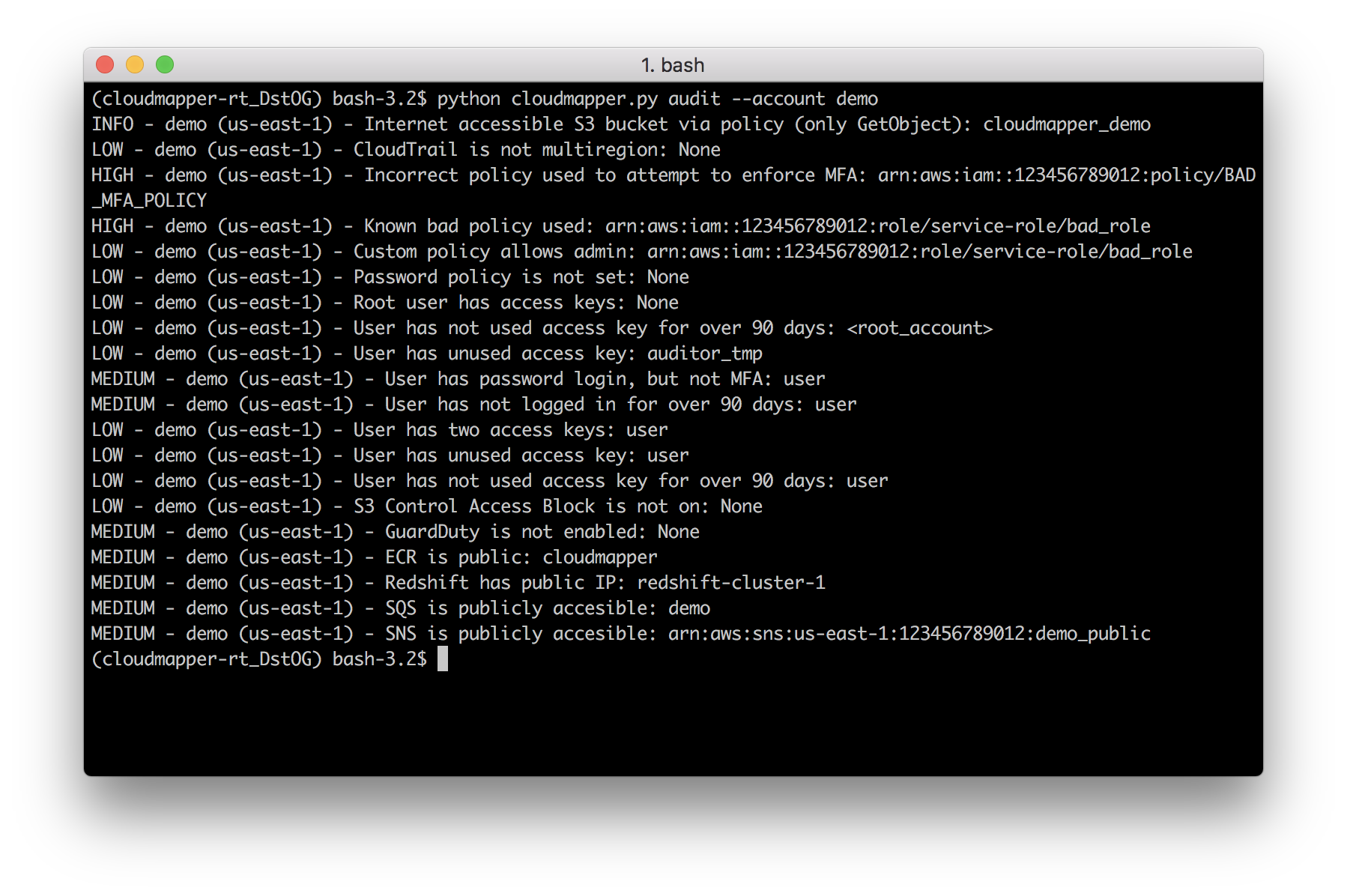
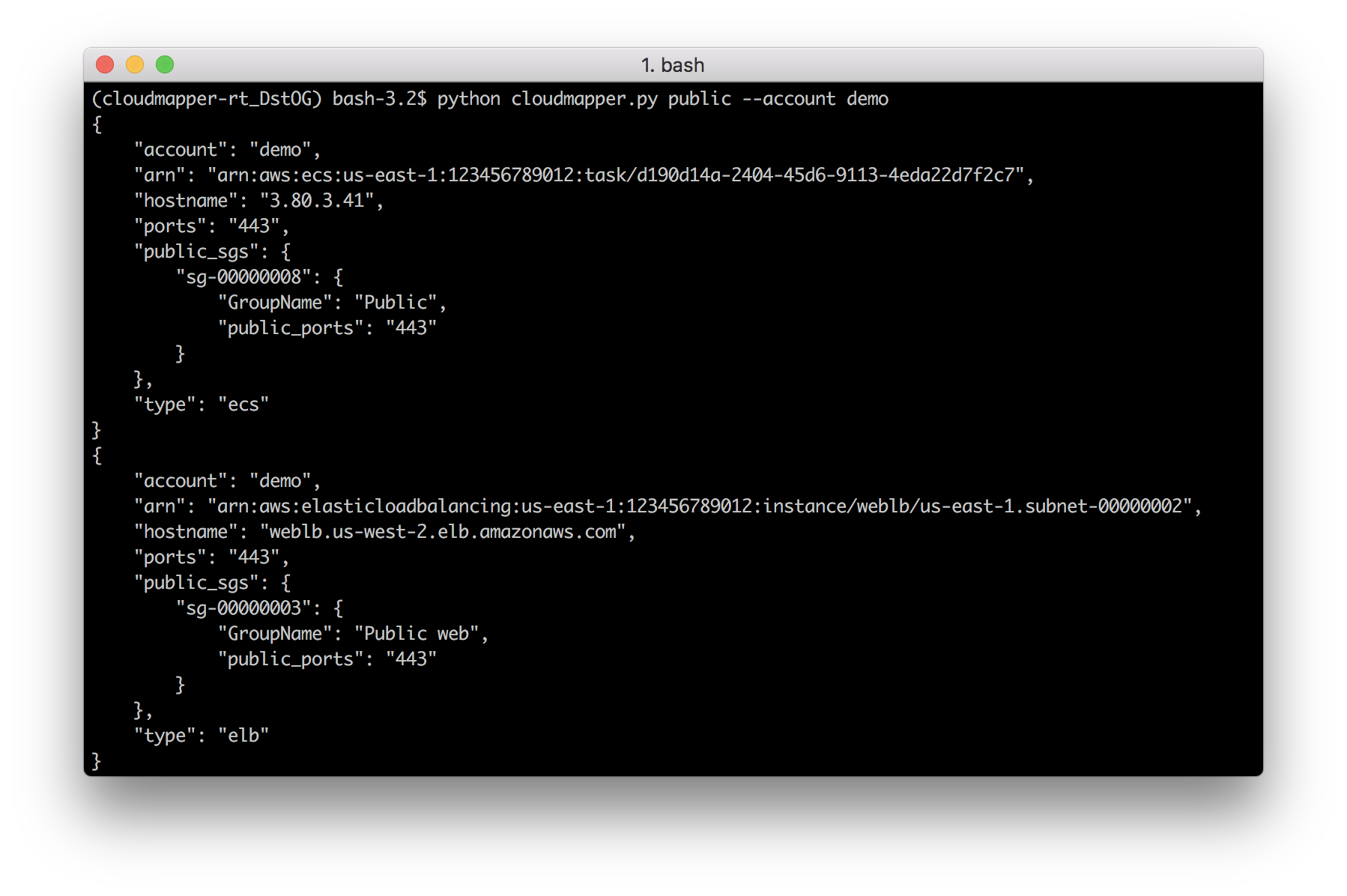
audit: Check for potential misconfigurations.collect: Collect metadata about an account. More details here.find_admins: Look at IAM policies to identify admin users and roles, or principals with specific privileges. More details here.find_unused: Look for unused resources in the account. Finds unused Security Groups, Elastic IPs, network interfaces, volumes and elastic load balancers.prepare/webserver: See Network Visualizationspublic: Find public hosts and port ranges. More details here.sg_ips: Get geoip info on CIDRs trusted in Security Groups. More details here.stats: Show counts of resources for accounts. More details here.weboftrust: Show Web Of Trust. More details here.report: Generate HTML report. Includes summary of the accounts and audit findings. More details here.iam_report: Generate HTML report for the IAM information of an account. More details here.If you want to add your own private commands, you can create a private_commands directory and add them there.
| 
|
| 
|
| 
|
Requirements:
pip, and virtualenvjq (https://stedolan.github.io/jq/) and the library pyjq (https://github.com/doloopwhile/pyjq), which require some additional tools installed that will be shown.On macOS:
# clone the repo
git clone https://github.com/duo-labs/cloudmapper.git
# Install pre-reqs for pyjq
brew install autoconf automake awscli freetype jq libtool python3
cd cloudmapper/
python3 -m venv ./venv && source venv/bin/activate
pip install --prefer-binary -r requirements.txt
On Linux:
# clone the repo
git clone https://github.com/duo-labs/cloudmapper.git
# (AWS Linux, Centos, Fedora, RedHat etc.):
# sudo yum install autoconf automake libtool python3-devel.x86_64 python3-tkinter python-pip jq awscli
# (Debian, Ubuntu etc.):
# You may additionally need "build-essential"
sudo apt-get install autoconf automake libtool python3.7-dev python3-tk jq awscli
cd cloudmapper/
python3 -m venv ./venv && source venv/bin/activate
pip install -r requirements.txt
A small set of demo data is provided. This will display the same environment as the demo site https://duo-labs.github.io/cloudmapper/
# Generate the data for the network map
python cloudmapper.py prepare --config config.json.demo --account demo
# Generate a report
python cloudmapper.py report --config config.json.demo --account demo
python cloudmapper.py webserver
This will run a local webserver at http://127.0.0.1:8000/ View the network map from that link, or view the report at http://127.0.0.1:8000/account-data/report.html
Copy the config.json.demo to config.json and edit it to include your account ID and name (ex. "prod"), along with any external CIDR names. A CIDR is an IP range such as 1.2.3.4/32 which means only the IP 1.2.3.4.
This step uses the CLI to make describe and list calls and records the json in the folder specified by the account name under account-data.
You must have AWS credentials configured that can be used by the CLI with read permissions for the different metadata to collect. I recommend using aws-vault. CloudMapper will collect IAM information, which means you MUST use MFA. Only the collect step requires AWS access.
You must have the following privileges (these grant various read access of metadata):
arn:aws:iam::aws:policy/SecurityAuditarn:aws:iam::aws:policy/job-function/ViewOnlyAccessCollecting the data is done as follows:
python cloudmapper.py collect --account my_account
From here, try running the different commands, such as:
python cloudmapper.py report --account my_account
python cloudmapper.py webserver
Then view the report in your browser at 127.0.0.1:8000/account-data/report.html
Instead of modifying config.json directly, there is a command to configure the data there, in case that is needed:
python cloudmapper.py configure {add-account|remove-account} --config-file CONFIG_FILE --name NAME --id ID [--default DEFAULT]
python cloudmapper.py configure {add-cidr|remove-cidr} --config-file CONFIG_FILE --cidr CIDR --name NAME
This will allow you to define the different AWS accounts you use in your environment and the known CIDR IPs.
If you use AWS Organizations, you can also automatically add organization member accounts to config.json using:
python cloudmapper.py configure discover-organization-accounts
You need to be authenticated to the AWS CLI and have the permission organization:ListAccounts prior to running this command.
