 dominicbreuker/stego-toolkit
Collection of steganography tools - helps with CTF challenges

This project is a Docker image useful for solving Steganography challenges as those you can find at CTF platforms like hackthebox.eu.
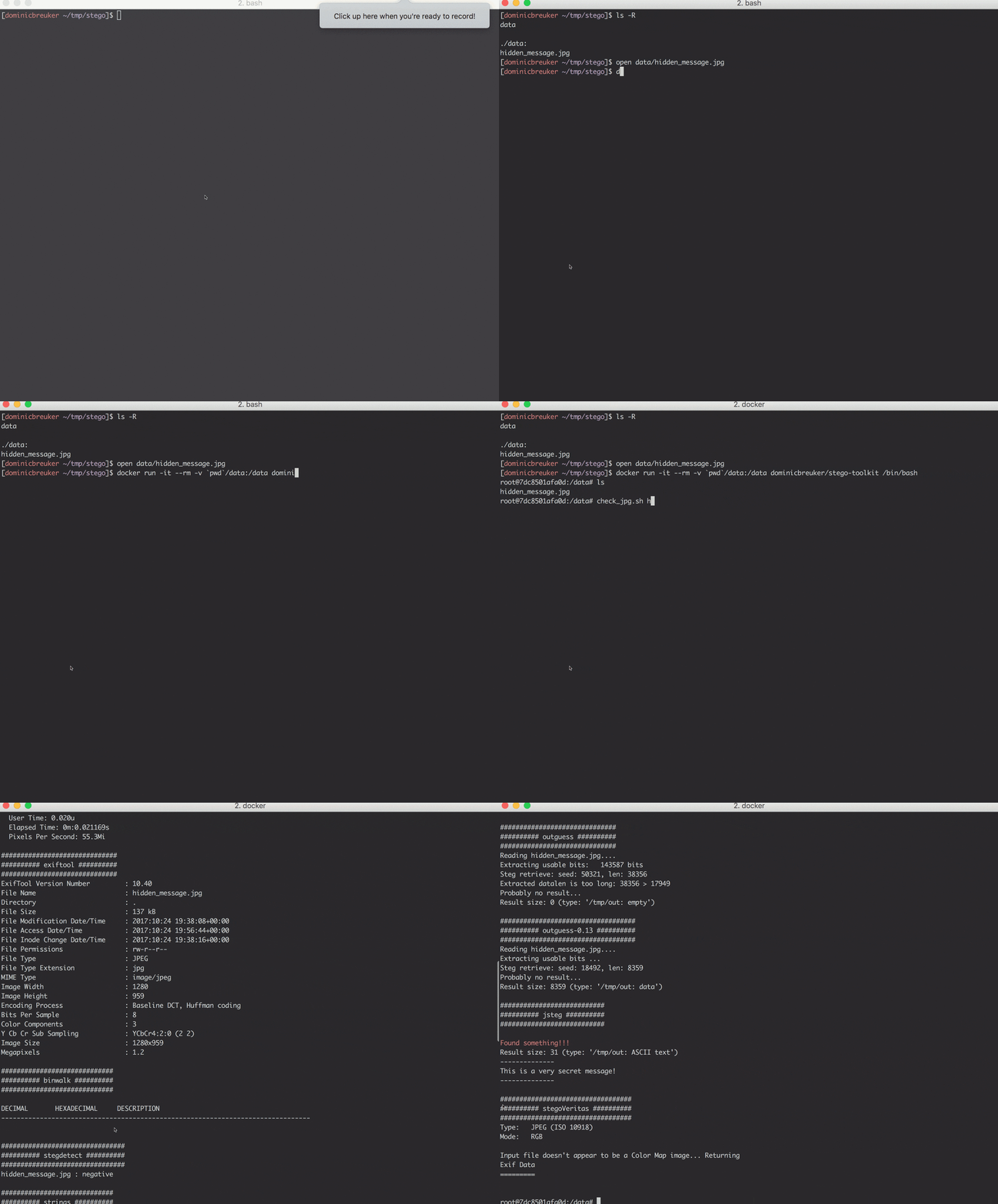
The image comes pre-installed with many popular tools (see list below) and several screening scripts you can use check simple things (for instance, run check_jpg.sh image.jpg to get a report for a JPG file).


First make sure you have Docker installed (how to).
Then you can use the shell scripts bin/build.sh and bin/run.sh in this repo to build the image and run the container.
You will be dropped into a bash shell inside the container.
It will have the data folder mounted, into which you can put the files to analyze.
If you don't use the scripts, follow these steps:
docker build -t <image_name> .) or pull from Docker hub (docker pull dominicbreuker/stego-toolkit)/data (docker run -it <image_name> -v /local/folder/with/data:/data /bin/bash)check_jpg.sh image.jpg to create a quick report, or run brute_jpg.sh image.jpg wordlist.txt to try extracting hidden data with various tools and passwordsstart_ssh.sh and connect to your container with X11 forwardingstart_vnc.sh and connect to the container's Desktop through your browserCheck out the following sections for more information:
Start with docker run -it --rm -v $(pwd)/data:/data dominicbreuker/stego-toolkit /bin/bash.
You will be dropped into a container shell in work dir /data.
Your host folder $(pwd)/data will be mounted and the images inside will be accessible.
Many different Linux and Windows tools are installed. Windows tools are supported with Wine. Some tools can be used on the command line while others require GUI support!
These tools can be used on the command line. All you have to do is start a container and mount the steganography files you want to check.
Tools to run in the beginning. Allow you to get a broad idea of what you are dealing with.
| Tool | Description | How to use |
|---|---|---|
| file | Check out what kind of file you have | file stego.jpg |
| exiftool | Check out metadata of media files | exiftool stego.jpg |
| binwalk | Check out if other files are embedded/appended | binwalk stego.jpg |
| strings | Check out if there are interesting readable characters in the file | strings stego.jpg |
| foremost | Carve out embedded/appended files | foremost stego.jpg |
| pngcheck | Get details on a PNG file (or find out is is actually something else) | pngcheck stego.png |
| identify | GraphicMagick tool to check what kind of image a file is. Checks also if image is corrupted. | identify -verbose stego.jpg |
| ffmpeg | ffmpeg can be used to check integrity of audio files and let it report infos and errors | ffmpeg -v info -i stego.mp3 -f null - to recode the file and throw away the result |
Tools designed to detect steganography in files. Mostly perform statistical tests. They will reveal hidden messages only in simple cases. However, they may provide hints what to look for if they find interesting irregularities.
| Tool | File types | Description | How to use |
|---|---|---|---|
| stegoVeritas | Images (JPG, PNG, GIF, TIFF, BMP) | A wide variety of simple and advanced checks. Check out stegoveritas.py -h. Checks metadata, creates many transformed images and saves them to a directory, Brute forces LSB, ... | stegoveritas.py stego.jpg to run all checks |
| zsteg | Images (PNG, BMP) | Detects various LSB stego, also openstego and the Camouflage tool | zsteg -a stego.jpg to run all checks |
| stegdetect | Images (JPG) | Performs statistical tests to find if a stego tool was used (jsteg, outguess, jphide, ...). Check out man stegdetect for details. | stegdetect stego.jpg |
| stegbreak | Images (JPG) | Brute force cracker for JPG images. Claims it can crack outguess, jphide and jsteg. | stegbreak -t o -f wordlist.txt stego.jpg, use -t o for outguess, -t p for jphide or -t j for jsteg |
Tools you can use to hide messages and reveal them afterwards. Some encrypt the messages before hiding them. If they do, they require a password. If you have a hint what kind of tool was used or what password might be right, try these tools. Some tools are supported by the brute force scripts available in this Docker image.
