 domdogsec/nodesecurityshield
A Developer and Security Engineer friendly package for Securing NodeJS Applications.

Node Security Shield (NSS) is an Open source Runtime Application Self-Protection (RASP) tool which aims at bridging the gap for comprehensive NodeJS security by enabling Developer and Security Engineer to declare what resources an application can access.
Inspired by the Log4Shell (CVE-2021-44228) vulnerability which can be exploited because an application can make arbitrary network calls, we felt there is a need for an application to have a mechanism so that it can declare what privileges it allows in order to make the exploitation of such vulnerabilities harder by implementing additional controls.
In order to achieve this, NSS (Node Security Shield) has Resource Access Policy (RAP)
Resource Access Policy is similar to CSP(Content Security Policy).
It lets the developer/security engineer declare what resources an application should access. And Node Security Shield will enforce it.
npm install nodesecurityshield
// Require Node Security Shield
let nodeSecurityShield = require('nodesecurityshield');

// Enable Attack Monitoring and/or Blocking
nodeSecurityShield.enableAttackMonitoring("Unique-App-Id",resourceAccessPolicy ,callbackFunction);
const resourceAccessPolicy  = {
  "outBoundRequest" : {

      "blockedDomains" : ["compromised.domdog.io"],

      "allowedDomains" : []
   },
	"executedCommand": {

        "allowedCommands": ["pwd" , "(node)[](https://github.com/domdogsec/nodesecurityshield/blob/main/helper%5C)[a-z|0-9]*(.js)"]
   }
};
outBoundRequest: defines the accepted behaviour for Outbound Requests
executedCommand: defines the accepted behaviour for Command Execution
allowedCommands Array accepts String . You can pass a RegEx to allow a pattern of commands.executedCommand property defined.pwd command is allowed to execute and.js files inside helper are allowed to spawn as node processes..* in regex. As this will allow the execution of any command after a pipe |.var callbackFunction = function (violationEvent,violations,violationLimitPerMinReached) {
console.log(JSON.stringify(violationEvent,null, 4));
}
violationEvent - RAP violation which occurred. It is presented as a CSP violation.
violations - RAP violation count. Resets to ZERO every minute.
violationLimitPerMinReached - true if RAP violations count exceeds 'maxViolationsPerMinute’ [ an option in RAP]
To Block an Attack - throw an error
throw new Error("Request Blocked. It violates declared Resource Access Policy.")
{
    "csp-report": {
        "document-uri": "https://Unique-App-Id",
        "blocked-uri": "https://compromised.domdog.io:443",
        "violated-directive": "connect-src",
        "effective-directive": "connect-src",
        "original-policy": "{\"outBoundRequest\":{\"blockedDomains\":[\"compromised.domdog.io\"],\"allowedDomains\":[]}}",
        "disposition": "report",
        "status-code": 200,
        "script-sample": "",
        "source-file": "Error\n    at TLSSocket.obj.<computed> [as connect] (/mnt/c/Ironwasp/Product/NodeSecurityShield/lib/hook.js:20:25)\n    at Object.connect (_tls_wrap.js:1606:13)\n    at Agent.createConnection (https.js:126:22)\n    at Agent.createSocket (_http_agent.js:273:26)\n    at Agent.addRequest (_http_agent.js:232:10)\n    at new ClientRequest (_http_client.js:302:16)\n    at request (https.js:310:10)\n    at Object.get (https.js:314:15)\n    at /mnt/c/Ironwasp/RD/Node/SimpleVulnerableNode/routes/ssrf.js:19:19\n    at Layer.handle [as handle_request] (/mnt/c/Ironwasp/RD/Node/SimpleVulnerableNode/node_modules/express/lib/router/layer.js:95:5)"
    }
}
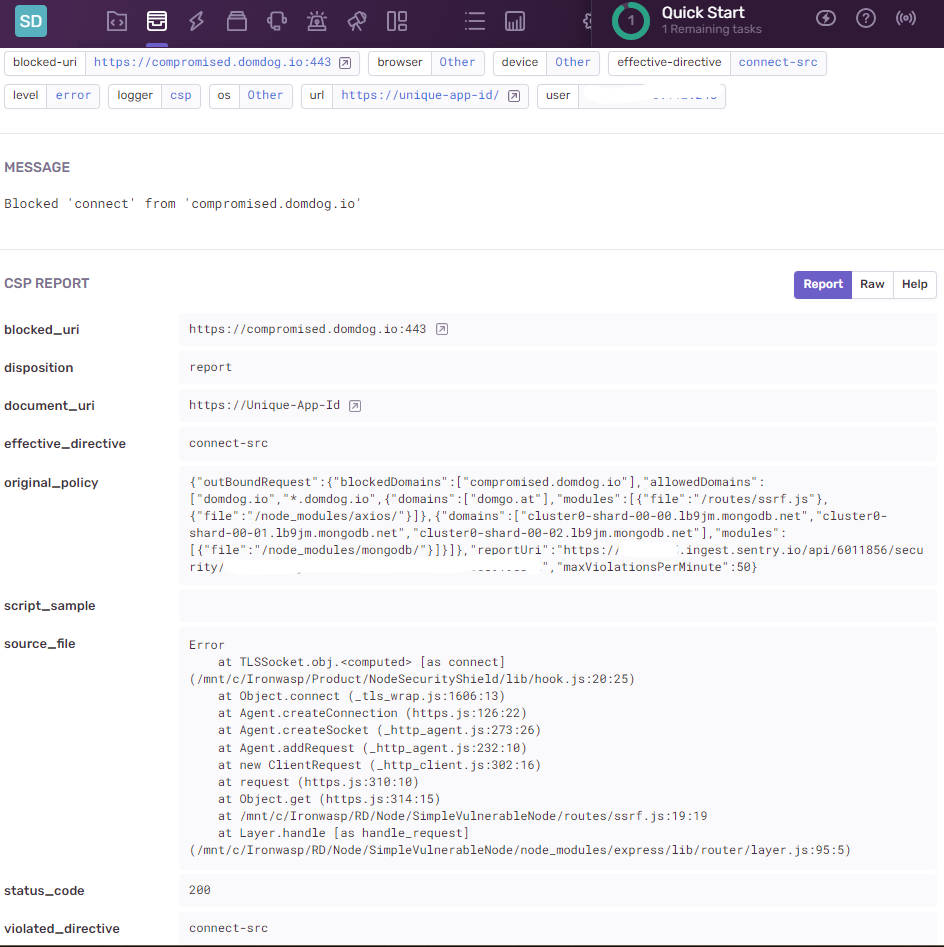
document-uri: contains Unique-App-Id, passed during initialization of NSSblocked-uri: domain of the outbound request which violated RAPviolated-directive: connect-src is a synonym for Outbound Request likewise script-src is a synonym for Command Executionoriginal-policy: violated Resource Access Policy (RAP)source-file: Stack Trace of where this violation.const resourceAccessPolicy = {
"outBoundRequest" : {
"blockedDomains" : ["compromised.domdog.io"],
"allowedDomains" : []
},
"executedCommand": {
"allowedCommands": ["pwd" , "(node)[](https://github.com/domdogsec/nodesecurityshield/blob/main/helper%5C)[a-z|0-9]*(.js)"]
},
"reportUri": "https://ingest.sentry.io/api/6011856/security/?sentry_key=",
};
outBoundRequest: defines the accepted behaviour for Outbound Requests
executedCommand: defines the accepted behaviour for Command Execution
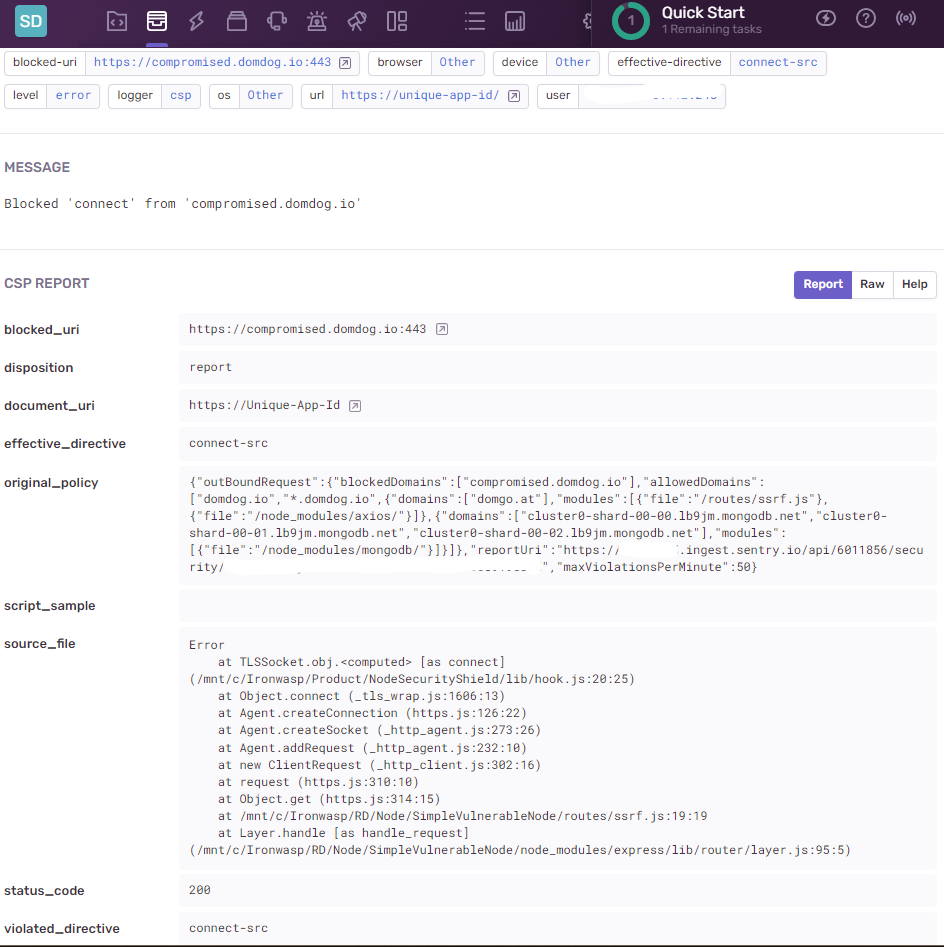
allowedCommands Array accepts String . You can pass a RegEx to allow a pattern of commands.executedCommand property defined.pwd command is allowed to execute and.js files inside helper are allowed to spawn as node processes..* in regex. As this will allow the execution of any command after a pipe |.reportUri : Sends Violations to a given endpoint. As violations are similar to Content Security Policy violations. Any CSP monitoring solutions can be used. We used the Sentry endpoint in the above RAP.Screenshot from Sentry dashboard

const resourceAccessPolicy = {
    "outBoundRequest" : {

        "blockedDomains" : ["compromised.domdog.io"],

        "allowedDomains" : ["domdog.io","*.domdog.io",

            {
                "domains": [
                    "domgo.at",
                ],
                "modules": [
                    {
                        "file": "\/routes\/ssrf.js",
                    },
                    {
                        "file": "\/node_modules\/axios\/",
                    }
                ]
            },
            {
                "domains": [
                    "cluster0-shard-00-00.lb9jm.mongodb.net",
                    "cluster0-shard-00-01.lb9jm.mongodb.net",
                    "cluster0-shard-00-02.lb9jm.mongodb.net"
                ],
                "modules": [
                    {
                        "file": "\/node_modules\/mongodb\/"
                    }
                ]
            }

        ]
    },
		"executedCommand": {
