 dnr6419/cve-2018-6905
Step-by-step reproduction environment for CVE-2018-6905, a stored XSS vulnerability in TYPO3 install.php, with Docker setup and payload execution guide.

$docker-compose up
Go to http://[web-server ip]:port/typo3 and ignore the following message:
 Directory / is not writable
Path /var/www/html/typo3 exists, but no file underneath it can be created.
Go to the typo3 site deployed in the container and proceed with the installation. The host of the mysql db is db.
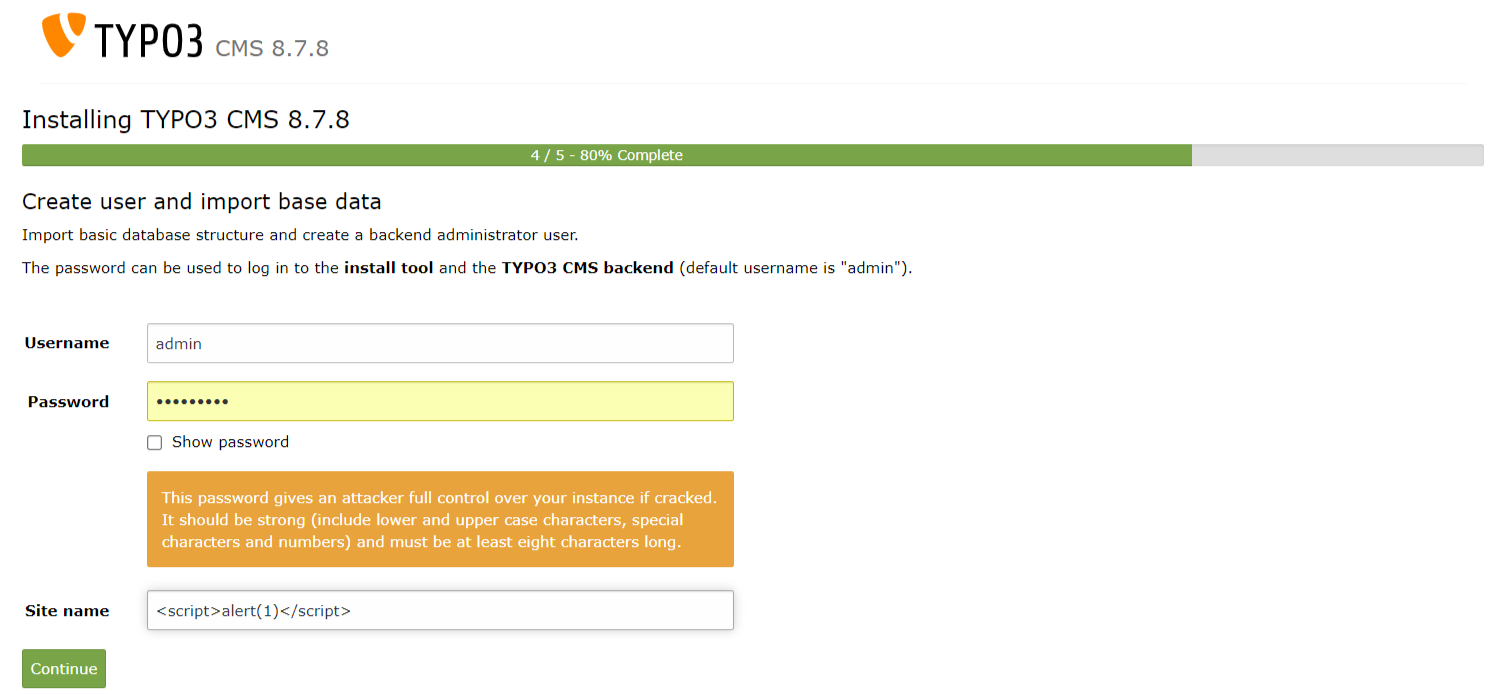
During installation, at step 4/5, enter the XSS payload in the site name field.
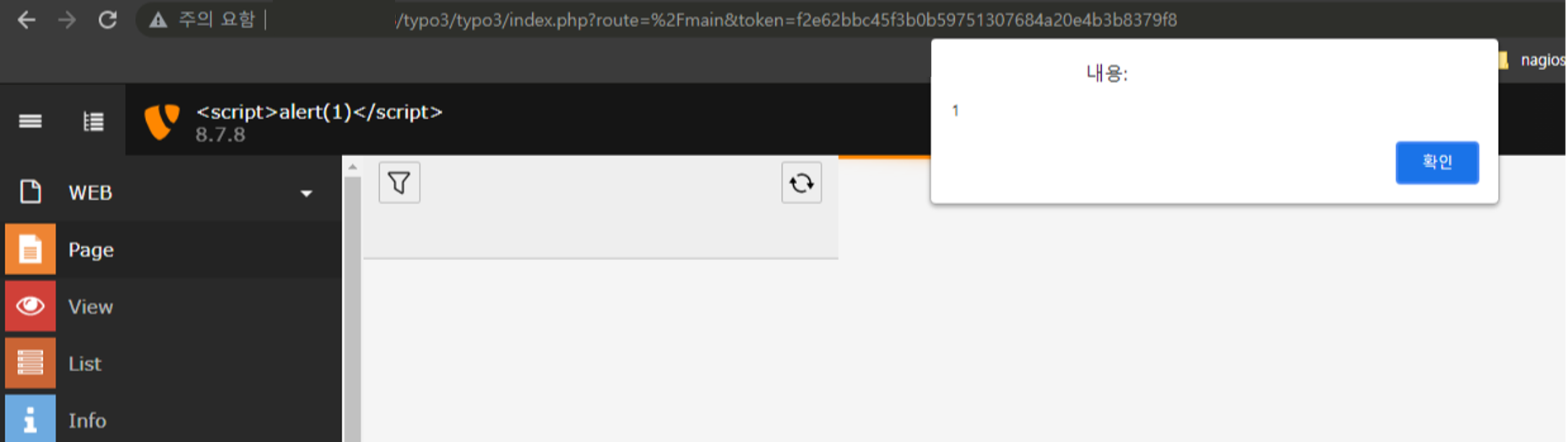
After installation is complete and you log in, you can see the XSS executed as shown below.
debconf: unable to initialize frontend: Readline
debconf: (This frontend requires a controlling tty.)
debconf: falling back to frontend: Teletype
RUN apt-get install -y debconf-utils
RUN echo 'debconf debconf/frontend select Noninteractive' | debconf-set-selections
RUN apt-get install -y -q [package]
Due to the nature of the apache2 server running as the www-data user, the typo3 folder was created with www-data.
The mysql image was set to version 5.8.
System Requirements
For more information as well as installation instructions see the Installation guide.
Operating System	Linux, Windows or Mac, or common cloud infrastructure setups
Webserver	Apache httpd, Nginx, Microsoft IIS, Caddy Server
Supported Browsers	Chrome (latest)
Edge (latest)
Firefox (latest)
Internet Explorer >= 11
Safari (latest)
Database	MariaDB >= 10.0 <= 10.3
Microsoft SQL Server
MySQL >= 5.0 <= 5.7
PostgreSQL
SQLite
Hardware	RAM >= 256 MB
PHP	PHP >= 7.2 <= 7.4
Command options were set on the mysql container.
Invalid Charset
Your database uses character set "latin1", but only "utf8" is supported with TYPO3. You probably want to change this before proceeding.
