
 djhohnstein/sharpweb
.NET 2.0 CLR project to retrieve saved browser credentials from Google Chrome, Mozilla Firefox and Microsoft Internet Explorer/Edge.

SharpWeb is a .NET 2.0 CLR compliant project that can retrieve saved logins from Google Chrome, Firefox, Internet Explorer and Microsoft Edge. In the future, this project will be expanded upon to retrieve Cookies and History items from these browsers.
Usage:
    .\SharpWeb.exe arg0 [arg1 arg2 ...]

Arguments:
    all       - Retrieve all Chrome, FireFox and IE/Edge credentials.
    full      - The same as 'all'
    chrome    - Fetch saved Chrome logins.
    firefox   - Fetch saved FireFox logins.
    edge      - Fetch saved Internet Explorer/Microsoft Edge logins.
.\SharpWeb.exe edge firefox
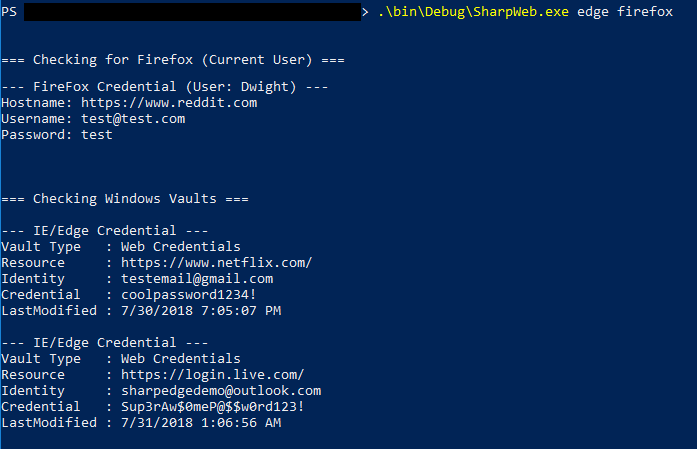
.\SharpWeb.exe all
This project uses the work of @plainprogrammer and his work on a compliant .NET 2.0 CLR compliant SQLite parser, which can be found here. In addition, @gourk created a wonderful ASN parser and cryptography helpers for decrypting and parsing the FireFox login files. It uses a revised version of his work (found here) to parse these logins out. Without their work this project would not have come together nearly as quickly as it did.
