 dirsoooo/recon
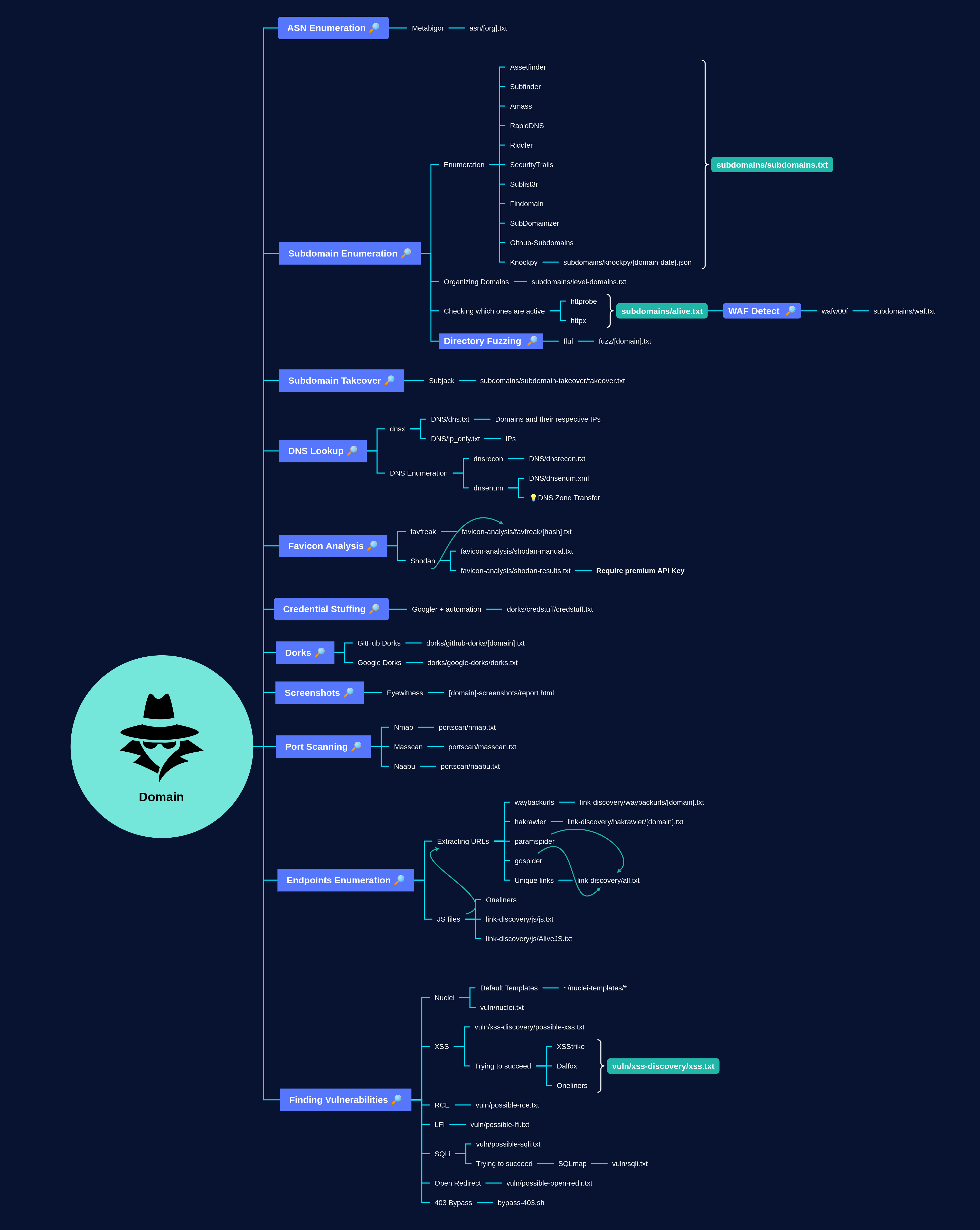
Recon is a script to perform a full recon on a target with the main tools to search for vulnerabilities. Created based on @ofjaaah and @Jhaddix methodologies




The step of recognizing a target in both Bug Bounties and Pentest can be very time-consuming. Thinking about it, I decided to create my own recognition script with all the tools I use most in this step.
All construction of this framework is based on the methodologies of @ofjaaah and @Jhaddix. These people were my biggest inspirations to start my career in Information Security and I recommend that you take a look at their content, you will learn a lot!
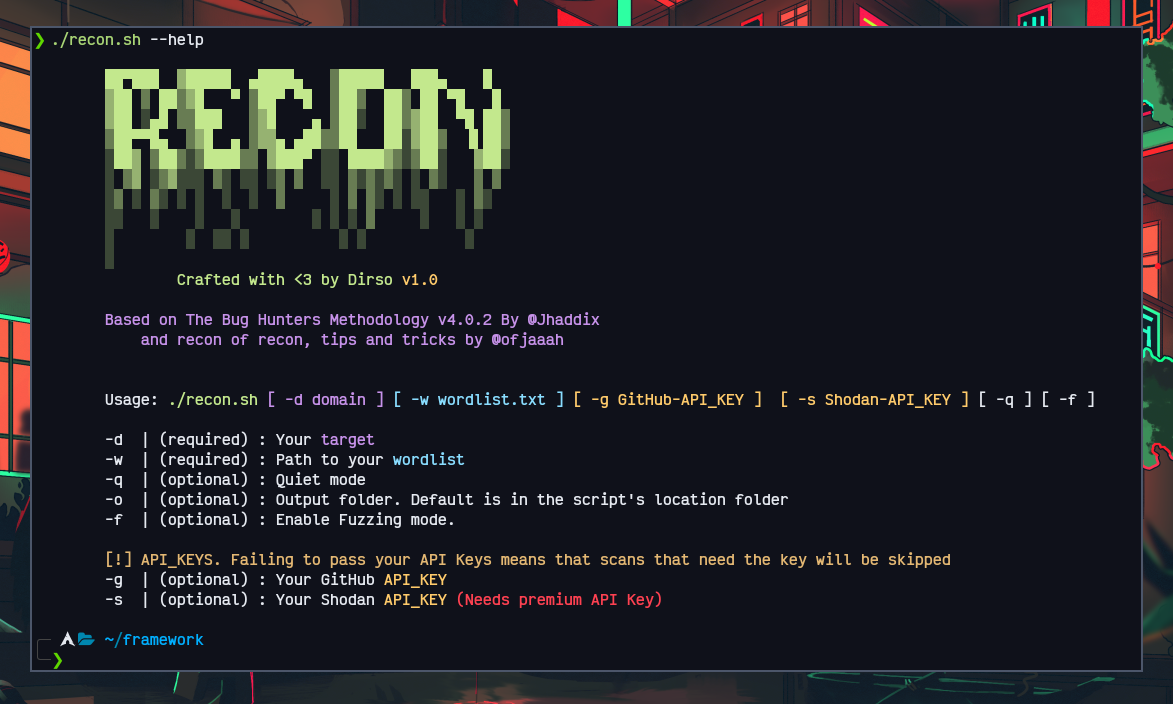
❯ ./recon.sh -d domain.com -w /path/to/your/wordlist.txt
❯ ./recon.sh -d domain.com -w /path/to/your/wordlist.txt -q
❯ ./recon.sh -d domain.com -w /path/to/your/wordlist.txt -g [github_api_key] -s [shodan_api_key] -f
| Option | Value |
|---|---|
| -h, --help | Look at the complete help menu |
| -d | domain.com |
| -w | Path to your wordlist. Some wordlists I've already added by default to ./wordlists |
| -f | Fuzzing mode. When passing this argument, the Fuzzing step to confirm possible vulnerabilities will be added. Directory Fuzzing will remain enabled regardless of whether the argument is passed or not. I recommend not to use this if you want to do a recon faster. |
| -g | GitHub API Key. This parameter is used when searching for subdomains |
| -s | Shodan API Key. This parameter is used to automate the search for domains associated with your target(Requires API Key premium). If you don't have it, you can do the searches manually and the dorks are saved in the output folder. |
| -o | Your output folder. If you don't specify the parameter, all the results of the script will be saved in a folder with your target's name inside the script path |
| -q | Quiet mode. All banners and details of the script's execution will not be shown in the terminal, but everything that is executed in normal mode is executed as well. You will be able to see all the results in detail in your output folder |
I made a script that automates the installation of all tools. I tried to do it with the intention of having compatibility with the most used systems in Pentest and Bug Bounty.
git clone https://github.com/dirsoooo/Recon.git
cd Recon/
chmod +x recon.sh
chmod +x installation.sh
./installation.sh
Please DO NOT remove any of the files inside the folder, they are all important!
Recon was entirely coded with ❤ by @Dirsoooo and it is released under the MIT license.
If you liked my job and want to support me in some way, buy me a coffee 😁