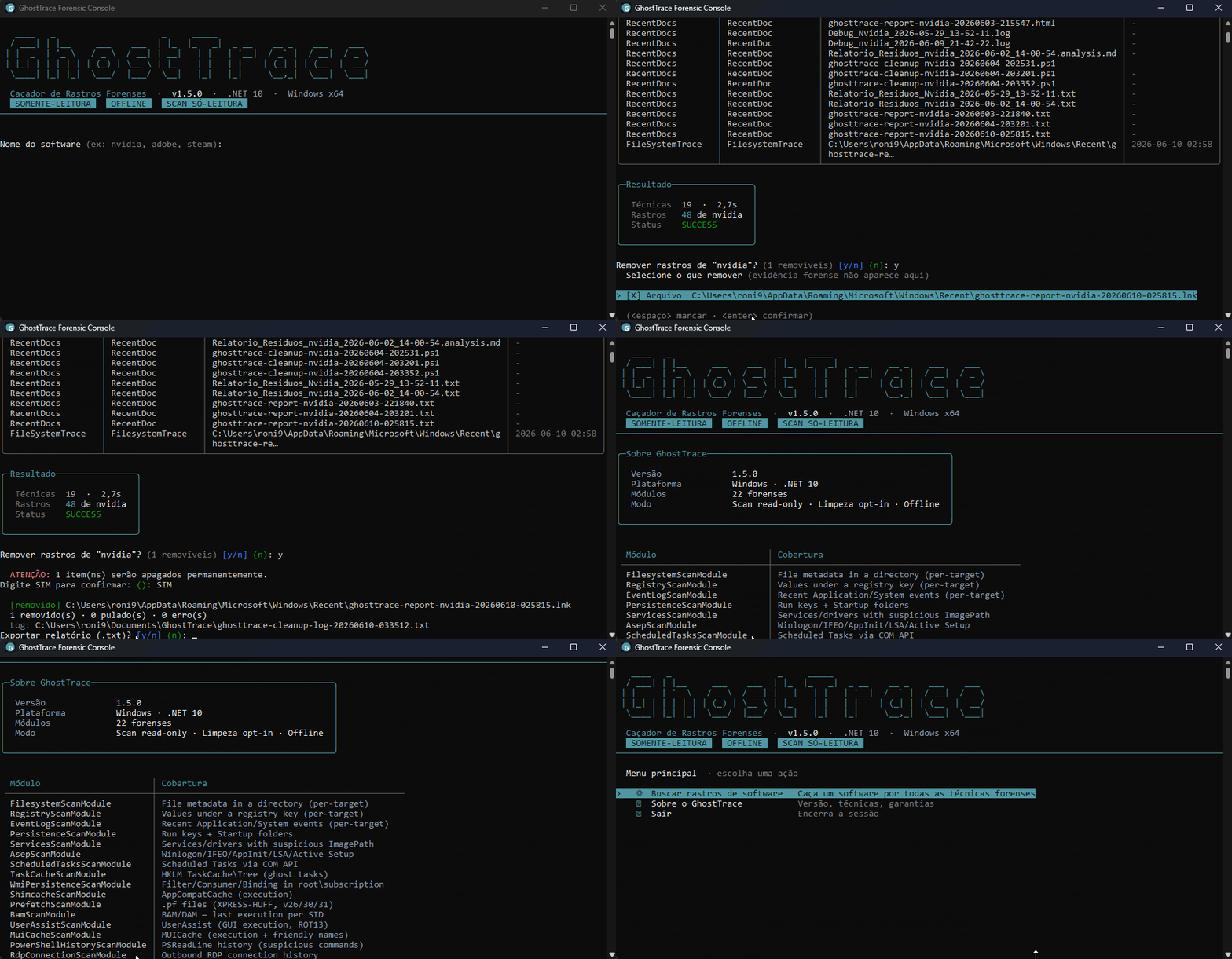
 devzinh/ghosttrace
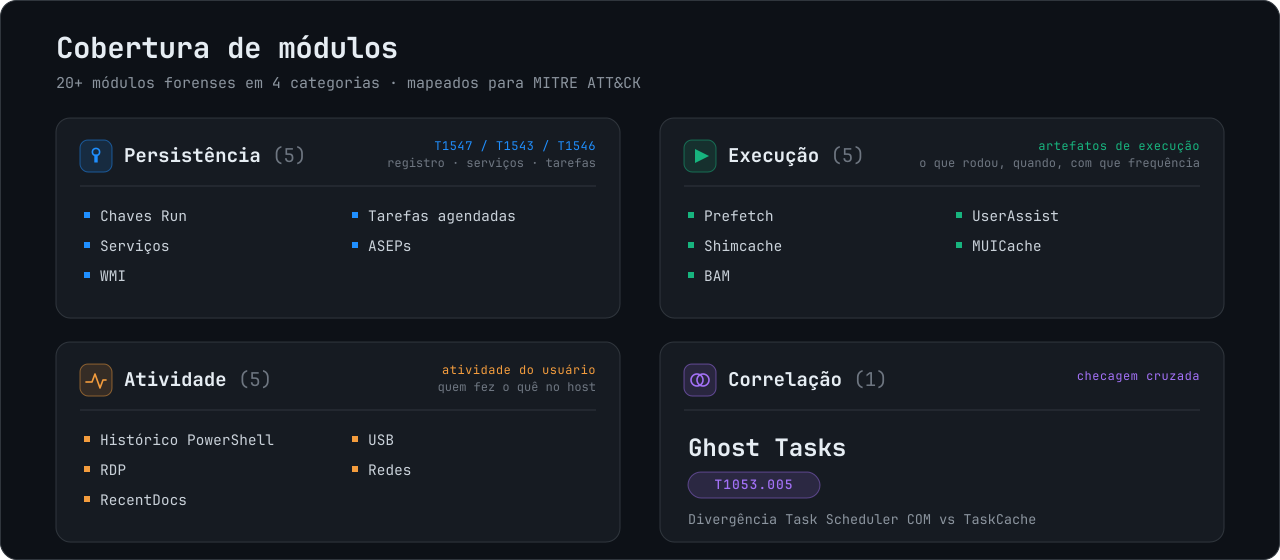
Read-only Windows forensic scanner for software traces — persistence, execution artifacts (Prefetch, Shimcache, BAM), user activity and Ghost Tasks correlation. 20+ modules mapped to MITRE ATT&CK.

Find what software left behind on Windows, before it finds its way back.
GhostTrace is a local Windows forensic trace hunter for incident responders, system administrators, and security-minded power users. It maps persistence, execution, activity, and leftover artifacts into a reviewable record, then offers tightly constrained cleanup only when you explicitly choose it.




Download | Requirements | Quick start | Capabilities | Safety model | Roadmap | Portuguese (Brazil)
Uninstalling an application does not always remove its operational footprint. Startup entries, scheduled tasks, cached execution evidence, registry values, services, and folders can remain long after the installer reports success.
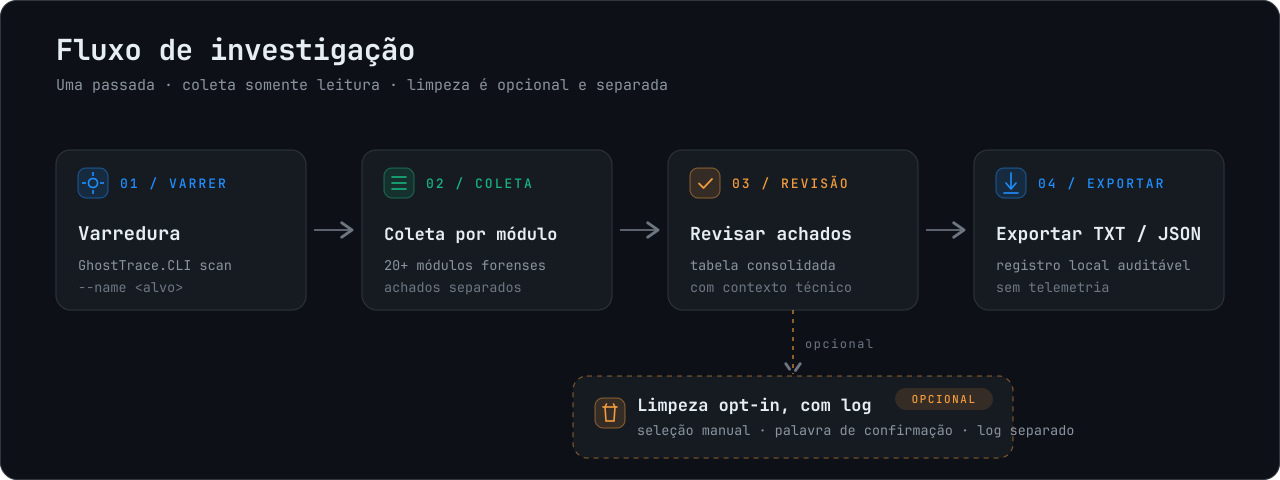
GhostTrace turns that broad question into a focused, local investigation:
| Item | Requirement |
|---|---|
| Operating system | Windows 10 or 11, x64 |
| Privileges | Administrator, required to read protected artifacts |
| Runtime | None. The MSI is self-contained. |
| Disk | ~NN MB installed, plus space for report output |
GhostTrace reads protected Windows artifacts and runs elevated. Verify the installer before executing it, especially on a host you are investigating.
Get-FileHash .\GhostTrace-1.5.0-x64.msi -Algorithm SHA256
Compare the result against SHA256SUMS.txt published with each release.
The installer is not code-signed yet, so SmartScreen and some EDR products will flag it on first run. Verify the hash rather than dismissing the warning.
Download the latest x64 MSI from Releases:
GhostTrace-<version>-x64.msi
The package is self-contained, so the target machine does not need a pre-installed .NET runtime. Run GhostTrace as Administrator to access protected Windows artifacts.
GhostTrace.CLI scan --name nvidia
The interactive flow shows progress, groups findings by technique, and can export a record of the investigation. If safe cleanup candidates exist, you must select them and type a confirmation phrase before any removal occurs.
A trimmed example of what that produces:
$ GhostTrace.CLI scan --name nvidia

  MODULE                        FINDINGS  STATUS
  PersistenceScanModule                2  OK
  ScheduledTasksScanModule             1  OK
  TaskCacheScanModule                  1  PartialSuccess
  PrefetchScanModule                   4  OK

  [Persistence] HKLM\...\Run\NvBackend
      -> C:\Program Files\NVIDIA Corporation\Update Core\NvBackend.exe (missing)

  [Ghost Task] TaskCache\Tree entry with no COM counterpart (T1053.005)
      \NvProfileUpdaterOnLogon_{...}

  TaskCacheScanModule: PartialSuccess. 2 keys unreadable (access denied).
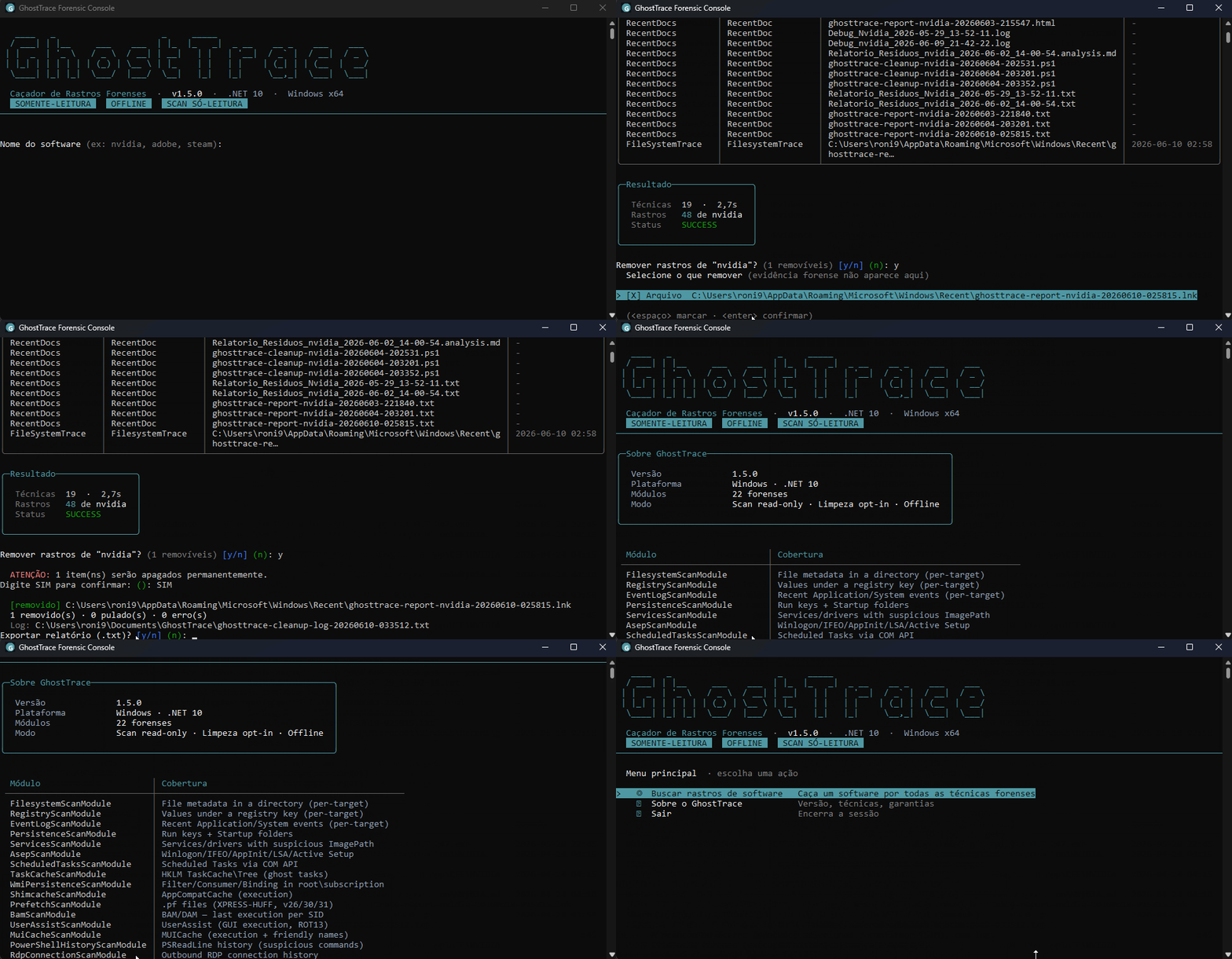
GhostTrace.CLI scan --name nvidia --quiet --output C:\Cases\Host1
--quiet creates a non-interactive TXT record. A report write failure returns a non-zero exit code, so automation does not silently succeed without an artifact.
| Goal | Command |
|---|---|
| Open the interactive menu | GhostTrace.CLI |
| Run a full triage | GhostTrace.CLI scan |
| Hunt a named application | GhostTrace.CLI scan --name <n> |
| Write a script-friendly scan record | GhostTrace.CLI scan --name <n> --quiet --output <directory> |
| Correlate Task Scheduler COM and TaskCache | GhostTrace.CLI scan-tasks-correlate-json --output <report.json> |
| Inspect a directory, Registry key, or Event Log | scan-fs-json, scan-reg-json, scan-evt-json |
Choose the interface language with --lang:
GhostTrace.CLI scan --name nvidia --lang en
GhostTrace.CLI --lang pt-BR
| Code | Meaning |
|---|---|
0 | Scan completed and any requested report was written |
1 | Invalid arguments or unsupported environment |
2 | Report write failure |
3 | Cancelled by the operator |
| Area | Evidence sources |
|---|---|
| Persistence | Run/RunOnce, Startup, services, Winlogon, IFEO, AppInit, LSA, Active Setup, WMI, and scheduled tasks |
| Execution | Prefetch, Shimcache, BAM/DAM, UserAssist, and MUICache |
| User activity | PowerShell history, outbound RDP history, RecentDocs, USB, and network artifacts |
| Installed software and leftovers | Uninstall entries, StartupApproved, Program Files, ProgramData, and AppData traces |
| Scheduled task correlation | COM and TaskCache discrepancies used to investigate Ghost Tasks (T1053.005) |
Persistence
| Module | Source |
|---|---|
PersistenceScanModule | Run/RunOnce and Startup folders |
ServicesScanModule | Service and driver ImagePath values |
AsepScanModule | Winlogon, IFEO, AppInit, LSA, and Active Setup |
ScheduledTasksScanModule | Task Scheduler COM, including hidden tasks |
TaskCacheScanModule | TaskCache\Tree anomalies |
WmiPersistenceScanModule | __EventFilter, __EventConsumer, and bindings |
Execution and activity
| Module | Source |
|---|---|
PrefetchScanModule | Windows 10/11 .pf files, including XPRESS-Huffman compression |
ShimcacheScanModule | AppCompatCache |
BamScanModule | BAM/DAM records by SID |
UserAssistScanModule | GUI launches and usage counts |

