devzero-security/redstackpro
A canvas for red team infrastructure and cyber ranges. Compose a topology, export runnable Terraform and Ansible, and deploy it yourself. Your cloud credentials never leave your machine.





A web canvas where you build infrastructure as a topology, then export a complete, runnable working directory of Terraform and Ansible. You run it from your own machine. redStackPRO never holds your cloud credentials.
[!IMPORTANT] redStackPRO is in prerelease (beta). Features are still moving before 1.0. GCP and AWS are tested end to end; Azure, Proxmox, and ESXi are on the roadmap. Expect rough edges, and pin to a released version if you need stability.
Hit a rough edge, or have feedback? Open an issue at Issues. If it was a deploy, attach the scrubbed
logs/deploy-*.logthe run wrote (it records versions, provider, and where it stopped, with secrets removed) so it can be analyzed fast. Your reports shape the release.
redStackPRO puts attack infrastructure and target ranges on the same canvas. The two
canvas modes are Offense (attack infrastructure) and Defense (defensive AD ranges); the
export names its handoff OFFENSE-BRIEFING.md or DEFENSE-BRIEFING.md to match.
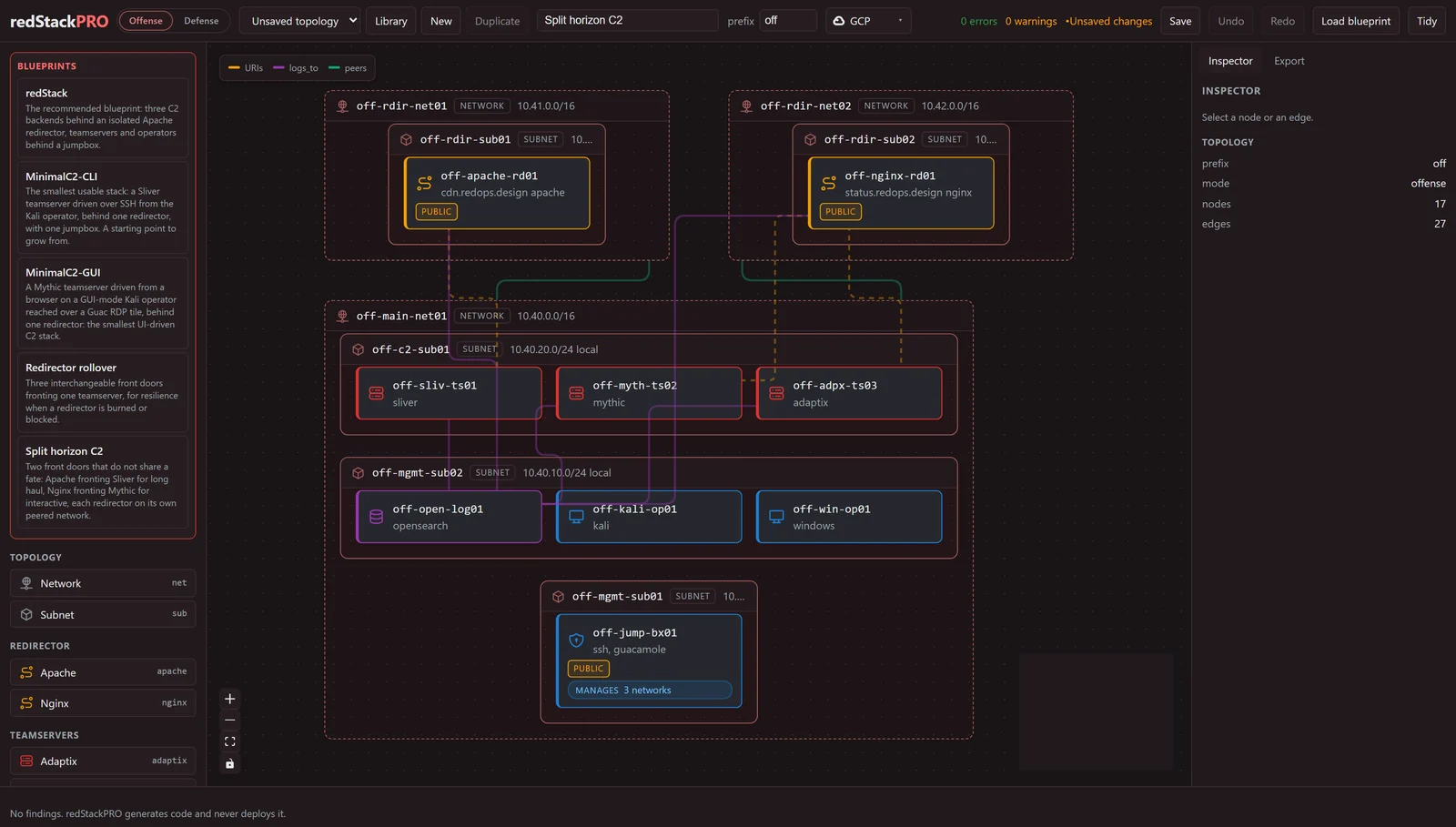
Split horizon C2, attack infrastructure: two front doors that do not share a fate, Apache fronting Sliver and Nginx fronting Mythic, each redirector on its own peered network, with the teamservers, collector, and operators behind a jumpbox.
Multiple operators, one stack. An attack-infrastructure jumpbox can name a
list of operators (handle plus role), and each gets a Guacamole portal login
on the shared lab password. Set the jumpbox's access_mode to wireguard or
openvpn (default is a public portal) and every operator also gets a personal
VPN credential generated on the jumpbox at apply: the keys never leave the box
or enter the export, only the client config file does. The portal logins today
share the one lab password, so per-operator isolation comes from each operator's
own VPN credential, not the portal login; individual portal passwords are on the
roadmap. On a VPN access mode the portal closes to the internet and moves behind
the tunnel, while SSH stays open so the admin can keep deploying and managing the
box. Add or remove a teammate on a running jumpbox with
sudo rsp-operator add <handle>. See the
wiki Deploying a Range.
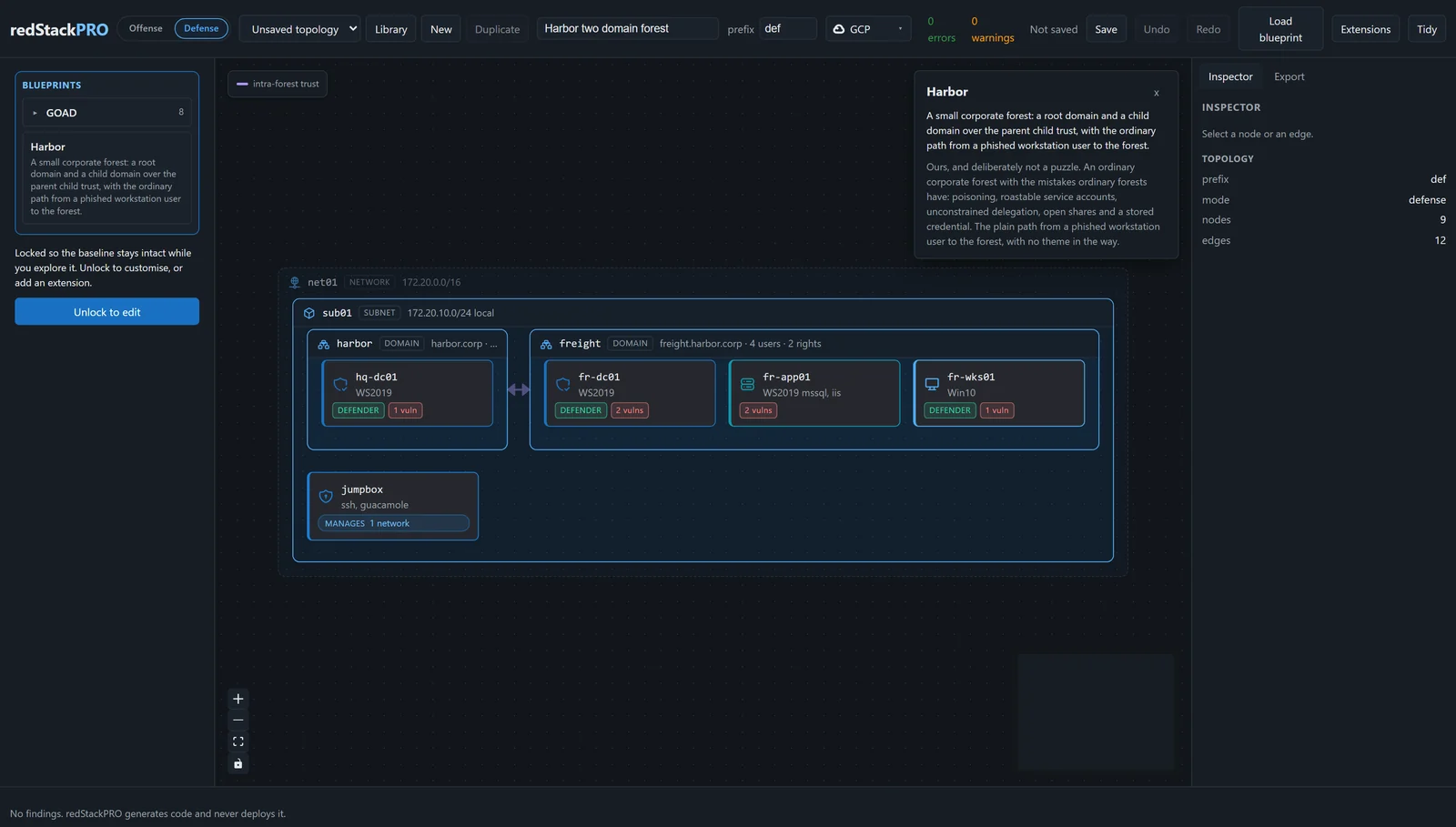
Harbor, a target range: a small corporate forest, a root domain and a child over a parent-child trust, with the ordinary path from a phished workstation to the forest.
GOAD, the full lab: three domains across two forests, five machines and their trusts, the reference range the written solution follows.
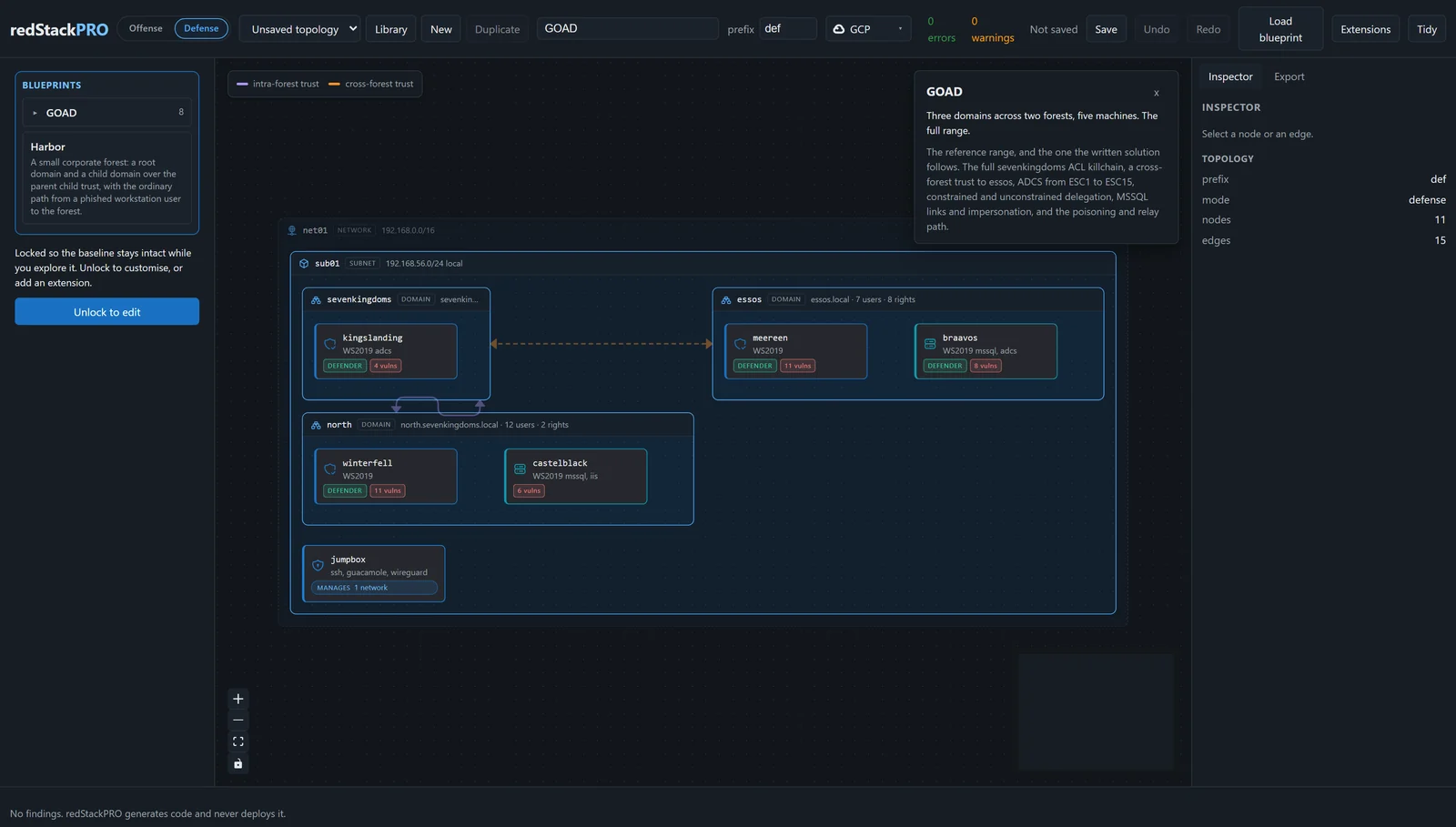
[!IMPORTANT] The export is the boundary. The canvas generates files; you run them under your own credentials. redStackPRO never deploys anything and never holds a secret.
[!CAUTION] Authorized use only. redStackPRO builds offensive infrastructure and deliberately vulnerable ranges. Use it only in lab environments you own or are explicitly authorized to test, never against systems you do not have written permission for.
Pre-release, with more to come before 1.0. The pipeline itself works end to end: a topology compiles to Terraform and Ansible, and the export deploys.
| Provider | State |
|---|---|
| GCP, AWS | Supported and tested end to end, for both target ranges and attack infrastructure. |
| Azure, Proxmox, ESXi | On the roadmap, not yet supported. |
The whole canvas in one container, the API and the web app on one port:
docker compose up # builds from this repo, http://127.0.0.1:8000
Or pull the published image instead of building it:
docker run -p 8000:8000 -v redstackpro-data:/data \
  ghcr.io/devzero-security/redstackpro:latest
The canvas listens on 8000 inside the container. To serve it on a different host
port, change the left half of the mapping (-p 8787:8000), or set
REDSTACKPRO_PORT for compose (REDSTACKPRO_PORT=8787 docker compose up).
Compose also carries an optional Postgres backend for a shared deployment:
REDSTACKPRO_DATABASE_URL=postgresql+psycopg://redstackpro:redstackpro@db:5432/redstackpro \
  docker compose --profile postgres up
The image is the composition layer only. It does not carry Terraform or Ansible and never holds your cloud credentials: you run the export it produces from your own machine, exactly as in the from-source flow below.
Python 3.11 or newer, and Node 24 for the canvas.
git clone <this repo> && cd redStackPRO
python -m venv .venv && . .venv/bin/activate
pip install -e ".[dev]"
The canvas is two processes, the API and the web app:
redstackpro serve                            # http://127.0.0.1:8000
cd frontend && npm install && npm run dev
redstackpro serve --port 8787 moves the API to a different port. Point the
canvas dev server at it with REDSTACKPRO_API=http://127.0.0.1:8787.
Open it, use Load blueprint (the button, or the mode palette) to open a shipped starting point, choose your cloud in the toolbar provider selector (GCP or AWS), open the Export tab (it compiles as you go), then Download. You get a zip of the working directory described below.
Or skip the canvas entirely and compile a shipped blueprint from the command line, same compiler, same output:
redstackpro compile frontend/public/goad/goad-light.json -o export
The command line defaults to GCP. Pass --provider aws for AWS.
That writes about 200 files: Terraform for the cloud, Ansible for everything
that happens on the boxes, a deploy.sh, and a DEFENSE-BRIEFING.md telling you the
credentials and what is planted where. goad-light is a two-domain Active
Directory range: sevenkingdoms and its child north, a parent-child trust in
one forest, two domain controllers and a member server, plus a jumpbox.