ZIP File Raider - Burp Extension for ZIP File Payload Testing
ZIP File Raider is a Burp Suite extension for attacking web application with ZIP file upload functionality. You can easily inject Burp Scanner/Repeater payloads in ZIP content of the HTTP requests which is not feasible by default. This extension helps to automate the extraction and compression steps.
This software was created by Natsasit Jirathammanuwat during a cooperative education course at King Mongkut's University of Technology Thonburi (KMUTT).
Installation
- Set up Jython standalone Jar in Extender > Options > Python Environment > "Select file...".
- Add ZIP File Raider extension in Extender > Extensions > Add > ZIPFileRaider.py (Extension type: Python)
How to use
Send the HTTP request with a compressed file to the ZIP File Raider
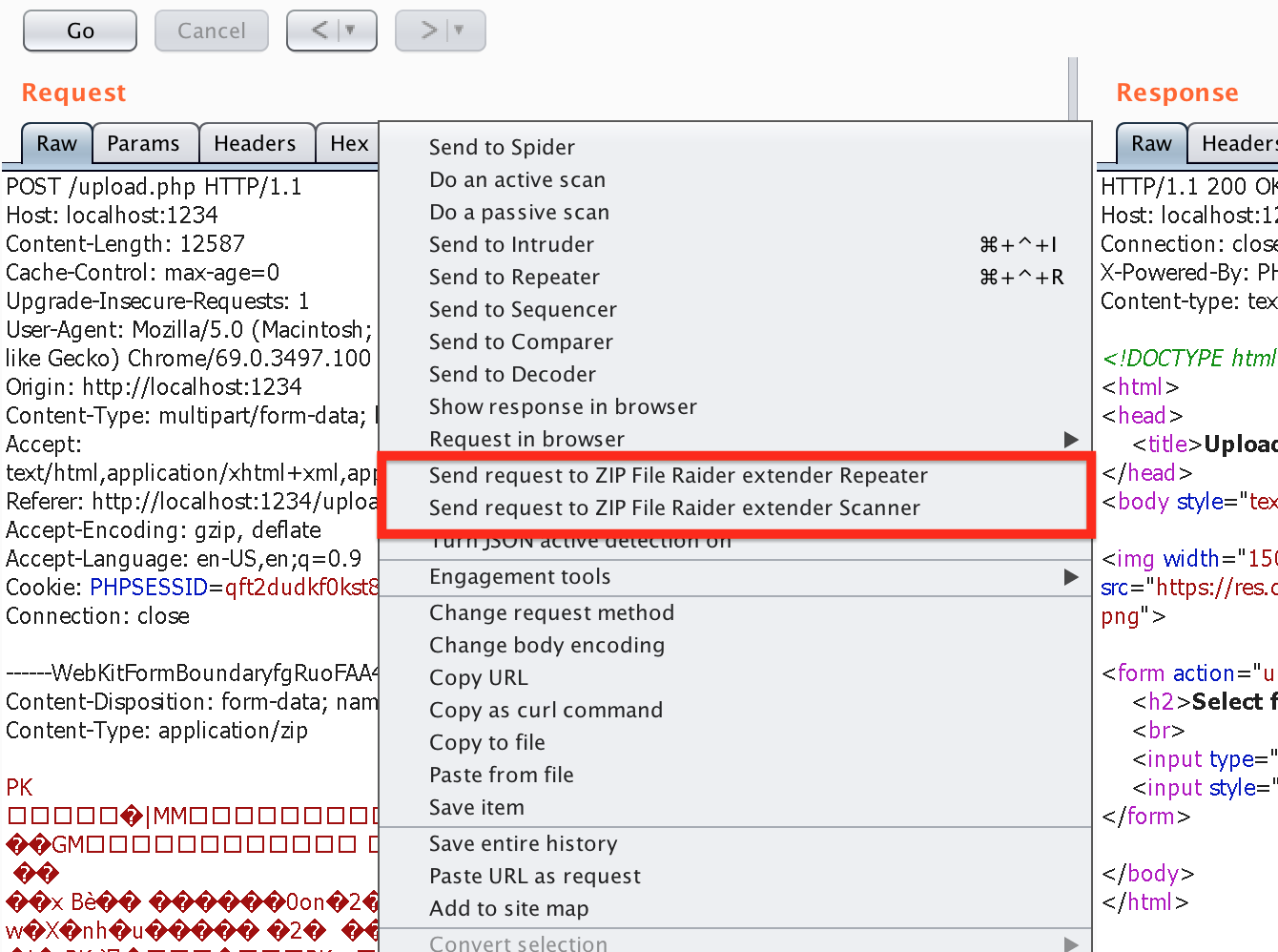
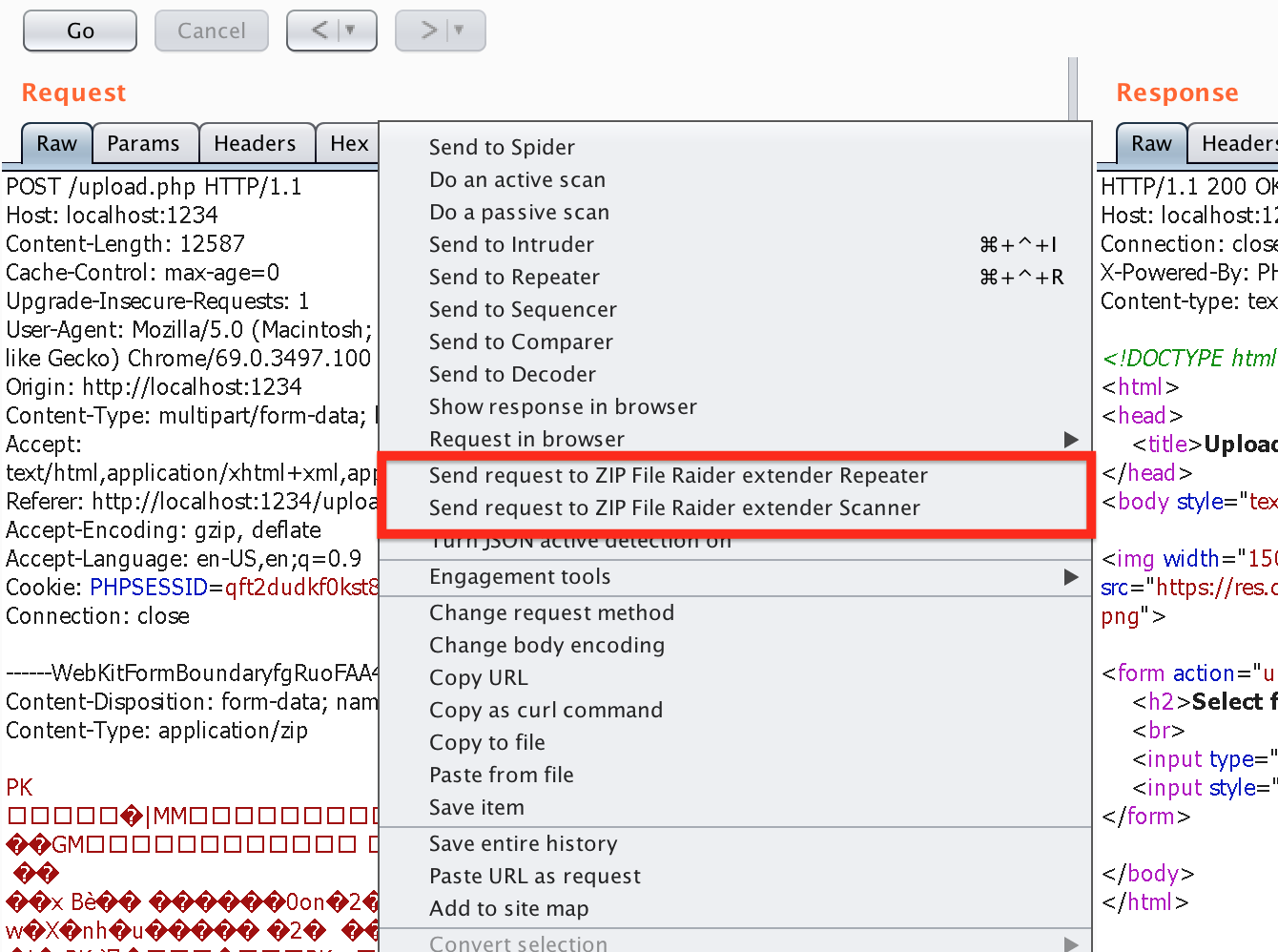
First, right click on the HTTP request with a compressed file in HTTP body and then select "Send request to ZIP File Raider extender Repeater" or Scanner.
Repeater
This Repeater tab makes it possible to edit the content of the compressed file and then repeats it to the server promptly.
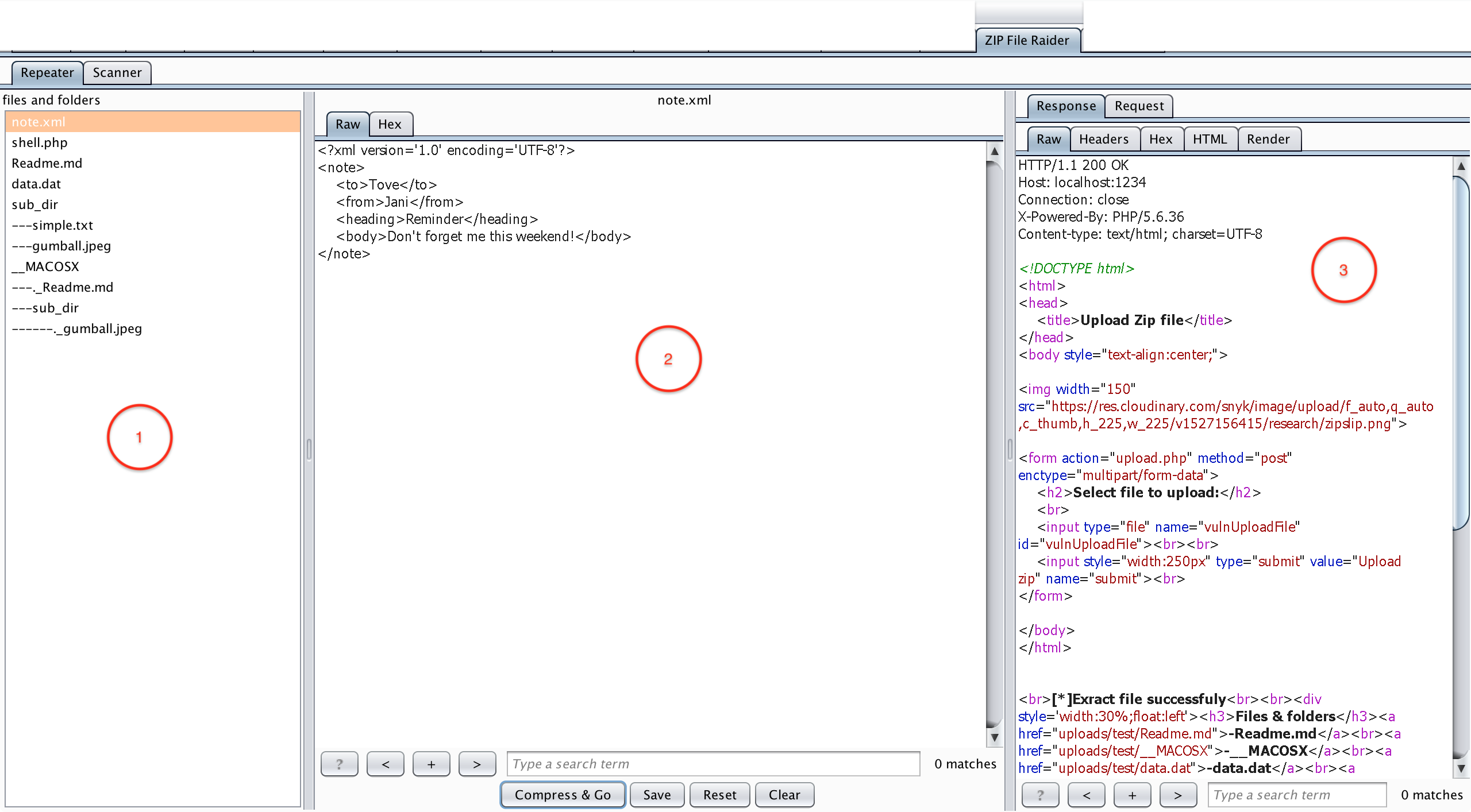
Descriptions for ZIP File Raider - Repeater tab:
- Files and folders pane - list of files and folders in the compressed file which is sent from the previous step (Send request to ...), select a file to edit its content.
- Edit pane - edit the content of selected file in text or hex mode (press "Save" after editing one file if you want to edit multiple files in a ZIP file).
- Request/Response pane - The HTTP request/response will be shown in this pane after clicking on the "Compress & Go" button.
Scanner
This Scanner tab is used for setting the §insertion point§ in the content of the ZIP file before sending it to Burp Scanner.
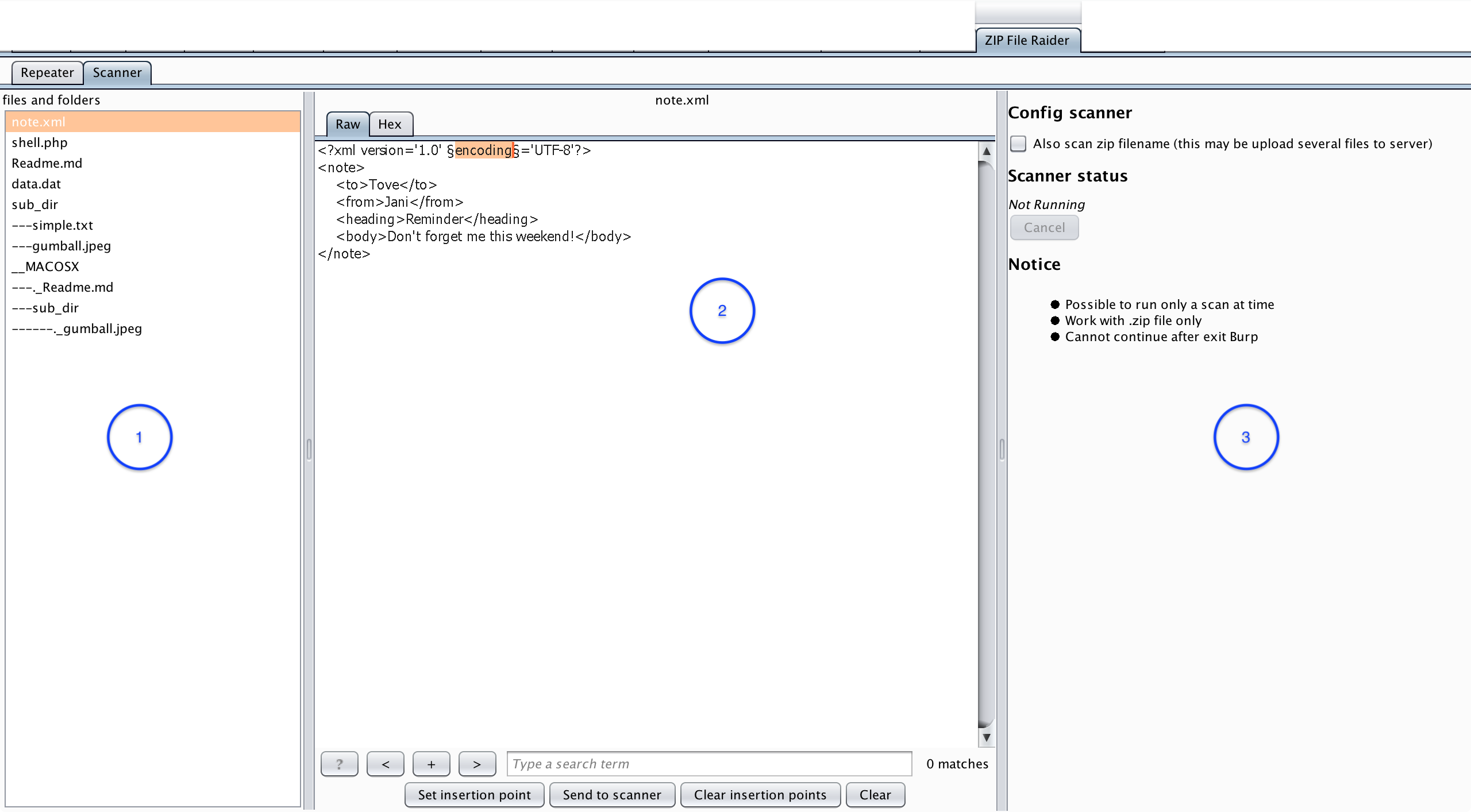
Descriptions for ZIP File Raider - Scanner tab:
- Files and folders pane - list of files and folders in the compressed file which is sent from the previous step (Send request to ...), select a file that you want to set the §insertion points§.
- Set insertion point pane - set insertion point in the content of the selected file by clicking on the "Set insertion point" button. (The insertion point will be enclosed with a pair of § symbol)
- Config/Status pane - config the scanner and show the scanner status (Not Running/Running).
 destine21/zipfileraider
