 daviszhto/overwrite
Proof-of-concept iOS exploit demonstrating font overwrite via CVE-2022-46689 for security research and vulnerability testing.





An easy & complete Flexible Field for Laravel Nova, perfect for repeated and flexible field groups.
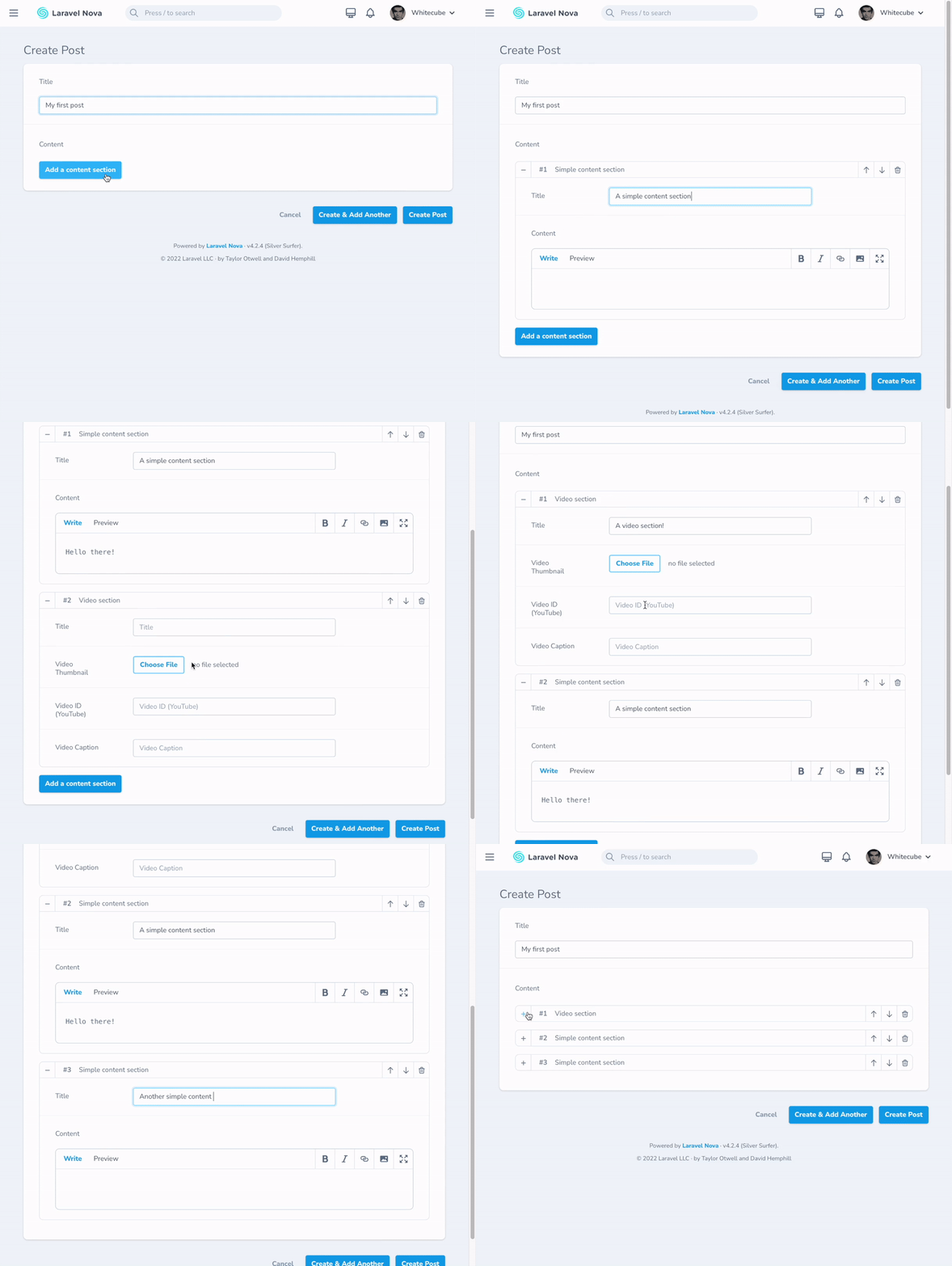
Here's a very condensed guide to get you started asap. See the full docs at https://whitecube.github.io/nova-flexible-content
composer require whitecube/nova-flexible-content
A flexible field allows easy management of repeatable and orderable groups of fields. As opposed to the few existing solutions for Laravel Nova, this one does not have constraints on which fields you are allowed to use within these groups. That means you can use all Laravel Nova field types, and also any community-made fields.
A layout represents a group of fields that can be repeated inside the Flexible field. You can add as many layouts as you wish. If only one layout is defined the field will behave like a simple Repeater and by adding more layouts you'll obtain a Flexible Content. Both concepts are similar to their cousins in Wordpress' ACF Plugin.
Layouts can be added using the following method on your Flexible fields:
addLayout(string $title, string $name, array $fields)
The $name parameter is used to store the chosen layout in the field's value. Choose it wisely, you'll probably use it to identify the layouts in your application.
use Whitecube\NovaFlexibleContent\Flexible;

/**
 * Get the fields displayed by the resource.
 *
 * @param  \Illuminate\Http\Request  $request
 * @return array
 */
public function fields(Request $request)
{
    return [
        // ...

        Flexible::make('Content')
            ->addLayout('Simple content section', 'wysiwyg', [
                Text::make('Title'),
                Markdown::make('Content')
            ])
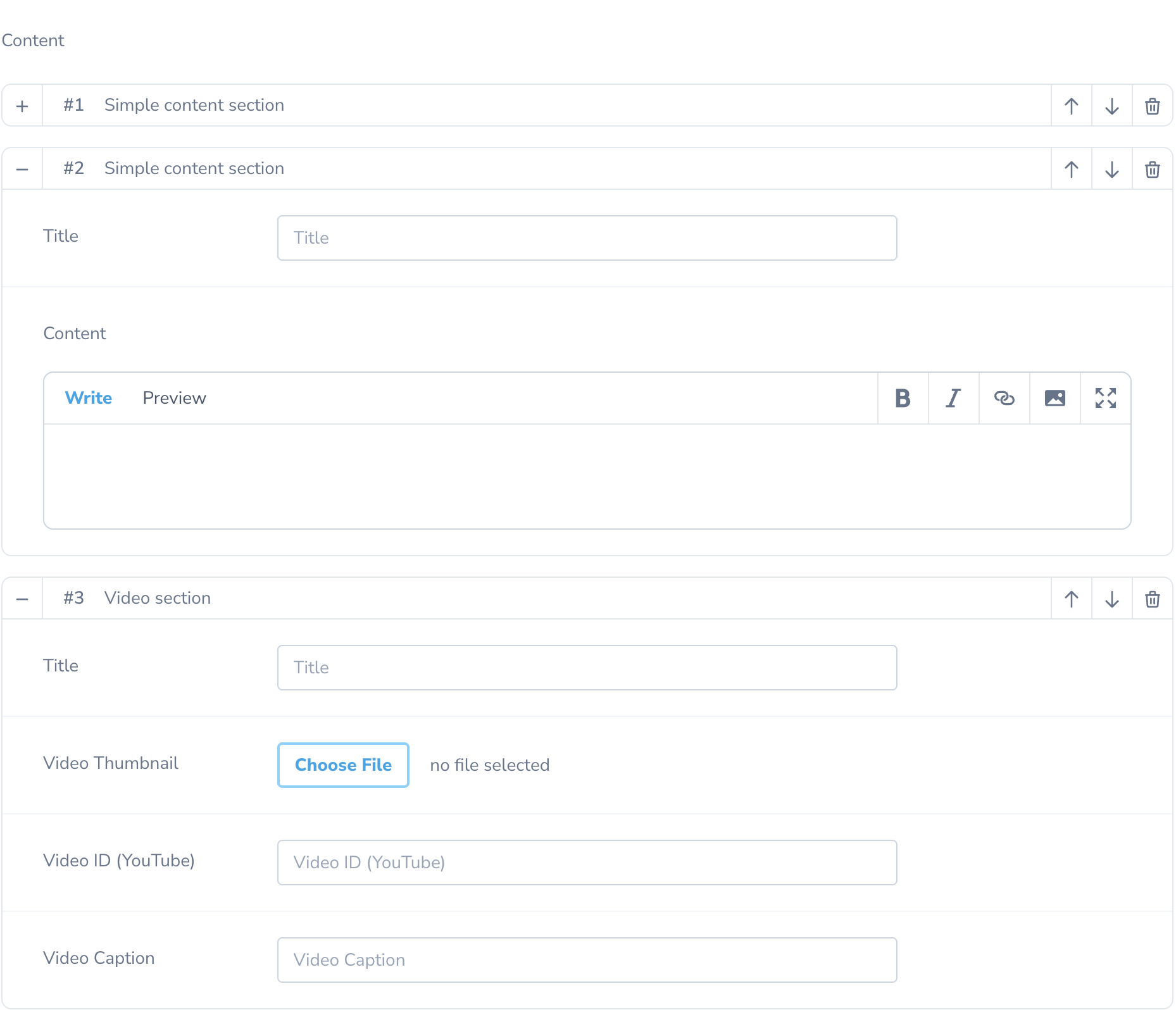
            ->addLayout('Video section', 'video', [
                Text::make('Title'),
                Image::make('Video Thumbnail', 'thumbnail'),
                Text::make('Video ID (YouTube)', 'video'),
                Text::make('Video Caption', 'caption')
            ])
    ];
}
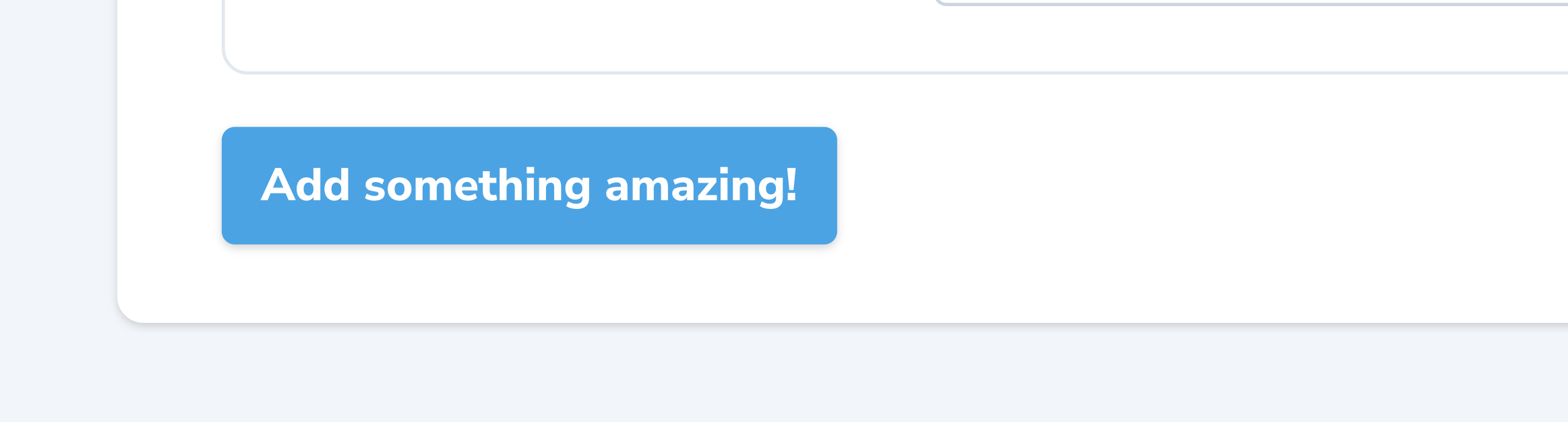
You can change the default "Add layout" button's text like so:
Flexible::make('Content')
    ->button('Add something amazing!');
If you are using Laravel 6 and under, or don't want to use casts, please use an accessor on your model with the HasFlexible trait.
Laravel 7 brings custom casts to the table, and flexible content fields are the perfect use case for them. The field stores its values as a single JSON string, meaning this string needs to be parsed before it can be used in your application. This can be done trivially by using the FlexibleCast class in this package:
namespace App;

use Illuminate\Database\Eloquent\Model;
use Whitecube\NovaFlexibleContent\Value\FlexibleCast;

class MyModel extends Model
{
    protected $casts = [
        'flexible-content' => FlexibleCast::class
    ];
}
By default, the FlexibleCast class will collect basic Layout instances. If you want to map the layouts into Custom Layout instances, it is also possible. First, create a custom flexible cast by running php artisan flexible:cast MyFlexibleCast. This will create the file in the App\Casts directory.
Then easily map your custom layout classes to the proper keys:
namespace App\Casts;

class MyFlexibleCast extends FlexibleCast
{
    protected $layouts = [
        'wysiwyg' => \App\Nova\Flexible\Layouts\WysiwygLayout::class,
        'video' => \App\Nova\Flexible\Layouts\VideoLayout::class,
    ]
}
If you need more control, you can override the getLayoutMappings method instead.
Collections returned by the FlexibleCast cast and the HasFlexible trait extend the original Illuminate\Support\Collection. These custom layout collections expose a find(string $name) method which returns the first layout having the given layout $name.
Layouts are some kind of fake models. They use Laravel's HasAttributes trait, which means you can define accessors & mutators for the layout's attributes. Furthermore, it's also possible to access the Layout's properties using the following methods:
name()Returns the layout's name.
title()Returns the layout's title (as shown in Nova).
key()Returns the layout's unique key (the layout's unique identifier).
When using the Flexible Content field, you'll quickly come across of some use cases where the basics described above are not enough. That's why we developed the package in an extendable way, making it possible to easily add custom behaviors and/or capabilities to Field and its output.
Sometimes, addLayout definitions can get quite long, or maybe you want them to be shared with other Flexible fields. The answer to this is to extract your Layout into its own class. See the docs for more information on this.
In addition to reusable Layout classes, you can go a step further and create Preset classes for your Flexible fields. These allow you to reuse your whole Flexible field anywhere you want. They also make it easier to make your Flexible fields dynamic, for example if you want to add Layouts conditionally. And last but not least, they also have the added benefit of cleaning up your Nova Resource classes, if your Flexible field has a lot of addLayout definitions. See the docs for more information on this.
By default, the field takes advantage of a JSON column on your model's table. In some cases, you'd really like to use this field, but for some reason a JSON attribute is just not the way to go. For example, you could want to store the values in another table (meaning you'll be using the Flexible Content field instead of a traditional BelongsToMany or HasMany field). No worries, we've got you covered!
Tell the field how to store and retrieve its content by creating your own Resolver class, which basically just contains two simple methods: get and set. See the docs for more information on this.
