Bluehood
Bluetooth Neighborhood - Track BLE devices in your area and analyze traffic patterns.

WARNING: Alpha Software
This project is in early development and is not ready for production use. Features may change, break, or be removed without notice. Use at your own risk. Data collected should be treated as experimental.
Screenshots
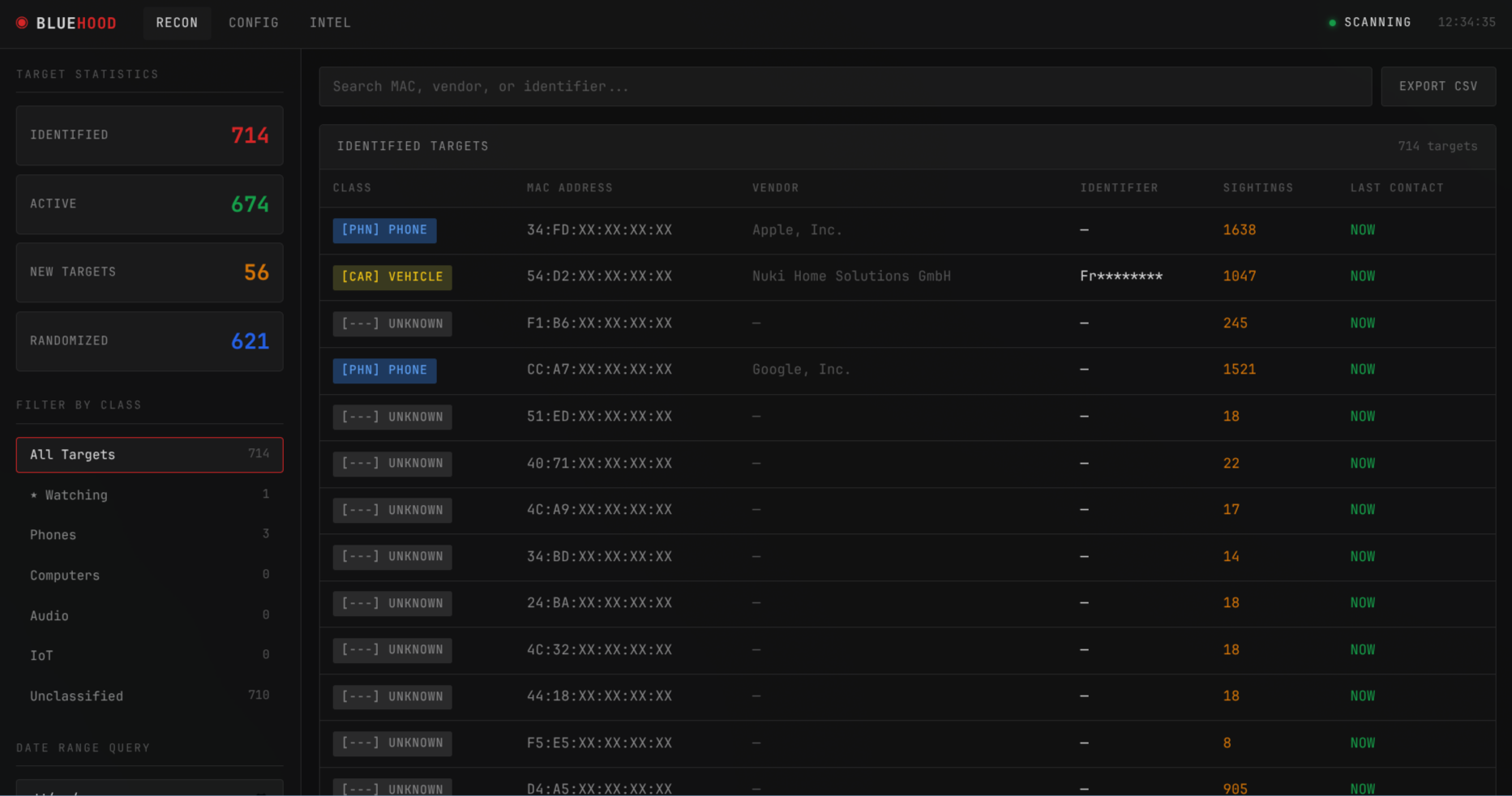
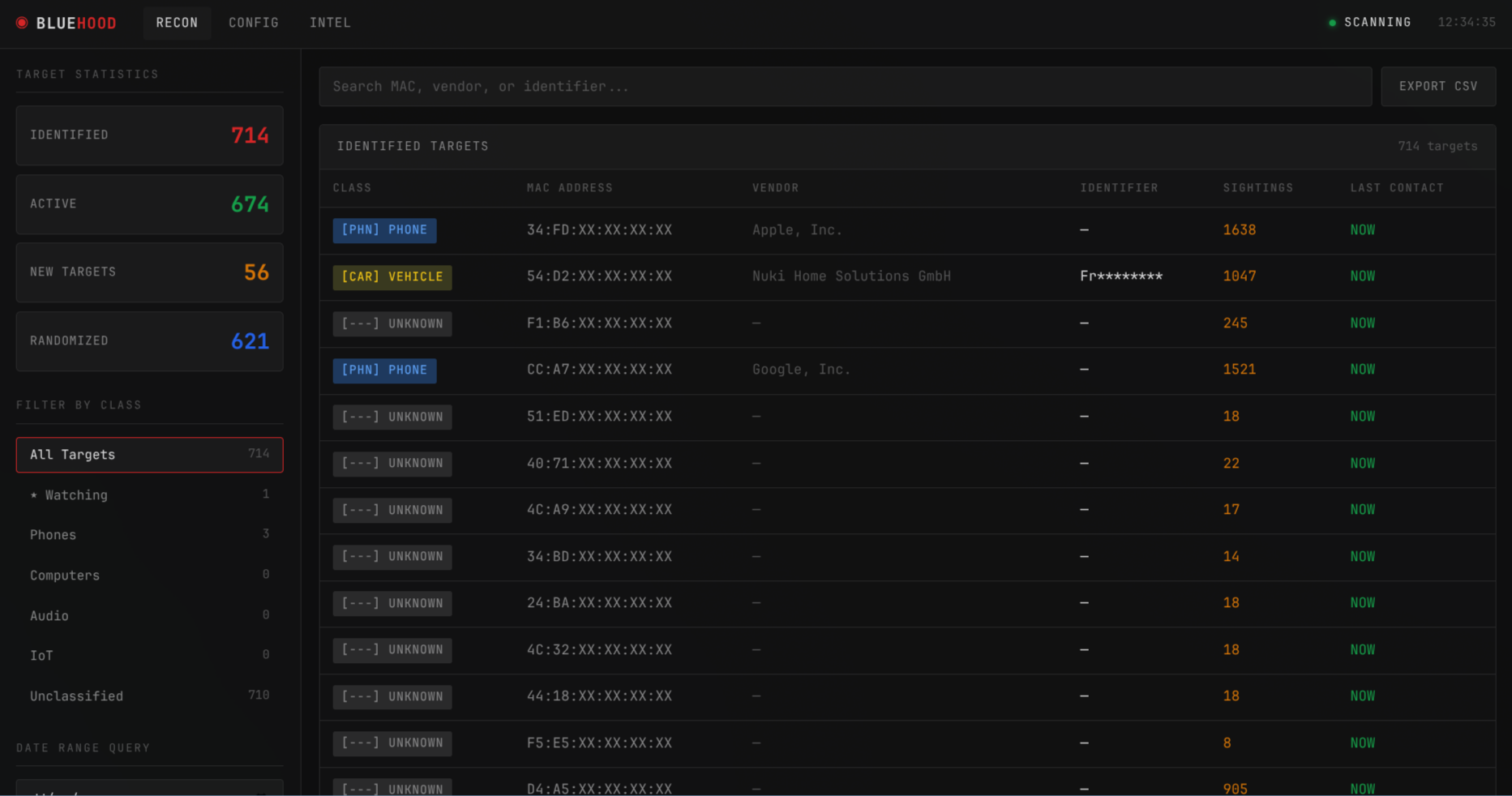 Main dashboard showing device list with filtering, search, and real-time statistics
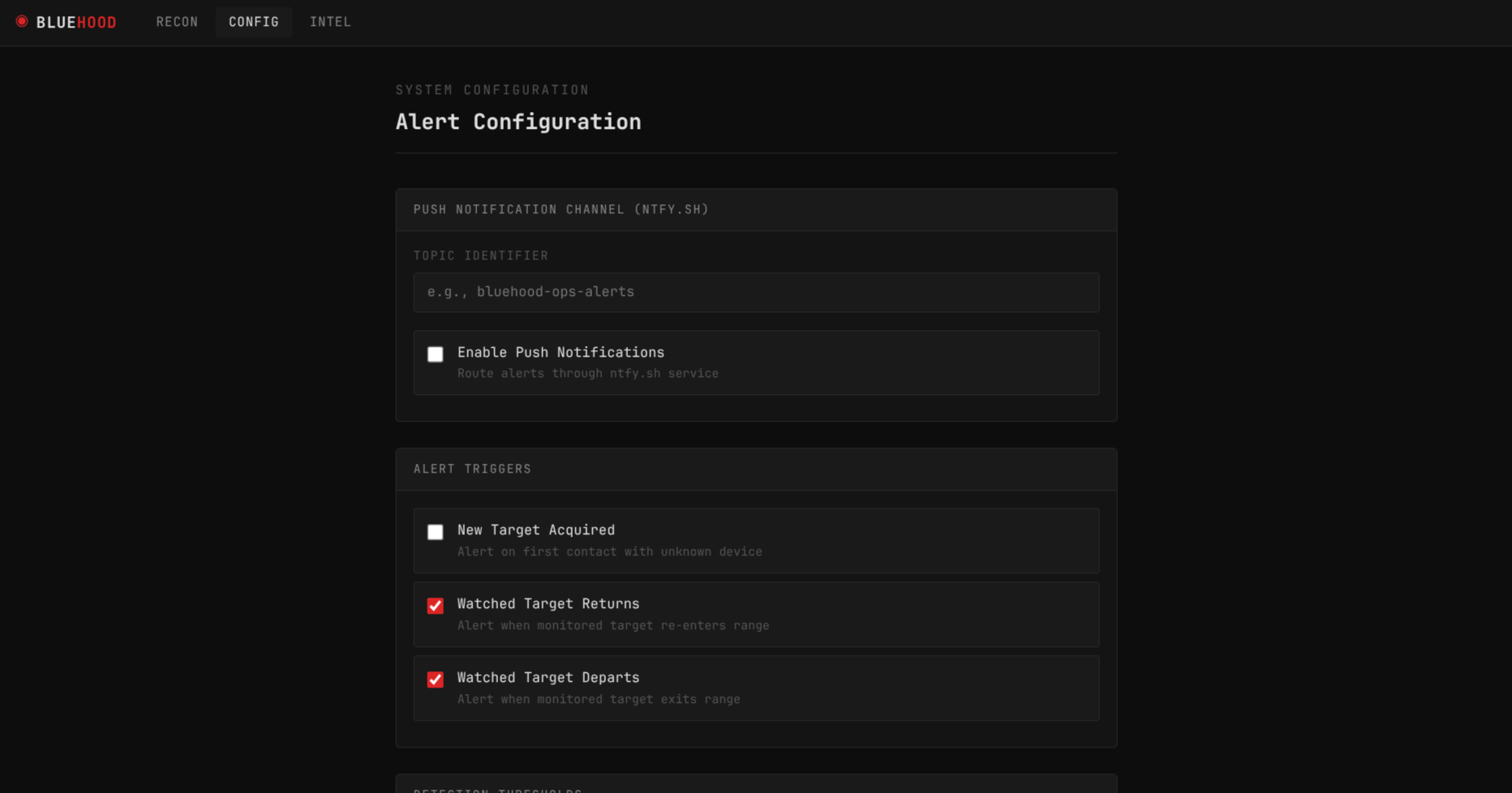 Tabbed configuration page — Alerts, Operations, Groups, and Security
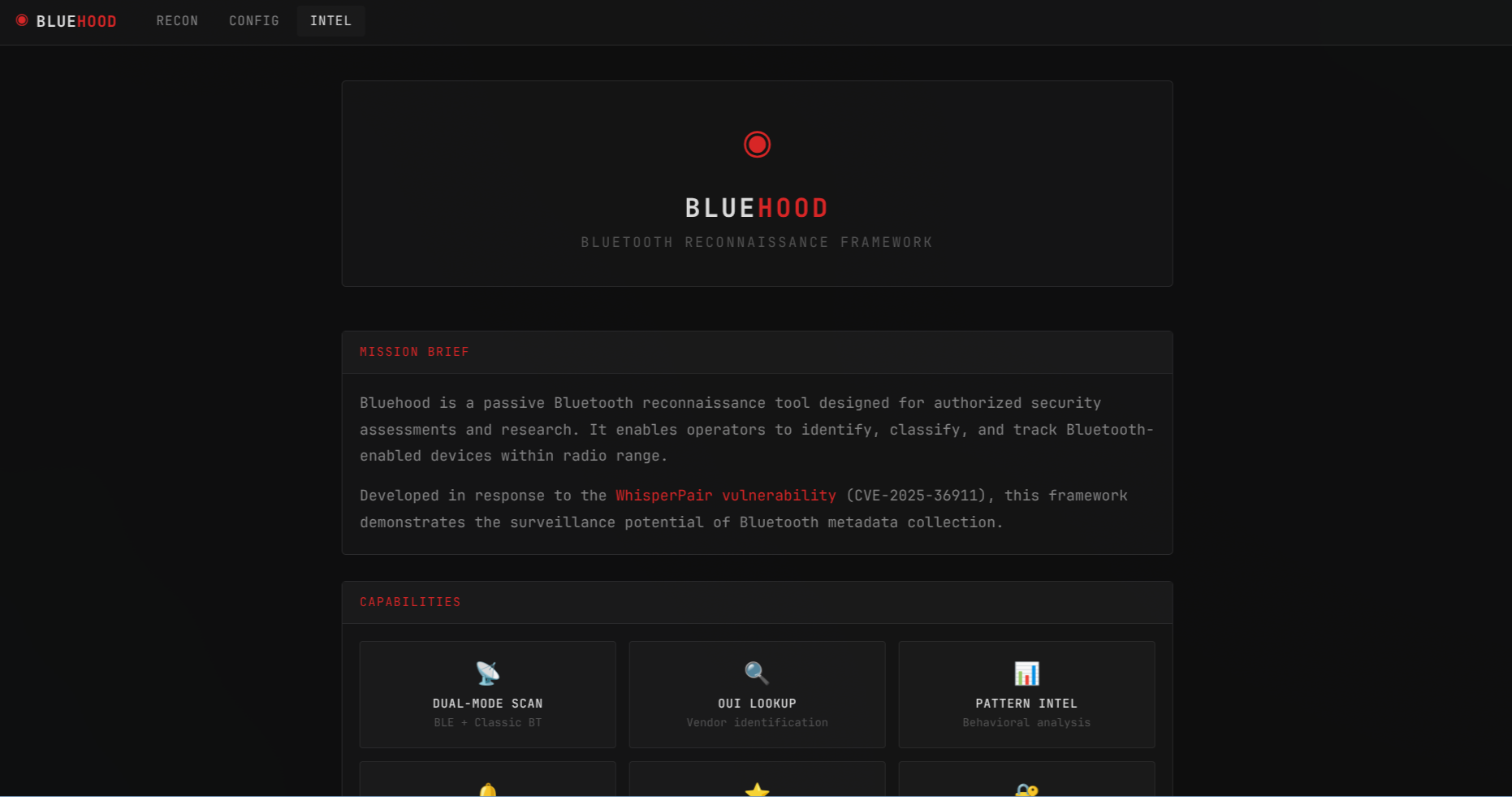 Intel page with project information and capabilities overview
Why?
This project was inspired by the WhisperPair vulnerability (CVE-2025-36911), which highlighted privacy risks in Bluetooth devices.
Thousands of Bluetooth devices surround us at all times: phones, cars, TVs, headphones, hearing aids, delivery vehicles, and more. Bluehood demonstrates how simple it is to passively detect these devices and observe patterns in their presence.
With enough data, you could potentially:
- Understand what time someone typically walks their dog
- Detect when a visitor arrives at a house
- Identify patterns in daily routines based on device presence
This metadata can reveal surprisingly personal information without any active interaction with the devices.
Bluehood is an educational tool to raise awareness about Bluetooth privacy. It's a weekend project, but the implications are worth thinking about.
What?
Bluehood is a Bluetooth scanner that:
- Continuously scans for nearby Bluetooth devices (both BLE and Classic)
- Identifies devices by vendor (MAC address lookup) and BLE service UUIDs
- Classifies devices into categories (phones, audio, wearables, IoT, vehicles, etc.)
- Tracks presence patterns over time with hourly/daily heatmaps
- Filters out noise from randomized MAC addresses (privacy-rotated devices)
- Analyzes device correlations to find devices that appear together
- Sends push notifications when watched devices arrive or leave
- Provides a web dashboard for monitoring and analysis
Features
Scanning
- Dual-mode scanning: Bluetooth Low Energy (BLE) and Classic Bluetooth
- MAC address vendor lookup (local database + online API fallback)
- BLE service UUID fingerprinting for accurate device classification
- Classic Bluetooth device class parsing
- Randomized MAC filtering (hidden from main view)
Device Management
- Mark devices as "Watched" for tracking personal devices
- Organize devices into custom groups
- Give devices a custom name (the advertised name stays visible alongside it)
- Override the detected classification of any device
- Add custom notes/tags to any device
- Device type detection (phones, audio, wearables, IoT, vehicles, etc.)
Analytics
- 30-day presence timeline visualization
- Signal strength (RSSI) history chart with 7-day data
- Hourly and daily activity heatmaps showing when devices are active
- Pattern analysis ("Weekdays, evenings 5PM-9PM")
- Dwell time analysis showing total time devices spend in range
- Device correlation detection to find devices that appear together (co-presence plus synchronized arrival/departure)
- MAC-rotation linkage ("Likely same device") — heuristically links randomized identifiers that hand off in time, share a similar signal strength, and ping at a similar cadence
- Proximity zones (immediate, near, far, remote) based on signal strength
- Search by MAC, vendor, or name
- Date range search for historical queries
Notifications (via ntfy)
- Push notifications to your phone/desktop through ntfy.sh or a self-hosted ntfy server
- Notify when new devices are detected
- Notify when watched devices return
- Notify when watched devices leave
- Configurable thresholds for arrival/departure
Operations
- Heartbeat check-in — periodically POST status to an uptime monitoring service (e.g., Uptime Kuma, Healthchecks.io)
- Storage rotation — automatically prune sightings older than a configurable number of days; optionally restrict pruning to whole stale devices seen fewer than a minimum number of times (watched devices are never pruned)
- Both configurable from the web UI or via environment variables
Web Interface
- Compact/Detailed view toggle for different display preferences
- Screenshot mode to obfuscate MACs and names for safe sharing
- Keyboard shortcuts for power users (press
? to view)
- CSV export of detailed device data (MAC, vendor, identifier, type, BT type, device class, watched/ignored flags, first/last seen, sightings, group, service UUIDs, and notes) — exports the whole filtered set, not just the current page
- Device groups for organizing related devices
- Optional authentication to secure access
How?
Quick Start with Docker (Recommended)
Prerequisites — Linux hosts only
Bluehood communicates with your Bluetooth adapter via BlueZ, the Linux Bluetooth stack. BlueZ must be installed and running on the host before starting the container — the Docker image itself does not include it.
# Debian / Ubuntu (including Ubuntu Server)
sudo apt install bluez
sudo systemctl enable --now bluetooth

# Arch Linux
sudo pacman -S bluez bluez-utils
sudo systemctl enable --now bluetooth
Without BlueZ on the host you'll see an error like:
BLE scan error: [org.freedesktop.DBus.Error.ServiceUnknown] The name org.bluez was not provided by any .service files
# Create a docker-compose.yml or download the one from this repo
# Then start with Docker Compose
docker compose up -d

# View logs
docker compose logs -f
The Docker image is available on GitHub Container Registry:
ghcr.io/dannymcc/bluehood:latest
The web dashboard will be available at http://localhost:8080
Docker Requirements
- Docker and Docker Compose
- Linux host with a BLE-capable Bluetooth adapter (Bluetooth 4.0+) that supports the Central role
- BlueZ installed and running on the host (
sudo apt install bluez && sudo systemctl enable --now bluetooth)
Note: Older adapters (Bluetooth 2.x/3.x) do not support BLE scanning. If your adapter lacks BLE Central role support, you will see: No Bluetooth adapters with BLE 'central' role found.
Note: Docker runs in privileged mode with host networking for Bluetooth access. This is required for BLE scanning.
Docker Environment Variables