 daem0nc0re/sharpwnfsuite
C# Utilities for Windows Notification Facility

This is the repository for Windows Notification Facility (WNF) tools. Currently, a C# port of the tools in wnfun developed by Alex Ionescu (@aionescu) and Gabrielle Viala (@pwissenlit) has been uploaded. When I develop additional tools for Windows Notification Facility, they will be uploaded here.
This tool dumps or manipulate information about WNF State Names. Equivalent to wnfdump.exe and WnfDump.py. I made some updates from the original tool (Exception Handling, Well-Known State Name and new WNF_DATA_SCOPE member).
To retrieve information of all Well-Known, Permanent and Persistent WNF State Names on your host, execute with -d (--dump) flag:
PS C:\Dev> .\SharpWnfDump.exe -d

| WNF State Name [WellKnown Lifetime]                             | S | L | P | AC | N | CurSize | MaxSize | Changes |
----------------------------------------------------------------------------------------------------------------------
| WNF_WEBA_CTAP_DEVICE_STATE                                      | S | W | N | RW | I |       0 |      12 |       0 |
| WNF_WEBA_CTAP_DEVICE_CHANGE_NOTIFY                              | S | W | N | RW | I |       0 |       4 |       0 |
| WNF_PNPA_DEVNODES_CHANGED                                       | S | W | N | RO | U |       0 |       0 |      11 |

--snip--
To show only state name used in system, set -u (--used) flag.
This flag can be applied to -d and -b option:
PS C:\Dev> .\SharpWnfDump.exe -d -u

| WNF State Name [WellKnown Lifetime]                             | S | L | P | AC | N | CurSize | MaxSize | Changes |
----------------------------------------------------------------------------------------------------------------------
| WNF_PNPA_DEVNODES_CHANGED                                       | S | W | N | RO | U |       0 |       0 |     140 |
| WNF_AUDC_RENDER                                                 | S | W | N | RO | U |    4096 |    4096 |       7 |
| WNF_AUDC_CAPTURE                                                | S | W | N | RO | U |    4096 |    4096 |       1 |
| WNF_AUDC_SPATIAL_STATUS                                         | S | W | N | RO | U |    4096 |    4096 |       3 |

--snip--
If you want to retrieve Security Descripter information, set -s (--sid) flag:
PS C:\Dev> .\SharpWnfDump.exe -d -s

| WNF State Name [WellKnown Lifetime]                             | S | L | P | AC | N | CurSize | MaxSize | Changes |
----------------------------------------------------------------------------------------------------------------------
| WNF_WEBA_CTAP_DEVICE_STATE                                      | S | W | N | RW | I |       0 |      12 |       0 |

        D:(A;;CCDC;;;SY)(A;;CCDC;;;BA)(A;;CCDC;;;S-1-5-80-242729624-280608522-2219052887-3187409060-2225943459)(A;;CC;;;AU)(A;;CC;;;AC)

| WNF_WEBA_CTAP_DEVICE_CHANGE_NOTIFY                              | S | W | N | RW | I |       0 |       4 |       0 |

        D:(A;;CCDC;;;SY)(A;;CCDC;;;BA)(A;;CCDC;;;S-1-5-80-242729624-280608522-2219052887-3187409060-2225943459)(A;;CC;;;AU)(A;;CC;;;AC)

| WNF_PNPA_DEVNODES_CHANGED                                       | S | W | N | RO | U |       0 |       0 |      11 |

        D:(A;;CC;;;BU)(A;;CCDC;;;SY)

--snip--
If you want to retrieve buffer data, set -v (--value) or -r (--read) flag.
These flags can be used with -s flag:
PS C:\Dev> .\SharpWnfDump.exe -d -v

| WNF State Name [WellKnown Lifetime]                             | S | L | P | AC | N | CurSize | MaxSize | Changes |
----------------------------------------------------------------------------------------------------------------------
| WNF_WEBA_CTAP_DEVICE_STATE                                      | S | W | N | RW | I |       0 |      12 |       0 |
| WNF_WEBA_CTAP_DEVICE_CHANGE_NOTIFY                              | S | W | N | RW | I |       0 |       4 |       0 |

--snip--

| WNF_AUDC_RENDER                                                 | S | W | N | RO | U |    4096 |    4096 |       1 |

                   00 01 02 03 04 05 06 07 08 09 0A 0B 0C 0D 0E 0F

        00000000 | 01 00 00 00 00 00 00 00-00 00 00 00 00 00 00 00 | ........ ........
        00000010 | 00 00 00 00 00 00 00 00-00 00 00 00 00 00 00 00 | ........ ........
        00000020 | 00 00 00 00 00 00 00 00-00 00 00 00 00 00 00 00 | ........ ........

--snip--
To retrieve information of all Temporary WNF State Names on your host, execute with -b (--brut) flag:
PS C:\Dev> .\SharpWnfDump.exe -b

| WNF State Name [System Scope]                                   | S | L | P | AC | N | CurSize | MaxSize | Changes |
----------------------------------------------------------------------------------------------------------------------
| 0x41C64E6DA3AC3845                                              | S | T | N | RW | A |       8 |       ? |       1 |
| 0x41C64E6DA3AC4845                                              | S | T | N | RW | A |       8 |       ? |       1 |
| 0x41C64E6DA3AC6845                                              | S | T | N | RW | A |       8 |       ? |       1 |

--snip--
The -b (--brut) flag can be used with -v (--value) or -r (--read) flag, but cannot be used with -s (--sid) flag.
The meaning of each column in the table obtained from the results of --dump or --brut option is as follows:
| Column Name | Description |
|---|---|
WNF State Name | WNF State Names are outputted here |
S | Data scope for WNF State Name. The meanings of the alphabets displayed are as follows: + S : System Scope+ s : Session Scope+ U : User Scope+ P : Process Scope+ M : Machine Scope+ p : Physical Machine Scope |
L | Lifetime for WNF State Name. The meanings of the alphabets displayed are as follows: + W : Well-Known+ P : Permanent+ V : Persistent (Volatile)+ T : Temporary |
P | Displays if the WNF State Name is permanent: + Y : Yes+ N : No |
AC | Access control for the WNF State Name: + RW : Readable and Writable+ RO : Read-Only+ WO : Write-Only+ NA : Not Readable and Writable |
N | Displays subscriber existence: + A : Subscriber exists+ I : No subscriber exists+ U : Unknown |
CurSize | The number means current buffer size used for the WNF State Name. |
MaxSize | The number means maximum buffer size can be used for the WNF State Name. |
Changes | The number means how many times updated. |
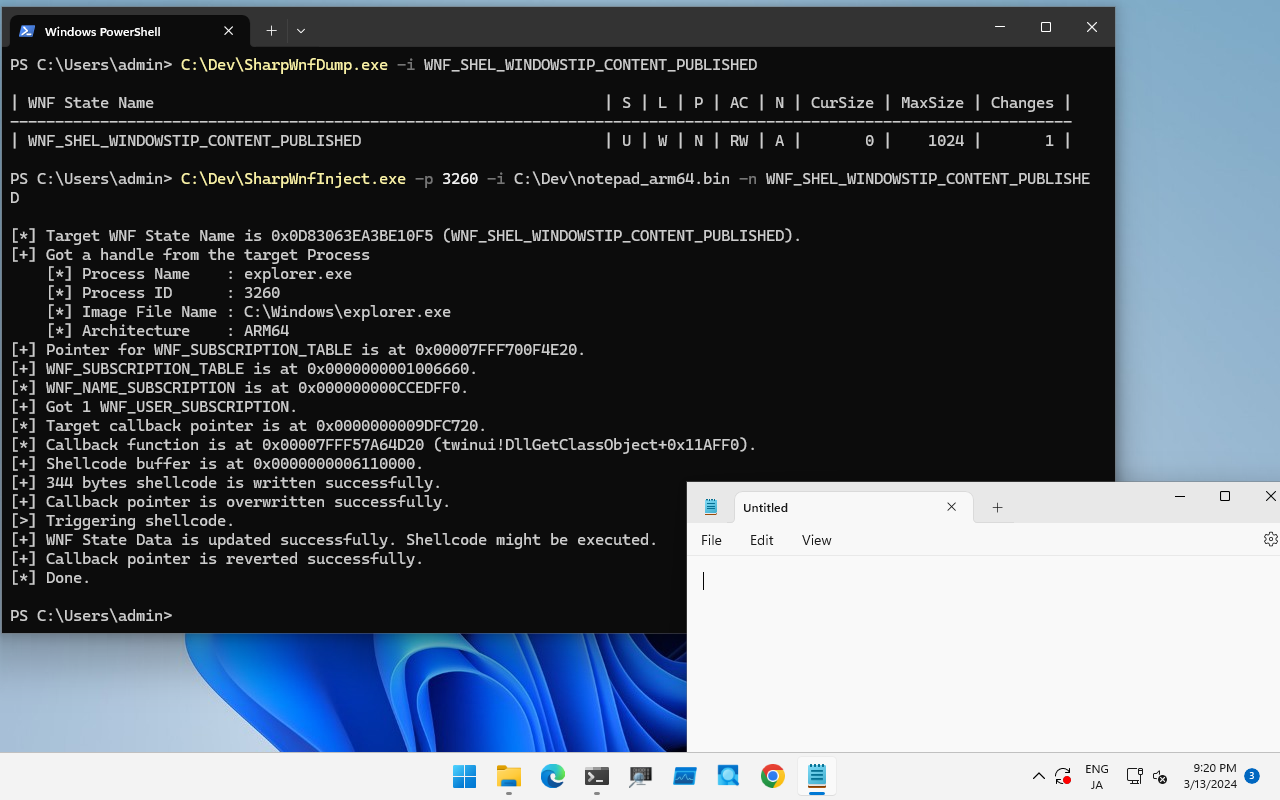
If you want to retrieve information about a specific WNF State Name, execute SharpWnfDump.exe with -i (--info) option as follows:
PS C:\Dev> .\SharpWnfDump.exe -i WNF_SHEL_APPRESOLVER_SCAN
