
 d3mondev/puredns
High-speed DNS resolver and subdomain bruteforcer with accurate wildcard filtering and DNS poisoning validation for precise reconnaissance.





Fast domain resolver and subdomain bruteforcing with accurate wildcard filtering
Getting Started »
Usage
·
How it works
·
Sponsorship
·
FAQ
puredns is a fast domain resolver and subdomain bruteforcing tool that can accurately filter out wildcard subdomains and DNS poisoned entries.
It uses massdns, a powerful stub DNS resolver, to perform bulk lookups. With the proper bandwidth and a good list of public resolvers, it can resolve millions of queries in just a few minutes. Unfortunately, the results from massdns are only as good as the answers provided by the public resolvers. The results are often polluted by wrong DNS answers and false positives from wildcard subdomains.
puredns solves this with its wildcard detection algorithm. It can filter out wildcards based on the DNS answers obtained from a set of trusted resolvers. It also attempts to work around DNS poisoning by validating the answers obtained using those trusted resolvers.
Think this is useful? ⭐ Star us on GitHub — it helps!

|
If my work is earning you money, consider becoming a sponsor! You can earn some unique perks! It would also mean A WHOLE LOT ❤️ as it would allow me to continue working for free for the community. But no matter what you do, rest assured that my software will remain free and open-source for you to use. |
Puredns requires massdns on the host machine. If the path to the massdns binary is present in the PATH environment variable, puredns will work out of the box. A good place to copy the massdns executable is /usr/local/bin on most systems. Otherwise, you will need to specify the path to the massdns binary file using the --bin command-line argument.
The following should work on most Debian based systems. Follow the official instructions for more information.
git clone https://github.com/blechschmidt/massdns.git
cd massdns
make
sudo make install
You need to obtain a list of public DNS servers in order to use puredns. Refer to the FAQ to learn how to curate your own list of working servers.
You can download a binary release.
Alternatively, you can compile the latest version easily. First make sure that Go is installed on your system - the last two major releases of Go are supported. Refer to the official Go installation page for installation instructions. Then run the following command:
go install github.com/d3mondev/puredns/v2@latest
Make sure to view the complete list of available commands and options using puredns --help.
If a resolvers.txt file exists in the current working directory, puredns will default to using it. Otherwise, if either ~/.config/puredns/resolvers.txt or ~/.config/puredns/resolvers-trusted.txt files are present, puredns will automatically utilize them as resolvers. If none of these options are available, specify the resolvers to use with the --resolvers and --resolvers-trusted arguments.
Specifying trusted resolvers is optional. By default, puredns will simply use 8.8.8.8 and 8.8.4.4.
Here's how to bruteforce a massive list of subdomains using a wordlist named all.txt:
puredns bruteforce all.txt domain.com
You can also bruteforce multiple domains at once with the -d option to load a text file containing domains instead of specifying a single domain as an argument:
puredns bruteforce all.txt -d domains.txt
You can also resolve a list of domains contained in a text file (one per line).
puredns resolve domains.txt
You can pass the list of domains to resolve through stdin:
cat domains.txt | puredns resolve
Or a list of words to use for bruteforcing:
cat wordlist.txt | puredns bruteforce domain.com
You can also add the -q switch to output only the domains found to pipe to other tools:
cat domains.txt | puredns resolve -q | httprobe
You can save the following information to files to reuse it in your workflows:
puredns resolve domains.txt --write valid_domains.txt \
                            --write-wildcards wildcards.txt \
                            --write-massdns massdns.txt
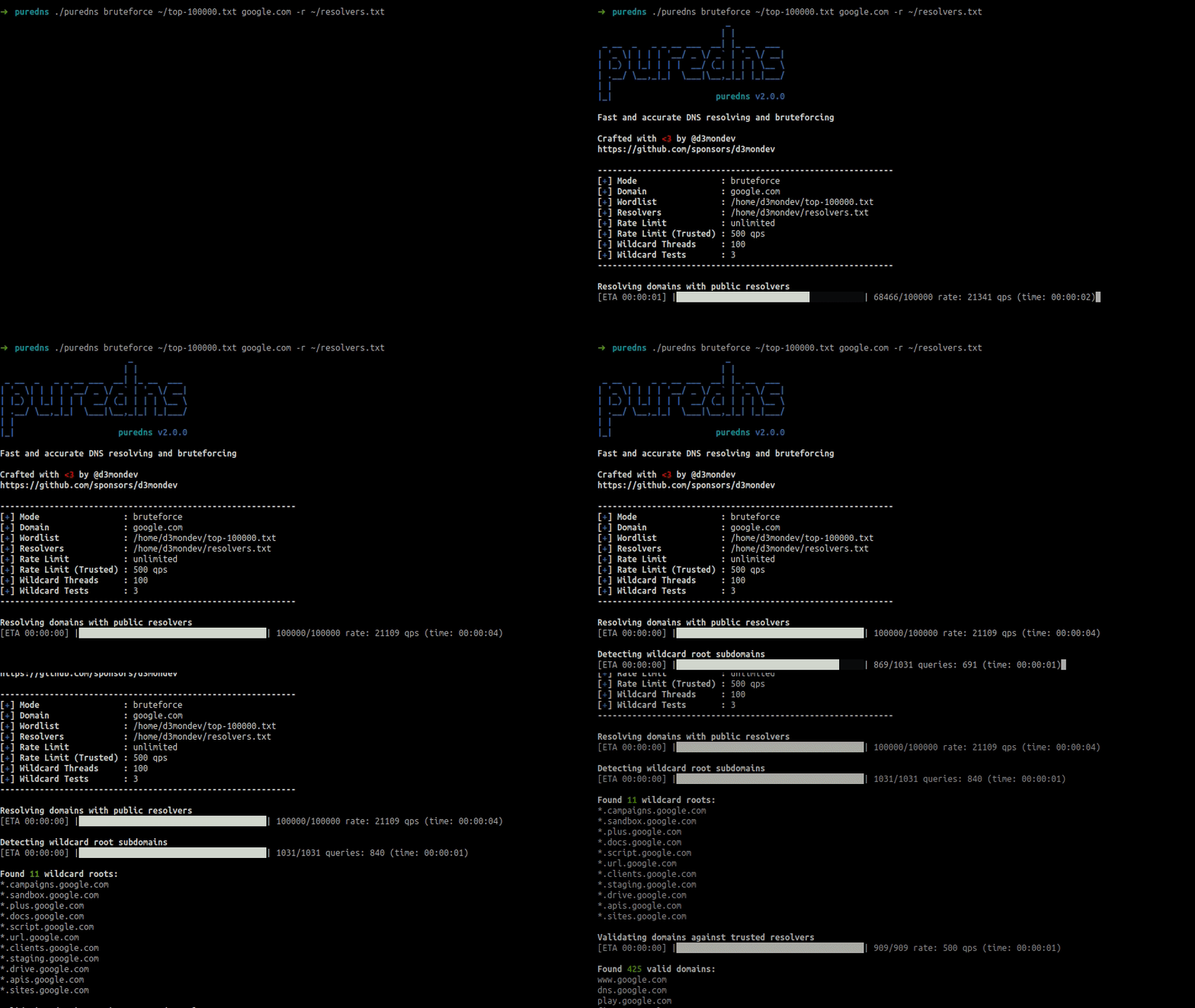
You can see puredns in action against the domain google.com using a small wordlist of the 100k most common subdomains in the image above.
As part of its workflow, puredns performs three steps automatically:
Using massdns, puredns will perform a mass resolve of all the domains and subdomains. It feeds the data to massdns through stdin, which allows it to throttle the number of queries per second if needed and perform basic sanitization on the list of domains generated.
