Skip to content
KitploitKITPLOIT
ToolsBlog
Submit
ToolsBlog
Submit

Hacking, PenTest, and Cybersecurity Tools for Your Security Arsenal!

Kitploit is a directory of hacking, cybersecurity, and pentesting tools. Discover the latest project updates to find vulnerabilities, analyze systems, automate testing, and strengthen your security.

··Feeds·Contact·Privacy·© 2026 Kitploit

Tool Directory

Categories

View all categories
Loading categories
Windows-PE-Packer — 🗜️ A packer for Windows x86 executable files written in C and Intel x86 Assembly. The new file after packing can obstruct reverse engineering(使用C和Intel x86汇编开发的Windows x86可执行文件打包工具,打包后的新文件可以阻碍逆向工程) | Kitploit
Tools/GitHubGitHub/czs108/windows-pe-packer
Payload GenerationExploitationReverse EngineeringBinary Analysis
GitHubczs108/windows-pe-packer

Windows-PE-Packer

🗜️ A packer for Windows x86 executable files written in C and Intel x86 Assembly. The new file after packing can obstruct reverse engineering(使用C和Intel x86汇编开发的Windows x86可执行文件打包工具,打包后的新文件可以阻碍逆向工程)

View Repository
365551 year agoReviewed by Kitploit

Most Popular

View all →

Discover the most used tools by our community.

Explore all tools

Browse our collection of tools

View all tools →
Share

Windows PE Packer

C MASM CMake Windows License

Languages

  • English
  • 简体中文

Introduction

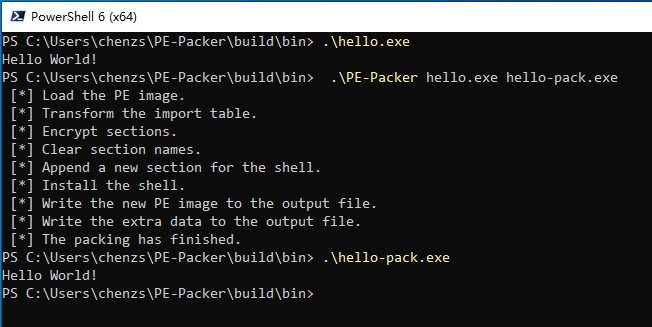
test-helloworld

PE-Packer is a simple packer for Windows PE files. The new PE file after packing can obstruct the process of reverse engineering.

It will do the following things when packing a PE file:

  • Transforming the original import table.
  • Encrypting sections.
  • Clearing section names.
  • Installing the shell-entry.

When running a packed PE file, the shell-entry will decrypt and load the original program as follows:

  • Decrypting sections.
  • Initializing the original import table.
  • Relocation.

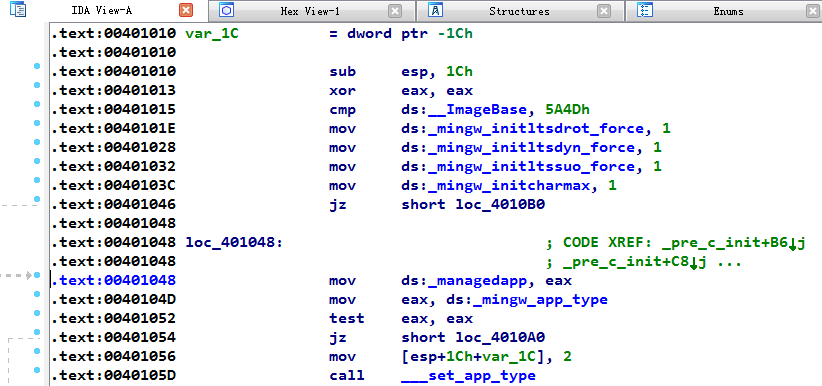
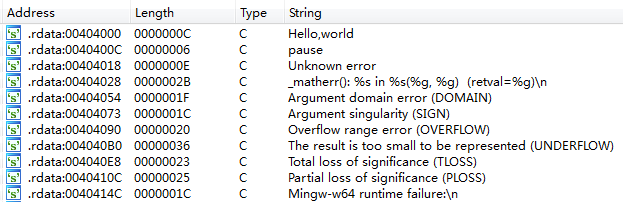
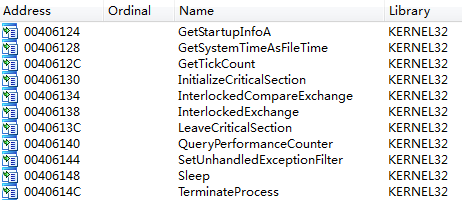
Before packing, using some disassembly tools can disassemble the executable file to analyze the code, such as IDA Pro.

  • Disassembling the code.

    code

  • Searching constant strings.

    string

  • Analyzing the import table.

    import-table

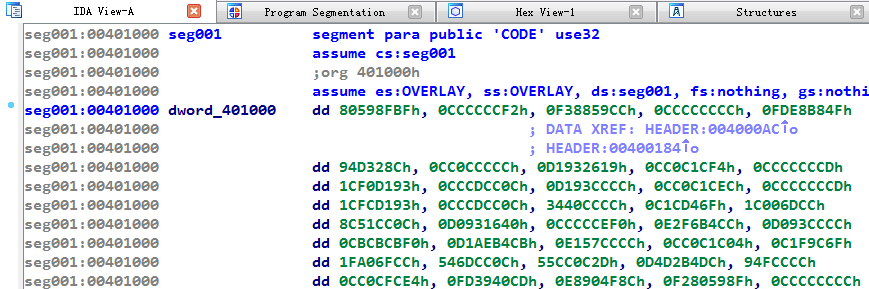
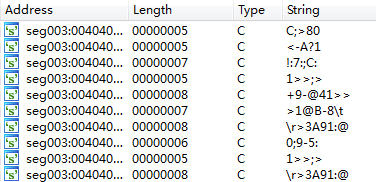
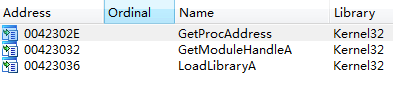
After packing, the reverse analysis will be obstructed.

  • Disassembling the code.

    packed-code

  • Searching constant strings.

    packed-string

  • Analyzing the import table.

    packed-import-table

Warning

This project is just a demo for beginners to study Windows PE Format and Assembly Language. It still has some compatibility problems and bugs that cannot be used in practice.

Getting Started

Prerequisites

The project must configure on/for Windows 32-bit and can only process 32-bit .exe programs now.

  • Install MASM32.
  • Install MinGW-w64, select i686 architecture.
  • Install CMake.
  • Set the PATH environment variables of these three tools.

Building

root@kitploit:~
mkdir -p build
cd build
cmake .. -D CMAKE_C_COMPILER=gcc -G "MinGW Makefiles"
cmake --build .

Or run the build.ps1 file directly:

root@kitploit:~
PS> .\build.ps1

Usage

To pack a program, you must specify its input name and the output name.

root@kitploit:~
PE-Packer <input-file> <output-file>

For example:

root@kitploit:~
PE-Packer hello.exe hello-pack.exe

Documents

You can use Doxygen to generate the document.

References

  • 《加密与解密(第3版)》段钢
  • PE Format - Windows Dev Center

License

Distributed under the MIT License. See LICENSE for more information.

Download Tool