 cybsecsid/thingsboard-iot-platform-cve-2024-55466
Proof-of-concept for stored XSS in ThingsBoard IoT platform enabling privilege escalation via authentication token theft. Includes CVE-2024-55466 details, CVSS 8.8, and step-by-step reproduction.

While tinkering with IoT technology, I found vulnerability in the Thingsboard Application that allowed avenues for privilege escalation.
Thingsboard is an open-source application that allows device management, data collection, processing and visulaization for IoT services and deployments. Furthermore, a single Thingsboard instance (managed by a Tenant Administrator) can host services for multiple organizations with separate Company Administrators for each.
While exploring its features, I noticed a file upload functionality in the "Image Gallery" view. Unfortunately, the feature was vulnerable to stored cross-site scripting which allowed an adversary to escalate privileges by leveraging authentication token theft.
This vulnerability impacts all Thingsboard releases, including Community, Cloud, and Professional editions. I responsibly reported the issue to the Thingsboard security team, who acknowledged it and committed to addressed it in a future release. Subsequently, I reported the vulnerability to MITRE, resulting in the assignment of a CVE.
CVSS:4.0/AV:N/AC:L/AT:P/PR:L/UI:A/VC:H/VI:H/VA:H/SC:H/SI:H/SA:HTo demonstrate the vulnerability, one would require an installation of ThingsBoard (Github Repository) with at least one low privileged user.
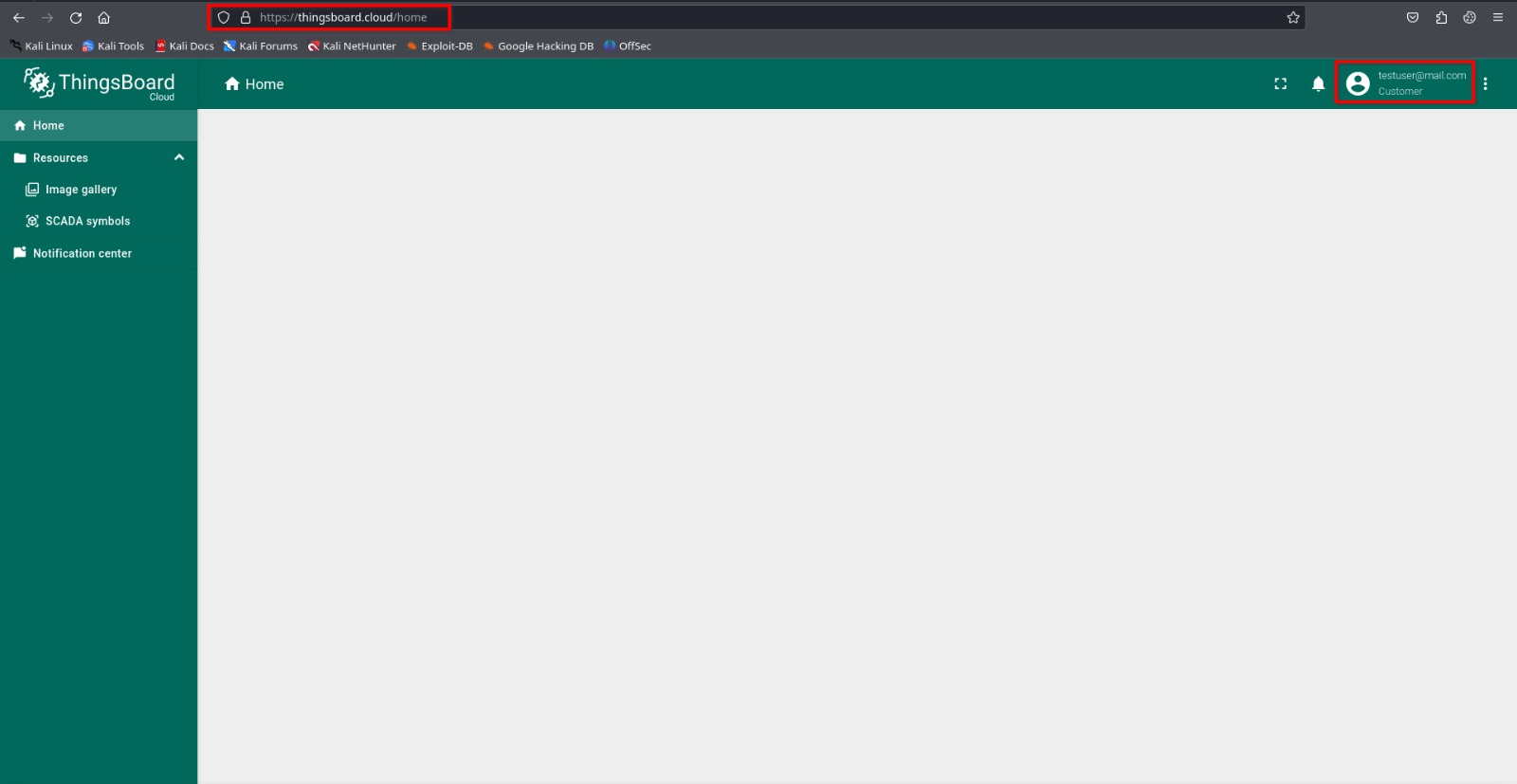
Step 1: Log into a low privileged customer account.
Step 2: Navigate to Resources > Image Gallery
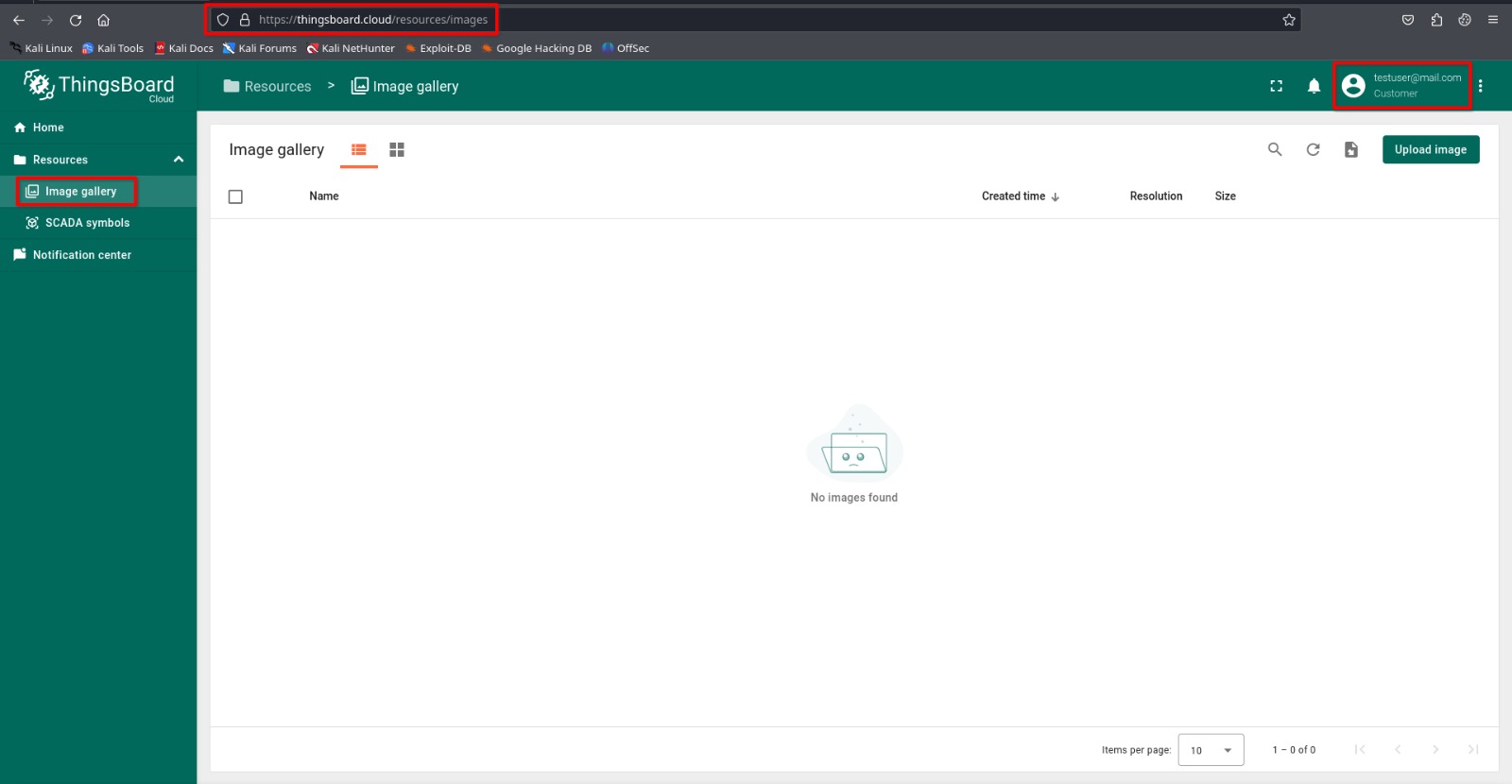
Step 3: Craft a malicious image file (here, a SVG file is used with JavaScript Payload) to exploit the Cross Site Scripting vulnerability.

Step 4: Upload the file and inspect the response to identify the destination file path where the payload was uploaded.
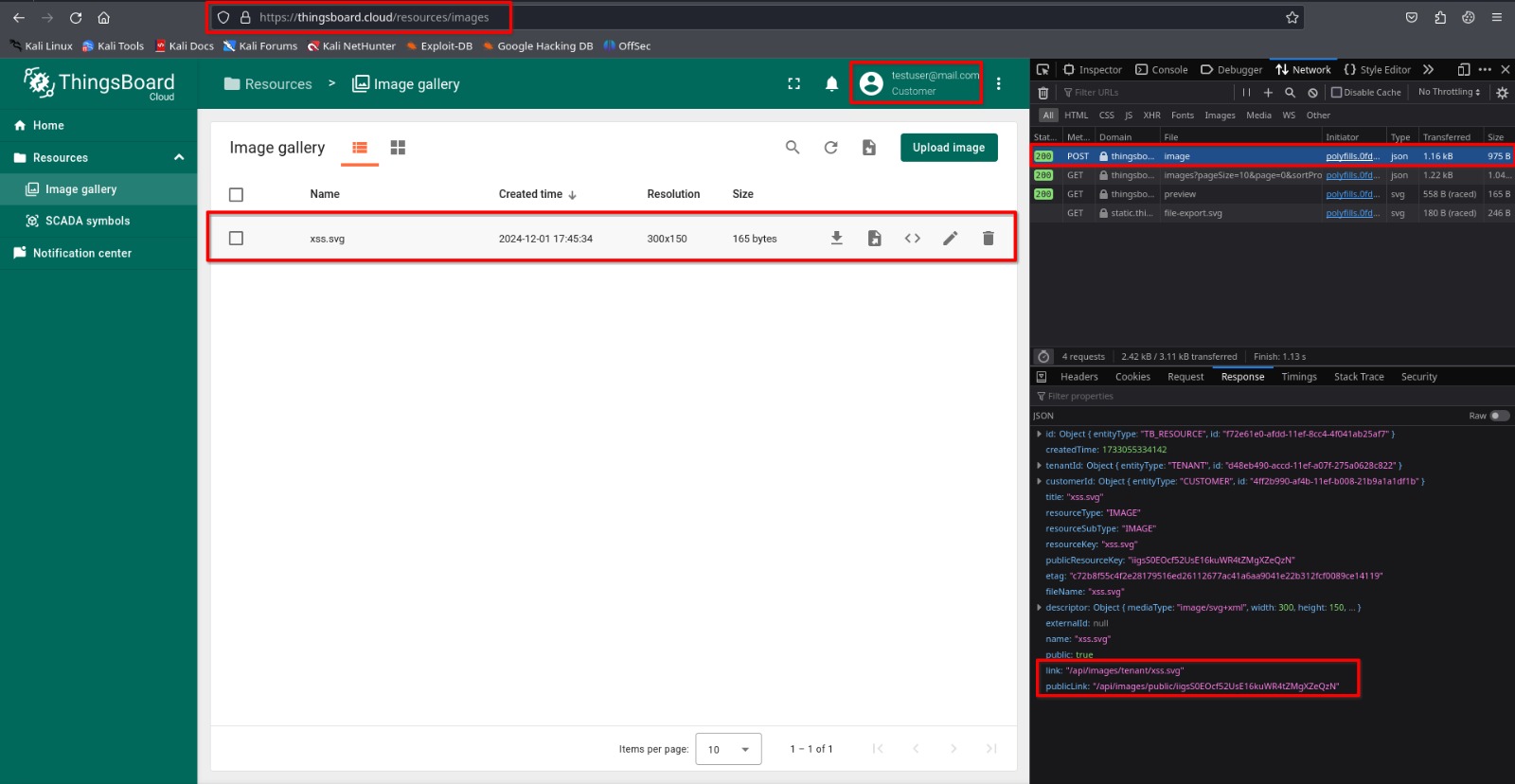
Step 5: Visit the publicLink file path to trigger the payload.
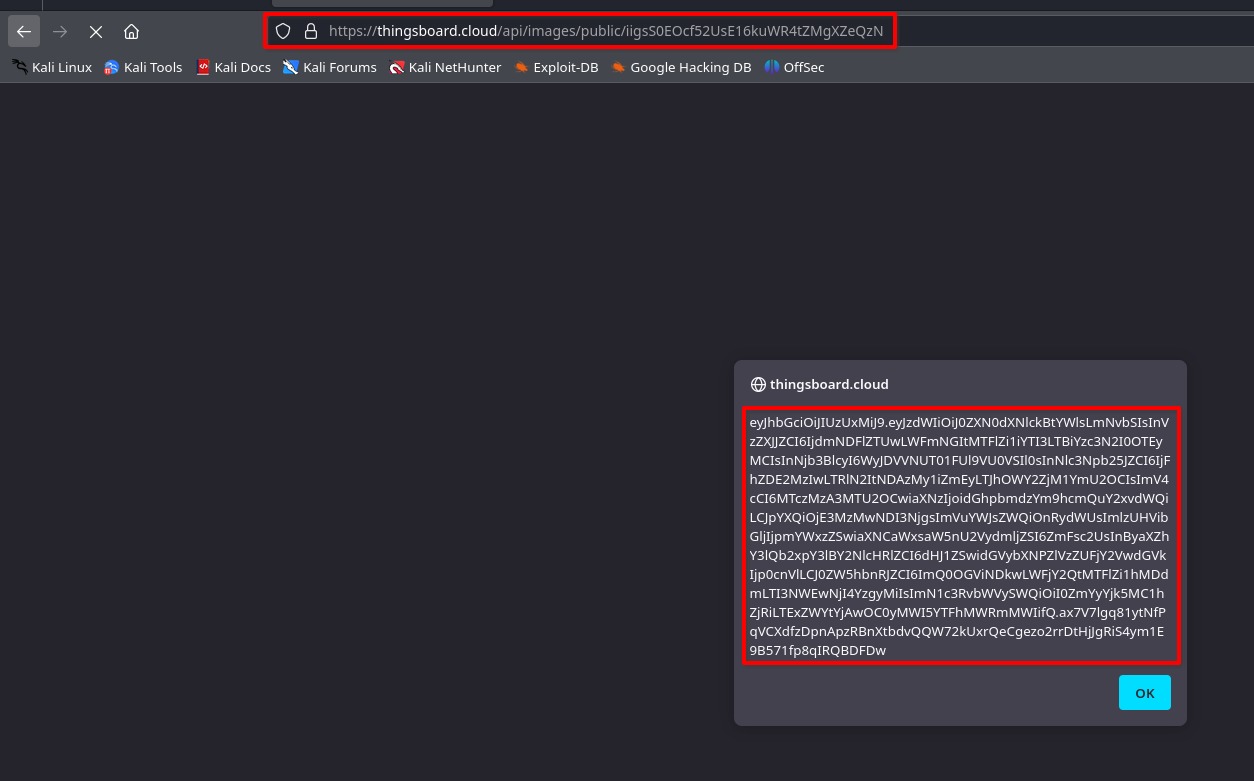
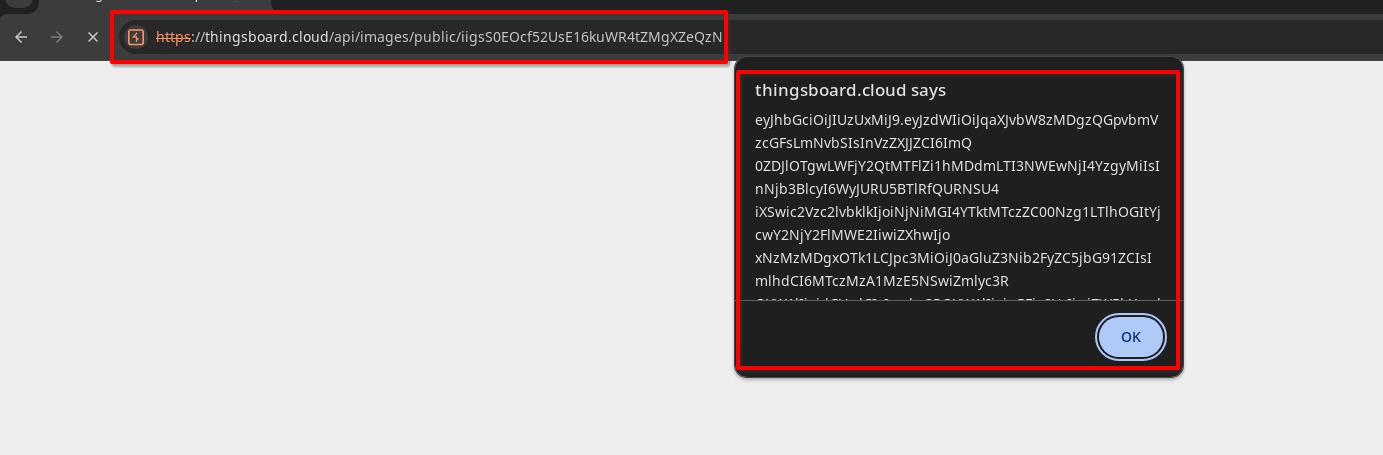
Since, the payload is stored on the legitimate thingsboard instance, an adversary can easily trick high value targets (eg: Tenant Administrator, Company Administrator etc.) to steal authentication tokens.
A demonstration of above mentioned impact:
Step 1: Log into a high value account (here Tenant administrator account is used in chrome browser, to demonstrate isolated enviroment from the firefox browser used above).
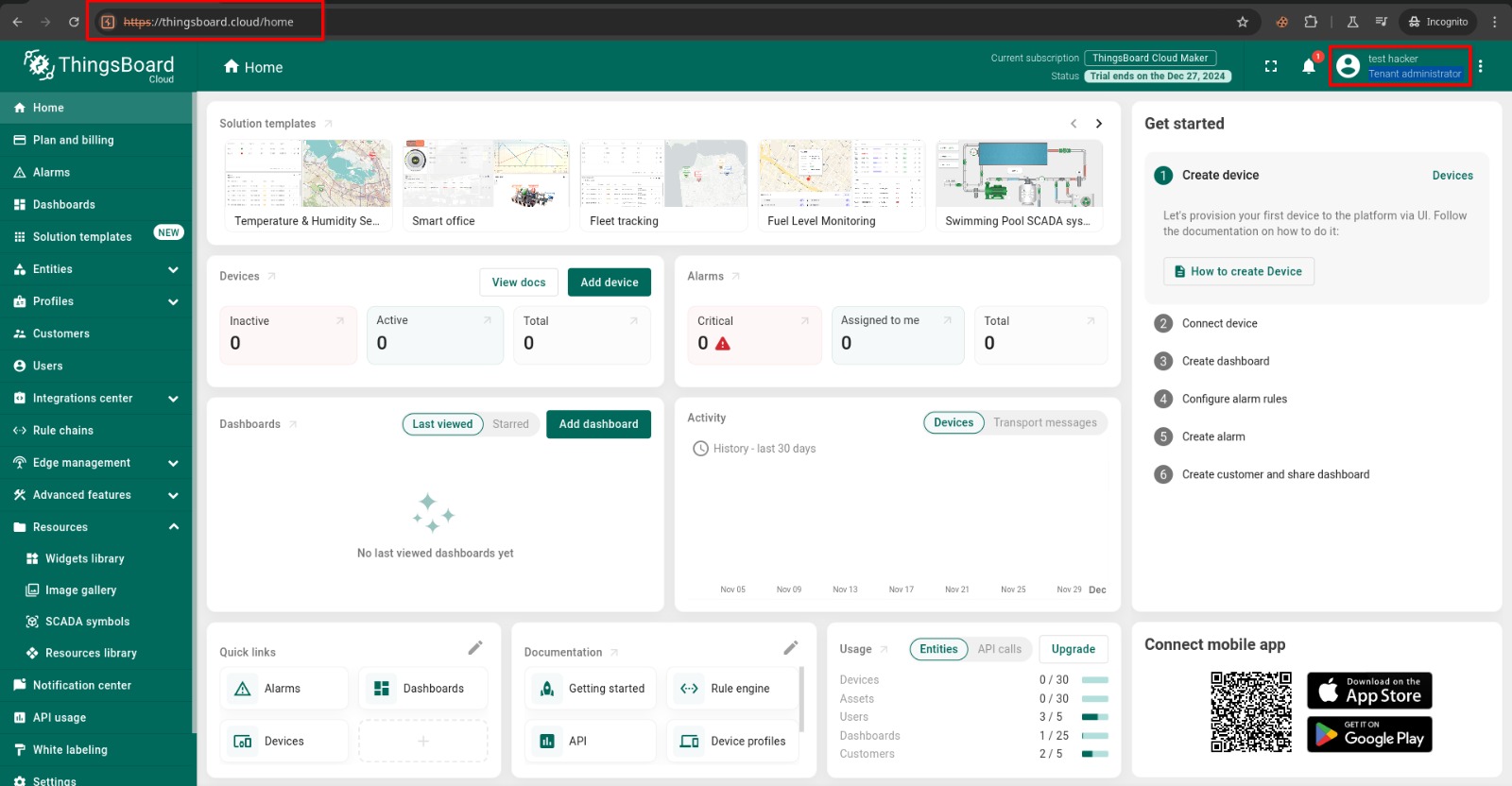
Step 2: Visit the publicLink file path, retrieved earlier.