Vulnerability Management Report
Prepared for: CyberTech Solutions
Prepared by: Victoria Simon
Date: April 10, 2024
1. Executive Summary
This report details the findings from a comprehensive vulnerability assessment conducted on CyberTech Solutions' Linux infrastructure and web applications using Nessus. The assessment included:
- Credentialed scans of Linux servers
- Web application vulnerability scans
- Automated reporting configuration
- Patch management via Ansible
Key findings include critical vulnerabilities in Nginx and outdated OpenSSH versions. Immediate patching and security hardening recommendations are provided.
2. Lab Objectives
- Perform credentialed vulnerability scans on Linux systems.
- Identify and analyze web application vulnerabilities.
- Configure Nessus for automated email reporting.
- Patch vulnerabilities using Ansible.
- Document findings for stakeholder review.
| Tool | Purpose |
|---|
| Nessus | Vulnerability scanning and reporting |
| Ansible | Automated patch management |
| Gmail SMTP | Automated email alerts |
| OpenSSH | Remote server access |
| Nginx | Web application hosting |
4. Methodology
Task 1: Credentialed Scan Configuration
-
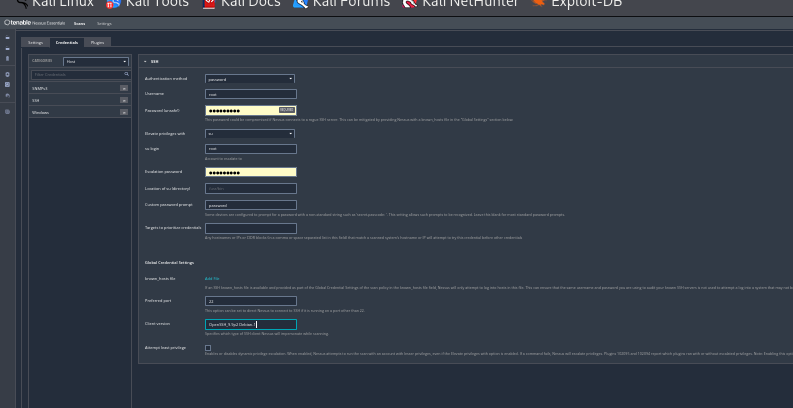
SSH Setup:
- Installed OpenSSH (
sudo apt install openssh-server).
- Configured Nessus with SSH credentials (username:
root, password: kali).
- Enabled privilege escalation via
su.
-
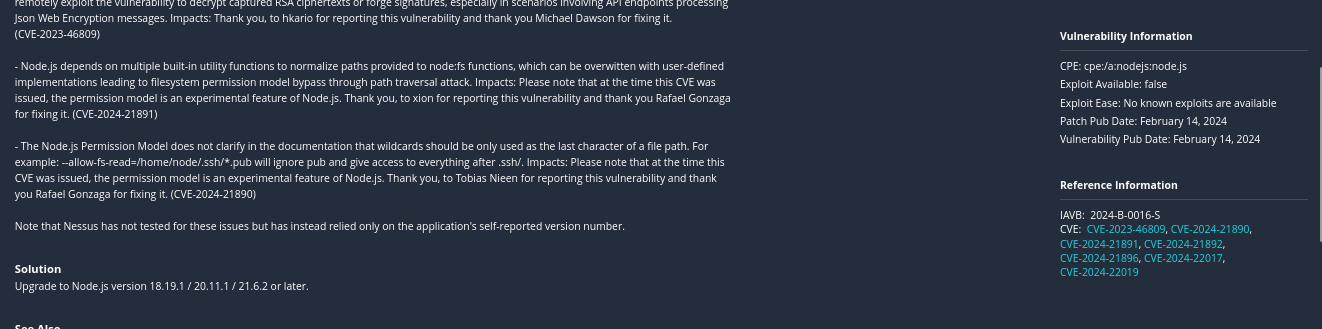
Scan Results:
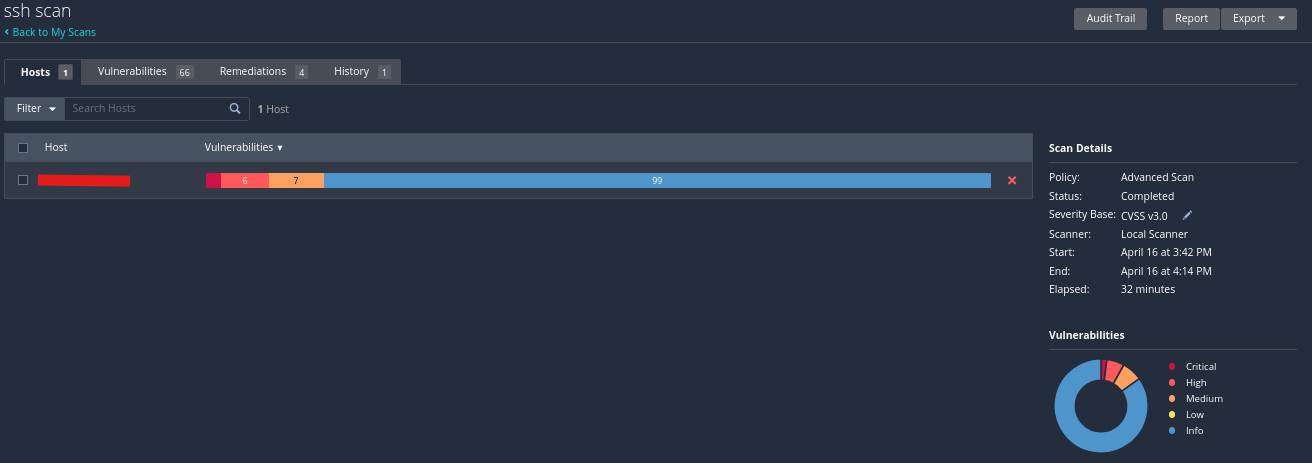
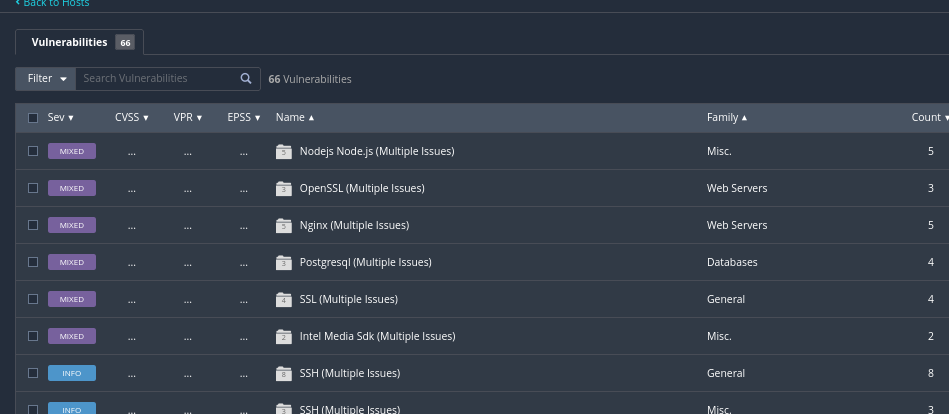
scanned ssh vulnerability score
RECOMMENDATIONS
Following the credentialed scan and vulnerability assessment on the Linux server and hosted
applications, the following remediation steps are recommended to improve the organization’s
security posture:
- System and Software Patching:
• Upgrade OpenSSH to the latest secure version to address known vulnerabilities.
• Apply the latest Linux kernel patches, including urgent updates such as CVE-2022-0185.
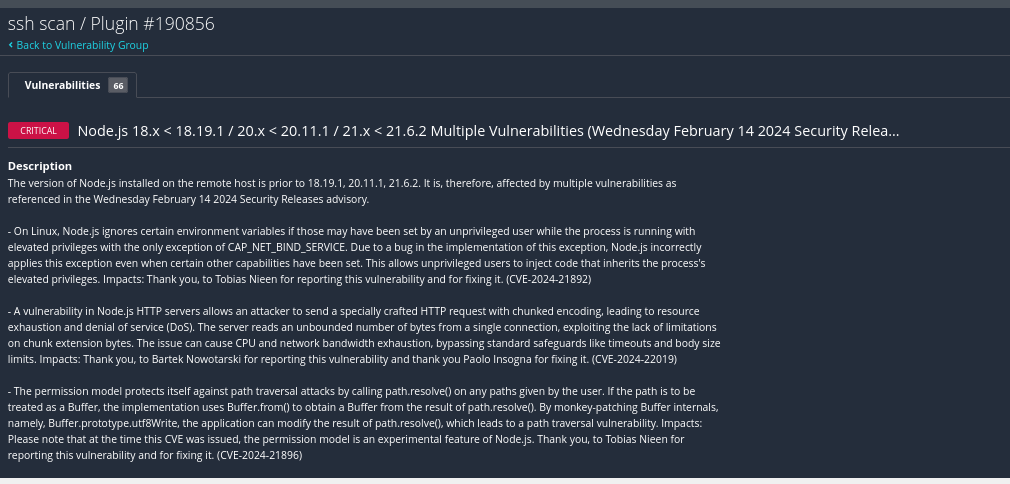
• Upgrade Node.js to version 18.20.1 or later to mitigate risks like request smuggling, insecure randomness, and memory management vulnerabilities (e.g., CVE-2024-27980, CVE-2024-21891, CVE-2024-21892).
• Enable automatic patch updates or integrate with a centralized patch management system to ensure timely application of security fixes.
- SSH Service Hardening
• Disable weak SSH algorithms, ciphers (e.g., CBC, Arcfour), and MACs.
• Enforce key-based authentication and disable password login where possible.
• Configure custom SSH port and restrict SSH access using firewall rules or TCP wrappers.
• Limit access to specific IPs and implement two-factor authentication (2FA) for remote connections.
- User and Access Control
• Disable root login via SSH; use sudo for privilege elevation.
• Remove unused or legacy user accounts and enforce strong password policies.
• Set up account lockout mechanisms to prevent brute-force attacks.
• Audit user groups and privileges to ensure least privilege is enforced.
- Host and Network Hardening
• Disable unnecessary services and close unused ports.
• Use hardening tools like Lynis, OpenSCAP, or CIS Benchmarks to enforce best practices.
• Implement firewall rules to limit network exposure and prevent lateral movement.
- Monitoring, Logging, and Detection
• Enable detailed logging for SSH, sudo, and system events.
• Integrate logs with a SIEM platform for real-time monitoring and alerting.
• Monitor for suspicious behavior and anomalous access patterns.
- Application and Dependency Security
• Run npm audit or yarn audit to scan and fix Node.js dependencies.
• Regularly test applications with dynamic and static analysis tools (DAST/SAST).
• Use a Web Application Firewall (WAF) to block known web-based attacks.
- Backup and Recovery
• Schedule regular backups of configurations and critical data.
• Test disaster recovery and backup restoration procedures periodically.
- Security Awareness and Governance
• Conduct regular security training for system administrators and developers.
• Maintain updated security policies, procedures, and asset documentation.
• Perform periodic vulnerability assessments and penetration tests to stay proactive.
Task 2: Web Application Scan
- Nginx Vulnerabilities:
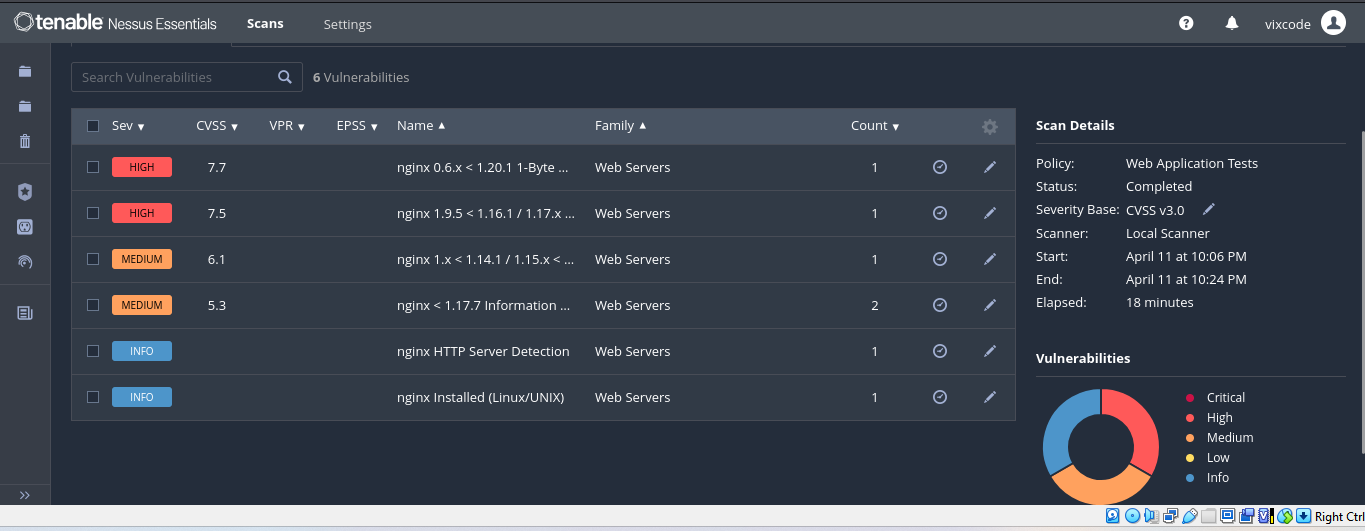
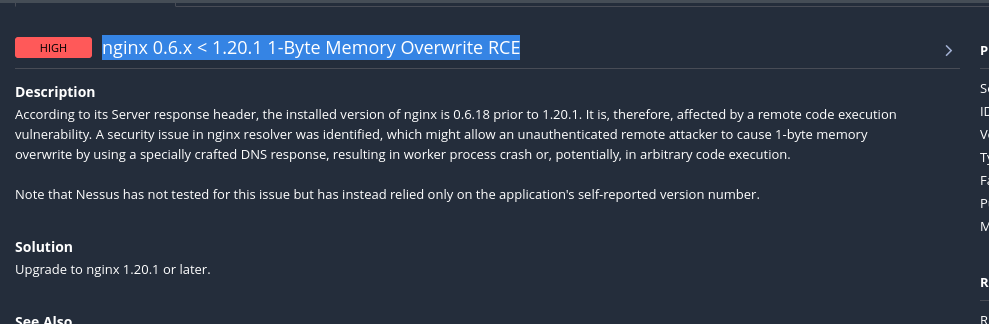
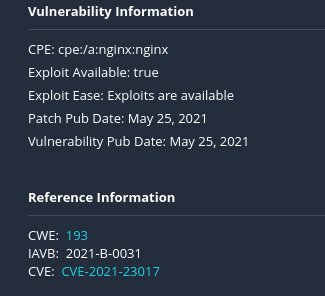
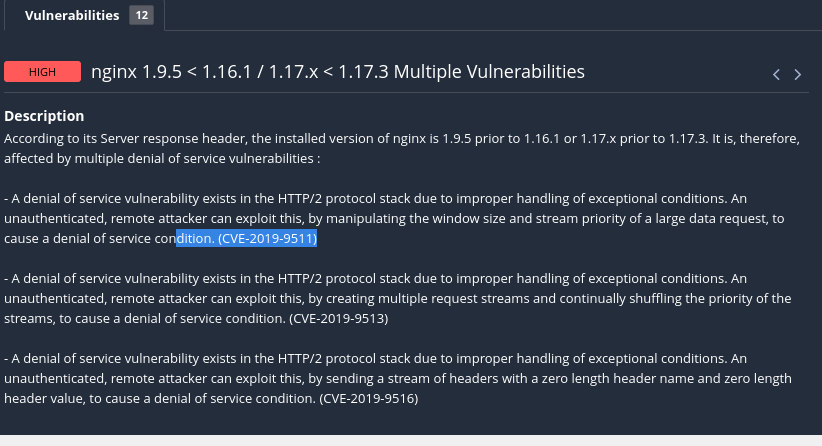
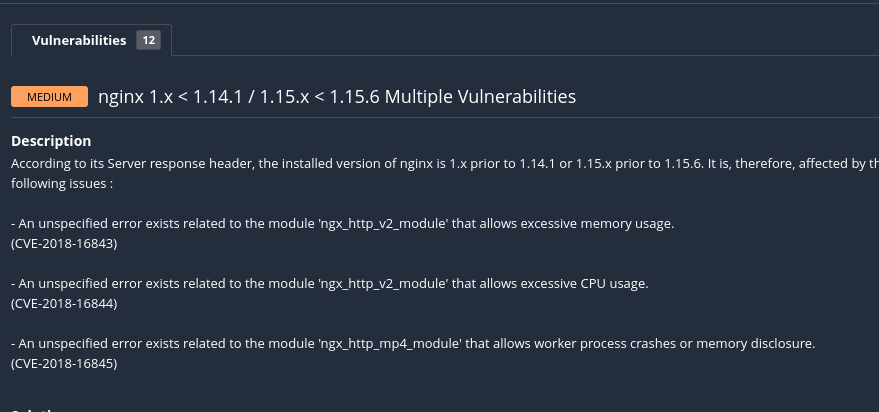

- Vulnerability Analysis:
- Exploit Ease: Low complexity (public exploits available).
- Patch Dates:
- CVE-2021-23017: Patched June 2021.
- CVE-2022-41741: Patched October 2022.
Task 3: Automated Email Reporting
-
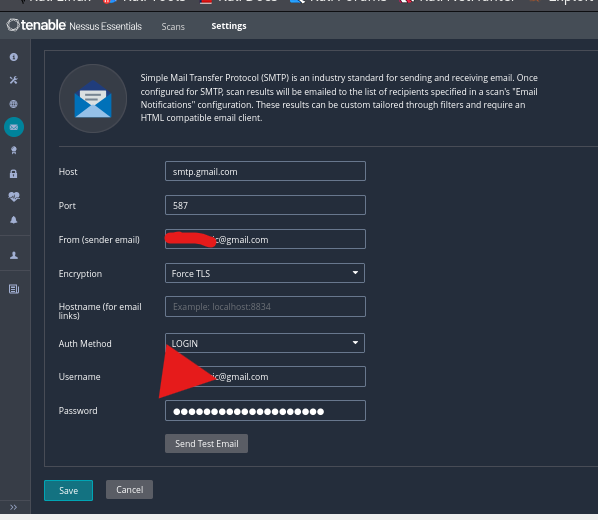
SMTP Configuration:
- Host:
smtp.gmail.com (Port: 587, TLS).
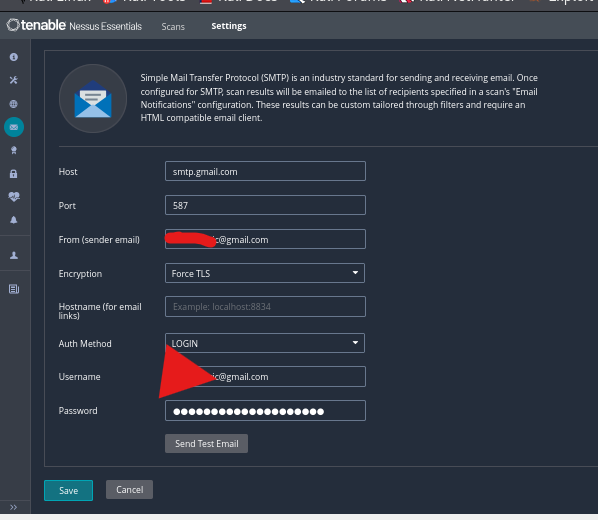
- Used Gmail app password for authentication.
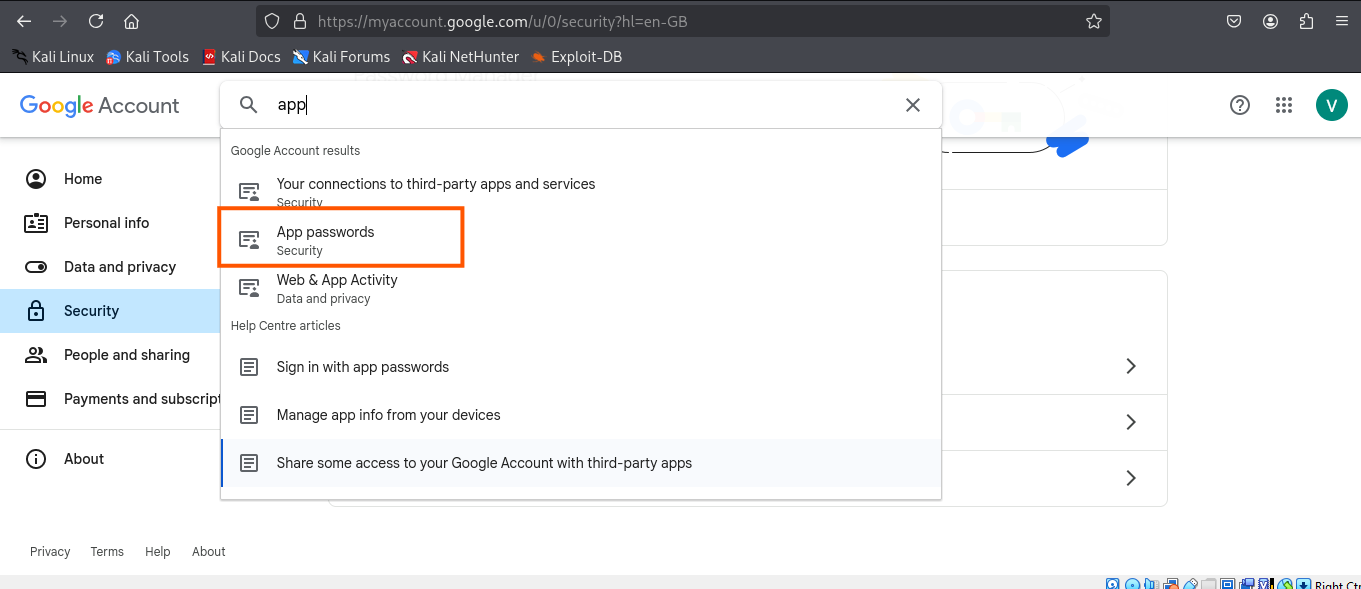
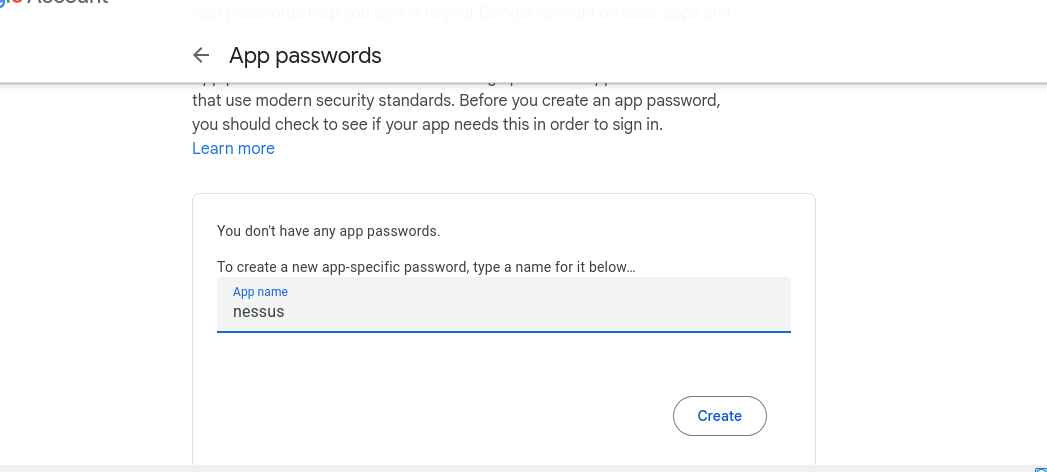
- Test email successfully sent to stakeholders.

nessus sent an email. meaning, it worked perfectly.
Task 4: Patch Management
 cybervixy/vulnerability-management
